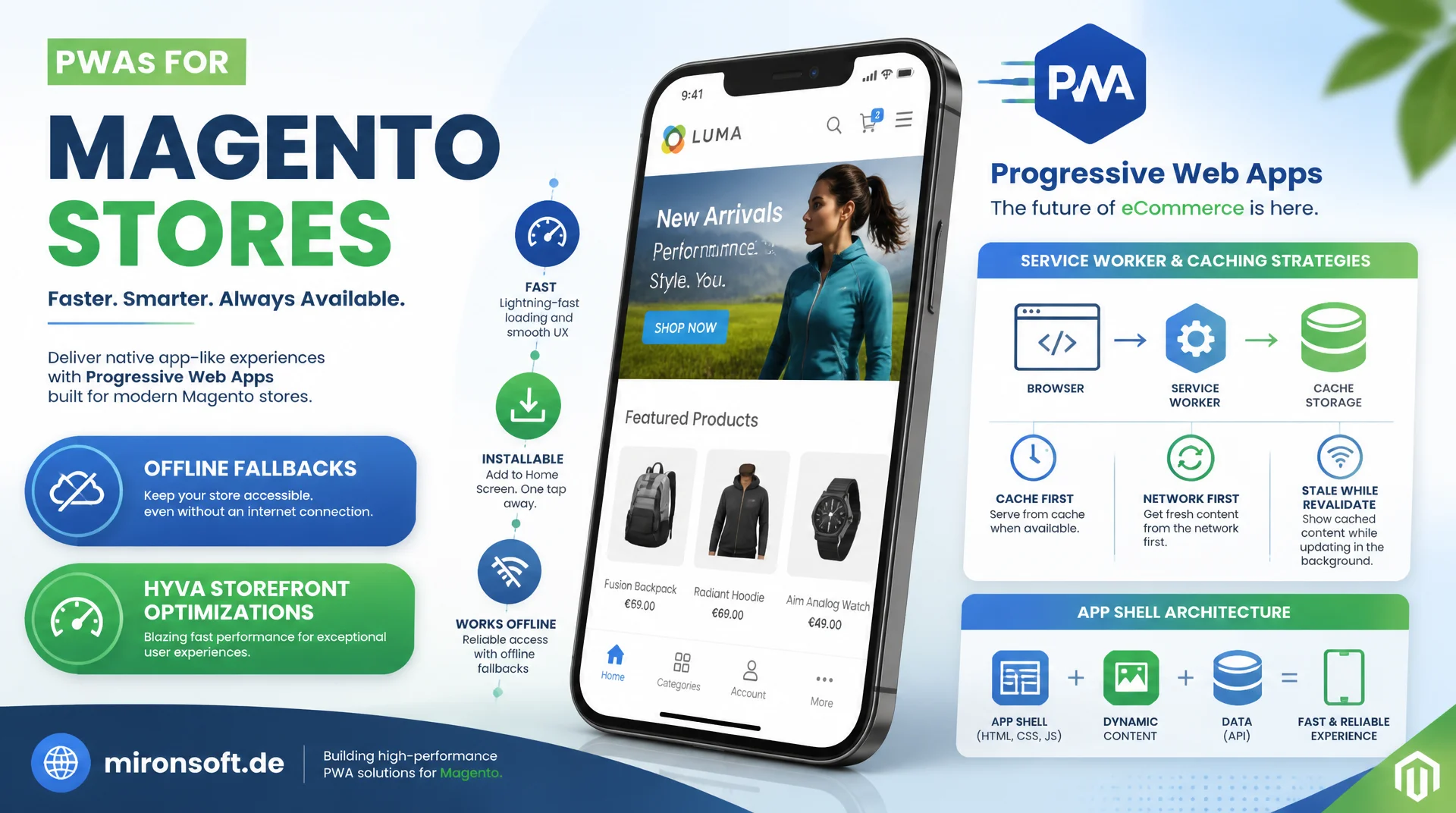
Getting the manifest, service worker, and app shell right
Progressive Web Apps promise app-like speed for Magento stores, but without a clean manifest, well-designed service worker caching strategies, and a clear app shell architecture, that effect never materializes. This article shows how to correctly implement installability, offline fallbacks, and install prompts, and where a well-optimized, server-rendered Hyva storefront actually stays ahead of the PWA.
Table of Contents
- 1. Prerequisites: manifest, HTTPS, and service worker as the foundation
- 2. The Web App Manifest in detail
- 3. App shell architecture: separating skeleton from content
- 4. Service worker lifecycle: install, activate, fetch
- 5. Caching strategies: cache-first, network-first, stale-while-revalidate
- 6. Install prompts and their engagement impact
- 7. Designing offline fallback pages correctly
- 8. Monitoring and maintaining service workers in production
- 9. PWA vs. server-rendered Hyva compared
- 10. Summary
- 11. FAQ
1. Prerequisites: manifest, HTTPS, and service worker as the foundation
A Progressive Web App is not a new technology, it is a combination of three browser standards that together create a new delivery model: a Web App Manifest, a registered service worker with a fetch handler, and a page served exclusively over HTTPS. Chrome, Edge, and most Chromium browsers check these three criteria before they even offer the install prompt. Miss one of them, and the page remains an ordinary website, no matter how much marketing surrounds it.
In a Magento 2.4.8 setup with Hyva, nothing changes about server-side rendering: Varnish or the built-in Full Page Cache still serve complete HTML per request. The service worker sits as an additional layer in the browser, on top of that delivery, and can intercept requests before they ever reach the network. Lighthouse's PWA audit checks the installability heuristics automatically and precisely lists missing manifest fields or a missing service worker scope before you have to debug manually.
2. The Web App Manifest in detail
The manifest.json defines how the installed app looks and behaves, completely independent of the actual HTML. The required fields name and short_name determine how it appears on the home screen, start_url sets the entry page when the app launches, and display: standalone removes browser chrome like the address bar and tabs, so the PWA feels like a native app. theme_color and background_color control the operating system's status bar and the splash screen color while loading, which makes a noticeable difference to the first impression, especially with red or dark brand colors.
Icons must be provided in multiple resolutions, at least 192x192 and 512x512 pixels, ideally also with purpose: maskable, so Android can adaptively crop the icon without cutting off important image content. In a Magento setup with multiple store views, the manifest.json should not live as a static file in the web root, but be served through its own controller per store view, so start_url, name, and scope match the respective language and domain. A single global manifest for all stores otherwise leads to wrong app names or wrong start pages after installation.
{
  "name": "Mironsoft Shop",
  "short_name": "Mironsoft",
  "description": "Magento 2 storefront with Hyva Theme",
  "start_url": "/?utm_source=pwa_homescreen",
  "scope": "/",
  "display": "standalone",
  "orientation": "portrait-primary",
  "background_color": "#0f172a",
  "theme_color": "#b91c1c",
  "lang": "en-US",
  "categories": ["shopping", "business"],
  "icons": [
    { "src": "/media/pwa/icon-192.png", "sizes": "192x192", "type": "image/png", "purpose": "any" },
    { "src": "/media/pwa/icon-192-maskable.png", "sizes": "192x192", "type": "image/png", "purpose": "maskable" },
    { "src": "/media/pwa/icon-512.png", "sizes": "512x512", "type": "image/png", "purpose": "any" },
    { "src": "/media/pwa/icon-512-maskable.png", "sizes": "512x512", "type": "image/png", "purpose": "maskable" }
  ]
}
3. App shell architecture: separating skeleton from content
The app shell architecture separates a page's structural skeleton, header, navigation, footer, and base layout, from the actual content. The shell is loaded into the cache once by the service worker on the first visit, and on every subsequent visit it renders instantly from the cache, while the actual content, such as product data or category listings, is still fetched over the network. The pattern originated in SPA frameworks like React or Vue and structurally fits client-rendered storefronts like PWA Studio best.
A server-rendered Hyva theme, by contrast, already delivers complete, rendered HTML on every request from the Full Page Cache, with no shell rendering needed in the browser at all. A sensible hybrid approach for Hyva is to cache only the static chrome elements like header and footer via the service worker, while the actual page content stays fully server-rendered. That reduces perceived load times on repeat visits without giving up the SEO benefits and simplicity of server rendering.
<!-- Hyva phtml: minimal app shell skeleton, precached by the service worker -->
<div id="app-shell" class="min-h-screen flex flex-col">
    <header class="app-shell-header">
        <!-- Cached once, rendered instantly on repeat visits -->
        <?= $block->getChildHtml('header-shell') ?>
    </header>

    <main id="app-shell-content" class="flex-1">
        <!-- Real content is always requested fresh, never part of the shell cache -->
        <div class="app-shell-skeleton animate-pulse" aria-hidden="true">
            <div class="h-64 bg-slate-200 rounded-xl mb-4"></div>
            <div class="h-4 w-3/4 bg-slate-200 rounded mb-2"></div>
            <div class="h-4 w-1/2 bg-slate-200 rounded"></div>
        </div>
    </main>

    <footer class="app-shell-footer">
        <?= $block->getChildHtml('footer-shell') ?>
    </footer>
</div>
4. Service worker lifecycle: install, activate, fetch
A service worker goes through three fixed phases: install, activate, and fetch. The install event typically loads the app shell into a versioned cache, for example shell-v3, so that a deployment with a new cache name does not overwrite old content but lets it exist cleanly in parallel. By default, the new service worker then waits until all open tabs of the old version are closed before it activates, which prevents inconsistencies between old and new code within a single session.
The activate event removes outdated caches by listing all cache names and deleting everything except the current one. self.skipWaiting() in the install event and self.clients.claim() in the activate event skip the waiting phase and immediately take control of open tabs, which speeds up updates but can switch the caching logic mid-order during an active checkout. For Magento stores with a checkout flow, a controlled update that explicitly informs the user is therefore safer than a silent skipWaiting().
5. Caching strategies: cache-first, network-first, stale-while-revalidate
Cache-first works well for assets that only change on a new deployment and are therefore versioned with a hash in the filename, such as bundled Tailwind CSS or Alpine.js bundles from the Hyva build. The service worker serves these files directly from the cache without even issuing a network request, which reduces load time to essentially zero. A network call only happens when the file is not yet in the cache.
Stale-while-revalidate immediately serves the cached version and updates the cache in the background with a parallel network request for the next visit. That fits category and product page HTML well, where a slightly outdated view for a fraction of a second is acceptable. For prices, stock levels, and anything in checkout, network-first with a cache fallback is mandatory instead: the service worker tries the network first and only falls back to the cache on a network error, so a stale price is never shown.
// Service worker: install app shell, cache-first for static assets,
// stale-while-revalidate for category/product pages, network-first for checkout data

const SHELL_CACHE = 'shell-v3';
const RUNTIME_CACHE = 'runtime-v3';
const OFFLINE_URL = '/offline.html';

const APP_SHELL = [
  '/',
  '/offline.html',
  '/css/app-shell.css',
  '/js/app-shell.js',
];

self.addEventListener('install', (event) => {
  event.waitUntil(
    caches.open(SHELL_CACHE).then((cache) => cache.addAll(APP_SHELL))
  );
});

self.addEventListener('activate', (event) => {
  event.waitUntil(
    caches.keys().then((keys) =>
      Promise.all(
        keys
          .filter((key) => key !== SHELL_CACHE && key !== RUNTIME_CACHE)
          .map((key) => caches.delete(key))
      )
    )
  );
});

self.addEventListener('fetch', (event) => {
  const { request } = event;

  // Cache-first for versioned static assets (hashed filenames from Hyva build)
  if (request.destination === 'script' || request.destination === 'style') {
    event.respondWith(
      caches.match(request).then((cached) => cached || fetch(request))
    );
    return;
  }

  // Network-first for checkout and cart, never serve stale prices
  if (request.url.includes('/checkout') || request.url.includes('/customer/cart')) {
    event.respondWith(
      fetch(request).catch(() => caches.match(request))
    );
    return;
  }

  // Stale-while-revalidate for category and product pages
  if (request.mode === 'navigate') {
    event.respondWith(
      caches.open(RUNTIME_CACHE).then(async (cache) => {
        const cached = await cache.match(request);
        const fetchPromise = fetch(request)
          .then((response) => {
            cache.put(request, response.clone());
            return response;
          })
          .catch(() => cache.match(OFFLINE_URL));
        return cached || fetchPromise;
      })
    );
  }
});
6. Install prompts and their engagement impact
The beforeinstallprompt event fires automatically in Chrome and other Chromium browsers once the installability heuristics are met, usually after a certain amount of interaction time on the page. Calling preventDefault() on this event suppresses the native mini-infobar prompt, and the stored event can later be triggered deliberately via prompt(), for example after a second add-to-cart or after a successful checkout, when purchase intent is clearly recognizable instead of on the very first page visit.
Studies from Google and several e-commerce vendors consistently show higher return rates and more sessions per user for installed PWAs compared to plain browser visits, because the home screen icon creates an additional, free re-entry surface. The appinstalled event can additionally be wired into analytics to evaluate install rates per landing page or campaign separately, and to test a custom install button deliberately against the timing of the native prompt.
// Alpine.js component: defer the native install prompt and trigger it
// only after clear purchase intent (e.g. second add-to-cart)
document.addEventListener('alpine:init', () => {
  Alpine.data('pwaInstall', () => ({
    deferredPrompt: null,
    installable: false,
    installed: false,

    init() {
      window.addEventListener('beforeinstallprompt', (event) => {
        // Suppress the automatic mini-infobar
        event.preventDefault();
        this.deferredPrompt = event;
        this.installable = true;
      });

      window.addEventListener('appinstalled', () => {
        this.installed = true;
        this.installable = false;
        // Track installs separately from the native prompt timing
        dataLayer.push({ event: 'pwa_installed' });
      });
    },

    async triggerInstall() {
      if (!this.deferredPrompt) return;
      this.deferredPrompt.prompt();
      const { outcome } = await this.deferredPrompt.userChoice;
      dataLayer.push({ event: 'pwa_install_prompt', outcome });
      this.deferredPrompt = null;
      this.installable = false;
    },
  }));
});
7. Designing offline fallback pages correctly
An offline fallback page is preloaded into the cache during the app shell's install event and served by the fetch handler as soon as a navigation request misses both network and cache. It's important to keep offline.html as small and self-contained as possible, with inline CSS instead of an external stylesheet reference, so the page is guaranteed to render fully from the cache without depending on yet another missing network resource.
Sensible content for an offline page includes recently viewed products or the wishlist, provided that data is already cached beforehand, plus a clear message about the missing network access and a retry button that triggers a new fetch attempt. The cart and checkout flow explicitly do not belong in the offline cache, because stock changes and price updates during the offline period can lead to an inconsistent state once the connection returns.
<!-- Hyva phtml: register manifest and service worker, CSP-compliant -->
<link rel="manifest" href="<?= $block->escapeUrl($block->getViewFileUrl('manifest.json')) ?>">
<meta name="theme-color" content="#b91c1c">

<script type="text/javascript">
  if ('serviceWorker' in navigator && location.protocol === 'https:') {
    window.addEventListener('load', () => {
      navigator.serviceWorker.register('/service-worker.js', { scope: '/' })
        .catch((error) => console.error('Service worker registration failed', error));
    });
  }
</script>
<?= /* @noEscape */ $hyvaCsp->registerInlineScript() ?>
8. Monitoring and maintaining service workers in production
Cache names should be programmatically tied to the deployment pipeline's build hash, for example shell-{{version}}, so every bin/npm run build automatically produces a new cache and the activate handler reliably removes old versions. Without this coupling, a manually incremented cache name quickly goes stale whenever a deployment forgets to bump the version number, and users end up permanently stuck with old assets.
The Application panel in Chrome DevTools shows registered service workers, their status, and the current cache storage contents including size per cache. For ongoing maintenance, Workbox is worth using as an abstraction layer over the raw Cache API, since it ships ready-made strategies for cache-first, network-first, and stale-while-revalidate, and manages cache expiration and maximum entry counts declaratively instead of manually. Regularly testing the update flow in an incognito window reliably reveals whether a deployment accidentally leaves users stuck on stale code.
9. PWA vs. server-rendered Hyva compared
The most important point in practice: a PWA is not automatically faster than a well-optimized, server-rendered Hyva theme with a working Full Page Cache. On the very first page visit, the service worker still has to be downloaded, parsed, and registered on top of the actual HTML response, which in total costs slightly more time than a plain server response out of Varnish. The performance gain of a PWA only shows up on repeat visits, once assets and the app shell already live in the cache.
A second risk is stale content: if the cache isn't cleanly tied to the deployment pipeline, returning users may see weeks-old prices or sold-out products shown as available, while a purely server-rendered approach never has this problem structurally, because every request generates fresh HTML. For many content- and SEO-driven Magento stores, a cleanly configured Full Page Cache alone already reaches Core Web Vitals scores where a PWA implementation, with its added maintenance burden, barely adds a measurable benefit.
| Dimension | Server-Rendered Hyva | Progressive Web App | Practical Note |
|---|---|---|---|
| First page load | Fast TTFB from the Full Page Cache, no SW overhead | Extra SW download and registration add minor delay | Server rendering usually wins for first-time visitors |
| Repeat visits | Full round trip still needed despite browser cache | App shell and assets already sit in the service worker cache | The PWA advantage only kicks in from the second visit |
| Offline capability | No functionality without a network connection | Offline fallback and cached content available | Mostly relevant for returning mobile users |
| SEO / crawlability | Full HTML on every request, no caching pitfalls for bots | Misconfigured caches can show crawlers stale content | Service worker caching must never serve stale content to crawlers |
| Implementation effort | No extra caching layer, simpler debugging | Cache versioning, update flow, and testing add complexity | Only budget the extra effort if engagement goals justify it |
Mironsoft
PWA development, service worker architecture, and performance engineering for Magento stores
Ready to build a Progressive Web App for your Magento store the right way?
We assess whether a PWA is worth the effort for your store, implement the manifest, service worker, and app shell architecture cleanly, and make sure your caching strategies never serve stale prices or stock.
PWA audit
Assessing whether installability and offline support genuinely move the needle for your store
Service worker implementation
Manifest, caching strategies, and update flow implemented production-ready
Performance monitoring
Cache versioning tied to the deployment pipeline, continuously monitored
10. Summary
The most important performance patterns for Progressive Web Apps in Magento build on the same three foundations: a correctly configured manifest with the right icons and display: standalone, a service worker that caches the app shell and assets with versioning, and caching strategies that match the type of data involved. Static, hashed assets belong in the cache-first pattern, category and product pages benefit from stale-while-revalidate, and anything around price, stock, and checkout must stay strictly network-first with a cache fallback.
The most honest part of the decision is the comparison against a well-optimized, server-rendered Hyva storefront: a PWA is not faster on the first visit and brings extra maintenance burden through cache versioning and update flows. Its value comes exclusively from returning, engaged users who benefit from installability, offline fallbacks, and faster repeat visits, which is why the decision for or against a PWA should always be a question of actual user behavior, not raw enthusiasm for the technology.
Progressive Web Apps for Magento: The Essentials at a Glance
Manifest & installability
Correct icons, display: standalone, and a manifest served per store view are mandatory for installability.
Caching strategies
Cache-first for static assets, stale-while-revalidate for content, network-first for prices and checkout.
App shell vs. server rendering
Hybrid approach: cache only chrome elements, keep page content fully server-rendered via the Full Page Cache.
Honest performance tradeoff
PWA benefits only appear on repeat visits. Cache versioning must be tied to the deployment pipeline.