Magento Security: Digital Fortress Architecture for Your Business Success
DEEP DIVE
Magento Security & Security Patches
Magento Security: Turn Your Store Into a Digital Fortress
In today's e-commerce landscape, an online store is far more than just a sales channel – it's a highly sensitive data vault. A security incident is never a minor technical hiccup; it's an existential threat to your business.
In today's e-commerce landscape, an online store is far more than just a sales channel – it's a highly sensitive data vault. Credit card details, personal addresses, and internal business strategies all flow through your Magento instance. That makes Magento (Adobe Commerce) one of the most attractive targets for cybercriminals worldwide. A security incident is never a minor technical annoyance; it's an existential threat that can destroy customer trust within seconds and trigger severe legal consequences.
As a specialized Magento developer at Mironsoft, I treat Magento security not as an optional extra, but as the unshakeable foundation of every line of code I write. In this guide you'll learn everything about the anatomy of attacks, why security patches matter, and how we turn your store into a digital fortress.
01
The Threat Landscape: Why Magento Stores Are in the Crosshairs
Magento is the most powerful open-source shop system in the world. That popularity has a downside: hackers build specialized bots that scan the internet around the clock for known vulnerabilities in Magento installations. Most of the time this isn't about "vandalism" – it's about hard financial interests. The most common attack targets are:
- Magecart & credit card skimming: Malicious code is injected into your checkout to harvest customer data before it's ever encrypted.
- Ransomware: Your entire store and database get encrypted, and you're extorted for a ransom payment.
- SQL injections: Attackers try to send commands to your database through input fields to gain admin rights.
- Brute-force attacks: Automated attempts to crack your admin password through massive trial and error.
02
The Most Important Shield: Magento Security Patches
Adobe regularly releases security bulletins and patches. These close gaps that were often only recently discovered. A security patch is a targeted repair to Magento's core code. The problem: as soon as a patch is published, hackers know exactly where the gap is. The race begins.
At mironsoft we offer an express patch service. We evaluate every new patch immediately after release, test it on your staging system, and roll it out promptly. Anyone who waits weeks or months here is leaving the front door to their vault wide open.
03
Three-Pillar Security at mironsoft
Real security doesn't come from a single plugin – it comes from a deep strategy that we split into three areas:
A. Application Security (Code Level)
We review your code for messy customizations. Many vulnerabilities don't originate in the Magento core itself, but in poorly written third-party extensions or custom code. We use static code analysis tools to spot weaknesses like XSS (cross-site scripting) before they become a real problem.
B. Server Hardening (Infrastructure Level)
Your server is the first line of defense. We configure your environment following the "principle of least privilege" – services and users only get the rights they absolutely need. We implement web application firewalls (WAF) such as ModSecurity, or cloud solutions like Cloudflare, to filter malicious traffic before it ever reaches your server.
C. Process Security (Human Level)
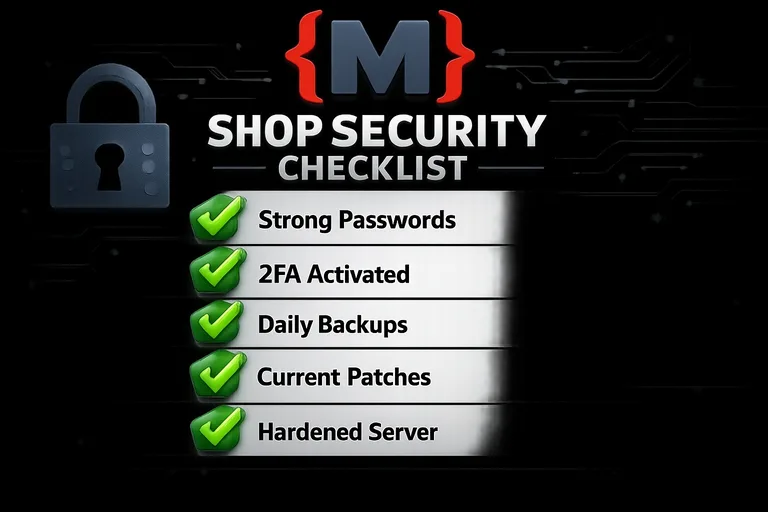
Security is also a matter of discipline. We implement two-factor authentication (2FA) for all admin accounts and restrict Magento backend access via IP whitelists. We also train your team in handling passwords and sensitive data responsibly.
04
Malware Removal: When It Already Seems Too Late
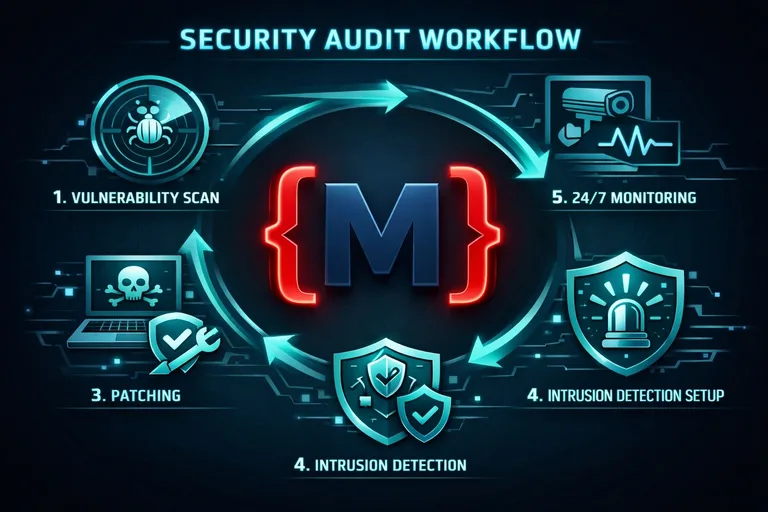
If your store is already infected, fast action is essential. An infected store spreads malicious code to your customers and gets blacklisted by Google and antivirus programs within a very short time. That means a total stop to your traffic.
My "emergency response" service includes:
- Isolation: We disconnect the store from the network to prevent further damage.
- Forensics: We analyze the log files to find the hacker's entry point.
- Cleanup: We remove all backdoors and malicious scripts from files and the database.
- Repair: We close the original vulnerability and harden the system against future attacks.
05
The Role of GDPR in Magento Security
In Germany and across Europe, security isn't purely an IT question – it's a legal obligation. GDPR requires the "state of the art" when it comes to protecting personal data. An outdated Magento version without security patches does not meet that standard. In the event of a data breach, fines running into the millions are at stake. With my security service, you ensure your store meets GDPR's technical requirements and minimize your liability risk.
06
Monitoring and Intrusion Detection: 24/7 Vigilance
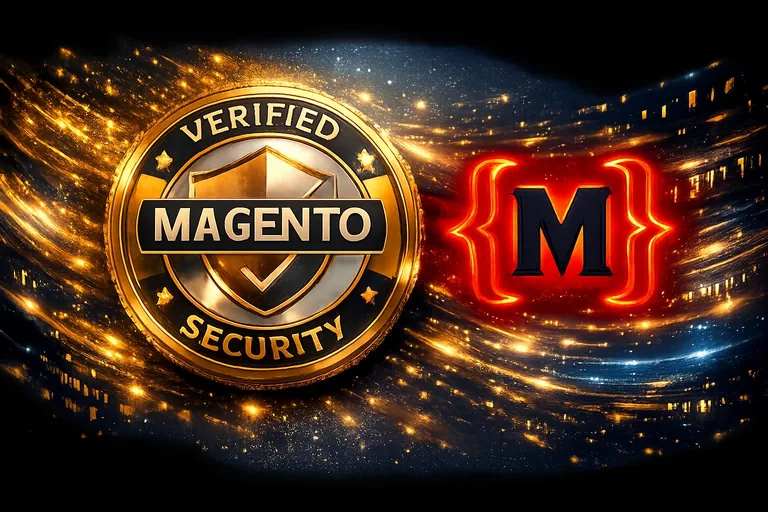
Security isn't a state – it's an ongoing process. We install monitoring systems that watch your store around the clock. Any unauthorized change to core files triggers an immediate alert. We use tools like Adobe Commerce Scan and complement them with custom scripts that check file-system integrity and database changes. That way we catch attacks in real time, often before the hacker can even finish their work.
07
Security Through Hyvä: Less Code, Less Attack Surface
An interesting side effect of switching to Hyvä Themes is the security gain. By dropping hundreds of third-party JavaScript libraries (as found in the Luma theme), we massively reduce the attack surface. Fewer dependencies mean fewer potential vulnerabilities. Hyvä is therefore not just a performance boost – it's a genuine security upgrade too.
08
Why mironsoft Is Your Security Partner
As a freelancer, I carry full responsibility for my projects. At a large agency you're often just a ticket number. At mironsoft you have an expert who understands your system and picks up the phone immediately at any security warning.
- Individual audits: We don't run generic scans – we examine your specific configuration.
- Fast response times: Every hour counts when a vulnerability is discovered.
- Holistic approach: We treat code, server, and process as one unified system.
Sleep Soundly While Your Store Sells Safely
Security is an investment in your brand's future. The cost of prevention is a fraction of the damage a successful hack causes. Don't leave your Magento store's security to chance or generic off-the-shelf tools. Rely on real technical expertise and proactive support from an expert. Let's work together to make sure your data – and your customers' data – stays safe.
How secure is your store, really? Let's run a free security check today.
Request a Free Security CheckFrequently Asked Questions (FAQ) About Magento Security
How do I know if my Magento store has been hacked?
Common warning signs include unknown administrator accounts in the backend, slow load times with no obvious cause, or checkout errors. Customer complaints about fraudulent charges after a purchase are also a massive red flag for credit card skimming. We run professional forensic audits to reliably uncover even hidden malicious code.
Are security plugins enough to protect my store?
Plugins can be a helpful addition, but they never replace professional server hardening and regular core updates. Many plugins lull shop owners into a false sense of security while introducing new vulnerabilities themselves. Real security requires a holistic approach that reaches deep into both Magento's and the web server's configuration.
What is the Adobe Commerce Security Scan?
This is a free tool from Adobe that scans your store for known vulnerabilities, malware, and outdated patches. It's a good first step for monitoring, but it doesn't replace a manual penetration test performed by an expert. We use this scan as part of our monitoring routine, but always interpret the results in the context of your individual store infrastructure.
How often should I back up my store?
For an active online store, daily backups are the absolute minimum – and we often recommend even shorter intervals for the database. It's crucial that backups are encrypted and stored on a physically separate system, so they don't also get encrypted in the event of a ransomware attack. We implement automated backup strategies that allow restoration within minutes if the worst happens.
What is a Web Application Firewall (WAF)?
A WAF is a specialized filter that sits between the internet and your Magento server. It analyzes incoming HTTP traffic and blocks known attack patterns like SQL injections or cross-site scripting before they ever reach your Magento code. We configure WAF solutions precisely enough that genuine customers aren't hindered, while malicious bots are reliably locked out.
Why is two-factor authentication (2FA) so important?
Even the strongest password can end up in the wrong hands through phishing or data leaks at other services. 2FA adds a second security layer, usually via an app on your smartphone. Without that physical second factor, a hacker can't log into your backend even if they know your password. We make 2FA mandatory for all administrative access to your Magento store.
Can insecure extensions put my whole store at risk?
Yes, absolutely. A single poorly coded extension can serve as a backdoor into the entire system. Since extensions have deep privileges within Magento, a vulnerability in a small widget can grant access to your entire customer database. We therefore critically review every installed extension and strongly recommend using only modules from reputable, certified vendors.
Can Magento 1 still be operated safely today?
Officially, Magento 1 has been "end of life" since June 2020, meaning there are no more security updates from Adobe. Community projects like "Mage-One" still offer patches, but the risk grows every day as the underlying software architecture ages. We strongly recommend migrating to Magento 2 to ensure an up-to-date security level and full compatibility with modern server technology.
What exactly happens during a Magento security patch?
A patch replaces faulty or insecure code passages in the Magento core with new, secure versions. This usually happens through the Composer package management system. Since fundamental logic can change as a result, it's important to test the patch first on a copy of the store (staging) to make sure your custom features and themes continue working as expected.
Am I personally liable for my store's security?
Legally, the shop owner bears responsibility for protecting the data being processed. If you negligently skip security updates and a data leak occurs, you're liable to customers and regulators alike. With a professional maintenance contract at mironsoft, you can demonstrate that you've taken all reasonable technical measures ("state of the art"), which significantly reduces your legal risk.
How do I protect my Magento backend from unauthorized access?
Besides 2FA and strong passwords, the admin area's URL should never be "/admin" but rather a cryptic custom path. An IP restriction is also very effective: only your staff in the office or over a secure VPN can even reach the login page. We implement these protective layers by default on all our client projects.
What role does SSL/TLS play in Magento security?
A valid SSL certificate encrypts all communication between your customer's browser and your server. Without SSL, passwords and payment data could be intercepted over Wi-Fi or at the internet provider level. In Magento, we enforce HTTPS on all pages and use modern security headers (HSTS) to effectively prevent man-in-the-middle attacks.
Can mironsoft restore my store after a hack?
Yes, we have extensive experience in malware removal and store recovery. We clean up the system, close the entry point, and safely bring operations back online. That said, prevention is always cheaper and far less painful than an emergency rescue. After a cleanup, we always recommend switching to our active security monitoring.
What is a security audit analysis?
In an audit, we put your store completely under the microscope: we check the versions of every component, scan for unused modules with vulnerabilities, test the strength of admin passwords, and examine the server configuration. At the end you receive a detailed report with recommended actions to systematically close your security gaps.
How do I get started securing my store with mironsoft?
Just send us a message or give us a call. We run a first quick analysis of your store's security and point out the most critical weaknesses. From there, we build you an individual security concept – from a rapid patch installation all the way to comprehensive, ongoing protection for your online store.
Cookie-Details
| Name | Anbieter | Laufzeit | Zweck |
|---|---|---|---|
Cookie-Details
| Name | Anbieter | Laufzeit | Zweck |
|---|---|---|---|
Cookie-Details
| Name | Anbieter | Laufzeit | Zweck |
|---|---|---|---|
Cookie-Details
| Name | Anbieter | Laufzeit | Zweck |
|---|---|---|---|