Magento Core Web Vitals: The Ultimate Guide to Search Experience Optimization
DEEP DIVE
Google Core Web Vitals
Core Web Vitals: your ticket to top rankings
In the era of modern e-commerce, Google has fundamentally changed the rules of the game. Technical user experience — measured through the Core Web Vitals (CWV) — has become one of the most critical ranking factors and conversion drivers.
In the era of modern e-commerce, Google has fundamentally changed the rules of the game. It's no longer enough to offer relevant content and products. Technical user experience — measured through the Core Web Vitals (CWV) — has become one of the most critical ranking factors and conversion drivers. For Magento shop owners, these metrics are often a massive challenge, since Magento 2's standard architecture (Luma) is barely able, natively, to meet Google's strict thresholds.
As a specialized Magento developer at Mironsoft, I'll show you in this deep dive how we prepare your shop technically so it doesn't just pass Google's tests — it leaves your competitors behind in the search results.

01
What are Core Web Vitals, and why are they vital for Magento merchants?
The Core Web Vitals are a Google initiative to provide unified quality signals for user experience on a website. While SEO used to often be a "black box," Google now gives us exact technical metrics. These metrics don't measure server speed, but what the user actually experiences on their device.
For a Magento shop, "passing" the Core Web Vitals is a double win:
- Better rankings: Google favors pages that offer an excellent page experience.
- Higher conversion rate: users who experience a stable, fast page statistically buy noticeably more often.
02
LCP – Largest Contentful Paint: the fight against the blank white page
LCP measures the time that passes until the largest visible element in the browser (usually the hero image on the homepage or the product image on a product detail page) has fully rendered. A good value is under 2.5 seconds.
The Magento trap with LCP
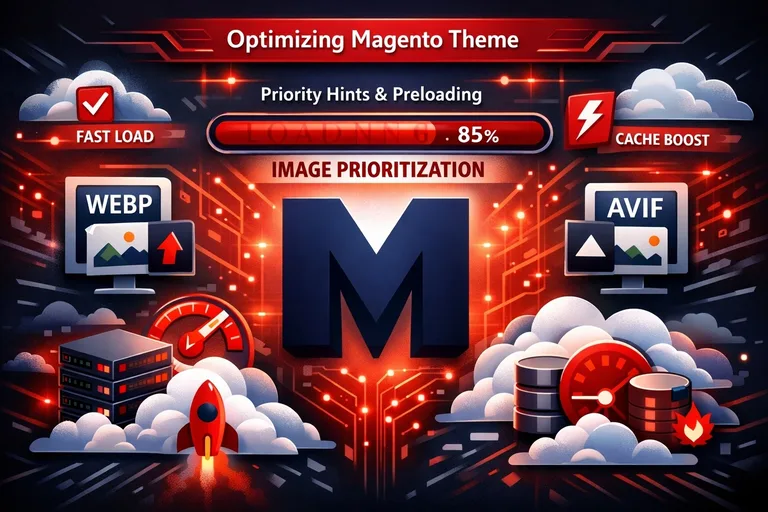
Standard Magento (Luma) has a massive problem here. Before the product image can load, the browser often has to process huge amounts of JavaScript and CSS first. On top of that, images are often not loaded with priority. We solve this problem through:
- Priority hints & preloading: we instruct the browser to start loading the main image before it even analyzes the rest of the page.
- Modern image formats: we use WebP or AVIF with automatic fallback.
- Server-side optimization: a fast Varnish cache makes sure the HTML skeleton is delivered in milliseconds (TTFB optimization).
03
INP – Interaction to Next Paint: the new metric for real interactivity
Since March 2024, INP has replaced the old FID (First Input Delay) metric. While FID only measured the very first interaction, INP evaluates the delay of every interaction throughout the entire visit. When a user clicks a menu or an "add to cart" button, INP measures how long the browser takes to deliver the visual confirmation.
Why Magento often fails here
The main issue is the browser's "main thread." Magento loads enormous amounts of JavaScript (RequireJS, Knockout.js). While the browser executes these scripts, it's blocked for user input. The user clicks, but nothing happens — an INP nightmare.
- JavaScript slimming: we remove unused code and third-party scripts that block the main thread.
- Yielding to the main thread: we break long JavaScript tasks into smaller chunks so the browser can respond to clicks in between.
- The Hyvä path: by switching to Hyvä Themes, we eliminate 90% of the problematic JavaScript and achieve excellent INP scores natively.
04
CLS – Cumulative Layout Shift: no more jumping content
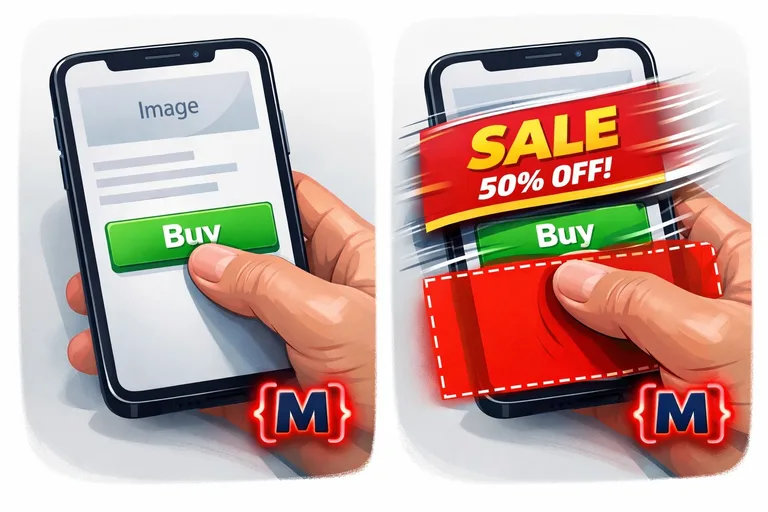
CLS measures the visual stability of a page. You know the feeling: you're about to click a button, an image suddenly loads in, the button shifts down, and you misclick. Google hates that — and so do your customers.
Optimizing layout shift in Magento
In Magento, these shifts are often caused by dynamically loaded fonts, banners, or product widgets. We eliminate CLS through:
- Aspect ratios for images: we reserve the space for the image in the layout before it has loaded.
- Font-display swap: we use CSS properties that prevent the page from "flickering" while the house font loads.
- Static space for dynamic content: ad banners get fixed container sizes so they don't push content downward.
05
The impact of third-party scripts on your Core Web Vitals
A Magento shop without tracking pixels, chat widgets, or ad scripts is hard to imagine. But every one of these scripts is a potential danger to your Core Web Vitals. They often pull in unoptimized code from external servers.
We implement strict tag management. Scripts only load once they're actually needed (lazy loading for scripts), or we use techniques like "Partytown" to run scripts in web workers, separate from the main thread. That way your analytics stay accurate, but your shop stays fast.
06
Mobile vs. desktop: why mobile performance decides everything
Google uses almost exclusively mobile data for ranking. A Magento shop that shines on desktop can still fail on mobile, since smartphones have weaker CPUs and often slower internet connections. Our optimization is consistently mobile-first. We simulate slow 4G connections and mid-range smartphones to make sure your Core Web Vitals stay in the green for every user.
07
Core Web Vitals aren't a one-time project
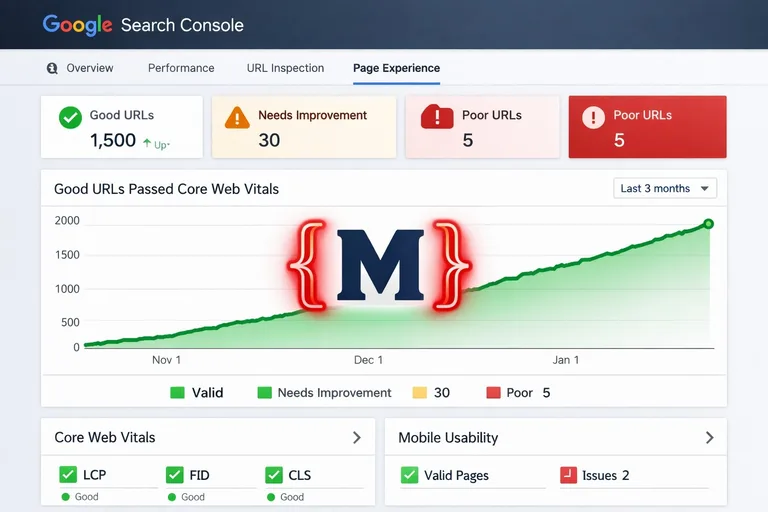
A new module or a poorly optimized banner in the admin area can ruin your scores overnight. We implement Real User Monitoring (RUM). We don't just rely on lab data (Lighthouse) — we measure what your real customers actually experience. Dashboards let you see at any time whether your shop meets Google's criteria.
08
Become the winner in Google rankings
Optimizing Core Web Vitals for Magento is a technical feat that requires deep knowledge of Magento's core, web browser technologies, and SEO strategy. At mironsoft you don't get superficial cosmetics — you get a deep overhaul of your shop's performance. The result is a page that users love and that Google rewards with top placements.
Ready for the green zone? Let's optimize your Core Web Vitals together.
Request a free CWV auditFrequently asked questions about Magento Core Web Vitals
Why are my Lighthouse scores better than the data in Search Console?
Lighthouse provides "lab data" under ideal conditions. Google Search Console, on the other hand, uses "field data" (CrUX) from real users over the last 28 days. If your customers have slow smartphones or poor network conditions, the field data reflects that reality. We optimize your Magento shop so it achieves top scores even under real-world conditions where your customers actually are.
What's the single most important factor for a good LCP score in Magento?
The most important factor is the combination of a fast server response time (TTFB) and priority loading of the main image. In Magento, we often have to disable "lazy loading" for the very first image on a page and instead add a "preload" directive to the HTML header. Only then does the browser know immediately that this image has the highest priority, even before it has fully processed the CSS.
How does the new INP (Interaction to Next Paint) affect my shop?
INP is stricter than the old FID. It measures not just the first click, but responsiveness throughout the entire visit. For Magento, that means every time a user selects a product option or opens the menu, it gets measured. If your shop "stutters" from too much JavaScript, Google will now penalize that more clearly. Slimming down your scripts is therefore unavoidable for INP.
Can I improve Core Web Vitals without a new theme?
Yes, that's possible, but it's often very tedious and expensive compared to switching to Hyvä. In an existing Luma theme, we have to manually bundle hundreds of JavaScript files, remove unused CSS, and build complex workarounds for the Core Web Vitals. We can achieve improvements that way, but the "natural" lightness of a modern frontend like Hyvä is hard to reach with the old standard theme.
Why does my layout jump around (CLS) so often while loading?
That's usually caused by content loading without fixed size attributes. A classic example in Magento is images or ad banners with no placeholder reserved. When the image then appears, it "shoves" the text downward. We fix this by giving every image tag correct width and height attributes and defining CSS placeholders for dynamic blocks (like the cart counter).
Is it enough to optimize Core Web Vitals just on the homepage?
No, definitely not. Google evaluates every URL of your shop individually. Customers often land directly on a product detail page or category page via organic search. If those pages have poor Core Web Vitals, it negatively affects the whole shop's ranking. We therefore systematically optimize every important page type (template) of your Magento shop.
How are web hosting and Core Web Vitals connected?
Hosting mainly affects the LCP score through "Time to First Byte." If your server takes too long to send the first chunk of data, the rest of the page can't possibly load fast. We rely on specialized Magento hosting with NVMe storage, Redis, and Varnish to reduce server latency to a minimum, laying the foundation for excellent Core Web Vitals.
Do Google Fonts hurt my Core Web Vitals?
Yes, if they're implemented incorrectly. Loading fonts from Google's servers creates extra DNS lookups and can cause layout shifts (FOIT/FOUT). For Magento projects we always host fonts locally and use modern WOFF2 formats. That's not just better for Core Web Vitals — it's also mandatory for GDPR compliance in Germany.
Is there a limit to how many images I can have on a page?
There's no hard limit, but every image adds to the data volume. With modern techniques like native lazy loading and the use of CDNs, we can make even image-heavy pages performant. What matters is that images below the first viewport (below the fold) only load once the user scrolls to them. That frees up network resources for the critical LCP moment.
Can a chat widget ruin my Core Web Vitals?
Absolutely. External widgets are often "performance killers," since they load enormous amounts of JavaScript. We solve this with "facade techniques": we first show only a small, static image of the chat. Only once the user clicks it, or after a certain dwell time (once the main page is done), do we load the actual widget. That way your shop stays lightning-fast for Google.
Do video backgrounds help or slow the shop down?
Videos are extreme resource hogs. If they sit in the header (the LCP zone), it's almost impossible to get top scores. We often recommend loading videos only after a user interaction or below the fold. If a header video is unavoidable, we use extremely compressed formats (WebM) and make sure the video's first frame loads instantly as a static image, to save the LCP score.
What's the difference between LCP and FCP?
FCP (First Contentful Paint) measures when the *first* element (e.g. a background color or a snippet of text) appears. LCP (Largest Contentful Paint) measures when the *largest* element — the one that matters most to the user — appears. Google weights LCP much more heavily, since it better reflects the user's actual perception. A page can have a fast FCP but a catastrophic LCP score due to a slow-loading product image.
What happens if my shop fails the Core Web Vitals?
In the short term, your shop won't get removed from Google, but you'll lose valuable ranking advantages against competitors who pass the test. In the long term, poor user experience leads to declining sales and a higher bounce rate. Google evaluates these user signals, which can lead to a gradual decline in search results. It's a competitive disadvantage you can no longer afford today.
Can a cookie banner affect Core Web Vitals?
Yes, massively so. If the cookie banner covers the LCP zone, Google often counts it as the Largest Contentful Paint element. If the banner then loads with delay or shifts the layout, it ruins both LCP and CLS. At mironsoft we make sure cookie banners are technically implemented so they don't negatively affect the metrics.
How do I start optimizing my Core Web Vitals with mironsoft?
Contact us for an initial audit. We analyze your field data from Search Console and run detailed lab tests. You'll then get a list of measures tailored precisely to your shop — from quick fixes to long-term strategies for permanently green Core Web Vitals.
Cookie-Details
| Name | Anbieter | Laufzeit | Zweck |
|---|---|---|---|
Cookie-Details
| Name | Anbieter | Laufzeit | Zweck |
|---|---|---|---|
Cookie-Details
| Name | Anbieter | Laufzeit | Zweck |
|---|---|---|---|
Cookie-Details
| Name | Anbieter | Laufzeit | Zweck |
|---|---|---|---|