Magento 2 Experts — Hyvä Theme, Tailwind CSS & SEO from a Single Source ›

Admin & Backend

Magento 2 Admin Extensions make work in the backend traceable, safe and faster: logging, fine-grained rights, grid functions, reports, notifications and maintenance helpers. On this page you find 11 modules for businesses that Mironsoft sets up personally in your shop. The overview below shows prices and purpose, the text after it helps with the choice.
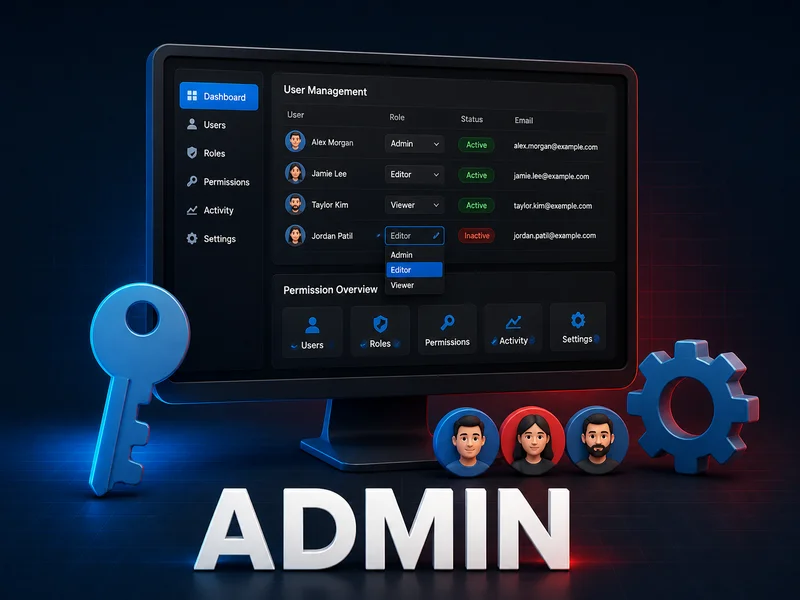
Admin & Backend

11 Item(s)

What do Magento 2 Admin Extensions do, and what do they not do?

Magento 2 Admin Extensions do not change what your customers see in the shop, they change how your team works in the backend. The standard Magento admin knows roles for whole menu items, a product grid with basic filters and index control through the command line. As soon as several people maintain products, create orders and change settings, that often stops being enough. This is where the 11 Magento 2 Admin Extensions in this category come in.

The Magento 2 Admin Extensions fall into six jobs. First, traceability: who changed what and when? Second, permissions: who may see and edit what? Third, catalog upkeep: finding and changing products and cloning categories. Fourth, reports built on real order data. Fifth, notifications to the responsible team. Sixth, maintenance: rebuilding indexes and uploading image files that Magento would otherwise block.

The limits belong here too. None of the Magento 2 Admin Extensions replaces a permission concept that you design yourself as the operator, and none replaces a backup. A log does not prevent a mistake either, it only makes the mistake findable. None of the modules is a download. Mironsoft sets them up personally in your shop, the offer is for businesses, and payment is by invoice or prepayment. The table further down shows all 11 Magento 2 Admin Extensions with prices and badges.

How do Magento 2 Admin Extensions make backend changes traceable?

When a price is suddenly wrong or a setting no longer fits, many teams start searching by asking around. Among the Magento 2 Admin Extensions, Mironsoft Admin Action Log (from EUR 179) answers the question of who did it straight from the system.

The module logs every backend action with user, timestamp, IP address and session information, plus the affected object and the result. You filter by change type, object type, user, timestamp or entity. It also keeps a separate log for page views with session paths and tracks all login attempts on its own. Active admin sessions can be monitored in real time.

For mistakes in the system configuration there is an undo function: the previous state is restored straight from the log instead of being rebuilt by hand. The description names this explicitly for changes to the system configuration, so do not plan on other kinds of data being reversible. Access to viewing and to resetting can be limited to certain roles.

A CSV export is provided for clean-up work and reports, and the retention period of entries is configurable. Optionally the module reports changes by email, and it can raise an alert automatically on stock changes. It is meant for several admin users and several stores and carries the Hyvä Ready badge.

How do you assign rights more finely than the standard ACL with Magento 2 Admin Extensions?

The Magento role system works with whole menu items: whoever sees "Catalog" generally sees the whole catalog. Among the Magento 2 Admin Extensions, Mironsoft Advanced Permissions (from EUR 249) takes over the finer control for sub-admin roles.

You limit a role to certain products or categories, with viewing and editing granted separately. One variant keeps all categories visible but allows editing only in the assigned ones. Access per store view and per website adds to that, which helps in multi-website setups, as does the visibility of individual product attributes per role.

Financial data can be narrowed down too: orders, invoices, shipments, credit memos and payment transactions can be limited per role. That matters when external service providers or part-time staff only maintain texts and do not need to see revenue figures. There is also access to individual CMS pages, transferring the product owner in the backend, and any number of sub-admin roles with their own permission set. As additions, the product page names locking individual form fields and a view-only permission level.

The module carries the Magento 2.4.x badge without Hyvä Ready, it works in the backend. Which roles you create is your decision, and we are happy to help with the structure as part of security consulting.

Which Magento 2 Admin Extensions protect your team from mistakes?

Mistakes in the backend rarely come from bad intent, they come from haste and rights that are too broad. This comparison shows which of the Magento 2 Admin Extensions secures which point.

Limit rights

Staff should only see and change what belongs to their job. Mironsoft Advanced Permissions does that with rights per product, category, attribute and store view.

Clear up changes

After a mistake it must be quickly clear who did what. For that, Mironsoft Admin Action Log logs every action and restores configuration states.

Secure quick edits

Editing directly in the grid risks typos. Mironsoft Product Grid Inline Editor validates input before saving and limits the editable fields per role.

Check bulk changes

With many products at once, the overview beforehand counts. Mironsoft Product Mass Action shows a preview of the affected products and writes a change log.

Avoid server access

Not everyone on the team should work via SSH. Mironsoft Reindex from Backend moves reindexing into the admin and restricts it by role.

Catch malicious code

A vector graphic must not become an entry point. Mironsoft SVG Image Uploader cleans SVG files before saving.

These safeguards complement each other: the rights limit what is possible, the log shows what happened. Together the Magento 2 Admin Extensions form a framework that you tailor to your team. It is not a guarantee against human error.

How do you maintain prices and status in the grid without opening every product page?

Among the Magento 2 Admin Extensions, catalog upkeep includes editing directly in the product grid. Mironsoft Product Grid Inline Editor (from EUR 179) allows changes by double-click in the table, without having to open the product page.

According to the description you can edit price, special price including its validity period, status and visibility, name and SKU, categories, stock quantity, backorders and tier prices, custom attributes such as color or manufacturer and meta fields, images and videos, and related products. The module knows two ways of working. In single-cell mode you change one field of one product. In multi-cell mode you mark the same column across several products, change the value once and save all rows together.

Because fast editing in the Magento 2 Admin Extensions carries risks, the product page names two additions: input is checked before saving to catch typos, and per admin role you decide which fields may be edited. An example: an editor may change price and status while SKU and categories stay locked. A separate CSV file is not needed for these changes, they take effect immediately in the grid.

Inline editor, mass action or import: which route fits which change?

Among the Magento 2 Admin Extensions there are two modules for changes to many products. An import is a third route outside this category. The comparison follows the feature statements on the product pages.

RouteTypical useParticularity
Mironsoft Product Grid Inline EditorCorrect single fields of many products, visible in the tableDouble-click in the grid, single-cell and multi-cell mode, field rights per role
Mironsoft Product Mass ActionApply one rule to a large selection, for example lower a price by a percentagePreview, change log, processing instantly or via cron
Import by fileLoad large, externally prepared data setsBelongs to the Import & Export category, works with files instead of the grid

The mass action covers more: Mironsoft Product Mass Action (from EUR 249) changes prices by replacing, adding or subtracting, fixed or as a percentage with rounding. It assigns or removes categories, copies product galleries or deletes them, transfers custom options via template, links up-sell and cross-sell, edits attributes in a modal without a page reload and changes attribute sets for many products at once. Processing runs instantly or delayed via cron. Operation uses buttons instead of dropdown menus, and the description names WCAG conformity and Magento Cloud compatibility.

How do you find products faster in the admin, in the grid and during order creation?

With a catalog of hundreds or thousands of products, searching is a time sink in itself. Two of the Magento 2 Admin Extensions step in at two different places, and the product pages draw a clear line between these places.

Mironsoft Admin Product Grid Category Filter (from EUR 79) adds a category column and a category filter to the product grid under Catalog. You select several categories at once, and for multi-level trees the full path is shown. The filter can be combined with the standard filters for price, status and type. Filtering runs index-based, the switch to enable it sits centrally in the configuration, and no data migration is needed.

Mironsoft Create Order Product Filter (from EUR 79) by contrast only acts during manual order creation. In the product selection you filter by category, SKU fragment and manufacturer, alone or together. The filter stays active throughout the whole order. The product page gives an example of a catalog with 3,200 products of which 14 remain after filtering, which is a mockup and not a measurement. In the general catalog grid this module explicitly does not act, the grid module exists for that. Both carry the Magento 2.4.x badge without Hyvä Ready.

For phone orders that your team creates itself, the second filter shows its strength. Workflows around invoices and returns are covered by the Orders category.

When does it pay to duplicate a category with one click?

Categories rarely start from nothing. Seasonal collections, campaign pages or a new language variant usually share the structure of an existing one. Among the Magento 2 Admin Extensions, Mironsoft Duplicate Category (from EUR 129) takes this repetition off your hands.

One click copies the category including attributes, description, image and meta data. The entire subcategory tree is copied, not just the top level, and the assigned products remain linked in the copy. The original is not changed at any point.

The usual stumbling block is the URL key. Two categories with the same slug do not get along in Magento, so the module gives the copy its own, collision-free key automatically, which you can adjust by hand later. The copy lands inactive by default, so you check it before it appears in the shop. You choose the target location in the category tree yourself, duplicating can be repeated as often as needed and works across all store views in multilingual shops.

How the catalog should be built so that categories get found at all is explained in the Catalog & Navigation category. The module carries the Hyvä Ready badge and, according to the product page, blends into the admin interface. That makes it a low-friction pick among the Magento 2 Admin Extensions.

How do Magento 2 Admin Extensions deliver reports beyond the Magento standard?

Reports are the area where Magento Open Source is thinnest. Among the Magento 2 Admin Extensions, Mironsoft Advanced Reports (from EUR 349) closes this gap with 20 ready-made reports on revenue, orders, customers, products, tax, coupons, payment methods and abandoned carts.

The analysis is multi-dimensional: you group by SKU and order number at the same time, for example, or by date and customer group. Filtering is by period, store view and any grid column, aggregated by day, month or year. The Sales by Geodata report shows revenue distribution on an interactive world map with drill-down from country through region and city down to postcode.

On top of that you build any number of dashboards of your own. You arrange widgets by drag&drop and resize them, and single values can be shown with a goal tracker as a ring, semicircle or progress bar. There are four chart types with several Y axes, access by QR code on a smartphone, and shared or private permissions.

Every report can be downloaded as CSV or Excel XML. For email delivery you set a schedule with a cron expression, daily, weekly, monthly or freely, and attach each report block as its own CSV file if needed. Quick-access download opens a report through a link without admin login. Anyone using this feature should control the handing out of links deliberately, the operator clarifies the data protection questions involved, more under Legal. This is a note, not legal advice.

How do Magento 2 Admin Extensions inform the right team about events in the shop?

Not every message belongs in the same inbox. A new order concerns fulfillment, low stock concerns purchasing, a new review perhaps marketing. Mironsoft Admin Email Notification (from EUR 179) maps this and so belongs to the Magento 2 Admin Extensions that bring order to everyday team work.

There are 7 event types: new order, low stock, new registration, new review, newsletter signup, newsletter unsubscribe and new wishlist entry. You switch each event on or off individually and set up a recipient list of its own for each. The email content per event is worded through customizable templates, and the settings are found under Stores, Configuration.

Against the flood in large catalogs there is optional filtering by category or product type, so a stock warning only triggers where it is needed. If you also want changes in the backend reported by email, you will find that with the action log. The module is built for Magento 2.4.x and is not marked Hyvä Ready.

How do you rebuild indexes without SSH access?

After larger catalog changes, indexes have to be rebuilt, and that usually happens on the command line. Not everyone on the team has that access. Mironsoft Reindex from Backend (from EUR 99) brings this function into the admin and is one of the more practical Magento 2 Admin Extensions for mixed teams.

You rebuild single or all indexes with one click and watch the progress live instead of guessing. After completion a confirmation appears in the admin. Access to these functions can be limited by role, so not every admin user may reindex. Few Magento 2 Admin Extensions touch the server as directly as this one. Optionally an automatic schedule runs daily, weekly or on your own pattern, and the manual click remains possible on top.

The product page itself names the limit: the module does not replace the cron-based reindex, it adds a manually triggered and optionally scheduled variant. How indexes, caches and runtime interact is covered by the Performance & Security category, and day-to-day operation by our maintenance and support.

What can logs and permission rules do, and what not?

Logs and role rights make work traceable, but they do not replace a data protection and retention concept.

With Mironsoft Admin Action Log, data about staff arises: user name, IP address, session information and login attempts. The retention period is configurable, but which period is appropriate and how you inform your team is for the operator to decide. The same goes for the permission structure: Mironsoft Advanced Permissions implements what you define and does not ask whether it makes sense.

According to the product description, undo applies to faulty changes of the system configuration. It is not a substitute for a database backup before larger interventions. Check data protection and retention before launch together with your legal advisor, the Legal category offers a starting point. This is not legal advice.

How do you upload SVG files safely when Magento blocks them?

Magento blocks SVG uploads by default because SVG files can contain embedded JavaScript, a well-known entry point for cross-site scripting. Mironsoft SVG Image Uploader (from EUR 129) opens the way again and is among the Magento 2 Admin Extensions that deal with backend security.

Instead of merely lifting the block, the module checks and cleans every uploaded SVG file before saving. Embedded scripts and event handlers are removed, and the appearance of the file is preserved. The uploader also handles JPEG, PNG and WebP, offers drag&drop, multi-upload, adjustable image quality and a preview.

It is available in the WYSIWYG editor, in Page Builder areas, for categories, in CMS pages and static blocks, and for theme logo and favicon. Operation is WCAG-compliant according to the description. Keep in mind that cleaning is not a free pass, so only upload SVG files from sources you trust. More on protecting your shop is in the article on shop security.

Magento 2 Admin Extensions at a glance: all 11 modules

The table shows every module in the category with purpose, price and compatibility badges. All prices apply to personal setup by Mironsoft.

ModulePurposePriceBadges
Mironsoft Admin Action LogLog of every backend change with user, time, IP address and session, undo for system configuration, CSV exportfrom EUR 179Hyvä Ready, Magento 2.4.x
Mironsoft Advanced PermissionsLimit rights per role to products, categories, attributes, store views, orders and CMS pagesfrom EUR 249Magento 2.4.x
Mironsoft Admin Email NotificationEmails for 7 event types to freely chosen recipients per event, with category filter and own templatesfrom EUR 179Magento 2.4.x
Mironsoft Advanced Reports20 ready-made reports, custom dashboards, world map with drill-down, scheduled email delivery, CSV and Excelfrom EUR 349Hyvä Ready, Magento 2.4.x
Mironsoft Admin Product Grid Category FilterCategory column and multi-select filter in the admin product grid, index-basedfrom EUR 79Magento 2.4.x
Mironsoft Create Order Product FilterCategory, SKU and manufacturer filters during manual order creationfrom EUR 79Magento 2.4.x
Mironsoft Duplicate CategoryDuplicate a category with subcategories and product assignments in one click, copy starts inactivefrom EUR 129Hyvä Ready, Magento 2.4.x
Mironsoft Product Grid Inline EditorEdit price, quantity, status and more directly in the product grid, one product or severalfrom EUR 179Hyvä Ready, Magento 2.4.x
Mironsoft Product Mass ActionChange prices, categories, attributes, images and related products by mass action, instantly or via cronfrom EUR 249Hyvä Ready, Magento 2.4.x
Mironsoft Reindex from BackendRebuild indexes with one click in the admin, with live progress, role-based, optional schedulefrom EUR 99Hyvä Ready, Magento 2.4.x
Mironsoft SVG Image UploaderUpload SVG, WebP, JPEG and PNG, SVG files are cleaned of embedded malicious codefrom EUR 129Hyvä Ready, Magento 2.4.x

Seven of the eleven Magento 2 Admin Extensions carry the Hyvä Ready badge, the other four name Magento 2.4.x. For backend modules the frontend is mostly secondary, but we still clarify the fit before setup. If you are changing your frontend, you will find background in the article on Hyvä.

What does everyday use look like? Four examples

The following scenarios are examples, not customer reports. They show how the Magento 2 Admin Extensions can be combined in daily business.

  • Example 1: several staff in the admin

    A shop employs editors, a buyer and an external service provider. With Mironsoft Advanced Permissions, editors see only their categories and the provider sees no revenue data. Mironsoft Admin Action Log logs who did what, and Mironsoft Admin Email Notification sends stock warnings only to purchasing.

  • Example 2: catalog upkeep in a team

    Before a promotion, many prices should drop and a new category should appear. The team duplicates last year's category with Mironsoft Duplicate Category, checks the inactive copy, lowers prices through Mironsoft Product Mass Action after a preview and corrects single outliers in the Mironsoft Product Grid Inline Editor. Everyone filters the product grid with Mironsoft Admin Product Grid Category Filter.

  • Example 3: review after a mistake

    A price or a setting is no longer right. In the action log you find user, time and object, with the system configuration you restore the state, and with mass actions you use the change log. After that, Mironsoft Reindex from Backend rebuilds the affected indexes without anyone having to open the command line.

  • Example 4: phone order from a catalog with thousands of items

    The service team creates orders for customers. Mironsoft Create Order Product Filter narrows the product selection by category, SKU and manufacturer, and the reports from Mironsoft Advanced Reports reach management on Mondays by schedule.

These combinations are suggestions. Which of the Magento 2 Admin Extensions you actually need depends on team size, catalog and way of working, not on the length of a list.

How do Magento 2 Admin Extensions work together with other areas?

The backend touches every other category. The Magento 2 Admin Extensions are therefore part of an interplay that shows at the interfaces.

On orders: whoever creates orders uses the product filter of order creation and needs the right permissions on invoices and transactions. Returns, invoice flows and order status are covered by the Orders category. On the catalog: the grid modules and duplicating assume a clean structure, described in Catalog & Navigation.

On import and export: large data volumes from other systems run better through files, and the Import & Export category is the place for that. On performance and security: the action log complements protective measures listed in Performance & Security but does not replace them. On documents: whoever limits invoices and shipments per role should also keep an eye on the output in Documents.

For an overview of all areas, see the Magento 2 Extensions page. For adjustments that go beyond ready-made modules, webshop development is the right starting point.

How does setting up Magento 2 Admin Extensions work?

The Magento 2 Admin Extensions in this category are not download files for self-installation. The purchase is a commission, and the offer is aimed at businesses.

01

Choose a module

You pick the fitting Magento 2 Admin Extensions from the table and order on the respective product page.

02

Payment by invoice or prepayment

Payment by invoice or prepayment is possible, you do not receive a download link.

03

Coordination

Mironsoft gets in touch and clarifies the details. For the rights module that is your roles, for notifications the recipients per event, for the catalog filter attributes such as manufacturer.

04

Setup in the shop

Mironsoft installs and configures the module personally in your shop. For ongoing operation the maintenance packages are available.

If you miss a function that no module contains, we check a custom extension. If you would like your installation reviewed beforehand, a code audit is an option. You will find prices at a glance under pricing.

Frequently asked questions about admin modules

What are Magento 2 Admin Extensions?

They are extensions for the Magento backend: logging, permissions, grid functions, reports, notifications, reindexing and uploads. In this category you find 11 modules by Mironsoft.

What does the Admin Action Log record?

Every backend action with user, timestamp, IP address and session info, plus the affected object and the result. There is also a page view log and tracking of login attempts.

Can I undo every change?

No. According to the product description, the undo function is meant for faulty changes to the system configuration. For other data your backup remains your protection.

How finely can rights be assigned with Advanced Permissions?

Per role you limit products, categories, attributes, store views, websites, orders, invoices, shipments, credit memos, transactions and CMS pages. Viewing and editing are granted separately.

What is the difference between the inline editor and the mass action?

The inline editor changes fields directly in the grid table, for single cells or several. The mass action applies a rule to many products, with preview, log and optional cron processing.

Does the Create Order Product Filter also filter the normal product grid?

No. It acts only during manual order creation. For the catalog product grid there is the Admin Product Grid Category Filter module.

Does Reindex from Backend replace the cron reindex?

No, it adds a manual click and optionally an extra schedule. Access can be limited by admin role.

Is the SVG upload safe?

The module removes embedded scripts and event handlers from SVG files before saving. Still, only upload files from trustworthy sources.

Do the modules work with Hyvä?

Seven modules carry the Hyvä Ready badge: Admin Action Log, Advanced Reports, Duplicate Category, Product Grid Inline Editor, Product Mass Action, Reindex from Backend and SVG Image Uploader. The other four name Magento 2.4.x. We clarify the fit before setup.

Do I get the modules as a download?

No. Mironsoft sets up every module personally in your shop. The offer is aimed at businesses, and payment is by invoice or prepayment.