Magento 2 Migration: Your strategic guide for a safe system change
DEEP DIVEMagento 2 Migration
Magento 2 migration: your path to a future-proof infrastructure
Digital commerce moves at a pace that allows no standing still. Anyone still running on outdated systems like Magento 1, or struggling with the limitations of simpler website builders, is putting their long-term business success at risk.
Digital commerce moves at a pace that allows no standing still. Anyone still running on outdated systems like Magento 1, or struggling with the limitations of simpler website builders, is putting their long-term business success at risk. The decision to run a Magento 2 migration is far more than a technical update — it's a realignment of your entire e-commerce infrastructure.
As a specialized Magento developer at Mironsoft, I'll guide you through this highly complex process. My goal is to transfer your valuable data safely, protect your visibility on Google, and put your shop on a technical foundation built to last the next ten years. In this comprehensive guide, you'll learn everything you need to know about planning, executing, and optimizing your migration.
AI generated
01
The urgency: why now is the right time for migration
If you're still running Magento 1, you're on thin ice. Since June 2020, Adobe has no longer provided official security updates. There are community solutions like "Mage-One," but the technical distance to the modern web grows every day. New PHP versions, modern database technologies, and innovative frontend approaches like Hyvä simply aren't available for Magento 1 anymore.
But switching from other systems like Shopware, Shopify, or Oxid to Magento 2 is also often a strategic necessity. As your business grows, so do the demands on internationalization, B2B processes, and multi-store management. Magento 2 is the platform with no glass ceiling. A migration is your chance to shed technical baggage and position your shop as the market leader in your niche.
02
The technical core: what does "migration" actually mean for Magento 2?
A common misconception is that migration is just a matter of clicking an "update" button. Technically, Magento 2 is a completely new system with an entirely different architecture. We're talking about a replatforming. Migration consists of four main areas:
Data migration
Transferring products, customers, categories, and order history.
Theme migration
Since the frontend system is completely different, the design has to be rebuilt from scratch (ideally directly with Hyvä).
Extension migration
Old M1 modules no longer work. We have to find functionally equivalent M2 alternatives or build them from scratch.
Custom code
Custom business logic has to be translated into the new M2 architecture (dependency injection, plugins, interceptors).
03
The mironsoft 7-step plan for a successful migration
A migration without a plan is a suicide mission. I follow a proven workflow to minimize risk and avoid downtime.
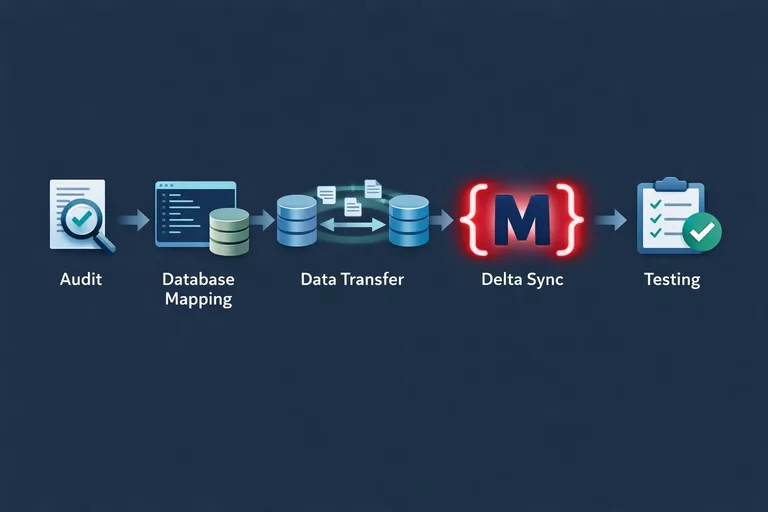
Before we write a single line of code, we analyze your current shop. Which data actually matters? Which extensions are actually being used? We often find that 30% of the old features aren't even needed anymore. We put together a requirements document that serves as the blueprint for the new shop.
Step 2: Building the M2 environment (staging)
We install a fresh Magento 2 on a high-performance development server. Here we configure the entire tech stack: Nginx, Varnish, Redis, and Elasticsearch. Your old shop keeps running completely undisturbed in the meantime.
AI generated
Step 3: Data migration with the Data Migration Tool
We use the official Magento Data Migration Tool. In the "settings" phase we transfer configurations and store structures. In the "data" phase, the actual records flow over. This is the moment we precisely adjust database mappings to make sure every customer attribute and product feature arrives correctly.
Step 4: Frontend development (the Hyvä boost)
Since we have to rebuild the frontend anyway, this is the perfect moment to switch to Hyvä Themes. We skip the heavy Luma default theme and build a lightning-fast, modern interface instead. That saves development time and gives your customers an experience they never knew from an M1 shop.
Step 5: Extension audit & integration
For every M1 extension, we check whether there's an M2 equivalent. This is often the opportunity to switch to higher-quality module vendors or implement features directly through the Magento core. Custom integrations (e.g. to your ERP) are rebuilt by me from scratch and thoroughly tested.
Step 6: Quality assurance (QA) and bug fixing
In this phase we test everything: do the payment methods work? Does checkout run smoothly? Are the shipping cost calculations correct? We run load tests to make sure the new shop stays stable even under high visitor numbers.
Step 7: Go-live and the delta migration
On moving day, we run what's called a delta migration. Only the data that's been added since the first import gets transferred (new orders and new customers). That minimizes maintenance time to an absolute minimum. After a final DNS switch, your new Magento 2 shop goes live.
04
SEO continuity: protecting rankings, boosting visibility
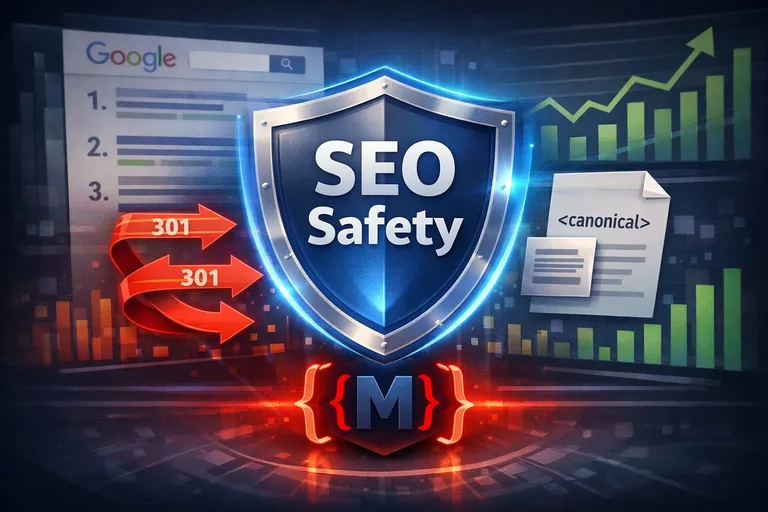
The biggest fear during a migration is losing the rankings you've painstakingly built up on Google. And rightfully so! If URL structures change without correct 301 redirects being set, visibility can collapse completely.
My SEO migration package includes:
URL mapping: we create a complete list of all old URLs and map them to their new M2 counterparts.
Metadata migration: title tags, descriptions, and H1 headings get carried over exactly.
Image SEO: alt tags and file names are migrated so your image rankings stay stable too.
Schema.org integration: we implement state-of-the-art structured data so Google understands your new shop instantly and shows rich snippets.
AI generated
05
Economic perspective: the ROI of a Magento 2 migration
Yes, a migration costs money. But it's not a cost factor — it's an investment in the scalability of your business.
Higher efficiency
The Magento 2 admin panel is significantly more intuitive and faster. Your team saves time every day on content management and order processing.
Better conversion rate
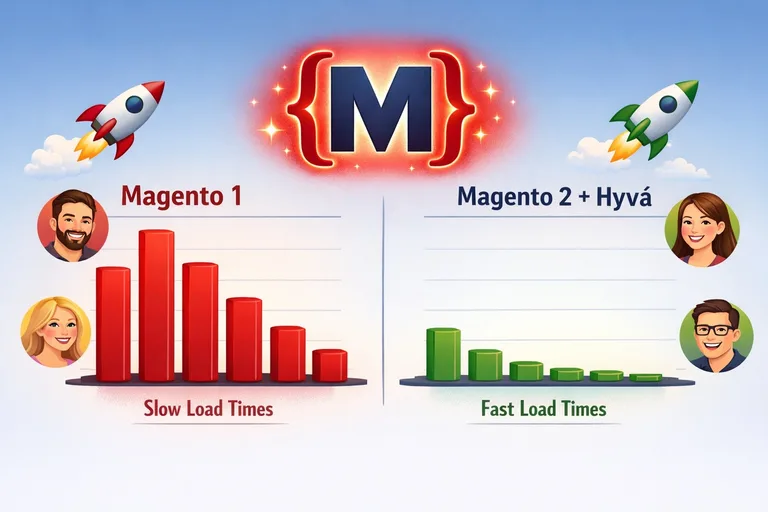
A modern checkout and faster load times lead directly to more revenue per visitor.
Lower maintenance costs
A clean M2 system is easier to maintain and more secure than a "patched-up" M1 system.
06
Common mistakes during migration (and how we avoid them)
Over my career I've seen many botched migrations I had to rescue. The three most common mistakes are:
1Carrying over data junk: many merchants want to transfer everything 1:1. But a migration is a spring clean. We filter out old dead customer records and unused attributes to keep the new system lean.
2Underestimating extensions: assuming "Plugin X" works the same in M2 as in M1 often leads to nasty surprises. We check the logic of every module in advance.
3Insufficient testing: a shop isn't finished until every edge case in checkout has been tested. We take the time for a thorough QA phase.
AI generated
07
Why mironsoft is your migration partner
As a freelancer, I offer a level of care you'll rarely find at a large agency. I know every file of your migration personally. At mironsoft there's no "telephone game" between project managers and developers. You benefit from:
Technical excellence: I master the Magento Data Migration Tool and M2's architecture in detail.
Hyvä expertise: we combine the migration directly with the best frontend system on the market.
Transparency: you get regular updates and always have insight into progress.
Fixed-price security: after a detailed audit, I put together an offer you can rely on.
Your path to a future-proof online shop
The Magento 2 migration is a milestone for your business. It's the moment you set the course for digital growth. With an experienced partner at your side, this complex process becomes a controlled and successful transformation. Let's remove your technical constraints and build a shop that delights your customers and grows your revenue.
Ready for the switch? Let's talk in a no-obligation call about how we'll make your migration a success.
Frequently asked questions about Magento 2 migration
How long does a complete Magento 2 migration take?
The duration depends heavily on the complexity of your current shop. For a mid-sized shop with standard data and a manageable number of extensions, you should expect a project timeline of about 3 to 5 months. This includes the audit, theme development, data transfer, and intensive testing phases needed to guarantee a smooth go-live.
Can really all data be carried over from Magento 1 to Magento 2?
Yes, the official Migration Tool can migrate nearly all core data — products, customers, categories, orders, and even discount rules. It gets trickier with very custom attributes or data from third-party extensions, for which we often have to write our own mapping scripts. As part of my audit, we check exactly which data is migratable and where manual effort is needed.
Will I lose my existing Google rankings during the migration?
Not if it's handled professionally. Preserving SEO is one of my top priorities on every migration. Through meticulous URL mapping and setting up 301 redirects, we make sure Google redirects every old path to the new pages. Combined with Magento 2's better performance, many of our clients even see a significant increase in rankings after the migration.
What does a migration to Magento 2 cost at mironsoft?
A migration is priced comparably to a full relaunch, since the frontend and module logic have to be rebuilt. Simple projects start in the lower five-figure range, while complex enterprise migrations with many integrations can be significantly more expensive. After an initial technical check, I'm happy to put together a transparent fixed-price offer so you have full budget certainty.
Does my shop need to go offline during the migration?
No, your old shop stays online and fully functional throughout the entire development period. We work on a separate staging environment. Only on the day of the final go-live is there a brief maintenance window — usually just a few hours — where we sync the final data (delta migration) and switch over the DNS entry. Your customers won't notice any of the months of work happening in the background.
Can I carry over my old design 1:1 to Magento 2?
Visually, we can rebuild the design almost identically, but technically it has to be programmed completely from scratch. Since Magento 2 uses an entirely different templating language and frontend logic, there's no direct carry-over of the old code. At this point, I usually recommend switching to a Hyvä frontend, since it's more future-proof and significantly more performant than just recreating the old design.
Will my old M1 extensions work in Magento 2?
No, Magento 1 extensions aren't compatible with Magento 2. Most major vendors, however, have released M2 versions of their modules. In the audit, we check which extensions you really still need and find the right successors. In many cases, Magento 2 already offers built-in functionality for things you used to need an extra plugin for, which makes the overall system more stable.
How safe is the data transfer? Can data get lost?
Using professional migration tools and multiple test imports, the risk of data loss is extremely low. We always work on copies of your database and run backups before every step. If data structures in M1 turn out to be corrupted, we repair them before import, so your new Magento 2 shop starts with a clean, valid data foundation.
Can I use the migration to switch from Magento Open Source to Adobe Commerce?
Absolutely, a migration is the perfect time for an upgrade to the enterprise version (Adobe Commerce). We can plan advanced features like B2B, staging, or segmentation directly into the migration process. I'm happy to advise you on the licensing models and check whether the enterprise features offer measurable value for your current business strategy.
Does Magento 2 need different hosting than Magento 1?
Yes, Magento 2 places significantly higher demands on the server. We need more modern PHP versions, Elasticsearch (mandatory from M2.4 on), Redis, and a capable Varnish cache. Simple shared hosting is usually not enough for Magento 2. I'll help you choose a specialized Magento host, or configure your server to deliver optimal performance for M2.
Can I keep my customers' old passwords?
Yes, the official Migration Tool can carry over Magento 1 password hashes so your customers can log in to the new Magento 2 shop with their usual credentials. On first login, the system recognizes the old hash and automatically upgrades it to the newer, more secure M2 standard. That's essential for a smooth user experience after the relaunch.
What happens to my custom integrations (e.g. ERP)?
Custom integrations generally need to be rebuilt, since Magento 2 has a completely new API architecture (REST and GraphQL). This is, however, a great opportunity to make the data exchange more efficient and stable. We analyze your existing connections and rebuild them using the latest technology, to ensure automated data exchange with your ERP.
Why should I choose a freelancer over an agency for my migration?
Migrations are highly sensitive projects that require a lot of attention to detail. As a freelancer, I'm your direct technical partner and know every detail of your database structure. At large agencies, responsibilities often change hands, which can be dangerous with complex data mappings. With me, you get honest craftsmanship, short communication paths, and a high degree of personal accountability for the success of your migration.
Can we also clean up our product catalog during the migration?
Absolutely! A migration is the best time for a data cleanup. We can specifically weed out old dead products, unused attributes, or outdated category structures. A tidy dataset doesn't just improve the new shop's performance — it also makes daily backend work noticeably more pleasant and clearer for your team.
How do I start the migration project with mironsoft?
The first step is a no-obligation conversation where we discuss your current shop's state and your goals. After that, I run a technical audit of your M1 instance and put together a detailed roadmap including timeline and cost planning. Just send me a message through the contact form or give me a call — we'll bring your shop safely into the future.