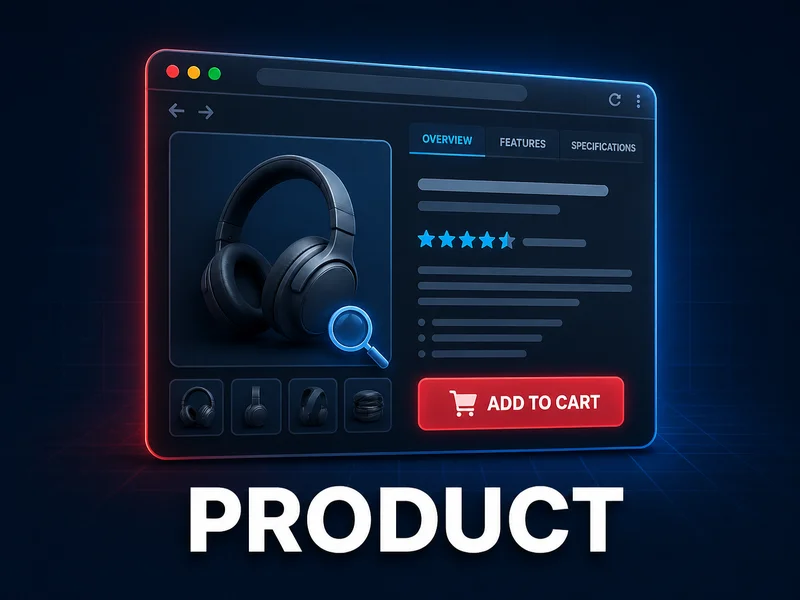
Magento 2 Product Page Extensions turn the product page into the place where customers understand, compare and buy: recommendations, tabs, zoom, customer photos, size charts, tier prices, questions and answers. This page lists 12 modules for businesses, which Mironsoft sets up personally in your shop. The overview below shows prices and purpose, and the text after it helps you choose.
Magento 2 Product Page Extensions extend the page where your customers decide whether to buy. Standard Magento delivers an image, a description, a price and an add-to-cart button there. Everything else that helps a customer decide, such as size information, tier prices, photos from other buyers or an answer to an open question, you have to add yourself. That is what the 12 modules in this category are for.
The Magento 2 Product Page Extensions can be sorted by job. Recommendations and cross-selling show what else fits. Information, tabs and attributes explain the product. Images, zoom and customer photos show it. Purchase decision tools such as the size chart, tier prices and the add-to-cart button lead to the purchase. Questions and comparison remove the last doubts.
One boundary matters: the modules deliver tools, not content and not guarantees. A size chart helps only if the measurements are correct, and a question area only if someone answers. No module promises you more revenue. The table further down lists all 12 modules with price and badges.
Why is the product page the most important page in a shop?
Category pages, search and ads bring visitors in. The decision happens on the product page. Three tasks meet there: the customer must be able to decide, must come to trust the shop, and must find all the information a purchase requires.
This is where Magento 2 Product Page Extensions come in. Comparison, recommendations and tier prices support the decision. Customer photos and public answers to other buyers' questions support trust. Tabs, tooltips, size charts and zoom carry the information. If one of these three elements is missing, the page is a dead end for some customers.
Which job comes first for you becomes clear in your inbox. Questions about size point to a missing size chart, questions about materials to missing explanations, questions about alternatives to missing recommendations. Recurring requests like these are the best starting point for choosing among the Magento 2 Product Page Extensions.
Which Magento 2 Product Page Extensions handle recommendations and cross-selling?
Two of the Magento 2 Product Page Extensions suggest further products to the customer, but by different rules. They complement each other because they answer different questions: what did others look at, and what fits by content?
Mironsoft Also Viewed (from EUR 199) evaluates real browsing behavior. It shows which products other visitors also viewed, with no manual curation. The recommendations appear in five places: the product page, the category page, the cart, the customer account and a free-form widget, for example on the homepage or in CMS pages. Because views happen more often than purchases, the product description says recommendations form even in young shops with few orders. You limit the time window of the data, for example to the last 12 months, and exclude products or categories with rules. Where the algorithm finds nothing, you add products manually. The recommendations work per store view, including multilingual shops.
Mironsoft Automatic Related Products (from EUR 199) replaces the manually maintained related products of Magento. Suggestions are generated from shared category, attributes and price proximity. You set a price condition (same as, less than or more than the current product) and sort by bestseller, price or newest. Four display modes allow automatic only, manual only, replace, or both merged. Position, number, price display, wishlist and compare buttons and out-of-stock items are controlled in the admin, per customer group and store view.
As a rule of thumb: a large range with clean attributes gains most from the attribute logic. A shop with few orders but visitors benefits from the view analysis. Both can run side by side.
How do Magento 2 Product Page Extensions provide information, tabs and attribute explanations?
A long description text is rarely the best way to present information. Two of the Magento 2 Product Page Extensions structure and explain what is on the product page.
Mironsoft Product Custom Tabs (from EUR 129) creates any number of additional tabs, with no fixed upper limit. The content comes from an existing product attribute or from a CMS block with freely designed HTML. The title of a tab is maintainable per store view, you set the order with a sort number, and each tab can be switched on or off on its own. An attribute-based tab appears only for products where the attribute is filled in. No template changes are needed, everything runs through the admin. Typical tabs are size chart, care instructions, technical data or FAQ.
Mironsoft Product Attribute Description (from EUR 149) works one level deeper. A small info icon appears next to an attribute and opens a short explanation on hover. One example from the product description: next to "Anodized aluminum" it explains that the surface is electrochemically sealed and corrosion-resistant. There are unlimited descriptions, and they work on product and category pages and also for configurable products. They are maintained in a separate tab on the attribute, per store view, with bold text and links in the text and a preview before saving. The texts can also be retrieved via REST API and GraphQL, which matters for headless storefronts.
Which Magento 2 Product Page Extensions show images, zoom and customer photos?
Online, the customer cannot touch a product. Images therefore have to show details, and photos from other buyers show how the product looks in everyday use. Two of the Magento 2 Product Page Extensions cover this.
Mironsoft Product Zoom Lightbox (from EUR 179) makes product images interactive. There is window zoom with 16 selectable positions, a square or round magnifier and inner zoom directly in the image. A click opens a fullscreen lightbox that dims the page background, with a thumbnail bar showing image titles. YouTube and Vimeo videos can be embedded in the lightbox. You choose between dark and light theme, between click and hover as the trigger, and between effects such as fade, shadow or glow. On smartphones and tablets pinch-to-zoom works.
Mironsoft Product Images by Customer (from EUR 199) brings customer photos onto the page. An upload form sits right on the product page, and guests without a login can submit too. Name and email are required, JPG, JPEG and PNG are accepted, several images per submission are possible, and you set the limit per customer yourself. Nothing goes online without your approval: every submission lands in the backend, your team is notified by email, and you accept or reject. The gallery appears as a grid or slideshow in a tab with a freely chosen name. The upload form can be shown or hidden per customer group. Rights to submitted photos and data protection belong in your own rules, and moderation does not replace them. This is a hint, not legal advice.
Which Magento 2 Product Page Extensions fit which job?
If you start not with the module list but with the question of what your customers miss on the product page, the choice among the Magento 2 Product Page Extensions narrows down quickly.
You want to offer alternatives and add-ons without linking every product. Mironsoft Also Viewed and Mironsoft Automatic Related Products are made for this.
The range consists of similar items with many properties. Mironsoft Ajax Compare and Mironsoft Product Labels create overview.
Usually two to four modules are enough, not all twelve. More modules mean more elements on an already full page. Start with the problem you see most often in inquiries and returns. Good Magento 2 Product Page Extensions solve a concrete problem, they do not just decorate the page.
How do Magento 2 Product Page Extensions support the purchase decision at the add-to-cart button?
The last stretch before purchase is short, but many visits end here. Four of the Magento 2 Product Page Extensions act directly on button, price and selection.
Mironsoft Sticky Add to Cart (from EUR 119) keeps the buy button visible. As soon as the original button scrolls out of view, a bar appears with product image, name, price, SKU and quantity selection, either at the top or bottom. You toggle five fields individually, adjust background, button and text colors to your theme, and the bar works on mobile, tablet and desktop. The description names one limit itself: for configurable products there are no swatches in the bar, for grouped products no quantity box. Alpine.js is enough, no external JavaScript is added.
Mironsoft Tier Price (from EUR 179) makes quantity discounts visible. Instead of the standard display of Magento, which the description calls easy to miss, a table or a label with the discount percentage appears. A radio-button selection fills the quantity field, the price updates with every change, and a custom message motivates bulk purchases. For B2B shops, separate tier plans per customer group can be set. The module works with simple, configurable and grouped products and offers REST and GraphQL access.
Mironsoft Size Chart (from EUR 129) answers the question of the right size. The chart appears as a popup, a tab or a static CMS block, as an image or HTML table. You assign one chart to a whole category, individual products get exceptions, and a priority system decides when assignments overlap. One chart can be reused for any number of products.
Mironsoft Product Labels (from EUR 229) places labels on product images, for example Sale or New. They are driven by rules: a discount threshold in percent or a fixed amount, a product attribute or stock level. Placement uses a 3x3 grid or manual positioning, separately for the category list and the product page. An end date retires promotional labels automatically, a priority orders simultaneous labels, and a live preview shows how many products are affected.
How do you answer questions and comparisons before the customer leaves?
Doubt arises in two places: an unanswered question and two similar products. Two of the Magento 2 Product Page Extensions step in exactly there.
Mironsoft Product Questions (from EUR 199) builds a public question and answer area. A question answered by email helps only one person, a public answer helps everyone who wants to know the same thing. Questions can be asked publicly or privately, also anonymously, and askers follow their question with a "follow" function. New questions appear only after your approval, and automatic approval is optional. Customers rate answers, and the most helpful come first. Captcha and a customer group restriction protect against spam, and an admin grid with bulk actions saves work. You can also create questions and answers yourself, for example from your inbox. According to the product description, this grows into indexable content on the product over time. Expect moderation effort, because without answers the area stays empty.
Mironsoft Ajax Compare (from EUR 129) speeds up comparison. Standard Magento reloads the whole page when you add to the comparison list, this module works with a background request. Adding and removing run via Ajax, a header counter updates live, a sidebar shows all compared products, and "Clear all" asks first. In the comparison table, differing attributes are highlighted in color while matching values stay neutral. A quick view is included. The module uses Alpine.js instead of jQuery and fits into customized themes.
Magento 2 Product Page Extensions at a glance: all 12 modules
The table lists every module of the category with purpose, price and compatibility badges. All prices apply to the personal setup by Mironsoft.
Tier prices as table or label, per customer group, for simple, configurable and grouped products
from EUR 179
Magento 2.4.x
The badges come from the product pages. Two modules carry only the badge Magento 2.4.x without Hyvä Ready, namely Product Images by Customer and Tier Price. How both fit into your theme, we check together with you before setup.
Which use cases exist for product page modules?
Whether a combination makes sense shows in the range. Three typical scenarios for the Magento 2 Product Page Extensions:
Products that need explanation. For machines, spare parts or accessories, customers ask before buying. Mironsoft Product Questions collects those questions publicly, Mironsoft Product Zoom Lightbox shows details and product videos, and Mironsoft Tier Price makes quantity tiers visible for repeat buyers and resellers.
With the Magento 2 Product Page Extensions the rule is the same in all three cases: begin with the function that causes the most inquiries and returns, and add more only afterwards.
How do Magento 2 Product Page Extensions work together with catalog, marketing, checkout and SEO?
The product page does not stand alone. The Magento 2 Product Page Extensions touch four neighboring areas that you should consider when planning.
Catalog. Labels, comparison and attribute tooltips also appear in the list view. The findability of the products themselves is handled by modules in Catalog & Navigation, such as filters and menus. Recommendations from Mironsoft Also Viewed also run on category pages.
Marketing. Promotional labels with an end date and the message on tier prices are building blocks for campaigns. Coupons, discount promotions and newsletters are under Marketing & Promotions.
Checkout. The buy button and quantity selection lead directly into the cart. Everything that happens afterwards belongs to Checkout & Cart, such as payment methods and shipping options. The quantity from the tier price selection moves into the cart with it.
SEO. Public questions and answers are indexable content according to the description, and multilingual tabs, tooltips and size charts provide additional text per store view. Structured data, meta details and content are bundled in the category SEO & Content, and the basics are explained on our page about Magento SEO. An overview of all areas is on Magento 2 Extensions.
How do Magento 2 Product Page Extensions affect Hyvä, Core Web Vitals and load time?
Every element on the product page costs rendering time. With the Magento 2 Product Page Extensions, it is therefore worth checking the technology before a module goes live. Ten of the twelve modules carry the badge Hyvä Ready, and several descriptions mention Alpine.js instead of jQuery and no additional external JavaScript.
If your shop runs on Hyvä Themes, that is an advantage, because Alpine.js is loaded there anyway. No guarantee of specific measurements follows from it. How images, zoom, tabs and recommendations affect your page is best measured after setup. Basics are under Core Web Vitals and performance optimization.
Two notes from the descriptions of the Magento 2 Product Page Extensions: the bar of Sticky Add to Cart appears only when the original button scrolls out of view, and zoom and lightbox are listed as Hyvä Ready. How heavy your images and videos are, however, is up to you, and no module takes that off your hands.
What can product page modules not do?
Limits
The Magento 2 Product Page Extensions deliver functions, not finished content, and that is their honest limit. The size chart contains only the values you enter. A question area does not fill itself, and customer photos arrive only if customers send them. Recommendations are only as good as your attributes and the number of visitors.
A fixed effect on revenue, bounce rate or return rate cannot be promised, and this page names no such figures. Some modules have documented limits: the buy bar shows no swatches for configurable products and no quantity box for grouped products, and the customer photo upload accepts only JPG, JPEG and PNG. If you need more, consider a custom extension.
Which questions should you clarify before buying?
Before ordering Magento 2 Product Page Extensions, a short check is worthwhile. These questions help you avoid a module that sounds good but does not fit your shop.
Which inquiry comes most often?
Size, material, availability or comparison? That decides the first module. A module without a clear problem only adds another element to the page.
Does your shop run on Hyvä?
Ten modules carry the badge Hyvä Ready. Product Images by Customer and Tier Price do not, so we clarify the display beforehand.
Who maintains the content?
Size charts, tooltips and tabs need texts, questions need answers, customer photos need moderation. Plan responsibility within your team.
Is your shop multilingual?
Tab titles, tooltip texts, size charts, recommendations and label settings can be configured per store view. Plan the translation of the texts too.
Which product types do you sell?
Tier prices support simple, configurable and grouped products. The buy bar has documented restrictions for configurable and grouped products.
Are legal points involved?
Customer photos, questions and names concern data protection and third-party rights. Have texts and processes reviewed if in doubt, including mandatory information under Legal. This is a hint, not legal advice.
If you are planning your shop as a whole beyond the Magento 2 Product Page Extensions, take a look at Webshop with Magento, where we support concept and implementation.
How does the setup work?
The Magento 2 Product Page Extensions in this category are not download files for self-installation. Buying is a commission, and the offer is aimed at businesses.
01
Choose a module
Use the table to pick the right Magento 2 Product Page Extensions and order on the respective product page.
02
Payment by invoice or prepayment
Payment by invoice or prepayment is possible, and you do not receive a download link.
03
Coordination
Mironsoft gets in touch and clarifies the details, such as colors and position of the buy bar, the first size charts, upload limit and formats for customer photos or the price tiers.
04
Setup in your shop
Mironsoft installs and configures the module personally in your shop. For ongoing operation, the maintenance packages are available.
Prices of the Magento 2 Product Page Extensions at a glance are under Pricing. For choosing the right partner, the guide to choosing an agency helps.
Frequently asked questions about product page modules
What are Magento 2 product page extensions?
They are extensions for the product detail page: recommendations, tabs, tooltips, zoom, customer photos, labels, questions and answers, comparison, buy bar, size chart and tier prices. This category holds 12 modules by Mironsoft.
Which modules show recommendations and related products?
Also Viewed shows products other visitors also viewed, in five placements. Automatic Related Products generates related products automatically by category, attribute and price, with four display modes.
Is there an upper limit for tabs on the product page?
No. Product Custom Tabs creates any number of tabs whose content comes from an attribute or a CMS block. The description contrasts this with simpler solutions that have a fixed cap of 3 tabs.
Can I review customer photos before they are published?
Yes. With Product Images by Customer every submission lands in the backend first, and it appears on the product page only after your approval. Your team also gets an email for every new submission.
Does the buy bar behave the same for all product types?
Not entirely. According to the description there are no swatches in the bar for configurable products and no quantity box for grouped products. Position, fields and colors can be matched to your theme.
Which product types do the tier prices support?
Tier Price supports simple, configurable and grouped products. Separate tier plans per customer group are possible, and the display is a table or a label with the discount percentage.
Do the modules work with Hyvä?
Ten of the twelve modules carry the badge Hyvä Ready. Product Images by Customer and Tier Price carry only the badge Magento 2.4.x. We clarify the fit for your theme before setup.
How do size charts work with many products?
Size Chart assigns one chart to a whole category and allows exceptions for individual products. A priority system decides when assignments overlap, and one chart can be used for any number of products.
Does a module promise more revenue?
No. The modules deliver functions, not guarantees. How strongly zoom, question area or buy bar affect your shop depends on range, content and visitors.
Do I get the modules as a download?
No. Mironsoft sets up every module personally in your shop. The offer is for businesses, and payment is by invoice or prepayment.