Product Labels for Magento 2
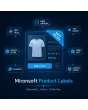
SKU: MPL
- Unlimited labels with your own text and image
- Rule-based assignment by discount, stock level or attribute
- Freely positioned on the product image, separate per view
Einmaliger Kauf · inkl. 12 Monate Updates · zzgl. MwSt.
Labels that manage themselves
Automatically place sale, new and bestseller badges on product images, instead of maintaining every label by hand.
Unlimited labels
Your own text and image labels, any number at once.
Attribute-based
Labels like "New" or "Sale" automatically follow a product attribute.
Rule-based
Discount threshold as percentage or fixed amount as a trigger.
Freely positioned
3x3 grid or manual position on the product image.
Separate display
Different images possible for category list and product page.
Date scheduling
Labels expire automatically once the end date passes.
Customer group rule
Labels visible only to selected customer groups.
Stock-level rule
Automatic label once stock drops below a set threshold.
Targeted scope
Target individual products or entire categories.
Priority control
Sort order when several labels apply at once.
Store-view configuration
Separate label settings per store view.
Live preview
Affected product count visible before activation.
Bulk grid management
Edit or delete all labels from one central grid.
Responsive display
Label size adapts automatically to mobile view (addition).
Labels maintain themselves
Instead of setting a label yourself for every price change or new arrival, define the rule once — discount threshold, attribute or stock level — and the matching badge appears automatically on affected products until the condition no longer applies.
- Discount threshold as percentage or fixed amount as a trigger
- Date scheduling lets promotional labels expire automatically
- Live preview shows the affected product count before activation
Control the category list and product page separately
A label doesn't have to look the same on the category overview as on the product page. Position, image and visibility can be set separately for both views, including a priority rule in case several labels apply at once.
- 3x3 grid positions or manual placement on the image
- Customer-group and store-view restrictions can be combined
- Label size automatically adapts to mobile view
Not a download, but personal setup
Product Labels is not listed here as a ready-made download file for self-installation. Purchasing is a service commission: we contact you after purchase, install the module and define your first label rules together with you.
Frequently asked questions
Everything about rules, positioning and how the purchase works.
How many labels can I use at once?
Can a label disappear automatically?
What happens when several labels apply at once?
Can I show labels only to certain customer groups?
Can I see which products are affected in advance?
Does this work across all store views?
Are existing labels managed cleanly?
Can I download and install the module myself?
Recently Viewed Products

Mironsoft Product Labels