Magento 2 Experts — Hyvä Theme, Tailwind CSS & SEO from a Single Source ›

Catalog & Navigation

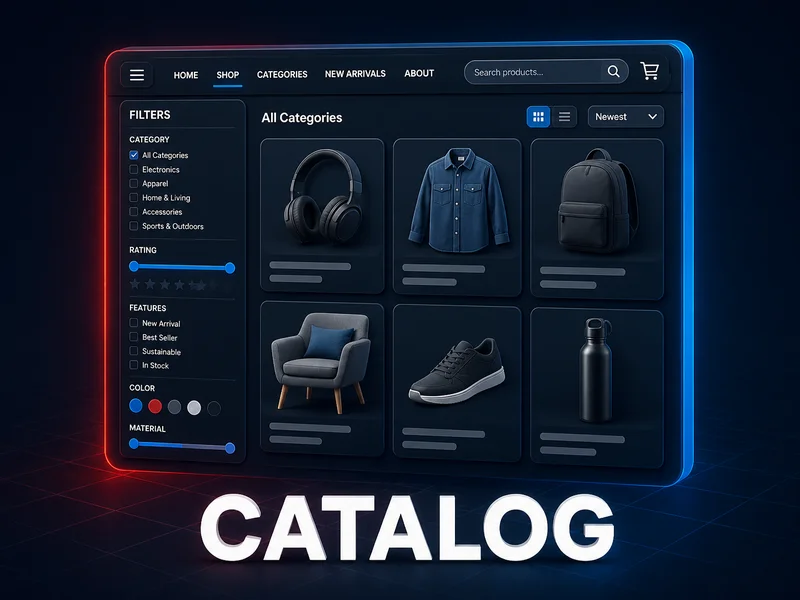
Magento 2 Catalog Extensions help customers reach the right product faster: filters, search and sorting, menu and category pages, product lists, brands, tags and a parts finder. This page lists 18 modules for businesses, which Mironsoft sets up personally in your shop. The overview below shows prices and purpose, and the text after it helps you choose.
Catalog & Navigation

18 Item(s)

What do Magento 2 Catalog Extensions do, and what do they not do?

Magento 2 Catalog Extensions cover the route between the home page and the product page: customers search, filter, sort, page through results and move between menus, categories and result lists. Magento ships with a basic setup for this. It is enough for a small catalog, but it reaches its limits with many attributes, several brands or long categories. That is where the 18 modules in this category come in.

The Magento 2 Catalog Extensions fall into five jobs. First, filters, search and sorting. Second, category navigation and menu. Third, the presentation of product lists. Fourth, brands, tags and a guided parts finder. Fifth, small helpers for usability, from a fixed header to a language flag.

What Magento 2 Catalog Extensions do not do: they do not replace maintenance of product data. A filter is only as good as the attributes behind it, and a search finds only what is in the catalog. A revenue increase cannot be promised either, because it depends on range, prices and target group.

All Magento 2 Catalog Extensions are aimed at businesses. They are not downloads. Mironsoft sets up every module personally in your shop, and payment is by invoice or prepayment. The table further down shows all 18 modules with prices.

How do Magento 2 Catalog Extensions help with filters, search and sorting?

A customer who finds nothing in a catalog does not buy from it. With Magento 2 Catalog Extensions, this block is therefore the most important one, and it consists of four parts that complement each other but have different jobs.

Mironsoft Layered Navigation (from EUR 299) handles the filters. Instead of fixed price ranges there is a price slider with exact input, and color and size appear as swatches with an image preview. Multi-select works with either AND or OR logic. Added to this are filters for rating, stock status, new arrivals and sale, a search box in the filter panel, a live result count per option and automatic hiding of empty filters. Results update via Ajax without a page change. You set the order of the filter attributes in the admin by drag and drop.

Mironsoft Elasticsearch Suite (from EUR 399) handles the search. It runs on OpenSearch instead of the database, with its own index per store view. Typos are forgiven, word stems are recognized, and synonyms from the Magento admin apply at once. Hits appear from the second letter, relevance and boost can be controlled per content type, and the results page separates products, categories and pages into tabs. The suite has its own layered navigation with live counts. Before buying, decide which of the two filter solutions should lead in your shop.

Mironsoft Improved Sorting (from EUR 199) takes care of sorting. On top of the Magento standard criteria, eight options are added: bestsellers, rating, most viewed, new arrivals, wishlist frequency, biggest discount, and price ascending and descending. You switch each option on or off individually, give it its own label per store view and define a default sorting per category.

A fourth, optional part is Mironsoft Voice Search (from EUR 149). A microphone icon in the search field starts voice input, and the recognized text triggers the regular search. The module uses the speech recognition of the browser, with no external service, and supplements the existing search. Browsers without support show a notice.

Which Magento 2 Catalog Extensions fit which findability problem?

Not every catalog problem needs its own module. This comparison sorts the Magento 2 Catalog Extensions by what your customers currently cannot find.

Customers find nothing with filters

The catalog has many attributes, and rigid filters force detours. This is where Mironsoft Layered Navigation comes in, with price slider, swatches and multi-select.

Customers find nothing with search

Typos and word variants lead to empty result lists. Mironsoft Elasticsearch Suite is meant for that, with typo tolerance and synonyms.

Customers do not know where to click

A large category tree reads like a long list. Mironsoft Responsive Navigation Menu shows it as a mega menu in columns.

Customers must load a page for every product

The detail page opens only to check size and price. With Mironsoft Quick View that happens in a popup.

Customers look for a fitting part, not an item

What matters is compatibility with make, model and year. Mironsoft Product Parts Finder answers that step by step.

Customers look for a specific brand

Manufacturers should not disappear as a single filter attribute. Mironsoft Shop by Brand creates a directory with its own page per brand.

The remaining modules solve smaller tasks and are described individually below. Other areas of the shop are shown in the Magento 2 Extensions overview.

How do Magento 2 Catalog Extensions shape category navigation and the menu?

A menu is the first orientation in a shop. Among the Magento 2 Catalog Extensions there are four modules that deal with it, and one of them even controls which products end up in a category.

Mironsoft Responsive Navigation Menu (from EUR 279) provides the menu itself. On desktop a mega menu with multi-column dropdown panels appears, on a smartphone a hamburger menu with slide-in submenus. You create any number of menus and menu groups, assign each group to one or more store views and show or hide category levels through level filters. Custom top links, a logo in the bar, images and icons on menu items and a promo block from a static block belong to it as well. Colors and font size are set in the backend.

Mironsoft Category Widget (from EUR 129) brings categories to the home page and CMS pages. You choose which categories appear as a slider or grid and set order and number. Image and name come from the category itself, so there is no double maintenance. The slider runs on Alpine.js instead of an external library.

Mironsoft Subcategories Slider (from EUR 149) does the same job inside a category page: subcategories appear as a carousel with autoplay or as a list. Position, images, colors and button texts per tile are freely selectable. With many subcategories the slider fits, with few the calmer list is enough.

Mironsoft Dynamic Categories (from EUR 329) works in the background. You define rules by attributes, price or discount, and matching products land in the category automatically, for example in "Sale" or "New arrivals". When an attribute changes, products are re-sorted, manual assignments and positions survive a reindex, and a preview shows the result before saving. Existing static categories can be converted with one click.

How do Magento 2 Catalog Extensions improve the presentation of product lists?

On category and search pages the buying decision often falls before the click on the product page. The Magento 2 Catalog Extensions for this level are small, but they save steps.

Mironsoft Quick View (from EUR 179) adds a quick view button to every product card. The popup shows image, price, stock status, short description and reviews, and for configurable products the variant choice for color and size. Customers add to the cart with a quantity selection right in the window, and a wishlist button is included. The modal can be operated by keyboard and is built with Alpine.js without jQuery.

Mironsoft Product Image Hover (from EUR 99) shows a second image when the mouse moves over a product, for example the back of a garment. You pick the second image by checkbox from the existing product images, or the module assigns it automatically. You can choose between fade-in and fade-in with zoom, speed and image width are adjustable, the effect can be switched per category and also activated for related products and cross-sells. Note that hover exists only with a mouse and does not apply on a smartphone.

Mironsoft Infinite Scroll (from EUR 149) loads more products while scrolling. Optionally a "Load more" button with its own text and color supplements the auto scroll, the loading animation is replaceable, and single categories can be excluded. Classic pagination stays in the background for crawlers, and the URL updates with the scroll position.

Mironsoft Recently Viewed Products (from EUR 129) bridges the gap between two visits. Recently viewed products appear as a slider on the product page, home page, category or CMS page. You switch image, name and price individually, activate cart, compare and wishlist buttons and set the expiry time. Guests are recognized by cookie, logged-in customers permanently. The product currently being viewed stays hidden.

What role do brands, tags and the parts finder play in Magento 2 Catalog Extensions?

Some customers do not search for a product but for a manufacturer, a keyword or a fitting part. Three of the Magento 2 Catalog Extensions are designed for this.

Mironsoft Shop by Brand (from EUR 229) creates a brand directory. There is an overview page with an A-Z filter, a landing page per brand with description, logo and banner, and readable URLs with their own meta title and meta description. Category and attribute filters are available on the brand page, and the brand filter joins the filter bar, left or on top. Brands can be shown or hidden by customer group, and the data is retrievable via GraphQL.

Mironsoft Product Tags (from EUR 179) assigns free keywords, one by one directly on the product or collectively for many products under "Manage tags". Existing meta keywords serve as a starting point on request. The product page shows a "Popular tags" section with a freely nameable title, and a click leads to a page with all products of the same tag. Tags can be named per store view and displayed as a tag cloud with scaled font size. As a side effect, additional internal linking arises.

Mironsoft Product Parts Finder (from EUR 349) is the special case. The customer chooses step by step, for example make, model and year, and the matching products remain at the end. You define the steps freely, they are not tied to vehicle data. Filter values and assignments arrive by CSV import or in the admin grid with mass editing, and the widget can be used anywhere and several times on one page. With exactly one hit it leads straight to the product page, and results can be shared by link.

The parts finder carries the badge Magento 2.4.x but not Hyvä Ready. Clarify the display in your theme with us before launch. Whether you need it or whether filters are enough is shown by the scenario further down.

What usability do sticky header, scroll-to-top and language flags add to Magento 2 Catalog Extensions?

Three of the Magento 2 Catalog Extensions are inconspicuous and yet visible every day. They change nothing about your range, but about how the shop feels.

Mironsoft Sticky Header (from EUR 129) keeps the header in view while scrolling. If you would rather have the space back, let it hide when scrolling down and return smoothly when scrolling up, with the threshold set in pixels. On product pages there is a sticky bar with image, name, price, SKU, stock status and cart button. For mobile devices image and button can be switched off separately, and colors and logo display are set in the backend. A pure CSS variant without JavaScript is available too.

Mironsoft Scroll To Top (from EUR 89) shows a floating button as soon as the page has been scrolled and takes customers back to the top with a smooth animation. There are eleven arrow variants, text or your own image, position left or right and free colors. You decide per page type where it appears and hide it from a certain screen width. The label is maintained per language.

Mironsoft Storeview Flags (from EUR 89) replaces or supplements the text names in the store view switcher with country flags. Size and image format are free, custom flag images can be uploaded, and the flags also appear in the admin store grid. Mind the limit of the display: a flag stands for a country, not for a language. Where one store serves several languages or one language several countries, the text should stay.

According to the product pages, all three of these Magento 2 Catalog Extensions work with Alpine.js and CSS, without jQuery and without an additional external script.

What can infinite scroll do among Magento 2 Catalog Extensions, and what can it not do?

Mironsoft Infinite Scroll makes browsing easier, but it changes nothing about catalog, prices or product quality.

The module loads the next product page each time, not the whole category at once. That is leaner than a full page refresh, but every loaded page still consumes data and computing time. Whether the loading behavior suits your catalog depends on image sizes, hosting and page structure.

Pure infinite scroll is considered an SEO risk because crawlers do not scroll. That is why the pagination URLs stay available for search engines, and you can leave single categories on classic paging on purpose. The same applies to filters: every filter combination can create its own URL, so canonical and indexing rules belong to the setup. Read more in the article on search engine optimization and on Core Web Vitals. This is a general note, not a promise of rankings or load times.

How do Magento 2 Catalog Extensions keep a large catalog with many attributes under control?

A shop with thousands of items and dozens of attributes has two problems: customers get lost, and your team gets lost in maintenance. Several Magento 2 Catalog Extensions interlock here.

For customers the order of the tools counts. Search comes first, because anyone who knows a term does not want to click. Anyone who knows only a direction uses the menu and filters, and there the quality of Mironsoft Layered Navigation decides. As a rule of thumb for arranging filters and sorting: few, meaningful options up front, rare attributes further back. The module hides empty filters by itself, which keeps the bar short.

For your team the removal of manual work counts. With Mironsoft Dynamic Categories you maintain collection categories through rules instead of product by product. For CSV-based processes, import and export also plays a role, because the quality of the attributes originates there.

Frankly, none of the Magento 2 Catalog Extensions helps with untidy data. If an attribute is filled in for only every second product, even the best filter filters incompletely. Plan an attribute audit before setup, and you will save yourself correction loops later.

When does a spare parts shop need one of the Magento 2 Catalog Extensions as a parts finder instead of filters?

Of all Magento 2 Catalog Extensions, filters ask about properties, and a parts finder asks about the customer's device. That is a real difference. Someone looking for a spare part often does not know its name, but knows the make, model and year of their machine.

The Mironsoft Product Parts Finder maps exactly this sequence. You can create any number of steps, mark single ones as required and choose between label and dropdown per step. The data comes by CSV, which is the only practical form of maintenance with thousands of assignments. Filter labels can be translated per store view, and the most frequent filter combinations can be evaluated.

The combination with other Magento 2 Catalog Extensions becomes useful: the finder leads to the selection, quick view clarifies details, and the brand filter supplements for customers who prefer to search by manufacturer. The limit lies in data maintenance, also with Magento 2 Catalog Extensions of this kind. A finder returns only parts for which someone has entered the compatibility, and no module takes that work off your hands.

If your range has more than one level of compatibilities or the data comes from an ERP system, talk to us about a custom extension.

How do Magento 2 Catalog Extensions bring several brands together cleanly in one shop?

Anyone who carries several manufacturers or own brands has two interests: brands should be easy to find, and each should get its own face. The matching Magento 2 Catalog Extensions show up especially clearly here.

The brand directory from Mironsoft Shop by Brand lays the foundation. Each brand gets its own URL and its own metadata, which avoids duplicate content, and the landing page takes history, logo and banner. The logo can additionally appear on the product pages of the brand.

Mironsoft Category Widget fits on the home page: you present the most important categories or brand ranges without showing the whole tree. And Mironsoft Responsive Navigation Menu can present brand worlds in the mega menu with images and icons. If single brands should be visible only to certain customer groups, the visibility rule in the brand module helps.

If you run several countries or languages, the multistore setup is the basis. Many of the modules mentioned can be configured per store view, and Mironsoft Storeview Flags makes the switch visible to visitors.

What should you consider for mobile use of Magento 2 Catalog Extensions?

On a smartphone a lot shifts. There is no hover, little space and thumb operation. With Magento 2 Catalog Extensions it is therefore worth taking a separate look at the mobile view.

The menu benefits: Mironsoft Responsive Navigation Menu switches to a hamburger menu with slide-in submenus, operable by touch. Quick view replaces a page change with a popup, and Mironsoft Voice Search saves typing in the search field. Voice input depends on the browser, and without support a notice appears. The sticky header takes up space on small displays, but image and cart button of the product bar can be hidden separately on mobile.

The image change on mouse movement, by contrast, does not apply on mobile even though the module otherwise runs. Do not base your designs on this effect. The back-to-top button can be hidden from a certain screen width if it collides with other floating elements.

Check the pages on real devices and measure load time. Background is in the article on performance optimization and in the Hyvä theme service. Almost all Magento 2 Catalog Extensions in this category carry the badge Hyvä Ready.

How do Magento 2 Catalog Extensions interact with product page, marketing, SEO and performance?

A catalog does not stand alone. The Magento 2 Catalog Extensions touch four neighboring areas, and each deserves its own look.

On the product page: tags, recently viewed products and the product sticky bar show content right there. More modules for gallery, variants and price display are in the category Product Page.

On marketing: promo blocks in the menu, sale categories through rules and the discount sort mode support campaigns. Supplementary modules are under Marketing & Promotions.

On SEO: filter URLs, brand pages, tag pages and pagination create indexable addresses. That brings opportunities and risks at once, so canonical rules and metadata should be part of the concept. Modules that fit the topic are in SEO & Content, and the service itself is described on the shop SEO page.

On performance: sliders, popups and lazily loaded lists take time. According to the product pages, the modules rely on Alpine.js instead of external libraries, which avoids additional scripts. Fitting additions are in Performance & Security.

Magento 2 Catalog Extensions at a glance: all 18 modules

The table lists every module of the category with purpose, price and compatibility badges. All prices apply to the personal setup by Mironsoft.

ModulePurposePriceBadges
Mironsoft Layered NavigationFilters with price slider, swatches, AND/OR logic, Ajax and SEO control for filter URLsfrom EUR 299Hyvä Ready, Magento 2.4.x
Mironsoft Elasticsearch SuiteOpenSearch search with typo tolerance, synonyms, relevance boost and a results page with tabsfrom EUR 399Hyvä Ready, Magento 2.4.x
Mironsoft Improved Sorting8 additional sort options, default sorting per category, order set by drag and dropfrom EUR 199Hyvä Ready, Magento 2.4.x
Mironsoft Voice SearchMicrophone icon in the search field, voice input through the browser speech recognitionfrom EUR 149Hyvä Ready, Magento 2.4.x
Mironsoft Responsive Navigation MenuMega menu with columns, mobile hamburger menu, unlimited menu groups per store viewfrom EUR 279Hyvä Ready, Magento 2.4.x
Mironsoft Category WidgetSelected categories as a slider or grid, placed with a widget on any CMS pagefrom EUR 129Hyvä Ready, Magento 2.4.x
Mironsoft Subcategories SliderSubcategories as a slider with autoplay or as a list, custom images and colorsfrom EUR 149Hyvä Ready, Magento 2.4.x
Mironsoft Dynamic CategoriesSort products into categories by rules, combinable with manual assignmentfrom EUR 329Hyvä Ready, Magento 2.4.x
Mironsoft Quick ViewQuick view popup on category and search pages with variants and an add-to-cart buttonfrom EUR 179Hyvä Ready, Magento 2.4.x
Mironsoft Product Image HoverSecond image on mouse hover, with zoom effects and animation stylesfrom EUR 99Hyvä Ready, Magento 2.4.x
Mironsoft Infinite ScrollAutomatic loading on category and search pages with a pagination fallback for crawlersfrom EUR 149Hyvä Ready, Magento 2.4.x
Mironsoft Recently Viewed ProductsRecently viewed products as a slider with cart, compare and wishlist buttonsfrom EUR 129Hyvä Ready, Magento 2.4.x
Mironsoft Shop by BrandBrand directory with A-Z filter, own landing page and own metadata per brandfrom EUR 229Hyvä Ready, Magento 2.4.x
Mironsoft Product TagsFree tags per product, a "Popular tags" section, clickable tag pagesfrom EUR 179Hyvä Ready, Magento 2.4.x
Mironsoft Product Parts FinderGuided parts finder in freely defined steps, CSV import, widget placeable anywherefrom EUR 349Magento 2.4.x
Mironsoft Sticky HeaderHeader stays visible while scrolling, optionally with a product sticky bar and cart buttonfrom EUR 129Hyvä Ready, Magento 2.4.x
Mironsoft Scroll To TopFloating back-to-top button with smooth animation, free in color, shape and positionfrom EUR 89Hyvä Ready, Magento 2.4.x
Mironsoft Storeview FlagsCountry flags in the store view switcher, optionally without text, also in the admin store gridfrom EUR 89Hyvä Ready, Magento 2.4.x

The badges of the Magento 2 Catalog Extensions come from the product pages. Where Hyvä Ready is missing, as with the parts finder, we coordinate the display before launch. A full overview of extensions from all areas is on Magento 2 Extensions.

Which questions should you clarify before buying Magento 2 Catalog Extensions?

The Magento 2 Catalog Extensions visibly intervene in your shop. These check questions help avoid wrong purchases.

  • Which task is really open?

    Write down what customers cannot find in the catalog. Only then decide whether filters, search, menu or presentation solve the problem.

  • Are your attributes maintained cleanly?

    Filters, the parts finder and rule-based categories work with your data. Gaps in attributes lead to gaps in results.

  • Which filter solution should lead?

    The Elasticsearch Suite brings its own layered navigation, and so does the Layered Navigation module. Decide in advance which page uses which solution.

  • How does the presentation affect SEO and load time?

    Infinite scroll, filter URLs and sliders touch both. Clarify canonical rules and loading behavior during setup.

  • Does your theme run on Hyvä?

    Except for the parts finder, all modules carry the badge Hyvä Ready. For the parts finder we check the display with you beforehand.

  • Do you need several languages?

    Much is configurable per store view, such as sort labels, tags, menu groups and filter labels in the parts finder.

How does the setup work?

The Magento 2 Catalog Extensions are not download files for self-installation. Buying is a commission, and the offer is aimed at businesses.

01

Choose modules

Use the table to pick the right Magento 2 Catalog Extensions and order on the respective product page.

02

Payment by invoice or prepayment

Payment is by invoice or prepayment, and you do not receive a download link.

03

Coordination

Mironsoft gets in touch and clarifies the details, for a parts finder for example the filter steps and the data source for the CSV import.

04

Setup in your shop

Mironsoft installs and configures the chosen Magento 2 Catalog Extensions personally in your shop. For ongoing operation, the maintenance packages are available.

For larger projects around your Magento 2 Catalog Extensions and the shop, the web shop development service helps, and prices at a glance are under Pricing. If you miss a function that no module contains, we can look at a custom extension.

Frequently asked questions about catalog modules

What are Magento 2 catalog extensions?

Magento 2 Catalog Extensions are extensions for the route through the catalog: filters, search, sorting, menu, category pages, product lists, brands, tags and usability. This category holds 18 modules by Mironsoft.

Do I need Layered Navigation and Elasticsearch Suite at the same time?

Not necessarily, as functions overlap even among Magento 2 Catalog Extensions. Both contain a filter function. Layered Navigation concentrates on filters, the Elasticsearch Suite on search with its own filter bar. Which combination fits, we clarify before setup.

Does infinite scroll harm my SEO?

Pure loading on scroll can lock crawlers out. The module therefore keeps classic pagination in the background. There is no promise for rankings, as that depends on your whole shop.

Does voice input work in every browser?

No. It uses the speech recognition of the browser. If it is not supported, a notice appears and the normal search stays usable.

Is the parts finder only for car parts?

No. The filter steps are freely definable, and make, model and year are only an example. You must supply the compatibility data, by CSV import or in the admin grid.

Are the modules available with Hyvä support?

Except for the Product Parts Finder, all Magento 2 Catalog Extensions carry the badge Hyvä Ready. For the parts finder we coordinate the display in your theme beforehand.

How do Sticky Header and Scroll To Top differ?

The sticky header keeps the navigation in view, optionally with a product bar including a cart button. Scroll To Top is a floating button that leads back up. Both can be used separately.

Can menu and sorting be set per store view?

Yes. Menu groups can be assigned to one or more store views, and sort labels are maintained per store view. That helps multilingual shops.

Do I get the modules as a download?

No. Mironsoft sets up every module personally in your shop. The offer is for businesses, and payment is by invoice or prepayment.