Sticky Header for Magento 2
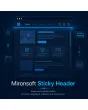
SKU: MSH
- Header stays visible, even while scrolling down
- Product sticky bar with image, price and add-to-cart button
- Fully customizable in color and logo display
- Alpine.js/CSS instead of jQuery, native for Hyvä
Einmaliger Kauf · inkl. 12 Monate Updates · zzgl. MwSt.
Navigation that's always within reach
The header stays visible while scrolling, extended with a product sticky bar showing image, price, and an add-to-cart button — customers reach navigation and the buy button at any time, without scrolling back up.
Header stays visible
Fixed at the top, already live in production in the theme.
Hide on scroll-down
Optional, with smooth reappearance when scrolling back up.
Pixel-exact scroll threshold
An exact trigger point instead of a fixed screen height.
Pure CSS variant
No JavaScript overhead via native scroll timelines.
Smooth transition
Shadow and background fade in softly instead of snapping.
Product sticky bar
Image, name, price, SKU and stock status on product pages.
Cart within reach
Add-to-cart button built directly into the product sticky bar.
Thumbnail images
Configurable number of product images shown in the bar.
Logo display
Your own logo in the sticky header, toggleable on and off.
Mobile fine control
Image and add-to-cart button toggled separately for mobile.
Color customization
Text and background color, set separately for main and product sticky.
No CSS editing needed
Every setting lives in the backend, no deploy required.
Multi-store ready
Independently configurable per store view.
Extending existing logic, not rebuilding it
The sticky base logic already runs in your Hyvä theme — IntersectionObserver-based, with a configurable scroll offset and a pure-CSS variant for maximum performance. We build the backend configuration and the product sticky bar on top of it.
- Scroll offset already configurable in pixels today
- Optional CSS-only variant with no JavaScript overhead
- Hide-on-scroll-down already implemented
Product sticky bar on the product page
On long product pages with detailed descriptions, the add-to-cart button often scrolls out of view. The product sticky bar keeps image, name, price, SKU, and stock status permanently visible at the top — including an add-to-cart button.
- Image, name, price, SKU and stock status always visible
- Add-to-cart button built directly into the bar
- Image and add-to-cart button controlled separately on mobile
No download, personal setup instead
Sticky Header is not listed here as a ready-made download file for self-installation. The purchase is a service commission: we contact you after purchase and install the module personally in your shop.
Frequently Asked Questions
Everything important about functionality, configuration, and the purchase process.
Doesn't the base function already run in my theme?
What exactly does the product sticky bar show?
Can I match the colors to my theme?
Will this slow down my page's load time?
Does the bar work on smartphones too?
Does this work in a multi-store setup?
Do I need to edit CSS to change the design?
Can I download and install the module myself?
Recently Viewed Products

Mironsoft Sticky Header