Product Parts Finder for Magento 2
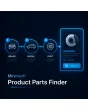
SKU: MPPF
- Step by step to the right product, freely definable filter steps
- CSV import for filter values instead of manual entry
- Use as a widget anywhere in the shop, even multiple times per page
Einmaliger Kauf · inkl. 12 Monate Updates · zzgl. MwSt.
Step by step to the right product
A guided product finder instead of an endless filter list — ideal for spare parts, accessories and anything where compatibility matters.
Guided filter
Brand → model → year → matching part, step by step.
Freely defined steps
No fixed attribute list, any filter steps possible.
Unlimited choices
As many options per filter step as you need.
CSV import
Load filter values from a file instead of typing them one by one.
Admin grid mapping
Assign products to filter combinations with bulk actions.
Widget anywhere
Place it on any page, even multiple times.
Auto redirect
Jumps straight to the product page on a single match.
Sorting
Order options ascending or descending.
Label or dropdown
Choose the display style per filter step.
Mandatory filters
Mark individual filter steps as required.
Shareable URLs
Share results as a link or save them as a bookmark.
Responsive & accessible
Works on any device, built to be WCAG-compliant.
Multilingual labels
Filter labels per store view (differentiation).
Analytics
Track the most-used filter combinations (differentiation).
Brand, model, year — then the matching part
Instead of clicking through hundreds of products, your customer picks step by step: brand first, then model, then year. What's left are only the products that actually fit — with exactly one match, they land straight on the product page.
- Any number of filter steps, freely defined
- Mandatory filters for steps that must always be selected
- Automatic jump to the product page on a clear match
Thousands of mappings via CSV, not one click at a time
Maintaining product-filter mappings manually would be unrealistic for large catalogs. That's why filter values and mappings can be imported via CSV, maintained in the admin grid with bulk actions, and embedded as a widget anywhere in the shop — even multiple times on the same page.
- CSV import for filter values and mappings
- Admin grid with bulk actions instead of individual maintenance
- Widget placement anywhere in the shop, even multiple times per page
No download — personal setup instead
Product Parts Finder is not listed here as a ready-made download file for self-installation. The purchase is an engagement: we get in touch with you after purchase, set up the filter steps for your catalog, and import your first mapping table.
Frequently asked questions
Everything important about filter logic, data maintenance, and the purchase process.
Is the finder only suitable for auto parts?
How do I maintain thousands of mappings?
Can I embed the finder multiple times on one page?
What happens with exactly one match?
Can search results be shared or bookmarked?
Is filter usage analytics part of the competitor source?
Does the finder work on smartphones?
Can I download and install the module myself?
Recently Viewed Products

Mironsoft Product Parts Finder