Product Tags for Magento 2
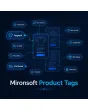
SKU: MPT
- Free-form tags for single or multiple products at once
- "Popular Tags" section with a freely customizable title
- Clicking a tag shows every matching product
Einmaliger Kauf · inkl. 12 Monate Updates · zzgl. MwSt.
Free-form tags for better product discovery
Assign your own tags to products and let customers discover related items through a "Popular Tags" section — with extra internal linking as a nice SEO side effect.
Free tags per product
Assign to single products or several at once.
Dedicated tags area
Central admin management for all tags.
Directly on the product
Tag assignment right on the product edit page.
Meta keywords as tags
Automatic tag generation from existing meta keywords.
"Popular Tags" section
Placed above the short description on the product page.
Freely editable title
The section heading is editable by the admin.
Clickable tag pages
Shows every product carrying the same tag.
Store-view customization
Own tag labels per language/store.
Internal linking
Extra SEO-relevant cross-linking between products (differentiation).
Size-scaled tag cloud
Frequently used tags stand out visually (differentiation).
Hyvä-compatible
Blends seamlessly into your existing theme.
Multi-store ready
Runs independently per store view.
Right on the product, or many at once
Tags are assigned either directly on the product edit page or in the dedicated "Manage Tags" area for bulk assignment across multiple products. If you already maintain meta keywords, they can be pulled in automatically as a starting point for tags instead of starting from scratch.
- Single-product or bulk assignment across many products
- Automatic suggestions from existing meta keywords
- Store-view-specific tag labels for multilingual shops
One click reveals every matching product
The "Popular Tags" section appears above the short description on the product page, and its title is freely editable. When a customer clicks a tag, they land on a dedicated listing page showing every product carrying the same tag — an extra, thematic navigation layer alongside categories and search.
- Extra internal linking as an SEO side effect
- Frequently used tags displayed larger
- Hyvä-compatible, blends into your existing theme
No download — personal setup instead
Product Tags is not listed here as a ready-made download file for self-installation. The purchase is a service order: after your purchase we get in touch, set up the module, and agree with you on how the tag section should be labeled and whether existing meta keywords should be used as initial tags.
Frequently Asked Questions
Everything important about the feature, configuration, and the purchase process.
Can customers assign their own tags?
Can I automatically use existing meta keywords as tags?
Where are tags displayed on the product page?
What happens when I click a tag?
Can I assign tags to multiple products at once?
Does the module support multilingual shops?
Is there a tag filter within the category view?
Can I download and install the module myself?
Recently Viewed Products

Mironsoft Product Tags