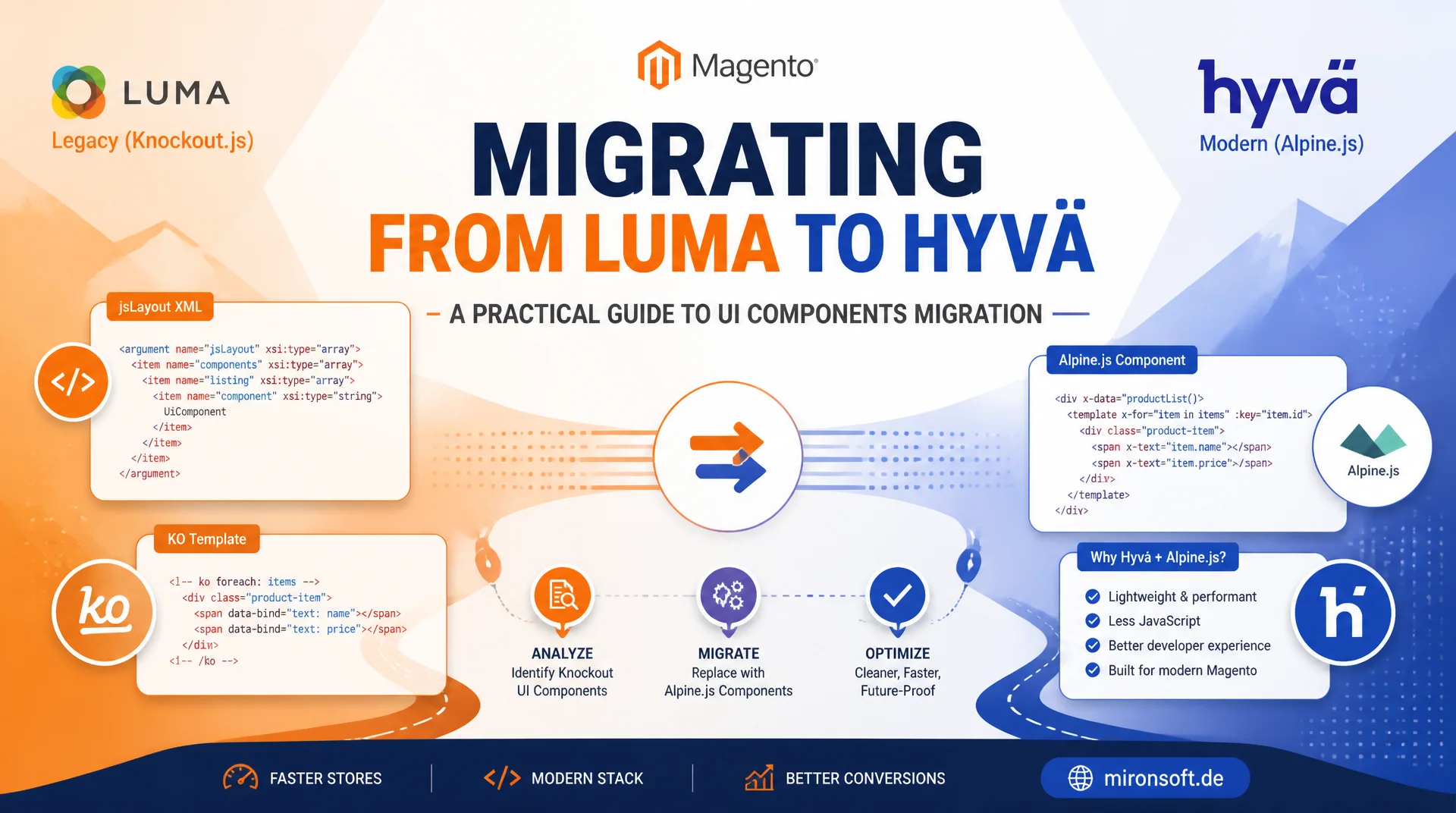
A step-by-step path from Knockout.js, jsLayout and RequireJS to phtml and Alpine.js
Anyone migrating from Luma to Hyvä inevitably runs into Knockout-based UI components: jsLayout XML, ko templates and RequireJS modules that Magento has used for years to power dynamic storefront widgets. This guide shows how to read existing UI components, understand their logic and systematically replace them with native Hyvä templates using Alpine.js, including worked examples, a third-party strategy and a rollout checklist for larger stores.
Table of Contents
- 1. Why Hyvä removes the UI component layer
- 2. Reading jsLayout XML and ko templates before you migrate
- 3. From Knockout bindings to Alpine directives
- 4. Worked example: migrating the toolbar sorter
- 5. A second example: swatch renderer with Alpine.data()
- 6. ViewModel instead of a UI component provider
- 7. Third-party modules that still ship Luma UI components
- 8. Migration checklist and rollout strategy
- 9. Luma UI component vs. Hyvä template compared
- 10. Summary
- 11. FAQ
1. Why Hyvä removes the UI component layer
Luma renders large parts of the storefront through UI components: a combination of jsLayout XML, RequireJS modules and Knockout.js templates that runs a second, client-side render pass in the browser after the actual page has already been built. Every additional UI component means one more JS module that has to be resolved by RequireJS, loaded and initialized before the visible content actually becomes interactive. This is exactly the layer Hyvä removes entirely for the storefront: instead of rendering an empty shell and filling it via Knockout afterwards, Hyvä ships fully server-rendered phtml templates and adds interactivity only where it is genuinely needed, using Alpine.js.
The effect is measurable: without Knockout.js, without a RequireJS dependency graph and without the UI component runtime, the JS bundle size on the storefront drops drastically, time to interactive improves because no second render pass is needed, and Lighthouse scores go up without any extra optimization work. A Hyvä template with Alpine.js directives is already fully readable at first byte; Alpine merely hydrates the interactive parts instead of rebuilding the entire component from a JSON data model.
For agencies migrating a store from Luma to Hyvä this means every existing UI component has to be identified, understood and replaced with an equivalent Hyvä template, not just visually but in the underlying data logic. Anyone who skips this step and drops Knockout fragments unchanged into a Hyvä theme ends up with two parallel JS frameworks, doubled load times and bugs that are hard to trace.
2. Reading jsLayout XML and ko templates before you migrate
Before writing a single line of Alpine code, the existing UI component has to be understood, not just its markup but the actual data logic behind it. The starting point is always the jsLayout XML in the layout handle: it defines which Knockout component (component) gets loaded, which template (config/template) it renders and which configuration values it receives from the server. Only once it is clear which data the component actually consumes can you decide how that same data will be provided in a Hyvä template without Knockout.
The second step follows the component path to the actual JS view model file and checks which Knockout observables it exposes and which data-bind expressions the associated ko template uses. The four most common bindings, visible, text, foreach and click, cover the vast majority of Luma UI components in practice and, as the following compare widget example shows, map directly to an Alpine equivalent.
<!-- OLD: catalog_product_compare_index.xml (Luma layout, jsLayout XML) -->
<referenceContainer name="content">
    <block class="Magento\Catalog\Block\Product\Compare\Sidebar" name="catalog.compare.sidebar"
           template="Magento_Catalog::product/compare/sidebar.phtml">
        <arguments>
            <argument name="jsLayout" xsi:type="array">
                <item name="components" xsi:type="array">
                    <item name="compareWidget" xsi:type="array">
                        <item name="component" xsi:type="string">Magento_Catalog/js/compare-products</item>
                        <item name="config" xsi:type="array">
                            <item name="template" xsi:type="string">Magento_Catalog/compare/widget</item>
                            <item name="countUrl" xsi:type="string">catalog/product_compare/countPost</item>
                        </item>
                    </item>
                </item>
            </argument>
        </arguments>
    </block>
</referenceContainer>

<!-- OLD: Magento_Catalog/web/template/compare/widget.html (Knockout ko-template) -->
<div class="compare-widget" data-bind="visible: count() > 0">
    <a class="action compare" data-bind="click: openCompareList, attr: { title: $t('Compare Products') }">
        <span data-bind="text: $t('Compare Products')"></span>
        <span class="counter qty" data-bind="text: count"></span>
    </a>
</div>
3. From Knockout bindings to Alpine directives
Translating Knockout to Alpine follows a fixed pattern: data-bind="visible: ..." becomes x-show="...", data-bind="text: ..." becomes x-text="...", data-bind="foreach: ..." becomes a <template x-for="..."> block, and data-bind="click: ..." becomes x-on:click="...". The real difference, though, is not the syntax but the reactivity model: Knockout observables are explicit JS objects with subscriptions that you have to create and maintain manually, while Alpine provides its reactivity through a proxy object that is created directly from a plain JavaScript object inside x-data, with no extra wrapper functions like ko.observable().
The following example shows the compare widget from section 2 as a complete Hyvä template equivalent: the counter logic that was previously fetched via a Knockout provider and an AJAX request now comes straight from the server-rendered HTML, and Alpine only takes care of the display logic.
// NEW: Magento_Catalog/web/js/compare-widget.js (registered as Alpine.data)
document.addEventListener('alpine:init', () => {
    Alpine.data('compareWidget', () => ({
        count: 0,
        compareUrl: '',
        init() {
            // Data comes from a PHP ViewModel, rendered once into the DOM - no client round trip
            this.count = parseInt(this.$el.dataset.initialCount, 10) || 0;
            this.compareUrl = this.$el.dataset.compareUrl;
        },
        openCompareList() {
            window.location.href = this.compareUrl;
        }
    }));
});

/* Usage inside compare-widget.phtml (markup replaces the old ko-template):
<div x-data="compareWidget"
     data-initial-count="<?= (int) $viewModel->getCompareCount() ?>"
     data-compare-url="<?= $escaper->escapeUrl($block->getCompareUrl()) ?>"
     x-show="count > 0">
    <a class="action compare" x-on:click="openCompareList">
        <span>Compare Products</span>
        <span class="counter qty" x-text="count"></span>
    </a>
</div>
*/
Finer-grained Knockout constructs translate just as consistently: a ko.computed() becomes a getter method inside x-data, a subscribe() callback becomes Alpine's $watch(), and a foreach that accesses $index becomes a <template x-for> with a :key binding. Once you have written down these equivalences cleanly, you can reuse them as a checklist for every further UI component migration instead of analyzing every widget from scratch.
4. Worked example: migrating the toolbar sorter
The product list toolbar sorter is one of the most commonly migrated UI components because it is visible on practically every category page. In Luma a Knockout view model manages the current sort order, the sort direction and the active view mode (grid or list), and renders a select element plus a list of mode buttons through foreach.
The following ko template shows the starting point: visible hides the entire sorter when there are no results, text renders the labels, foreach iterates over the available modes, and click triggers sort and mode changes.
<!-- OLD: Magento_Catalog/web/template/product/list/toolbar.html (Knockout) -->
<div class="toolbar-sorter sorter" data-bind="visible: hasCollectionData()">
    <label class="sorter-label" data-bind="text: $t('Sort By')" for="sorter"></label>
    <select id="sorter" class="sorter-options"
            data-bind="options: options, optionsText: 'label', value: currentOrder, event: { change: apply }"></select>
    <div class="sorter-action" data-bind="css: directionClass, click: setDirection, attr: { title: $t('Set Descending Direction') }">
        <span data-bind="text: $t('Set Descending Direction')"></span>
    </div>
</div>
<div class="modes" data-bind="foreach: modes">
    <a class="modes-mode" data-bind="attr: { title: label }, click: $parent.setModeAndReload, css: { 'active': $parent.isModeActive($data) }">
        <span data-bind="text: label"></span>
    </a>
</div>
The migration replaces the entire Knockout view model layer with a single Alpine.data() component whose initial state (sort options, current sort order) is written straight from the PHP layer into the markup as JSON. No AJAX request loads the options afterwards, no RequireJS module needs to be resolved - the Hyvä template is already complete on first render.
<!-- NEW: Magento_Catalog/product/list/toolbar.phtml (Hyvä template + Alpine.js) -->
<div x-data="toolbarSorter(<?= /* @noEscape */ $viewModel->getSortOptionsJson() ?>, '<?= $escaper->escapeJs($viewModel->getCurrentOrder()) ?>')">
    <div class="toolbar-sorter sorter" x-show="hasResults">
        <label class="sorter-label" for="sorter">Sort By</label>
        <select id="sorter" class="sorter-options" x-model="currentOrder" x-on:change="apply">
            <template x-for="option in options" :key="option.value">
                <option :value="option.value" x-text="option.label"></option>
            </template>
        </select>
        <button type="button" class="sorter-action" :class="directionClass" x-on:click="setDirection" title="Set Descending Direction"></button>
    </div>
    <div class="modes">
        <template x-for="mode in modes" :key="mode.value">
            <a class="modes-mode" :class="{ active: isModeActive(mode) }" :title="mode.label" x-on:click="setModeAndReload(mode)" x-text="mode.label"></a>
        </template>
    </div>
</div>

<!-- Alpine.data() registration, loaded as a separate JS asset and CSP-registered via $hyvaCsp->registerInlineScript() -->
document.addEventListener('alpine:init', () => {
    Alpine.data('toolbarSorter', (options, initialOrder) => ({
        options,
        currentOrder: initialOrder,
        hasResults: options.length > 0,
        modes: [{ value: 'grid', label: 'Grid' }, { value: 'list', label: 'List' }],
        directionClass: 'sort-asc',
        apply() {
            window.location.search = `?product_list_order=${this.currentOrder}`;
        },
        setDirection() {
            this.directionClass = this.directionClass === 'sort-asc' ? 'sort-desc' : 'sort-asc';
            window.location.search = `?product_list_dir=${this.directionClass}`;
        },
        isModeActive(mode) {
            return mode.value === (new URLSearchParams(window.location.search)).get('product_list_mode');
        },
        setModeAndReload(mode) {
            window.location.search = `?product_list_mode=${mode.value}`;
        }
    }));
});
5. A second example: swatch renderer with Alpine.data()
The swatch renderer is one of the more complex examples of a Luma UI component because in practice it is a hybrid: a jQuery widget that internally wraps a Knockout view model and synchronizes with the media gallery and price box through events. This double abstraction, a jQuery widget registration plus a Knockout observable chain, is exactly the kind of complexity that disappears when migrating to a Hyvä template, because a single Alpine.data() object replaces both layers.
The selection state of each attribute is kept in a plain object, completeness is checked through a computed property, and instead of an internal Knockout subscribe() callback the component dispatches a native custom event that the gallery and the price box can listen to independently.
// NEW: Magento_Swatches/web/js/swatch-renderer.js (Alpine.data(), no jQuery widget wrapper)
document.addEventListener('alpine:init', () => {
    Alpine.data('swatchRenderer', (attributes, initialSelection = {}) => ({
        attributes,
        selected: { ...initialSelection },
        get isComplete() {
            return this.attributes.every((attribute) => this.selected[attribute.id] !== undefined);
        },
        selectSwatch(attributeId, optionId) {
            this.selected = { ...this.selected, [attributeId]: optionId };
            // Replaces the old ko subscribe() chain that synced gallery and price box
            this.$dispatch('swatch-selection-changed', { selected: this.selected, complete: this.isComplete });
        },
        isSelected(attributeId, optionId) {
            return this.selected[attributeId] === optionId;
        }
    }));
});
The gallery and price box components listen for this swatch-selection-changed event with x-on:swatch-selection-changed.window and update independently, exactly the loose coupling that previously had to run through a central Knockout provider. Another advantage: since no RequireJS module registration is needed anymore, the component can be debugged directly in the browser without a build step.
6. ViewModel instead of a UI component provider
In Luma, UI components typically get their data through a "provider" resolved from the Magento_Ui/js/lib/registry, which either fetches additional data from a separate UI component data provider endpoint via AJAX or injects extra fields at runtime through a JS mixin. This entire chain of indirection, provider, registry, data provider endpoint, mixin, disappears completely with a Hyvä template. The same data is prepared once on the server in a ViewModel class (ArgumentInterface), injected into the block through layout XML, and output directly in the phtml template as JSON or as plain PHP values.
A typical pattern for this is <?= /* @noEscape */ $viewModel->getSwatchDataJson() ?> as the initial value for x-data: no dataScope binding, no separate .json endpoint, no registry resolution at runtime. This approach replaces an entire architectural layer with a single, testable PHP class.
The testability gain is real: a ViewModel class can be tested with PHPUnit without a browser or a JS runtime, whereas a Knockout view model for the same display logic would have needed a JS test run with a mocked DOM. For simple display logic, sort options, swatch data, compare counters, the PHP path is consistently cheaper across development, review and maintenance than the Knockout equivalent.
7. Third-party modules that still ship Luma UI components
The reality in stores that have grown over time: many third-party extensions, checkout add-ons, product configurators, loyalty program widgets, still ship classic Luma UI components and assume that Knockout.js and RequireJS are available on the storefront. Hyvä does not necessarily remove these libraries from the entire Magento stack; it focuses on its own theme layer. For third-party modules that have not yet switched to Hyvä templates, a deliberate compatibility strategy is needed.
The most common strategy is a targeted layout XML change: the block that references the Knockout UI component is disabled via remove or a reorder override and replaced with your own phtml template offering the same functionality. Where a full reimplementation is too expensive in the short term, a compatibility module that loads Knockout and RequireJS only for the affected page or component helps, while the rest of the theme stays fully Hyvä-native.
The decision "keep Knockout for now" versus "replace fully" depends on three criteria: how critical is the component for conversion (checkout always outweighs a wish list feature), does the vendor already plan a Hyvä-native release, and how do the costs of a custom rebuild compare to the maintenance overhead of the compatibility solution. For checkout-adjacent components, caution is always the right default.
8. Migration checklist and rollout strategy
A realistic rollout starts with a full inventory: grepping all layout XML files for jsLayout, Magento_Ui/js/core/app and known Knockout component paths produces a list of every active UI component in the store. Each entry is ranked by business criticality; checkout, cart and payment steps are deliberately left untouched in this first phase, regardless of how simple the migration looks technically.
The order follows risk: you migrate low-risk widgets first, product list sorters, swatch renderers, the compare feature, module by module and with a clearly scoped layout XML change each time. Every migrated component runs through a regression test along the key conversion steps, viewing a product, adding it to the cart, starting checkout, before rollout, so an Alpine bug does not surface only in production.
Only once all non-critical UI components have been reliably replaced with Hyvä templates and the team is comfortable with the mapping pattern from section 3 should checkout-adjacent components be tackled, and even then with extended end-to-end tests and a clear rollback path through feature flags or layout XML switches.
9. Luma UI component vs. Hyvä template compared
The following overview summarizes the key differences between a classic Luma UI component and its Hyvä template equivalent. The difference is not a matter of taste; it directly affects load time, maintainability and testability.
| Criterion | Luma UI Component (Knockout/RequireJS) | Hyvä Template (phtml + Alpine) | Benefit |
|---|---|---|---|
| JS bundle size | Knockout.js + RequireJS + a view model per widget | Alpine.js (~15 KB) for the entire theme | Significantly smaller payload |
| Render path | Empty markup, second render pass in the browser | Server-rendered phtml, Alpine hydrates only interactivity | No visible re-render |
| Data source | Provider/registry + AJAX data provider | ViewModel (ArgumentInterface) directly in the phtml | No extra round trip |
| Build tooling | RequireJS configuration, module mixins, ko template compilation | Tailwind build + Alpine directives in the markup | Simpler toolchain |
| Maintainability | Logic spread across XML, JS view model and ko template | Logic bundled in ViewModel + Alpine.data() | Fewer files per feature |
| Testability | JS unit tests with mocked DOM and Knockout bindings | PHPUnit on the ViewModel, minimal Alpine logic | Faster, more stable tests |
It is important not to read this table as an argument against Knockout in general, but as the rationale behind the Hyvä-specific decision: on the storefront, where every millisecond of load time costs conversion directly, the migration effort is easily outweighed by the long-term gain of leaner JS, a clearer data flow and simpler testability.
Mironsoft
Hyvä migrations, UI component audits and frontend architecture
Still running Knockout UI components even though your theme is already called Hyvä?
We audit existing Luma UI components, rebuild them as native Hyvä templates with Alpine.js and secure third-party modules, module by module, without putting checkout and cart at risk.
UI component audit
Full inventory of every Knockout widget including a criticality rating
Template migration
Turning jsLayout and ko templates into ViewModel + Alpine.data() components
Rollout support
Module-by-module migration with regression tests for checkout and cart
10. Summary
Replacing Luma UI components with native Hyvä templates is not a cosmetic refactor, it is the core of every serious Hyvä migration. Anyone who carefully reads the existing jsLayout XML and ko templates before writing code understands the actual data logic behind each widget, and can deliberately translate it into a ViewModel-plus-Alpine.data() structure instead of forcing Knockout fragments into a new theme.
The four bindings visible, text, foreach and click cover most cases and translate directly into x-show, x-text, x-for and x-on:click. For third-party modules that have not yet switched to Hyvä templates, a deliberate compatibility strategy is needed rather than a blanket immediate migration, and for the rollout the rule is: non-critical widgets first, checkout and cart last, always with regression tests between each migration step.
Replacing Luma UI Components with Hyvä Templates: the key takeaways
Rendering without Knockout
Hyvä removes Knockout.js, RequireJS module resolution and the second render pass: phtml is fully server-rendered, Alpine only hydrates interactivity.
jsLayout & mapping
Read the jsLayout XML and ko template first, then translate visible/text/foreach/click into x-show/x-text/x-for/x-on.
Third-party strategy
Layout XML override instead of an immediate rebuild where a third-party module still ships Knockout UI components with no Hyvä release planned.
Rollout step by step
Migrate non-critical widgets first, checkout and cart last, always with regression tests between the steps.