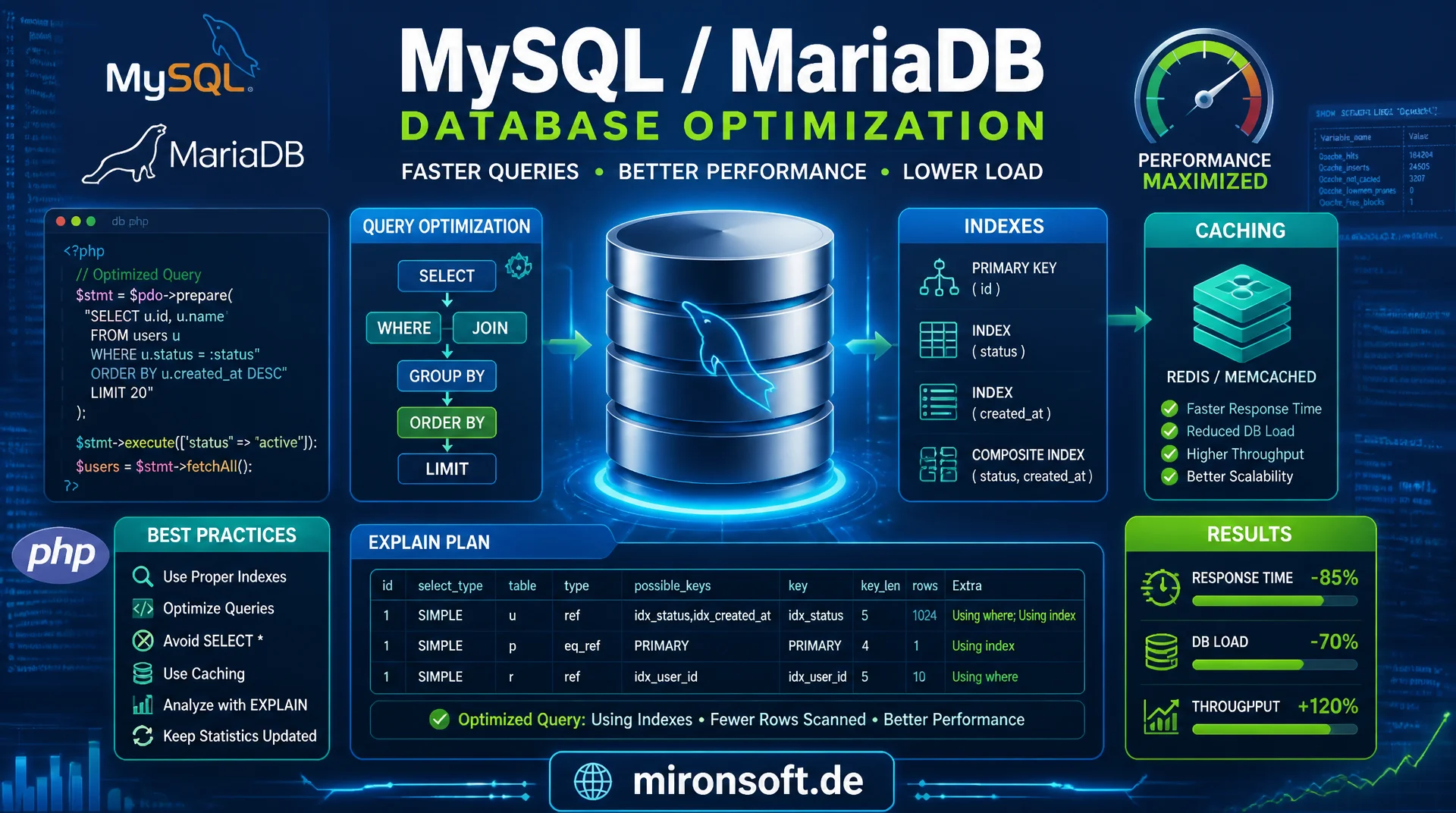
from EXPLAIN plans to production-ready query caching
Slow catalogs almost never result from too little hardware, but from queries without a matching index, unnecessarily wide SELECT statements and missing caching. This article shows how to read EXPLAIN plans, diagnose missing indexes, reduce connection overhead and configure MySQL/MariaDB for catalog-heavy PHP applications.
Table of Contents
- 1. Why Query Optimization Matters at Catalog Scale
- 2. Reading EXPLAIN Plans: type, key, rows and Extra
- 3. Index Usage and Diagnosing Missing Indexes
- 4. Avoiding SELECT * and Targeting Specific Columns
- 5. Query Result Caching: Application Cache and Redis
- 6. Connection Overhead and Connection Pooling
- 7. EAV Patterns and Catalog-Specific N+1 Problems
- 8. Slow Query Log, EXPLAIN ANALYZE and Percona Toolkit
- 9. MySQL/MariaDB Configuration for Catalog-Heavy Workloads
- 10. Summary
- 11. FAQ
1. Why Query Optimization Matters at Catalog Scale
A Magento catalog with several hundred thousand SKUs, multiple store views and complex attribute sets places completely different demands on the database than a small CRUD application. Every category page, every product listing and every search request triggers multiple joins across EAV tables, price indexes and stock tables. If a single one of these queries lacks a matching index or fetches an unnecessarily wide column set, the effect multiplies with every concurrent request until the database server becomes the bottleneck long before PHP itself hits its limits.
The difference between a query taking 2 milliseconds and one taking 800 milliseconds almost always comes down to the same three causes in practice: a missing or wrongly ordered index, a full table scan over a table with millions of rows, or a temporary table with filesort for an unindexed sort. These causes are diagnosable in minutes with the right tools, but are rarely searched for systematically because application code and the database layer are often owned by different people.
This article treats query optimization as an engineering discipline: reading EXPLAIN plans, deploying indexes deliberately, reducing column scope, caching results, minimizing connection setup and tuning database configuration to match the actual workload. Not an SEO topic, purely the mechanics between a PHP application and a relational database.
2. Reading EXPLAIN Plans: type, key, rows and Extra
Prefixing a SELECT query with EXPLAIN shows how the MySQL/MariaDB optimizer will actually execute the query, without running it. The most important column is type: const and eq_ref are excellent, ref is good, range is acceptable, index means a full index scan and ALL means a full table scan, which is almost always a problem on large catalog tables. Every query with type: ALL on a table with more than a few thousand rows should be treated as a candidate for a new index.
The key column shows which index was actually used, and key_len reveals how many bytes of the index were actually used, which is critical for composite indexes. The rows column is an estimate of how many rows the optimizer needs to examine to produce the result, not the number of returned rows. A query that returns 10 result rows but examines 500,000 rows according to rows is a clear warning sign.
The Extra column provides the most concrete hints: Using filesort means MySQL had to perform an additional sort outside the index, Using temporary means a temporary table was created for GROUP BY or DISTINCT, and Using index means a positive covering-index hit where all required columns are read from the index itself without touching the actual table. In MySQL 8 and MariaDB 10.4+, EXPLAIN ANALYZE additionally delivers actual execution times per plan step, not just estimates.
-- Diagnose a slow catalog product listing query
EXPLAIN SELECT e.entity_id, e.sku, e.type_id
FROM catalog_product_entity e
INNER JOIN catalog_product_entity_int i
  ON i.entity_id = e.entity_id AND i.attribute_id = 96
WHERE i.store_id = 1 AND i.value = 4
ORDER BY e.entity_id DESC
LIMIT 20;

-- Typical unoptimized output (before adding a composite index):
-- +----+-------------+-------+------+---------------+------+---------+------+--------+----------------------------------+
-- | id | table       | type  | key  | key_len       | ref  | rows    | Extra                             |
-- +----+-------------+-------+------+---------------+------+---------+------------------------------------+
-- |  1 | e           | ALL   | NULL | NULL          | NULL | 480213  | Using where; Using filesort        |
-- |  1 | i           | ALL   | NULL | NULL          | NULL | 1920852 | Using where; Using join buffer      |
-- +----+-------------+-------+------+---------------+------+---------+------------------------------------+
-- Two full table scans, no index used at all: this is the query to fix first.

-- After CREATE INDEX idx_attr_store_value (attribute_id, store_id, value):
-- +----+-------------+-------+----------------------+---------+------+------+-------------+
-- | id | table       | type  | key                  | key_len | ref  | rows | Extra       |
-- +----+-------------+-------+----------------------+---------+------+------+-------------+
-- |  1 | i           | ref   | idx_attr_store_value | 10      | const,const | 42 | Using where |
-- |  1 | e           | eq_ref| PRIMARY              | 4       | i.entity_id | 1  | NULL        |
-- +----+-------------+-------+----------------------+---------+------+------+-------------+
-- rows dropped from ~2.4M combined to 43, this is what a fixed query looks like.
3. Index Usage and Diagnosing Missing Indexes
An index speeds up read access because the database can traverse a sorted tree structure (a B-tree in InnoDB) instead of a linear scan, reducing access from O(n) to O(log n). The price is extra storage and slower writes, because every INSERT and UPDATE has to maintain the index alongside the row. For catalog-heavy applications with far more read than write load, this trade almost always pays off, especially on EAV value tables that by definition contain very many rows per attribute.
Composite indexes must be created with the columns in the right order: columns with equality comparisons (WHERE store_id = 1) belong before columns with range comparisons (WHERE created_at > ...), and the most selectively filtered column should sit as far left as possible. An index over (store_id, attribute_id, value) covers queries that filter on all three columns or only the first one or two columns from left to right, but does not cover a query that filters only on value without constraining store_id.
Missing indexes are found systematically by combining the slow query log with pt-index-usage from the Percona Toolkit, or with its counterpart sys.schema_unused_indexes, which surfaces unused indexes that only cause write load without ever being read. The selectivity of an index, meaning the share of unique values relative to the total row count, determines its usefulness: an index on a boolean column with only two possible values rarely helps, while an index on sku or entity_id almost always does.
-- Composite index covering the most common product listing filter pattern
-- Column order: equality filters first, range/sort filters last
CREATE INDEX idx_attr_store_value
  ON catalog_product_entity_int (attribute_id, store_id, value);

-- Covering index: query can be answered entirely from the index,
-- without touching the underlying table row (Extra: Using index)
CREATE INDEX idx_covering_listing
  ON catalog_product_entity_int (attribute_id, store_id, value, entity_id);

-- Find indexes that exist but are never used by the optimizer
-- (Percona Toolkit / sys schema, MySQL 8 and MariaDB 10.6+)
SELECT object_schema, object_name, index_name
FROM sys.schema_unused_indexes
WHERE object_schema = 'magento';

-- Check selectivity before adding an index: closer to 1.0 is more selective
SELECT COUNT(DISTINCT sku) / COUNT(*) AS selectivity
FROM catalog_product_entity;
4. Avoiding SELECT * and Targeting Specific Columns
SELECT * is convenient, but more expensive in every respect than an explicit column list. First, the database transfers data the application never uses, unnecessarily increasing network I/O and deserialization overhead in PHP, especially for TEXT or BLOB columns such as product descriptions. Second, SELECT * systematically prevents covering-index hits, because as soon as even one non-indexed column is requested, the optimizer must fetch the actual table row in addition to the index scan (Extra: NULL instead of Using index).
Third, SELECT * breaks silently whenever the table schema changes. If a column is dropped or renamed, it is often only noticed at runtime rather than at deploy time, because PHP code accessing array keys by column name keeps running without error until a specific column is actually needed. An explicit column list makes the data contract between query and application code visible and reviewable, which immediately stands out in code reviews when requirements change.
In practice, a fixed rule pays off: every query gets exactly the columns the calling code actually reads, no more. With PDO and prepared statements, the extra effort of an explicit column list is minimal and pays off many times over through smaller result sets, better index usage and more robust code.
<?php

declare(strict_types=1);

namespace Mironsoft\Catalog\Repository;

use PDO;

/**
 * Fetches product listing rows with an explicit, minimal column set.
 * Avoids SELECT * to keep the result set small and index-covered.
 */
final class ProductListingRepository
{
    public function __construct(
        private readonly PDO $connection,
    ) {
    }

    /**
     * Returns lightweight listing rows for a category page.
     *
     * @param int $categoryId
     * @param int $storeId
     * @param int $limit
     * @return array<int, array{entity_id: int, sku: string, name: string, price: float}>
     */
    public function fetchListingRows(int $categoryId, int $storeId, int $limit = 20): array
    {
        // Explicit column list, only what the listing template renders,
        // never SELECT * over an EAV-joined result.
        $statement = $this->connection->prepare(
            'SELECT e.entity_id, e.sku, n.value AS name, p.value AS price
             FROM catalog_category_product_index_store1 idx
             INNER JOIN catalog_product_entity e ON e.entity_id = idx.product_id
             INNER JOIN catalog_product_entity_varchar n
               ON n.entity_id = e.entity_id AND n.attribute_id = :name_attr AND n.store_id = :store_id
             INNER JOIN catalog_product_index_price p
               ON p.entity_id = e.entity_id AND p.customer_group_id = 0 AND p.website_id = :website_id
             WHERE idx.category_id = :category_id
             ORDER BY idx.position ASC
             LIMIT :limit'
        );

        $statement->bindValue(':category_id', $categoryId, PDO::PARAM_INT);
        $statement->bindValue(':store_id', $storeId, PDO::PARAM_INT);
        $statement->bindValue(':website_id', $storeId, PDO::PARAM_INT);
        $statement->bindValue(':name_attr', 73, PDO::PARAM_INT);
        $statement->bindValue(':limit', $limit, PDO::PARAM_INT);
        $statement->execute();

        /** @var array<int, array{entity_id: int, sku: string, name: string, price: float}> $rows */
        $rows = $statement->fetchAll(PDO::FETCH_ASSOC);

        return $rows;
    }
}
5. Query Result Caching: Application Cache and Redis
The fastest database access is the one that never happens. Query result caching at the application layer stores the result of expensive but rarely changing queries, such as category trees, attribute sets or price rules, in a fast key-value store like Redis, instead of re-executing them against the database on every request. The built-in MySQL query cache was fully removed in MySQL 8.0 because it invalidated the entire cache for a table on every write to that table, creating more overhead than benefit under real write load. Application-level caching with targeted invalidation does not have this problem.
A cache wrapper around expensive repository methods should do three things: build a deterministic cache key from the query parameters, set a sensible TTL matching the data's rate of change, and offer explicit invalidation on relevant writes instead of relying solely on TTL expiry. For Magento catalogs, short TTLs of 60 to 300 seconds work well for price and stock data, while significantly longer TTLs of several hours suit category trees and static attribute definitions that rarely change.
It is important to avoid cache stampede: if a heavily requested cache entry expires while many parallel requests hit it simultaneously, all of them can trigger the same expensive query against the database at once. A lock-based pattern, where only one request actually executes the query while others briefly wait or reuse a slightly stale value, reliably prevents these load spikes.
<?php

declare(strict_types=1);

namespace Mironsoft\Catalog\Cache;

use Redis;

/**
 * Wraps expensive read queries with a Redis-backed result cache,
 * including basic cache-stampede protection via a short-lived lock.
 */
final class QueryResultCache
{
    public function __construct(
        private readonly Redis $redis,
        private readonly int $defaultTtl = 300,
    ) {
    }

    /**
     * Returns a cached value or computes and stores it, guarded against
     * cache stampede by a short-lived lock key.
     *
     * @param string $key Deterministic cache key derived from query parameters.
     * @param callable(): mixed $resolver Executes the expensive query on cache miss.
     * @param int|null $ttl Time to live in seconds; falls back to defaultTtl.
     * @return mixed
     */
    public function remember(string $key, callable $resolver, ?int $ttl = null): mixed
    {
        $cached = $this->redis->get($key);
        if ($cached !== false) {
            return unserialize($cached, ['allowed_classes' => false]);
        }

        $lockKey = $key . ':lock';
        $acquired = $this->redis->set($lockKey, '1', ['NX', 'EX' => 5]);

        if (!$acquired) {
            // Another process is already recomputing this key.
            // Wait briefly instead of hammering the database in parallel.
            usleep(50000);
            $cached = $this->redis->get($key);
            if ($cached !== false) {
                return unserialize($cached, ['allowed_classes' => false]);
            }
        }

        $value = $resolver();
        $this->redis->setex($key, $ttl ?? $this->defaultTtl, serialize($value));
        $this->redis->del($lockKey);

        return $value;
    }
}
6. Connection Overhead and Connection Pooling
Every new database connection costs a TCP handshake, an authentication round trip and, in many setups, a TLS handshake, which together can take several milliseconds even before the first query runs. With classic PHP-FPM using short-lived processes and a new connection per request, this overhead adds up significantly under load. Persistent connections (PDO::ATTR_PERSISTENT) reduce this cost by letting PHP-FPM workers reuse connections between requests instead of rebuilding them every time.
Persistent connections have a catch, though: session variables, temporary tables or uncleared transaction state can leak between requests if the previous request did not clean up properly. In practice, an external connection pooler like ProxySQL or MySQL Router is often the more robust solution, because it pools connections at the infrastructure level without application code at the PHP level having to share state between requests.
For catalog-heavy applications with many parallel PHP-FPM workers, max_connections on the database side hard-caps the total number of concurrent connections. If the number of PHP-FPM workers multiplied by the maximum connections per worker exceeds this value, Too many connections errors occur under load spikes. A connection pooler between application and database smooths these spikes by multiplexing a smaller, stable number of real database connections against a larger number of logical application connections.
<?php

declare(strict_types=1);

namespace Mironsoft\Catalog\Connection;

use PDO;

/**
 * Builds a PDO connection with persistent connections and sane defaults
 * for a catalog-heavy PHP-FPM workload behind a connection pooler.
 */
final class ConnectionFactory
{
    /**
     * Creates a configured PDO instance.
     *
     * @param string $dsn DSN string, typically pointing at a ProxySQL/Router endpoint.
     * @param string $user Database user.
     * @param string $password Database password.
     * @return PDO
     */
    public function create(string $dsn, string $user, string $password): PDO
    {
        return new PDO($dsn, $user, $password, [
            // Reuse connections across requests within the same PHP-FPM worker.
            PDO::ATTR_PERSISTENT => true,
            PDO::ATTR_ERRMODE => PDO::ERRMODE_EXCEPTION,
            PDO::ATTR_DEFAULT_FETCH_MODE => PDO::FETCH_ASSOC,
            // Always use real prepared statements, not client-side emulation.
            PDO::ATTR_EMULATE_PREPARES => false,
            PDO::ATTR_TIMEOUT => 3,
        ]);
    }
}
7. EAV Patterns and Catalog-Specific N+1 Problems
The Entity-Attribute-Value model behind Magento products solves the problem of arbitrarily extensible attribute sets, but it comes at the cost of a structural N+1 risk: instead of a flat product table with all columns, attributes are spread across catalog_product_entity_varchar, _int, _decimal, _text and _datetime. Anyone loading every attribute individually per product for a list of 50 products quickly generates hundreds of single queries instead of one JOIN query, a pattern that structurally matches the classic N+1 problem known from ORM contexts, even without an ORM involved.
The correct solution is batch loading: fetch all required attribute values for all products in a list with a single query per attribute type, using WHERE entity_id IN (...) instead of looping over individual WHERE entity_id = ? calls. Magento's own index tables (catalog_product_index_price, catalog_category_product_index_store*) exist for exactly this reason: they denormalize EAV data at read time so that listing queries no longer have to join live across multiple EAV tables.
For custom extensions that display additional attributes in listings, the same denormalization approach pays off: a dedicated index table updated by an indexer or event observer on relevant writes, instead of joining live across EAV on every read. This shifts cost from read time, which is frequent and latency-critical, to write time, which is less frequent and less time-critical.
-- ANTI-PATTERN: N+1 style attribute loading, one query per product per attribute
-- (50 products x 3 attributes = 150 round trips)
-- SELECT value FROM catalog_product_entity_varchar WHERE entity_id = 101 AND attribute_id = 73;
-- SELECT value FROM catalog_product_entity_varchar WHERE entity_id = 102 AND attribute_id = 73;
-- ... repeated for every entity_id and every attribute_id ...

-- CORRECT: batch-load all values for all entities in a single query per attribute type
SELECT entity_id, attribute_id, value
FROM catalog_product_entity_varchar
WHERE store_id = 1
  AND attribute_id IN (73, 121, 154)
  AND entity_id IN (101, 102, 103, 104, 105 /* ... up to 50 ids ... */);

-- Even better for listings: read from the pre-built flat price index
-- instead of joining raw EAV tables at request time
SELECT entity_id, min_price, max_price
FROM catalog_product_index_price
WHERE website_id = 1 AND customer_group_id = 0
  AND entity_id IN (101, 102, 103, 104, 105);
8. Slow Query Log, EXPLAIN ANALYZE and Percona Toolkit
The slow query log is the first tool for systematic profiling, because it logs every query that exceeds a configurable threshold. long_query_time = 0.5 and log_slow_verbosity = full, combined with log_queries_not_using_indexes = ON, give a complete picture of all queries that are either too slow or use no index at all, even if they happen to stay under the time threshold. In production, the slow query log should be permanently active with log rotation, not just enabled ad hoc during a debugging session.
The slow query log alone only shows which queries are slow, not which occur most frequently or consume the most total time. pt-query-digest from the Percona Toolkit aggregates slow query logs into a prioritized list sorted by total time, not individual time, which often produces surprising results: a query with a 5-millisecond individual runtime executed 50,000 times per hour consumes more total database time than a rare query taking 2 seconds.
EXPLAIN ANALYZE goes beyond the estimate of a plain EXPLAIN and actually runs the query while measuring real timings per execution step. This uncovers cases where the optimizer makes a wrong cardinality estimate and picks a suboptimal plan even though a better index theoretically exists. Regular ANALYZE TABLE on heavily written tables keeps the internally stored statistics current, on which the optimizer bases its decisions.
#!/usr/bin/env bash
# Enable comprehensive slow query logging on MySQL/MariaDB
mysql -e "SET GLOBAL slow_query_log = 'ON';"
mysql -e "SET GLOBAL long_query_time = 0.5;"
mysql -e "SET GLOBAL log_queries_not_using_indexes = 'ON';"
mysql -e "SET GLOBAL slow_query_log_file = '/var/log/mysql/slow-query.log';"

# Aggregate the slow query log into a ranked report, sorted by total time,
# not by individual query duration, this surfaces the real cost drivers.
pt-query-digest /var/log/mysql/slow-query.log > /tmp/query-digest-report.txt

# Refresh optimizer statistics on frequently written catalog tables
mysql magento -e "ANALYZE TABLE catalog_product_entity, catalog_product_index_price;"

# Run EXPLAIN ANALYZE for real per-step execution timings (MySQL 8 / MariaDB 10.4+)
mysql magento -e "EXPLAIN ANALYZE SELECT entity_id FROM catalog_product_entity WHERE sku = 'ABC-123';"
9. MySQL/MariaDB Configuration for Catalog-Heavy Workloads
The InnoDB buffer pool is the single most important configuration value for catalog-heavy workloads, because it keeps table and index data in RAM and avoids disk access. innodb_buffer_pool_size should be 60 to 75 percent of available RAM on a dedicated database server, large enough to hold the catalog's active working set fully in memory. If the buffer pool is too small, every new query evicts older pages that are still needed, causing repeated disk access for the same data.
sort_buffer_size and join_buffer_size control how much memory is available per connection for sort operations and joins without an index. Set too small, MySQL has to fall back to disk for sorts (visible as Using filesort with a high runtime in the EXPLAIN plan); set too large, every concurrent connection wastes memory unnecessarily, which can destabilize the server overall under high connection counts. These values should be kept moderate per connection, not globally, and only raised deliberately per session for individual known-expensive reporting queries.
innodb_flush_log_at_trx_commit and innodb_io_capacity affect the trade-off between write safety and throughput. For catalog-heavy applications with predominantly read access and rarely critical single transactions, a compromise often makes sense that keeps full ACID guarantees for orders while running bulk import processes like product feeds over separate, batch-optimized connection settings instead of degrading the global configuration for normal operation.
| Dimension | Unoptimized | Optimized | Effect |
|---|---|---|---|
| Column selection | SELECT * |
Explicit column list | Smaller result set, covering index possible |
| Index usage | type: ALL (full scan) |
type: ref / eq_ref |
Millions instead of tens of rows read |
| Result limiting | No LIMIT |
LIMIT + keyset pagination |
Constant instead of growing response time |
| Attribute loading pattern | N+1 single queries per product | Batch load with IN (...) |
Hundreds of round trips down to a few queries |
| Repeated reads | No caching | Redis query result cache | DB load independent of traffic spikes |
Taken together, the table shows that no single measure alone stabilizes catalog-heavy workloads. Missing indexes and N+1 patterns cause the largest absolute time losses, while caching and connection pooling absorb the load spikes that occur when many requests simultaneously trigger the same expensive queries. Only the combination of EXPLAIN-driven index maintenance, minimal column scope, batch loading and targeted caching delivers consistently low response times under real production load.
Mironsoft
Database optimization, query profiling and performance infrastructure
Slow database queries in your catalog?
We analyze your slow query logs, read EXPLAIN plans, add missing indexes and build query caching plus connection pooling for catalog-heavy Magento and PHP applications that stay stable under load spikes.
Query audit
Slow query log, EXPLAIN analysis and pt-query-digest against your catalog
Index design
Composite and covering indexes for EAV and price queries
Caching & pooling
Redis query cache and connection pooling for stable response times
10. Summary
Database query optimization for PHP applications follows a recurring pattern: EXPLAIN shows whether a query uses an index, how many rows it scans and whether an expensive sort or temporary table is created. Composite indexes in the right column order and covering indexes reduce row access from millions to a few dozen. Explicit column lists instead of SELECT * shrink result sets and enable index-only access. Batch loading instead of N+1 patterns over EAV tables replaces hundreds of individual queries with a few bundled calls.
Query result caching with Redis and short, data-dependent TTLs removes recurring expensive queries from the database entirely, while connection pooling reduces per-request overhead and absorbs load spikes. Slow query log, pt-query-digest and EXPLAIN ANALYZE provide the data foundation to prioritize optimization effort where the most total time is spent, instead of guessing subjectively which query to optimize next.
Database Query Optimization for PHP Applications, the essentials at a glance
Reading EXPLAIN
type, key, rows and Extra immediately reveal a full table scan, a missing index or an expensive sort.
Deploying indexes deliberately
Composite indexes with equality columns first, covering indexes for pure read listings, check selectivity before creating.
Column scope and batch loading
Never SELECT *. Bundle EAV attributes with IN (...) per attribute type instead of loading per product.
Caching & connections
Redis query cache with stampede protection, persistent connections or a connection pooler like ProxySQL for stable throughput.