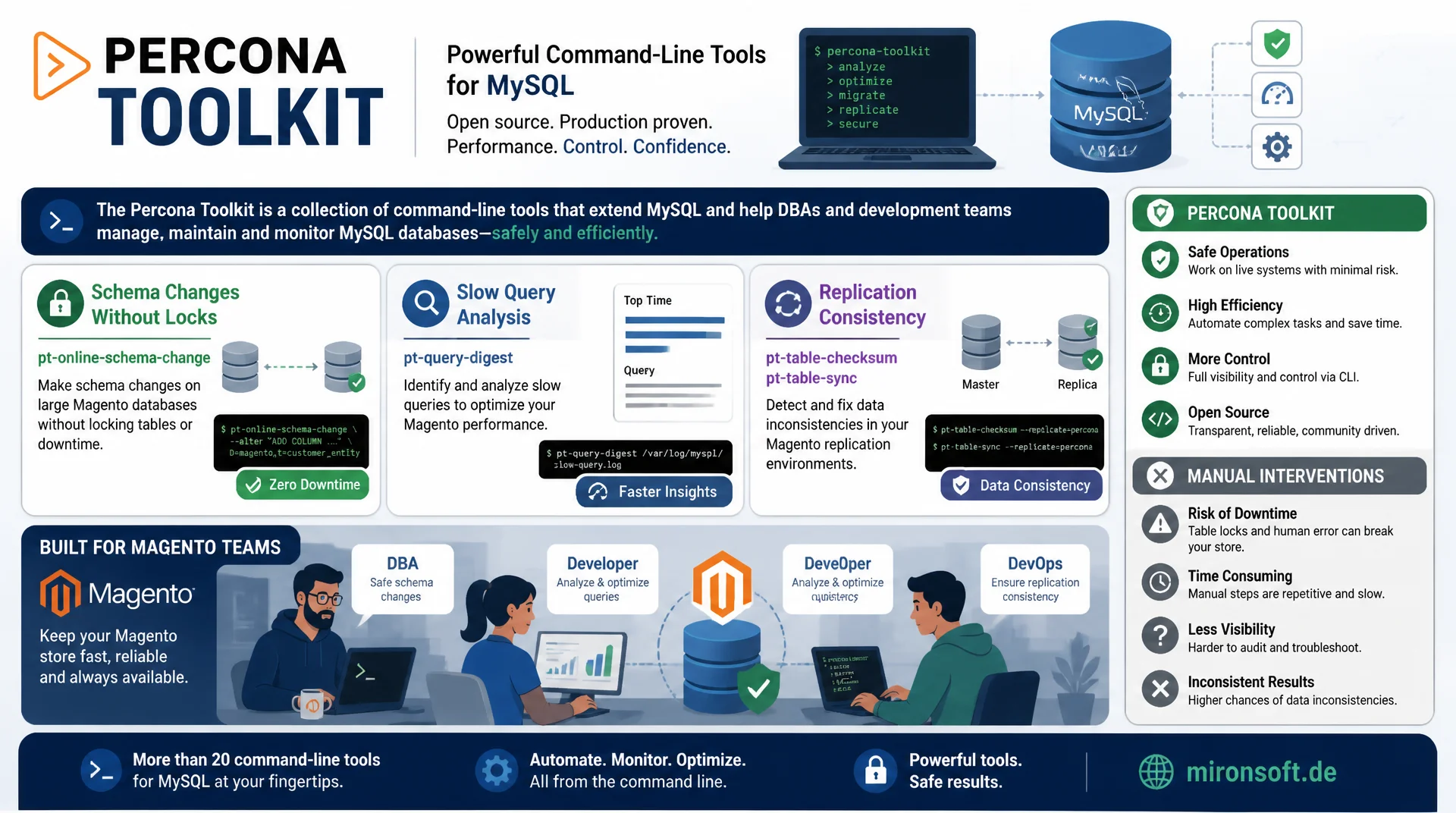
schema changes, slow queries, and replication under control
The Percona Toolkit is a collection of command-line tools that fills exactly the gaps MySQL leaves open: schema changes without locks, systematic slow query analysis, and reliable replication consistency. Teams that use these tools deliberately against a Magento database gain control over areas that would otherwise only be manageable through risky manual intervention.
Table of Contents
- 1. Why the Percona Toolkit is indispensable in Magento operations
- 2. Installation and secure configuration against Magento
- 3. pt-online-schema-change: schema changes without table locks
- 4. pt-online-schema-change in practice: catalog_product_entity
- 5. pt-query-digest: analyzing the slow query log systematically
- 6. Using pt-query-digest against Magento-typical N+1 patterns
- 7. pt-table-checksum and pt-table-sync: replication consistency
- 8. pt-archiver for controlled data archiving
- 9. Automating the Percona Toolkit safely in CI/CD and maintenance windows
- 10. Summary
- 11. FAQ
1. Why the Percona Toolkit is indispensable in Magento operations
MySQL itself only ships rudimentary built-in tools for tasks like online schema changes, systematic query analysis, or replication validation. The Percona Toolkit fills exactly that gap with a collection of battle-tested command-line tools that have been used in production environments with MySQL, Percona Server, and MariaDB for over a decade. For Magento stores with their typically large EAV tables, complex index structures, and high write load at checkout, the Percona Toolkit is close to essential equipment.
The central advantage over hand-written scripts: every tool in the Percona Toolkit ships built-in safety mechanisms such as load monitoring, automatic throttling, and dry-run modes, which are easily forgotten in ad hoc solutions. Running pt-online-schema-change against a catalog_product_entity with several million rows benefits from years of hardening against edge cases like trigger conflicts, foreign key chains, and replication lag, which a homegrown script would only be able to reproduce with considerable effort.
2. Installation and secure configuration against Magento
The Percona Toolkit is installed via the official Percona repositories and is available as a package for Debian and RedHat based systems. For production use against a Magento database, a dedicated MySQL user with tightly scoped privileges should be created instead of running the tools as the root user.
# Install the Percona Toolkit (Debian/Ubuntu)
wget https://repo.percona.com/apt/percona-release_latest.generic_all.deb
sudo dpkg -i percona-release_latest.generic_all.deb
sudo apt-get update
sudo apt-get install percona-toolkit

# Create a dedicated user with minimal required privileges for the Percona Toolkit
mysql -h db.mironsoft-shop.internal -u root -p -e "
  CREATE USER 'pt_toolkit'@'10.0.%' IDENTIFIED BY 'STRONG_PASSWORD_HERE';
  GRANT SELECT, INSERT, UPDATE, DELETE, CREATE, DROP, ALTER,
        INDEX, LOCK TABLES, TRIGGER, REPLICATION CLIENT
  ON magento_prod.* TO 'pt_toolkit'@'10.0.%';
  FLUSH PRIVILEGES;
"
This privilege assignment follows the principle of least privilege: the Percona Toolkit needs DDL privileges for pt-online-schema-change, but no administrative privileges like SUPER or SHUTDOWN. For pt-table-checksum on a replication topology, REPLICATION SLAVE is also needed on every involved server, so the tool can read replication status correctly.
3. pt-online-schema-change: schema changes without table locks
pt-online-schema-change is the best known tool in the Percona Toolkit and solves the classic problem of blocking ALTER TABLE statements on large Magento tables. The tool builds a shadow table with the target schema, installs triggers on the original table, copies existing data in configurable chunks, and finally swaps both tables atomically via RENAME TABLE.
The decisive safety mechanism in the Percona Toolkit is the built-in load monitoring via --max-load and --critical-load. If, for example, Threads_running rises above the threshold defined in --max-load, the tool automatically pauses the copy until load normalizes again. If --critical-load is exceeded, the tool aborts immediately to avoid endangering the production database. This automation is why the Percona Toolkit can be used safely even in environments without a dedicated DBA team.
4. pt-online-schema-change in practice: catalog_product_entity
A typical use case in daily Magento operations: a new EAV attribute needs an index to speed up filter queries on the storefront, but the affected value table has several tens of millions of rows. A direct ALTER TABLE would block the store for writes for hours.
pt-online-schema-change \
  --alter "ADD INDEX idx_attr_value_lookup (attribute_id, store_id, value(191))" \
  --host=db.mironsoft-shop.internal \
  --user=pt_toolkit \
  --ask-pass \
  --max-load="Threads_running=25" \
  --critical-load="Threads_running=50" \
  --chunk-size=2000 \
  --chunk-time=0.5 \
  --recursion-method=none \
  --check-slave-lag=db-replica-01.mironsoft-shop.internal \
  --max-lag=2 \
  D=magento_prod,t=catalog_product_entity_varchar \
  --execute
The --chunk-time=0.5 parameter has the Percona Toolkit dynamically adjust chunk size so that every batch takes about half a second, instead of specifying a fixed row count. That automatically adapts to current system load. The --check-slave-lag parameter ensures the copy pauses as soon as the specified replica builds up more than two seconds of lag, which matters particularly for Magento environments running read replicas for the storefront.
5. pt-query-digest: analyzing the slow query log systematically
pt-query-digest aggregates the MySQL slow query log into a clear report that groups queries by normalized pattern, instead of listing every single execution separately. In the Percona Toolkit, this is the central building block for systematic performance analysis, because only this grouping reveals which query pattern consumes the most time in total, instead of just showing the single slowest call.
# Temporarily enable slow query logging for analysis
mysql -e "SET GLOBAL slow_query_log = 'ON';
          SET GLOBAL long_query_time = 0.5;
          SET GLOBAL log_output = 'FILE';"

# After a 30-60 minute collection window: generate a report with pt-query-digest
pt-query-digest /var/lib/mysql/slow-query.log \
  --limit=20 \
  --order-by=Query_time:sum \
  > /var/log/pt-query-digest/report-$(date +%Y%m%d-%H%M).txt

# Live analysis directly from the process list, without the slow log detour
pt-query-digest --processlist h=db.mironsoft-shop.internal,u=pt_toolkit,p=***
The generated report shows metrics for every query pattern such as total execution time, number of executions, and the distribution of response times. In practice, Magento stores frequently show that a small number of query patterns, for instance EAV lookups without a matching composite index, are responsible for the majority of aggregate database time. The Percona Toolkit makes this distribution visible where a glance at individual slow queries would obscure it.
6. Using pt-query-digest against Magento-typical N+1 patterns
An N+1 problem typically arises in Magento when a custom module issues its own EAV query for every single product inside a loop, instead of loading values in bulk. In the slow query log, this shows up as a very similar query pattern with a wildly varying Query_count, executed ten times on one page and a thousand times on another.
The --filter parameter in the Percona Toolkit allows isolating query patterns deliberately, for example only queries against a specific table like catalog_product_entity_int. Combined with --order-by=Query_count instead of the default sort by total time, N+1 patterns become especially visible, because they stand out through a strikingly high execution frequency combined with a short individual execution time, a pattern that is easy to miss when sorting by total time alone.
7. pt-table-checksum and pt-table-sync: replication consistency
Replication in MySQL is reliable under normal circumstances, but over years, small inconsistencies between primary and replica can creep in through network issues, manual intervention on the replica, or bugs. pt-table-checksum from the Percona Toolkit computes checksums over data chunks on the primary and compares them against the same chunks on every replica, without locking the tables.
# Consistency check across core Magento tables
pt-table-checksum \
  --host=db.mironsoft-shop.internal \
  --user=pt_toolkit \
  --ask-pass \
  --databases=magento_prod \
  --tables=catalog_product_entity,sales_order,quote \
  --chunk-size=5000 \
  --max-load="Threads_running=20"

# Repair discrepancies between primary and replica (dry run first!)
pt-table-sync \
  --dry-run \
  --replicate=percona.checksums \
  h=db.mironsoft-shop.internal,u=pt_toolkit,p=*** \
  h=db-replica-01.mironsoft-shop.internal
After the dry run of pt-table-sync, which only shows which rows differ without changing them, the actual synchronization can proceed with --execute. For Magento stores using read replicas on the storefront, regular checksumming is an underrated building block of data quality: a customer seeing incorrect stock on a stale replica is a direct symptom of undetected replication inconsistency, which the Percona Toolkit surfaces proactively.
8. pt-archiver for controlled data archiving
pt-archiver rounds out the Percona Toolkit with a tool for controlled, batch-based moving or deleting of rows, specifically suited for Magento tables like quote or sales_order, where large volumes of completed or orphaned records need to be cleaned up regularly.
# Archive orphaned quotes older than 90 days instead of hard deleting
pt-archiver \
  --source h=db.mironsoft-shop.internal,u=pt_toolkit,p=***,D=magento_prod,t=quote \
  --dest h=db-archive.mironsoft-shop.internal,u=pt_toolkit,p=***,D=magento_archive,t=quote \
  --where "is_active=1 AND updated_at < DATE_SUB(NOW(), INTERVAL 90 DAY)" \
  --limit=1000 \
  --commit-each \
  --statistics
The --commit-each parameter ensures every batch is committed in its own transaction, instead of keeping one massive transaction open for the entire run. That minimizes lock time and makes the archiving process more resilient to connection drops, since a restart only needs to resume from the last incomplete batch instead of restarting the whole run from scratch.
9. Automating the Percona Toolkit safely in CI/CD and maintenance windows
For recurring tasks, it pays off to wrap Percona Toolkit calls into versioned maintenance scripts instead of running them manually on the command line. A central wrapper script with clearly defined environment variables for credentials, chunk sizes, and load limits significantly reduces the risk of typos during critical production runs.
In CI/CD pipelines, every Percona Toolkit call should first run in --dry-run mode against a staging copy with production-scale data volume, before it runs against production in a planned maintenance window. Logging every run to a central system, including the full command line and output, is mandatory, because many Percona Toolkit tools can run for hours, and a later audit would otherwise have no traceability.
| Tool | Task | Typical Magento use |
|---|---|---|
| pt-online-schema-change | Schema change without locks | Index on catalog_product_entity_* |
| pt-query-digest | Slow query analysis | Finding N+1 patterns and EAV lookups |
| pt-table-checksum | Check replication consistency | Validating storefront read replicas |
| pt-table-sync | Repairing discrepancies | Fixing findings after checksumming |
| pt-archiver | Batch archiving / deletion | Cleaning up quote and sales_order |
10. Summary
The Percona Toolkit covers exactly the tasks in Magento stores that MySQL itself does not provide safe built-in tools for: lock-free schema changes with pt-online-schema-change, systematic slow query analysis with pt-query-digest, replication consistency with pt-table-checksum and pt-table-sync, and controlled data archiving with pt-archiver. Every tool ships built-in safety mechanisms like load monitoring and dry-run modes that hand-written scripts would only be able to reproduce with significant effort.
The biggest lever lies in consistently integrating these tools into recurring maintenance processes: dedicated database users with minimal privileges, versioned wrapper scripts, and mandatory dry runs before every production run turn the Percona Toolkit into a reliable foundation for operating growing Magento databases, rather than a collection of risky one-off commands.
Percona Toolkit for Magento Stores, the essentials at a glance
pt-online-schema-change
Schema changes without table locks, with load monitoring and replication lag protection.
pt-query-digest
Slow query log grouped by query pattern, surfaces N+1 problems and missing indexes.
pt-table-checksum / pt-table-sync
Finds and repairs replication inconsistencies without locking tables.
pt-archiver
Batch-based moving and deleting for quote and sales_order with robust commit behavior.