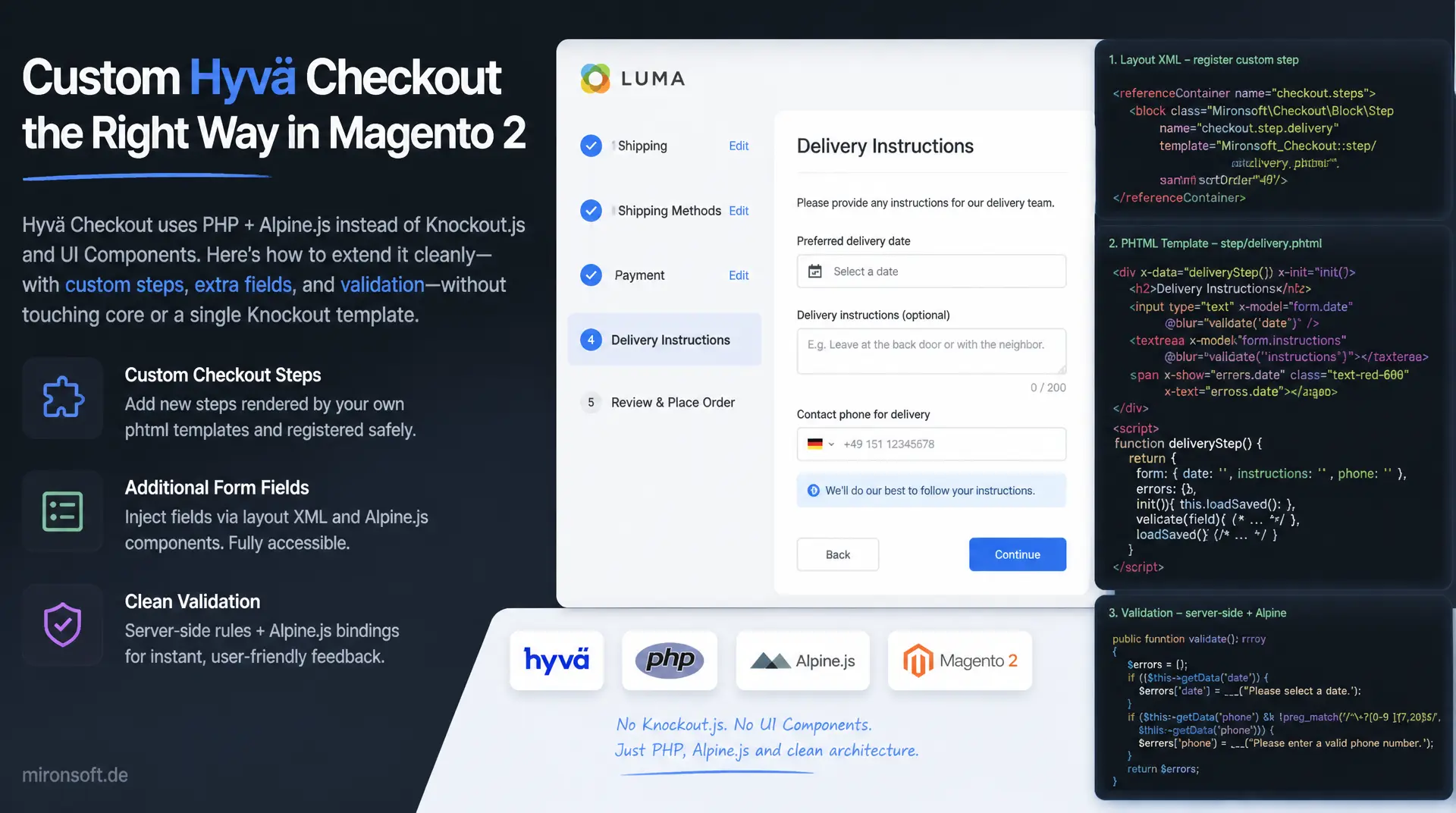
custom steps, fields, and validation
Anyone looking to customize the Hyvä checkout in Magento 2 runs into an architecture with no Knockout.js and no UI Components at all: checkout steps are rendered server-side as phtml templates and made reactive through Alpine.js. This article uses real code to show how custom checkout steps, additional form fields, and clean validation get integrated into the Hyvä checkout without touching the theme core and without touching a single Knockout template.
Table of Contents
- 1. Why checkout customization works differently in the Hyvä checkout than in Luma/Knockout.js
- 2. Architecture of the Hyvä checkout
- 3. Adding a custom checkout step
- 4. Adding custom fields to the shipping or payment step
- 5. Server-side validation
- 6. Client-side validation with Alpine.js
- 7. State management between checkout steps
- 8. Testing and debugging checkout customizations
- 9. Deployment and performance considerations
- 10. Summary
- 11. FAQ
1. Why checkout customization works differently in the Hyvä checkout than in Luma/Knockout.js
Developers arriving from the Luma world initially look in vain for familiar concepts in the Hyvä checkout: no uiComponent layout in checkout_index_index.xml with jsLayout merges, no data-bind attributes, no requirejs-config.js mixin extending a Knockout component with an extra method. The Hyvä checkout does away entirely with Knockout.js databinding and UI Components, two frameworks that in Luma force a separate layer of JS templates, ViewModels, and observable chains for nearly every interaction. Instead, every checkout step is rendered server-side as an ordinary phtml template and only becomes interactive in the browser through Alpine.js with x-data and x-model.
This shift has direct consequences for every form of checkout customization: instead of extending a Knockout component via a di.xml jsLayout merge and loading a separate .html template through requirejs, Hyvä checkout customization means writing a PHP ViewModel that prepares the data and a phtml template that outputs it directly. The business logic stays in PHP, the reactivity stays in the template - there is no third layer of JS ViewModels that has to be kept in sync. That cuts the number of files touched for a single change from four or five down to typically two.
For developers, that means debugging happens directly in the rendered HTML, not in a chain of Knockout bindings that only resolve at runtime in the browser. Anyone looking to extend the Hyvä checkout benefits from shorter feedback loops, because Alpine.js needs no build step and markup changes become visible in the browser as soon as the Hyvä watcher invalidates the cache.
2. Architecture of the Hyvä checkout
The module structure of the Hyvä checkout follows the usual Hyvä pattern: templates live under view/frontend/templates/checkout/, layout customizations under view/frontend/layout/checkout_index_index.xml, and JS components are placed either inline in the phtml or as a separate file under view/frontend/web/js/. The checkout flow itself is organized in the DOM as a sequence of sections shown and hidden via x-show="step === 'shipping'", x-show="step === 'payment'", and x-show="step === 'review'", rather than being registered as standalone components with their own lifecycle the way Knockout does it.
A central Alpine.store('checkout') brackets all the steps together, holding the current step, the loading state, and shared values such as the current cartId. Every individual checkout component reads and writes through Alpine.store('checkout') instead of passing state down from a parent component via props. The Hyvä-typical block system remains fully intact: $block->getChildNames() still iterates over the registered child blocks, so new checkout sections can be hooked in cleanly via layout XML without touching the rendering mechanism.
Important for any deeper Hyvä checkout customization: communication with the server runs almost entirely through GraphQL mutations such as setShippingAddressesOnCart, setPaymentMethodOnCart, and placeOrder, called via the global helper function hyva.graphqlQuery() that Hyvä Themes provides by default. There are no server-rendered JS templates that need recompiling with every change - the browser actively fetches data via GraphQL and updates the Alpine store with the response.
3. Adding a custom checkout step
A new step in the Hyvä checkout always starts with a layout XML file that registers an additional template as a child block of the checkout container. Positioning via before or after matters, so the new step lands in the right place in the DOM - in the Hyvä checkout, the order in the markup directly determines the visual order, there is no separate sorting configuration like Knockout's jsLayout.
The following snippet inserts a step for delivery instructions between shipping and payment and passes in a custom ViewModel that supplies the options for the form:
<?xml version="1.0"?>
<!--
  File: app/design/frontend/Mironsoft/default/Magento_Checkout/layout/checkout_index_index.xml
  Registers a custom checkout step template between shipping and payment.
-->
<page xmlns:xsi="http://www.w3.org/2001/XMLSchema-instance"
      layout="1column"
      xsi:noNamespaceSchemaLocation="urn:magento:framework:View/Layout/etc/page_configuration.xsd">
    <body>
        <referenceBlock name="checkout.root">
            <block class="Magento\Framework\View\Element\Template"
                   name="checkout.delivery-instructions"
                   template="Mironsoft_CheckoutCustomFields::checkout/delivery-instructions.phtml"
                   before="checkout.payment-methods">
                <arguments>
                    <argument name="view_model" xsi:type="object">
                        Mironsoft\CheckoutCustomFields\ViewModel\DeliveryInstructions
                    </argument>
                </arguments>
            </block>
        </referenceBlock>
    </body>
</page>
The visibility of the new step isn't decided in PHP but controlled in the Alpine store: an entry steps: ['shipping', 'delivery-instructions', 'payment', 'review'] in the central store determines the order and the conditions under which the step is shown. This makes it possible to conditionally show or hide a step in the Hyvä checkout, for instance only for certain shipping methods, without touching the layout XML.
4. Adding custom fields to the shipping or payment step
Custom form fields in the Hyvä checkout first need somewhere to live. For fields on the quote or address, an extension attribute declared via etc/extension_attributes.xml and persisted through a dedicated table declared via db_schema.xml is a good fit, no InstallSchema script, as was common in older modules. The ViewModel then supplies the template with both the available options and the value currently stored on the quote.
<?php

declare(strict_types=1);

namespace Mironsoft\CheckoutCustomFields\ViewModel;

use Magento\Checkout\Model\Session as CheckoutSession;
use Magento\Framework\View\Element\Block\ArgumentInterface;

/**
 * Provides delivery instruction options and the current quote value to the checkout template.
 */
class DeliveryInstructions implements ArgumentInterface
{
    /**
     * @param CheckoutSession $checkoutSession Active checkout session used to read the current quote
     */
    public function __construct(
        private readonly CheckoutSession $checkoutSession
    ) {
    }

    /**
     * Returns the selectable delivery instruction options for the checkout form.
     *
     * @return array<string, string>
     */
    public function getInstructionOptions(): array
    {
        return [
            'ring_bell' => 'Klingeln',
            'leave_at_door' => 'Vor der Tür ablegen',
            'neighbor' => 'Bei Nachbarn abgeben',
        ];
    }

    /**
     * Returns the delivery instruction currently stored on the quote extension attributes.
     *
     * @return string
     */
    public function getCurrentInstruction(): string
    {
        $quote = $this->checkoutSession->getQuote();
        $extensionAttributes = $quote->getExtensionAttributes();

        return $extensionAttributes?->getDeliveryInstruction() ?? '';
    }
}
Passing the field value to the server in the Hyvä checkout doesn't go through a classic form POST, but through a dedicated GraphQL mutation declared as a custom resolver in its own schema.graphqls. Alpine calls the mutation via hyva.graphqlQuery() as soon as the field value changes or the user leaves the step. The following JSON structure shows the request and response of this mutation:
{
  "request": {
    "query": "mutation SetDeliveryInstruction($cartId: String!, $instruction: String!) { setDeliveryInstructionOnCart(input: { cart_id: $cartId, delivery_instruction: $instruction }) { cart { id delivery_instruction } } }",
    "variables": {
      "cartId": "a1b2c3d4e5f6",
      "instruction": "ring_bell"
    }
  },
  "response": {
    "data": {
      "setDeliveryInstructionOnCart": {
        "cart": {
          "id": "a1b2c3d4e5f6",
          "delivery_instruction": "ring_bell"
        }
      }
    }
  }
}
Important for every Hyvä checkout customization of this kind: the resolver must resolve the cart_id to a real quote and check whether the current customer actually has access to that quote, otherwise you unintentionally open a gap through which someone else's cart could be manipulated.
5. Server-side validation
Client-side validation in the Hyvä checkout prevents obvious input mistakes but never replaces server-side checking, GraphQL requests can easily be sent directly against the API, bypassing any frontend code. Server-side validation sits either directly in the GraphQL resolver or as a plugin on the quote repository, depending on whether the value arrives through a custom resolver or through a standard mutation path such as setShippingAddressesOnCart.
<?php

declare(strict_types=1);

namespace Mironsoft\CheckoutCustomFields\Plugin;

use Magento\Framework\Exception\LocalizedException;
use Magento\Quote\Api\CartRepositoryInterface;
use Magento\Quote\Api\Data\CartInterface;

/**
 * Validates the custom delivery instruction attribute before the quote gets persisted.
 */
class ValidateDeliveryInstructionPlugin
{
    private const array VALID_INSTRUCTIONS = ['ring_bell', 'leave_at_door', 'neighbor', ''];

    /**
     * Rejects unknown delivery instruction values before the quote is saved.
     *
     * @param CartRepositoryInterface $subject Original repository instance
     * @param CartInterface $quote Quote about to be persisted
     * @return array{CartInterface}
     * @throws LocalizedException
     */
    public function beforeSave(CartRepositoryInterface $subject, CartInterface $quote): array
    {
        $extensionAttributes = $quote->getExtensionAttributes();
        $instruction = $extensionAttributes?->getDeliveryInstruction() ?? '';

        if (!in_array($instruction, self::VALID_INSTRUCTIONS, true)) {
            throw new LocalizedException(
                __('Die gewählte Lieferanweisung ist ungültig.')
            );
        }

        return [$quote];
    }
}
For custom resolvers, the plugin alone isn't enough - here the resolver checks the value directly and throws a GraphQlInputException on error, which Magento automatically translates into a clean GraphQL error object with message and category. Alpine can read this error message directly from the errors array of the GraphQL response and display it in the corresponding field, without a generic "something went wrong" text obscuring the actual reason.
6. Client-side validation with Alpine.js
Client-side validation in the Hyvä checkout lives entirely in Alpine components: reactive error states as simple object properties, checked on @blur or @input, and a submit button bound via :disabled to a computed getter. The crucial difference from Knockout: there is no ko.computed() chain and no separate validator library that needs to be mapped through requirejs-config.js, all the logic sits directly in the x-data object.
// File: app/design/frontend/Mironsoft/default/Magento_Checkout/templates/checkout/delivery-instructions.phtml
// Alpine component providing reactive validation for the delivery instruction field.
function deliveryInstructionsForm() {
  return {
    instruction: '',
    error: '',
    options: {
      ring_bell: 'Klingeln',
      leave_at_door: 'Vor der Tür ablegen',
      neighbor: 'Bei Nachbarn abgeben'
    },

    // Computed getter. Drives the disabled state of the submit button
    get isValid() {
      return this.instruction !== '' && this.error === '';
    },

    // Runs on @change/@blur. Never on every keystroke to avoid noisy error flicker
    validate() {
      this.error = this.instruction === ''
        ? 'Bitte eine Lieferanweisung auswählen.'
        : '';
    },

    async submit() {
      this.validate();
      if (!this.isValid) {
        return;
      }

      const result = await hyva.graphqlQuery(
        `mutation { setDeliveryInstructionOnCart(input: { cart_id: "${window.checkoutConfig.quoteData.cartId}", delivery_instruction: "${this.instruction}" }) { cart { id } } }`
      );

      if (result.errors) {
        this.error = result.errors[0].message;
        return;
      }

      window.dispatchEvent(new CustomEvent('delivery-instruction-saved', {
        detail: { instruction: this.instruction }
      }));
    }
  };
}
In the accompanying phtml markup, the error text is never written as a mustache expression, but always bound via x-text="error", a literal {{ error }} expression would be misinterpreted by Magento's template directive parser, since {{ }} is reserved for Magento's own directives in phtml files. Every inline <script> block in the phtml must also be followed by $hyvaCsp->registerInlineScript(), so the Content Security Policy doesn't block the script.
7. State management between checkout steps
As soon as several steps in the Hyvä checkout depend on one another, for instance when the payment method affects the visibility of a field in the shipping step, a central state becomes indispensable. Alpine.store('checkout') takes on this role: each component reads the relevant slice of the store via $store.checkout.currentStep and writes changes straight back, without state needing to be passed down as a prop from a parent component.
For communication that shouldn't run through the shared store, for instance because two components sit in different blocks and shouldn't have a direct store dependency, CustomEvent objects are a good fit. One component fires window.dispatchEvent(new CustomEvent('delivery-instruction-saved', { detail: {...} })), another listens with x-on:delivery-instruction-saved.window="handleSaved($event.detail)". This pattern avoids prop drilling entirely and keeps components loosely coupled - one component doesn't need to know the other exists, only the event name.
The central store should stay deliberately lean: only state that genuinely needs to be shared across several steps in the Hyvä checkout belongs in it. Purely local UI state, such as an expanded accordion, stays in the local x-data of the respective component, otherwise the global store grows into an unmanageable pile of fields nobody can attribute anymore.
8. Testing and debugging checkout customizations
Debugging Alpine components in the Hyvä checkout usually only requires the browser devtools: in the Elements panel, the Alpine DevTools plugin shows the current state of every component including all reactive properties, without a console.log needing to sit in the code. For quick checks, $el.__x.$data in the console is also enough to inspect a component's internal state directly on the DOM element.
The most common source of errors in new checkout customizations is the Content Security Policy. Any inline <script> block that hasn't been registered via $hyvaCsp->registerInlineScript() gets blocked by the browser console with a Refused to execute inline script message - the code looks correct in the source but simply doesn't run. A second typical CSP error occurs when a new checkout component calls an external endpoint via fetch() that isn't listed in etc/csp_whitelist.xml, the request is then silently blocked without the application itself throwing an error.
For automated testing, a combination of PHPUnit for the server-side parts (ViewModel, plugin, resolver) and an end-to-end test that runs through the complete checkout flow in the browser works well. Since the Hyvä checkout doesn't encapsulate Knockout components, form fields can be targeted in E2E tests via normal CSS selectors, without needing to account for Knockout-specific bindings.
9. Deployment and performance considerations
Every change to Tailwind classes in the Hyvä checkout requires a fresh CSS build via bin/npm --prefix app/design/frontend/Mironsoft/default/web/tailwind run build before static content deployment runs. Before deploying, var/view_preprocessed and pub/static/frontend must be cleared - if this step gets skipped, Magento may keep serving the old, already-compiled phtml output from the preprocessing cache even though the source code has long since been updated.
On the performance side, it's worth taking a close look at how many GraphQL requests a checkout customization triggers. An @input handler that sends a mutation to the server on every keystroke theoretically generates ten requests for a ten-character input field - an @blur or debounced @input.debounce.500ms handler cuts that down to a single request per completed entry. For data that doesn't change within a single checkout run, such as the list of shipping methods, client-side caching in the Alpine store is worthwhile instead of asking again on every step change.
Quote data itself additionally benefits from the server-side full-page cache and Magento's standard caching mechanisms for quote and cart - a Hyvä checkout customization that adds its own GraphQL resolvers should write those resolvers so they load only the fields actually needed from the quote, rather than serializing the whole object and generating unnecessary database I/O.
| Task | Luma / Knockout.js | Hyvä checkout with Alpine.js | Benefit |
|---|---|---|---|
| Adding a custom step | Knockout component + jsLayout merge in di.xml | Hook in a phtml template via layout XML | Fewer files, no build step needed |
| Adding a form field | ko.observable() + data-bind template | x-model directly in the phtml | Markup and logic visible in one file |
| Adding validation | JS validator mixin + requirejs-config.js | Alpine x-data + server-side PHP plugin | Client and server validation clearly separated |
| Sharing state between components | uiRegistry / global JS namespace | Alpine.store('checkout') | No prop drilling, single clear data source |
| Deploying after a change | RequireJS bundling + Knockout template cache | Tailwind build + static content deploy | Rendered directly server-side, no JS bundle |
The table shows the consistent trend: every task that needed an extra JS layer of observable chains and template bindings in the Luma checkout resolves in the Hyvä checkout with noticeably fewer files involved and no build dependency between PHP and the JS bundle.
Mironsoft
Hyvä theme development, checkout customization, and Magento 2 architecture
Looking for custom checkout steps, fields, or validation in the Hyvä checkout?
We extend your Hyvä checkout with custom steps, form fields, and validation logic, using clean layout XML, PHP ViewModels, GraphQL resolvers, and Alpine.js components instead of workarounds in the theme core.
Checkout Audit
Analysis of existing checkout customizations for CSP compliance and maintainability
Custom Steps
Custom checkout steps, fields, and GraphQL resolvers built to spec
Validation & Testing
Server- and client-side validation backed by PHPUnit and E2E tests
10. Summary
Hyvä checkout customization consistently follows the same principle: PHP ViewModels supply data, phtml templates render it server-side, and Alpine.js makes it reactive in the browser, no Knockout.js, no UI Components, and no separate JS template compilation. A custom checkout step comes from a layout XML addition plus a phtml template, custom fields come from extension attributes plus a GraphQL mutation, and validation is deliberately split across two levels: Alpine.js for immediate feedback in the browser, PHP plugins and GraphQL resolvers for the binding server-side check.
Anyone looking to customize the Hyvä checkout should keep the central Alpine.store('checkout') deliberately lean, use CustomEvents for loosely coupled communication between components, and never forget $hyvaCsp->registerInlineScript() after every inline script block. The deploy sequence of Tailwind build, cache clearing, and static content deployment remains just as binding as for any other Hyvä customization, skip it and you'll end up chasing bugs that are really just stale caches. Done right, the Hyvä checkout delivers a checkout that can be extended in hours instead of days, while staying noticeably more performant than any comparable Knockout solution.
Hyvä Checkout Customization: the essentials at a glance
Architecture
phtml templates + Alpine.js instead of Knockout.js + UI Components. Server-side rendering via PHP ViewModel instead of JS template compilation.
Custom Steps & Fields
Layout XML for new steps, extension attributes plus GraphQL mutation for additional fields on the quote or address.
Validation
Alpine.js for reactive client feedback, PHP plugins and GraphQL resolvers for the binding server-side validation.
Deployment & CSP
Tailwind build before static content deploy, caches cleared consistently, registerInlineScript() after every inline script.