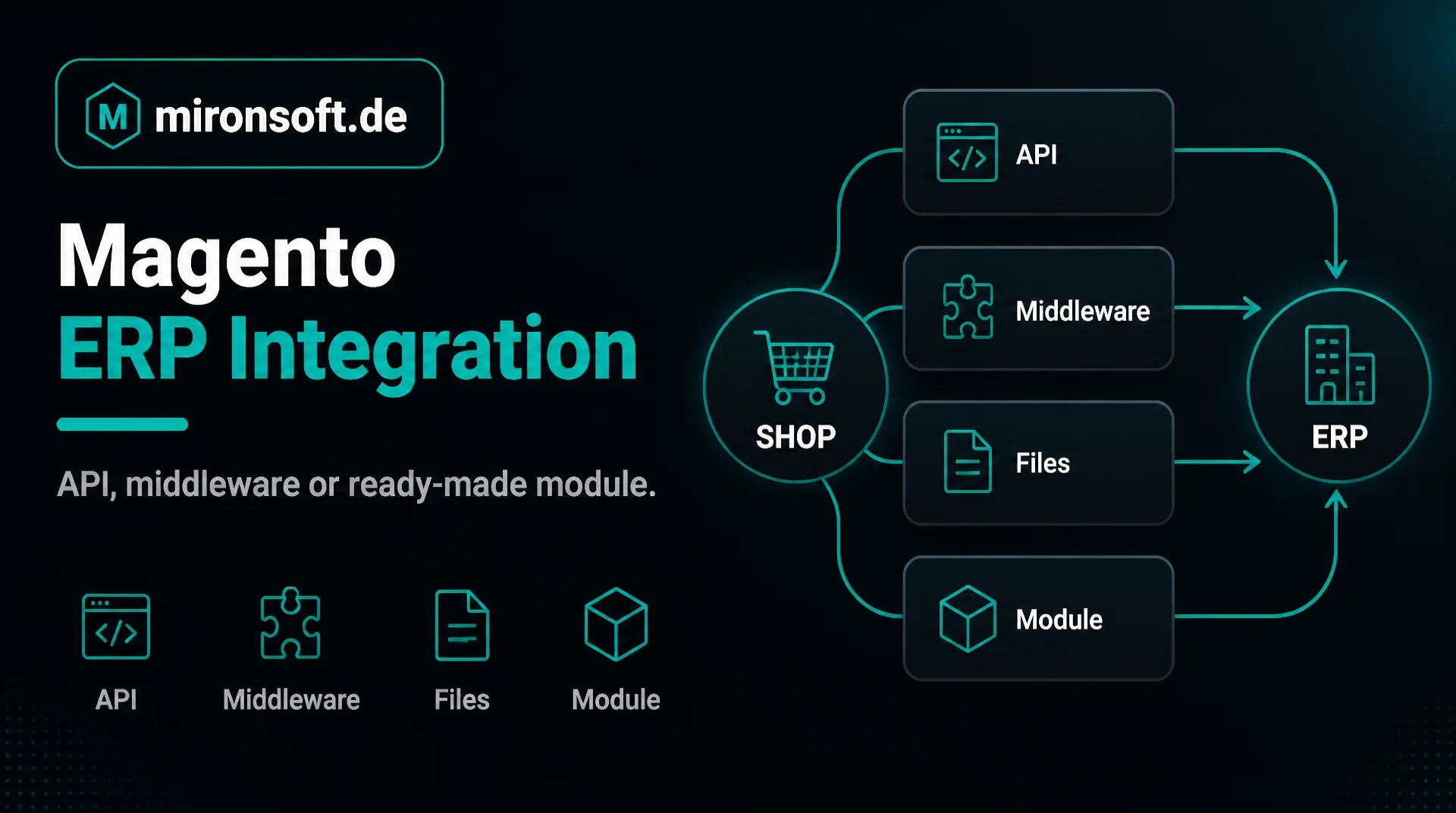
API, middleware or ready-made module: the suitable way
Whoever wants to connect shop and merchandise management faces the question of the way. This guide compares the four common options for a Magento ERP integration and helps you find the suitable way for your company.
Table of contents
- 1. What you need a Magento ERP integration for
- 2. The four ways of a Magento ERP integration compared
- 3. Direct API connection: fast and lean if the ERP cooperates
- 4. Middleware: a mediator between the systems
- 5. File exchange: unspectacular and often sufficient
- 6. Ready-made module or individual development
- 7. How you decide: six questions before the start
- 8. How we proceed with a Magento ERP integration
- 9. Summary
- 10. FAQ
1. What you need a Magento ERP integration for
A Magento ERP integration connects the online shop with the system in which your company manages articles, orders, stock and invoices. Without this connection employees have to transfer orders by hand and maintain stock twice. That costs time, and errors arise that are noticed only when a customer complains.
With a clean integration articles, prices and stock flow from the ERP into the shop, and orders run back automatically. The question is not whether to connect but how. There are four ways that differ clearly in effort, timeliness and operation.
The term ERP stands here for merchandise management, order processing and accounting. Concrete examples are in our guides to the SAP interface and to Navision and Business Central.
2. The four ways of a Magento ERP integration compared
| Way | Timeliness | Effort at the start | Operation | Fits if |
|---|---|---|---|---|
| Direct API connection | high up to real time | medium to high | lean, but error handling needed | the ERP has clean interfaces |
| Middleware | high | high | additional service | several systems are involved |
| File exchange | low to medium | low to medium | simple, robust | real time is not needed |
| Ready-made module | depends on the product | low | care by the vendor | your process is standard |
The classification is a rule of thumb. In the individual case data volume, number of systems, quality of the ERP interfaces and your budget decide. It is important that you consider the costs not only for the start but over the whole lifetime, because operation and care often weigh more than the first build.
3. Direct API connection: fast and lean if the ERP cooperates
With the direct connection the shop calls the ERP through its interface and vice versa. There is no intermediate step, data is there quickly, and you run no additional system. This is the leanest way if the ERP offers a stable, well documented interface and your IT department releases it.
The weakness is dependence. If the ERP is briefly unreachable, the integration must absorb that, otherwise orders get lost or are transferred twice. A good Magento ERP integration through the interface therefore buffers transfers, repeats them on errors and logs every step. That is handwork but solvable.
An example from daily life: a customer orders in the evening, the ERP is being serviced at night. Without buffering the order would be lost. With buffering it waits in a queue and is transferred in the morning without anyone having to intervene. This is exactly why care pays off with a Magento ERP integration.
4. Middleware: a mediator between the systems
A middleware sits between shop and ERP. It receives data, converts it, forwards it and catches faults. This makes sense if more than two systems are connected, for example shop, ERP, product information system and shipping provider, or if formats differ strongly.
The advantage is decoupling. If one system changes, usually only the connection to the middleware has to be adapted. The disadvantages are additional operation, additional costs and one more point that can fail. Does it pay off in your case? With two systems and a manageable data volume often not, with a growing system landscape yes.
When choosing a middleware, pay attention to operating mode, license model and error monitoring. Some solutions run as a service in the cloud, others in your own house. Also ask who maintains the connections, because a middleware without care quickly becomes a source of errors in your Magento ERP integration.
5. File exchange: unspectacular and often sufficient
With file exchange one system stores lists in an agreed format in a secure place, the other reads them at fixed intervals. It is regarded as old-fashioned but is robust, easy to trace and possible with many ERP systems without further ado. For article master data, price lists and a stock comparison every hour it is often entirely sufficient.
The way has its limits in timeliness. Whoever wants to show stock to the second or bring orders into the ERP immediately needs a faster solution. Here too: not every company needs real time. Ask yourself honestly which delay your business can bear before you invest in speed.
For a file exchange to run reliably, clear rules are needed: fixed file names, an agreed format, a check for completeness and a feedback if a file could not be processed. With these rules the Magento ERP integration by file is often more stable than some more elaborate way.
6. Ready-made module or individual development
For common systems there are ready-made add-on modules. They save development time if your process corresponds to the standard. Before buying, check whether the module fits your Magento version, how it is maintained, what happens on updates and how far it can be adapted.
An individual development pays off if your processes deviate from the standard, for example with special price rules, special articles or several warehouses. It is more expensive at the start but fits exactly. Often a mix makes sense: a ready-made module as the basis, supplemented by own extensions for the deviations. We develop such integrations project by project, see our page on the ERP interface.
Before buying a module, talk to the vendor about your special cases and have them show you how errors are reported. A cheap module that causes problems with every update becomes more expensive over the years than a fitting individual development.
7. How you decide: six questions before the start
Six questions for your decision
- ✓Which ERP in which version do you use, and who looks after it?
- ✓Which data should flow in which direction?
- ✓How current must stock and orders be?
- ✓How many systems are involved, for example shipping or product information system?
- ✓Which special cases exist with prices, warehouses and customers?
- ✓Who operates and maintains the integration after the start?
Once these questions are answered, the way usually results by itself. If much is unclear, a short inventory is worthwhile before a way is fixed. It costs little and prevents the wrong technology from being chosen.
Record the answers in writing and share them with your provider. This short document is the basis for every quote and prevents arguments about the obvious later.
8. How we proceed with a Magento ERP integration
We are a web agency in which fixed freelancers work together, all from home offices. We begin with an inventory, suggest the suitable way and state the effort in writing. The hourly rate is 30 euros net, see pricing. Source code and access stay with you, and care can be regulated through a maintenance contract.
This guide gives general orientation. For a first conversation a short message through our contact page is enough. Please name your ERP and the desired data flows, then we can assess the way specifically.
9. Summary
For the Magento ERP integration there are four ways: direct API, middleware, file exchange and ready-made module. The right way depends on timeliness, number of systems, quality of the ERP interface and budget.
Magento ERP integration at a glance
Direct API
Lean and fast if the ERP offers clean interfaces
Middleware
Sensible with several systems and strongly differing formats
File exchange
Robust and often sufficient if real time is not needed
Ready-made module
Saves time with standard processes, check care and adaptability
Note: This article offers general orientation. The choice of the way depends on the individual case.