Magento 2 Trust Badges Below the Button and in the Footer
SKU: TRUSTBADGEBAR1
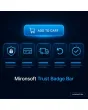
- icon bar below the add-to-cart button, in the cart and in the footer
- payment methods, shipping partners and seals from an icon library
- your own SVG or image uploads, different per store view
- icons as inline SVG, no external server and no extra script
Einmaliger Kauf · inkl. 12 Monate Updates · zzgl. MwSt.
Magento 2 Trust Badges: trust at the point where customers hesitate
With the Mironsoft Magento 2 Trust Badges you show payment methods, shipping partners and quality seals exactly where the customer thinks about buying: below the add-to-cart button, in the cart and in the footer. The icons come as inline SVG from the shop itself. No external servers are requested and no extra script is loaded. The display runs with Alpine.js and Tailwind in the Hyvä theme.
Icon bar
A row of small icons that wraps cleanly on phone and desktop.
Library and upload
Ready-made payment and shipping icons or your own SVG and image files.
Several positions
Below the add-to-cart button, in the cart, in the checkout header and in the footer.
Per store view
Different payment methods and seals per country, language or brand.
Tooltip and link
A click or hover explains the seal and leads to the matching information page.
Inline SVG only
No third-party image servers, no font, no extra script.
Why Magento 2 Trust Badges make checkout easier
First-time buyers in particular check whether a shop looks reputable. They look for familiar payment methods, a clear statement on shipping and signs that their data is protected. That is why merchants look for Magento 2 Trust Badges that show these signals right at the add-to-cart button instead of hiding them in the footer.
Honesty matters: a seal may only appear if you are actually entitled to use it, and payment methods only if the checkout really offers them. The module provides the display, the responsibility for seals and statements remains with the shop operator. Legal review rests with the shop operator.
Maintaining Magento 2 Trust Badges: library, upload and order
In the admin you choose from a library of common payment and shipping symbols or upload your own SVG files. Each icon gets a name, an alternative text and optionally a link. With the row order you decide which symbol comes first. Uploaded SVG files are sanitised on saving so no script can be smuggled in. PNG and WebP image files work as well.
- Library of payment and shipping symbols
- Own SVG, PNG and WebP uploads with alternative text
- SVG files are sanitised on saving
Magento 2 Trust Badges below the add-to-cart button and in the footer
The bar can be shown in several places, independently of each other. Below the add-to-cart button it works at the moment of decision, in the cart it reassures before checkout and in the footer it stays as permanent information. For each position you choose which icons appear. The product page might show payment and shipping, the footer additionally seals and partners. Placement is done via layout XML without touching the block system.
- Product page, cart, checkout header and footer switchable separately
- Own icon selection per position
- Placement via layout XML
Trust badges per store view: payment methods per country
A shop for Germany and Switzerland does not offer the same payment methods as one for France. That is why the settings of the Magento 2 Trust Badges apply per store view. You translate alternative texts and tooltips per language and can show icons only for certain countries. The payment methods in the checkout are not touched; the module only shows what you configured there.
- Own icon selection per store view
- Alternative texts and tooltips translatable
- Display only for selected countries
Technology of the trust badges: inline SVG, Tailwind and Alpine.js
The symbols are output as inline SVG, so they can be coloured with Tailwind, scale freely and need no extra request. Alpine.js, which the Hyvä theme loads anyway, is enough for tooltips. There is no library, no web font and no call to external servers. The page stays fast and the bar causes no layout shift because the icon height is fixed.
- Inline SVG, colourable with Tailwind classes
- Tooltips with Alpine.js, no extra library
- Fixed icon height prevents layout shift
Where Magento 2 Trust Badges help in everyday shop work
Typical situations where trust decides the purchase.
New shops without a name
If the brand is unknown, visitors pay more attention to familiar payment methods and clear shipping statements.
High-value carts
With expensive orders, seals and secure payment methods reassure just before the click on buy.
Several countries and brands
Each store view shows the payment methods and seals that actually apply there.
Campaign landing pages
Visitors from ads see payment and shipping signals at once without scrolling to the footer.
Magento 2 Trust Badges: with and without the module
The difference to images in a footer block.
| Topic | Without module | With Mironsoft Trust Badge Bar |
|---|---|---|
| Position | Footer only, often overlooked | Below the button, in the cart and in the footer |
| Maintenance | Swap images in a CMS block | Library, upload and order in the admin |
| Several countries | One block for all | Selection per store view |
| Load time | Several image files | Inline SVG without extra requests |
| Accessibility | Alt texts often forgotten | Alternative text provided per icon |
How we set up Magento 2 Trust Badges for you
The process after you place the order.
Briefing
You tell us the payment methods, shipping partners and seals you actually use.
Installation
We install the Magento 2 Trust Badges and place the bar at the wanted positions.
Icons
We upload your icons or pick them from the library and assign alternative texts.
Test
We check wrapping on the smartphone, tooltips and the selection per store view.
Handover
Your team learns to maintain icons and order itself.
Scope compared with USP banner, cookie notice and legal texts
The USP banner shows selling points as a text bar, the legal and cookie modules fulfil statutory duties. Magento 2 Trust Badges have a different job: they show payment, shipping and seal symbols as an icon bar at the places where trust counts.
The modules can be combined. The display works with Alpine.js in the Hyvä theme, without jQuery and without an additional library.
No download — personal setup instead
The Magento 2 Trust Badges are not listed here as a ready-made download file for self-installation. The purchase is a service commission: we get in touch after the purchase, install the module in your shop and agree on icons, positions and store views together with you.
Frequently asked questions
Everything important about icons, positions, store views and how the purchase works.
How can I show trust badges below the add-to-cart button in Magento 2?
How can I show payment methods as icons in the Magento 2 footer?
Can I upload my own SVG files?
Can I show different Magento 2 Trust Badges per store view?
Are payment methods taken over from the checkout automatically?
May I show any seal?
Is data sent to external servers?
Do Magento 2 Trust Badges work with Hyvä?
How does this differ from the USP banner?
Can I download and install the module myself?
Recently Viewed Products

Magento 2 Trust Badges – Mironsoft Trust Badge Bar