Magento 2 Price Notice: VAT and Shipping Note at the Price
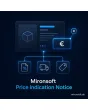
SKU: PRICEINDICATIONNOTICE1
- “incl. VAT, plus shipping” note next to every price
- text and link to the shipping page per store view
- different notes per customer group and country
- position selectable: list, product, cart, checkout
Einmaliger Kauf · inkl. 12 Monate Updates · zzgl. MwSt.
Magento 2 price notice: required information right at the price
The Magento 2 price notice from Mironsoft shows next to every price whether VAT is included and whether shipping costs are added. The text can be adapted per store view, customer group and delivery country and links to your shipping page if you wish. You choose on which pages the note appears: in lists, on the product page, in the cart or at checkout. The module works with Alpine.js in the Hyvä theme and needs no extra library. Legal review of the wording is the shop owner’s responsibility.
Magento 2 price notice at the price
The note sits right next to the price, not somewhere in the footer, and adapts to the font size of the theme.
Placeholders in the text
Placeholders for tax status and shipping link let you build the sentence yourself, for example “incl. VAT, plus shipping”.
Link to the shipping page
The “plus shipping” part becomes a link to a CMS page with your shipping costs, a different one per store view.
Per customer group and country
Consumers see “incl. VAT”, business customers “excl. VAT”, visitors from third countries a text of their own.
Selectable position
Lists, search results, product page, cart and checkout can each be switched on or off.
Exceptions by attribute
Digital products without shipping or items with another tax rate receive a different note.
Why a Magento 2 price notice belongs next to the price
Anyone selling to consumers at a distance has to state total prices and make clear that VAT and other price components are included and whether delivery or shipping costs are added. In Germany this follows from the price indication ordinance. Merchants therefore search for a Magento 2 price notice, a Magento 2 plus shipping note or an incl. VAT note. Out of the box Magento shows only the price and, depending on the tax settings, an addition in the cart.
Many shops make do with hard-coded text in templates or a block in the footer. That is error-prone and tedious with several languages. The Magento 2 price notice manages the texts centrally in the admin and outputs them where the price is. Which wording and placement are legally sufficient is something to clarify with your legal adviser.
The Magento 2 price notice with placeholders and shipping link
In the admin you enter the note text per store view. Placeholders replace the tax status, the shipping link and optionally the delivery country. A single text block turns into the right sentence, for example “incl. 19% VAT, plus shipping”. The shipping part becomes a link to the CMS page of your choice, opened in a dialog or as a normal link.
- Placeholders for tax status, shipping link and country
- Text and link target per store view
- Link target: CMS page, dialog or new window
Price notice per customer group and delivery country
Group rules decide who sees which text. Consumers get the note with VAT included, logged-in business groups see “excl. VAT”, and visitors from selected third countries a text without German tax. You set order and priority of the rules yourself. If no rule applies, the default text is used, so a price never appears without a note.
- Rules by customer group and delivery country
- Priority and default text as fallback
- Matches net and gross display in the catalogue
Where the Magento 2 price notice appears: list, product, checkout
Each position is controlled separately. In category lists and search results a short note with an asterisk may be enough, the product page carries the full sentence with a link, and in the cart and at checkout the text appears next to the totals. Output uses layout XML and Hyvä blocks, with no changes to core templates and no extra JavaScript.
- Five positions switchable one by one
- Short form for lists, long form for the product page
- Output via layout XML, no core template changes
Exceptions by attribute and product type
Not every product needs the same sentence. Digital items without delivery receive a note without the shipping part, items with a reduced tax rate an adjusted text. You assign notes to product types, categories or an attribute. The price notice can also point to the base price, which the base price module calculates, and shows only the link.
- Assignment by product type, category or attribute
- Own text for digital products without shipping
- Optional reference to the base price
Where the Magento 2 price notice helps in daily shop operations
Typical situations in which a centrally managed note saves time.
Mixed B2C and B2B shop
Consumers see gross prices with “incl. VAT”, logged-in traders the net price with “excl. VAT”, both from the same configuration.
Several countries and languages
Every store view has its own text and shipping page. One sentence in German, one in English, one for Switzerland.
Digital and physical products
Books, downloads and services get notes without a shipping part, physical goods with a link to the shipping costs.
Comparison and lists
A short note is enough in category lists, the product page then shows the long form. The layout stays calm.
Magento 2 price notice: without and with the module compared
The difference to hard-coded template text or a footer note.
| Topic | Without module | With the Mironsoft Magento 2 price notice |
|---|---|---|
| Maintenance | Text scattered across templates and CMS blocks | Central configuration in the admin |
| Multilingual | Update every language separately in code | Text and link per store view |
| Customer groups | One version for everyone | Rules for consumer, trade, third country |
| Position | Usually only footer or cart | List, product page, cart and checkout separately |
| Changes | Developer needed | Change in the admin, flush cache, done |
How we set up the Magento 2 price notice for you
The process after you place your order.
Discovery
We clarify which texts you need in which languages and for which customer groups, and which shipping page is linked.
Installation
We install the module, configure the Magento 2 price notice and set the positions in lists, product page, cart and checkout.
Rules
We create rules for customer groups, countries and exceptions and check the priority.
Testing
We check the Magento 2 price notice in all positions on desktop and mobile, with and without login, and test the links.
Handover
Your team gets a walkthrough of texts, placeholders and rules. Your legal adviser reviews the wording.
How this differs from the base price module
The Mironsoft base price module calculates and shows the price per reference quantity, for instance per kilogram or litre, and maintains quantities and units on the product. The Magento 2 price notice does something else: it shows the mandatory text on VAT and shipping costs next to the price and at most points to the base price.
The two modules complement each other. The Magento 2 price notice works with layout XML and Alpine.js in the Hyvä theme, without an additional library.
No download, personal setup instead
The price notice is not listed here as a ready-made download for self-installation. Buying it is a commission: we contact you after the purchase, install the module in your shop and agree on texts, rules and positions together with you.
Frequently asked questions
Everything important about note text, rules, positions and the purchase.
How can I show “plus shipping” at the price in Magento 2?
How do I show “incl. VAT” next to the price in Magento 2?
Can I set different notes for traders and consumers?
Where can the Magento 2 price notice appear?
Can the shipping part link to a page?
Does the module calculate the base price?
Are there exceptions for digital products?
Does the Magento 2 price notice work with Hyvä?
Does this make the note legally safe?
Can I download and install the module myself?
Recently Viewed Products

Magento 2 Price Notice – Mironsoft