Magento 2 Hyvä Theme for Baby Equipment Stores: New, Fast Design for Your Shop
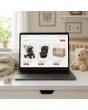
SKU: TPL-BABYAUSSTATTUNG
- Guide price 499 EUR to carry over your existing design 1:1, 1,000 EUR for a new layout by Mironsoft (plus VAT)
- Enquiry for your existing Magento shop, also by web agencies for their clients
- Questions on pram lists, car seat selection, test mark notes and bundles instead of a ready-made theme
- Payment by invoice, order acceptance after our review
Guide price plus VAT · payment by invoice after order acceptance
Your details for the new design
Answer what you know. Fields with an asterisk are required, all others are optional. The more precise your details, the more reliable our quote. Under each question we explain why we need it. When you are done, click “Complete enquiry” in the box above.
Magento 2 Hyvä theme for baby equipment stores: a new, fast design for the shop you already run
This offer is for retailers of prams, car seats, nursery furniture and first-baby bundles who already operate a Magento shop and want its look and feel renewed.
You sell strollers, infant car seats, cots, changing accessories and everything expecting parents have to buy in a few busy weeks. Your products are in the system, weights and dimensions sit in attributes, bundles and variants work. What your customers complain about is the storefront: the category page crawls on a phone, nobody can sort pushchairs by weight, a buyer cannot tell whether a car seat fits the family car, and the test marks hide at the bottom of a long text. That is the gap the Magento 2 Hyvä theme for baby equipment stores closes.
Your running shop receives a fresh, quick-loading look. The foundation is Hyvä, a modern and very lean front end for Magento. We shape the template, layout, colours and arrangement of elements: home page, categories, product lists, product pages, cart and checkout in their standard form, customer account, header, footer and your guide pages. Product data, prices and shop logic stay as they are. New functions are not part of the offer.
This is neither a download nor a ready-made theme. You answer questions about your baby shop on this page, we review them, accept the order, and only then do we start. Baby equipment is a range where parents buy under time pressure and with a strong sense of responsibility, and an off-the-shelf template would miss that.
- Audience: operators of an existing Magento shop for baby equipment, including web agencies acting for their clients
- Scope: design, layout, colours and placement without new functions
- Process: answer the questions, review, order acceptance, quotation, implementation
Guide prices for the Magento 2 Hyvä theme for baby equipment stores: 499 EUR or 1,000 EUR
Both tiers serve as orientation for the usual Magento and Hyvä areas and are quoted net of VAT.
| Tier in your baby shop project | Guide price | What it covers |
|---|---|---|
| Guide price 499 EUR to carry over your existing design 1:1 | 499 EUR plus VAT | For the Magento 2 Hyvä theme for baby equipment stores your current layout, structure and colours are rebuilt on the new foundation. The concept stays untouched, only the technology underneath changes. |
| Guide price 1,000 EUR for a new layout by Mironsoft | 1,000 EUR plus VAT | Based on your answers we propose a new layout for home page, categories, product lists and product pages, for instance with entry points by stage of life, and build it once you approve. |
| Special areas | assessed separately | Anything beyond Magento and Hyvä standard, such as a car seat finder with a vehicle database, a pram configurator or the interface of a third-party extension. |
| Mironsoft extensions | no flat rate here | You tell us what interests you without obligation. Prices are discussed separately and only if you wish. |
Guide value, not a fixed price
The binding price appears in our quotation after we have reviewed your answers. These amounts apply to the standard scope. Only invoice payment exists, and submitting the enquiry costs nothing.
Parents shop by the calendar: how the Magento 2 Hyvä theme for baby equipment stores follows the weeks before and after birth
Visitors to a baby shop are rarely casual browsers. They follow a timeline that starts with a due date.
Few product ranges have such a clear order in time. Someone in week twelve of pregnancy compares pram types and reads reviews. Someone in week 34 needs the infant seat, because without it the ride home from the maternity ward is not possible. After the birth the search moves to size 56, later to the high chair. A layout that knows this sequence saves parents many clicks.
| Stage | What parents look for | Consequence in the Magento 2 Hyvä theme for baby equipment stores |
|---|---|---|
| Early pregnancy | Overview, comparison of pram types, price range | Guide entry and comparison view on the home page and in the category |
| Final weeks before the due date | Car seat, first bundles, cot, changing area | Checklist tiles and clearly marked bundles with a contents list |
| First months | Clothes in sizes 50 to 68, care, sleep | Age filter and size choice right in the list, usable one-handed |
| Second half of year one | High chair, weaning gear, play arch, pushchair | Transition pages showing what comes next without a fresh search |
| Gift buyers | Grandparents and friends want to give, not equip | Wish list view and gift ideas by price range |
The Magento 2 Hyvä theme for baby equipment stores does not change your range and adds no software. We decide where on the home page and category page each entry point sits, so that every one of these groups recognises itself in the first seconds.
A home page organised by stage of life, not only by product group
Many baby shops open with a grid of product groups: prams, car seats, cots, clothing, care. It is tidy, but it does not answer the parents' real question, which is what they need right now. A shop built on the Magento 2 Hyvä theme for baby equipment stores accepts that a mother in her eighth month has different priorities from a father whose son has just started walking.
In the Magento 2 Hyvä theme for baby equipment stores the home page can lead with three or four entry points by stage: before the birth, newborn, crawling age, walking age. Each points to categories, filters or guide pages that already exist in your shop. We build no new system, only a better presentation of what is there.
We also settle with you whether the top shows a single strong picture, a quiet rotation of promotions or no banner at all. For baby shops a single warm image that does not compete for attention often works well, though the decision is yours.
- Entry points by stage of life next to the classic product groups
- Bestseller area per product group, kept apart from promotions
- Space for advice notes, such as trying a seat in the store or phone consultation, if you offer them
What changes for parents and for your team with the Magento 2 Hyvä theme for baby equipment stores
Hyvä is a fast, modern way of building a Magento storefront. You do not need to understand programming, only the effect.
Pages that appear quickly
With the Magento 2 Hyvä theme for baby equipment stores the heavy Luma front end gives way to a lean foundation. A category with many strollers and their pictures builds faster, which a parent notices on a phone next to the cot at night.
Pictures in front
A pram is bought with the eyes. The Magento 2 Hyvä theme for baby equipment stores gives the gallery and colour variants generous room without burying the technical facts beneath them.
Clear dimensions
Weight, folded size and seat height get fixed places in your shop instead of drifting somewhere inside marketing text.
Calm operation
Someone holding a baby taps with one thumb. The Magento 2 Hyvä theme for baby equipment stores plans for large buttons and short paths for exactly that.
Standard building blocks
In the Magento 2 Hyvä theme for baby equipment stores mini cart, search, menu and checkout use the Hyvä standard blocks. That keeps the work manageable and later updates simple.
No extra baggage
No jQuery layers, no Knockout components, no pile of additional scripts. We work with Tailwind CSS and Alpine.js, as Hyvä intends.
Prams and strollers in the category: type, weight and folded size in the Magento 2 Hyvä theme for baby equipment stores
A pram is the most expensive single decision in the first set of baby gear, so it gets compared closely.
Shoppers first sort by type: combination pram with carrycot, pushchair, buggy, double stroller, jogger. Practical values follow: weight of the frame, size when folded, whether it fits the boot of the car, whether it folds with one hand, how far the handle adjusts. Most shops keep these facts somewhere in a data table, but not where they decide the purchase.
The product list in the Magento 2 Hyvä theme for baby equipment stores shows for each pram the main picture, the selectable colours as small swatches, the type as a label and two or three chosen values, for example weight and folded size. Which values those are, you tell us in the questions. A filter by pram type sits above the list, while further filters such as price or brand unfold on mobile.
A comparison view with two or three prams side by side is Magento standard. In the Magento 2 Hyvä theme for baby equipment stores we style it so that the table does not break on a phone but scrolls horizontally and keeps the first column in place.
The product page of a pram: frame, carrycot, seat and accessories in a sensible order
A combination pram consists of a frame, a carrycot, a seat unit and accessories. Customers of any baby shop wonder what the price includes and what costs extra. If that only becomes clear in the cart, parents abandon the purchase. In the Magento 2 Hyvä theme for baby equipment stores the scope-of-delivery summary therefore sits close to price and button, and accessories such as rain cover, footmuff or car seat adapters form their own block with a clear link to the pram.
| Area of the product page | What belongs there | Place in the layout |
|---|---|---|
| Gallery | Full view, folded, details such as hood and basket, colour variants | Left or on top, swipeable on mobile |
| Key facts | Weight, folded size, seat height, manufacturer age statement | Directly under the title in one line with icons |
| Scope of delivery | Frame, carrycot, seat, included accessories | Compact list next to the price |
| Accessories | Matching accessories grouped by purpose | Own block below the description |
| Test marks | Notes on standards and marks as stated by the manufacturer | Own row in the data table, visible without opening anything |
Colour choice is part of the decision for prams. We style the swatches so that the main picture changes the moment one is clicked. Where frame colour and fabric colour are selectable separately, each choice gets its own row.
Car seats: size, weight and age bands visible at a glance in the Magento 2 Hyvä theme for baby equipment stores
With car seats the customer decides by the height or weight of the child. The presentation has to carry that logic.
For parents the choice of a car seat comes wrapped in jargon: infant carrier, rear-facing seat, group 0+, group 1, i-Size, Isofix. Many do not know which applies to their child. A shop helps by making the classification visible in the category instead of hiding it in product titles. For that we design a selector bar at the top of the category: height of the child from to, matching the classification your range actually uses.
In the Magento 2 Hyvä theme for baby equipment stores every seat carries a clearly readable label with its height or weight band, installation type and direction of travel. A small icon shows whether an Isofix base is needed and whether it is in the box. The product page then lists seat weight, dimensions, cover material and washing instructions.
- Selector bar by child height or weight band at the start of the category
- Icons for installation type and direction of travel in the list
- A note on a base included or sold as an accessory right next to the price
- Approval details from the manufacturer in a row of their own, not buried in running text
Will the seat fit the car? How vehicle fit notes appear in the Magento 2 Hyvä theme for baby equipment stores
The most frequent question in the car seat business is: will this fit my vehicle? Manufacturers publish vehicle lists. Whether your shop offers them as a table, as a PDF or through a third-party extension is part of how you run it. The Magento 2 Hyvä theme for baby equipment stores designs the place where customers find them: a conspicuous note on the product page, a link to the list, a paragraph with tips on trying the seat in the car.
If your shop already has an extension for vehicle lookup, we adjust its interface to the colours and typography of the new design. Developing a new vehicle search is not part of the Magento 2 Hyvä theme for baby equipment stores; it would be a special area and assessed separately.
Presentation only
Whether a seat fits a particular car is confirmed by the manufacturer or your trained staff, not by the design. We present your information clearly and make it easy to find. You must check the content yourself.
Standards and test marks in a baby shop: shown clearly, treated only as a note to check
Standards matter a great deal in the baby sector. You are responsible for your content and its accuracy, the layout gives it a good place.
Prams, cots, high chairs and car seats are subject to their own standards and approvals. Which ones apply in a given case depends on the product and is a matter for manufacturers, your product descriptions and your legal adviser. The Magento 2 Hyvä theme for baby equipment stores gives no legal advice and does not verify claims. What we do is make sure that information you supply does not disappear in long blocks of text.
A row of its own, not running text
A test mark or a standard reference sits in the data table in a separate, easily spotted row. The customer does not have to hunt.
Close to the buying decision
In the Magento 2 Hyvä theme for baby equipment stores the most important product notes stay within reach of the price. Further detail can be expanded.
A consistent look
One icon per mark, always the same size and order, so that products can be compared with each other.
Link manufacturer documents
Instructions and safety notes as a download with file name and language, easy to see.
Keep age statements separate
The age or weight range recommended by the manufacturer stands apart from your own promotional text.
No hidden tabs
Safety relevant information does not live in a tab that hardly anyone opens.
What is sensible or required as an additional statement is something the shop operator checks together with a lawyer or adviser. The Magento 2 Hyvä theme for baby equipment stores only provides the space.
First-baby bundles and checklists in the design of a baby shop
Many parents do not want to choose every item separately but a package that takes the decision off their hands. That is why baby shops sell starter bundles, changing sets, sleep sets or hospital bag sets. How a bundle looks in the Magento 2 Hyvä theme for baby equipment stores decides whether it reads as an advantage or as a black box.
In the Magento 2 Hyvä theme for baby equipment stores a bundle gets a clear contents list with quantity, small pictures and a size note. One line shows what the bundle offers compared with buying separately, without inventing figures. If you show the prices of individual items, the layout places both values side by side while the calculation stays in your shop.
Checklists that you maintain as guide pages, such as what to pack for the hospital, receive a clear format: sections by room or purpose, links to the products, a short introduction. That strengthens your guide pages for search and leads readers into the category.
- Contents list with quantity and small pictures for each bundle
- Size shown openly so parents do not have to look in the description
- Guide checklists linking into the matching categories
Showing growth stages: sizes, age statements and furniture that grows with the child
A child grows quickly. The shop should show how long a product fits and what comes next.
Children's clothing is sold by height: 50, 56, 62, 68 and beyond. In the Magento 2 Hyvä theme for baby equipment stores we take into account that parents often confuse age and size. A clear size picker with a note that height counts, not age, is a presentation task. In lists the size appears as a choice, not as part of the title.
With furniture such as a cot, a changing unit or a high chair, growing with the child plays a big role. A bed with an adjustable base that later becomes a junior bed explains itself better through a small timeline than through a long paragraph. We style such timelines in the Magento 2 Hyvä theme for baby equipment stores as a section of the product page which you fill with your own text. In the Magento 2 Hyvä theme for baby equipment stores this is a standard element.
| Product area | Growth statement | Presentation in the layout |
|---|---|---|
| Clothing | Body height in centimetres | Size picker as a selection field with a fit note |
| Cot | Mattress size and later conversions | Timeline with stages on the product page |
| High chair | Use from weaning age to toddler | Short note next to the price and a detail section |
| Car seat | Height or weight band | Selector bar in the category and a badge in the list |
| Pram | Carrycot, seat, later conversion | Contents list and accessory block |
Wish lists and birth lists: the interface for gift buyers in a baby shop
Grandparents, aunts and friends buy for babies differently from the parents. They want guidance, a price range and the certainty of not giving the same thing twice. A wish list that parents create and share solves that. Magento includes a wish list, and some shops add an extension for gift registries.
The Magento 2 Hyvä theme for baby equipment stores designs the interface of whatever you have: the parents' list view, the visitor view reached by link, the path from wish to cart. A new function such as part payment or reservation is not part of this offer. What we shape is how the lists look, how clearly prices and availability show and how quickly a gift buyer reaches the checkout. For the Magento 2 Hyvä theme for baby equipment stores that is a normal part of the work.
- List view with picture, price and availability for each wish
- Share notice clearly visible, so parents send the link on
- Gift ideas by price range as an entry point on the home page
Mobile with a baby in one arm: how the Magento 2 Hyvä theme for baby equipment stores behaves on a phone
A considerable share of visits to baby shops happens on a smartphone, often late in the evening or at night.
Parents browse with one hand. They hit small fields less accurately, dislike typing long texts and give up faster when a page stalls. For the Magento 2 Hyvä theme for baby equipment stores we therefore plan the phone first and derive the desktop view from it, not the other way round.
Large buttons
Cart and wish list are easy to reach with the thumb and sit in a fixed position.
Little typing
In the Magento 2 Hyvä theme for baby equipment stores the standard Hyvä checkout keeps fields and steps lean. We arrange notes and payment methods clearly.
Filters that open and close
Age and price filters open as a panel and close again without losing the list.
Readable tables
Data tables with dimensions do not run off the screen but scroll or fold into rows.
A calm night mode
On request the page gets darker, muted surfaces. That is a matter of colour, not a new function.
Quick search
The search field stays within reach. Result styling follows the standard of the search running in your shop.
Colours and imagery in a baby shop: calm and warm without kitsch
The classic image of a baby shop is pastel: light blue, pink, yellow, round lettering and clouds. That can be charming, but it quickly feels generic and makes photographs less readable. Many modern baby brands rely on muted natural tones, plenty of white space and photography that takes products seriously. Which direction suits you depends on your brand.
For the Magento 2 Hyvä theme for baby equipment stores we ask about your brand colours, your logo and your role models. In the Magento 2 Hyvä theme for baby equipment stores we set a calm main colour, an accent colour for buttons and neutral surfaces. Contrast between text and background stays high, because parents often read tired and in poor light.
- Muted natural tones as one possible direction, such as sand, sage or warm grey
- Classic pastels if they belong to your brand, with sufficient contrast
- Photography before graphics: real product pictures rather than illustrations as the main motif
- No custom fonts without a licence check, we work with clearly readable standard fonts
Shipping, bulky goods and returns: making notes understandable in the layout
A pram arrives as a large carton, a bed in several parcels, an infant seat often separately from its base. Before ordering, parents want to know how it is delivered, when it arrives and what happens if the pram does not fit in the boot. The answers sit in your shipping terms, yet in many shops they are reachable only through the footer.
In the Magento 2 Hyvä theme for baby equipment stores, delivery method and lead time get a fixed place on the product page, separately for standard items and bulky goods. Notes on returns appear as a short block next to the cart button, with a link to the page with all conditions. What is written there remains your responsibility and belongs in a review by your legal adviser.
| Note | Why it belongs on the page | Place in the layout |
|---|---|---|
| Delivery method and time | Large items arrive differently from small ones | Short block below the price |
| Split delivery for bundles | Parcels may arrive separately | Note line in the bundle block |
| Returns for hygiene items | Certain items fall under special rules | Short note with a link to the conditions |
| Collection in store | If offered, it saves shipping | Row of its own, if active |
Typical design mistakes in baby shops and how a rebuild avoids them
Everyday practice in many baby shops shows the same problems again and again.
| Mistake | Consequence for parents | Remedy in the rebuild |
|---|---|---|
| Category without an age filter | Parents scroll through items that do not suit their child | Filter and selector bar at the top of the category |
| Dimensions only in the description text | The customer cannot compare prams | Weight and folded size in the list and in a key facts line |
| Test marks at the very bottom | Important statements are overlooked | Own row in the data table |
| Too many colours in the layout | Product pictures lose their effect | Calm surfaces, one accent |
| Bundles without a contents list | Doubt about what is in the package | Contents list with quantity and pictures |
| Large uncompressed images | Slow pages on the smartphone | Hyvä standard and clean image formats, image care stays with you |
| Wish list hard to find | Gift buyers drift away | Visible entry in header and account |
| Long text blocks instead of structure | Parents scan, they do not read | Short sections with subheadings |
Legal notices and mandatory information: what the layout merely makes visible
A baby shop carries, like any online shop, mandatory information: imprint, withdrawal notice, privacy policy, price statements and, depending on the product, notes on textile labelling, age statements or warnings. Which statements your range requires and how they must be worded is something you check with your lawyer. The layout can only offer good places for them.
The Magento 2 Hyvä theme for baby equipment stores makes sure legal pages are easy to reach, that mandatory information stays legible in the checkout and that notes on the product page are not covered by pictures. Where your legal adviser demands a certain wording or position, we implement it. For consumers the way prices are shown also matters, for instance the display of VAT and shipping costs. Here too the rule applies: you set the requirement, we take care of the presentation.
Web agencies and baby retailers with several stores: enquiring about the Magento 2 Hyvä theme for baby equipment stores
The offer is open to web agencies enquiring for a client's baby shop. Shop address, contact person and brand then belong to the client. If in doubt we talk to both sides before we begin. Payment by invoice and order acceptance work the same as for any other order.
Baby retailers with a physical store and an online shop also ask how the two worlds connect. Typical wishes are a note on branches, opening hours, advice appointments and collection. Where the shop already supplies this information, the Magento 2 Hyvä theme for baby equipment stores designs it: header, footer, a page for locations. New functions for appointment booking or stock lookup by branch are special areas and assessed separately.
What the Magento 2 Hyvä theme for baby equipment stores does not include
Clear limits help both sides, so we state them openly.
No new functions
A car seat finder, a configurator or birth list logic would be new development. We assess that separately.
No product maintenance
We do not enter products, dimensions or standard references. Data maintenance stays with you.
No legal advice
We do not check your texts or your test marks. You clarify that with your lawyer.
No photos and copy
Pictures, descriptions and guide texts come from you. We bring them into shape.
No guarantee on figures
We promise no particular load time and no effect on turnover. Hyvä is built for speed, but what your shop achieves depends on hosting and content.
No free third-party work
The interface of a third-party extension is a special area and priced individually.
From questionnaire to implementation: how the Magento 2 Hyvä theme for baby equipment stores project runs
Answer the questions
You fill in the general questions and the ten questions on your baby shop. You may leave unclear ones open.
Our review
We read your answers, look at your shop and get in touch with questions.
Order acceptance
In the Magento 2 Hyvä theme for baby equipment stores you receive, instead of an order confirmation, an acceptance. Only then does the contract come into being.
Quotation with binding price
The guide price becomes a quotation. Special areas appear separately in it.
Implementation
We build the design. You see interim stages and give approval.
Handover
We hand over the changes. Later wishes are handled as a new order.
Invoice is the only payment method, and submitting the questionnaire costs nothing.
The ten baby shop questions: what they are for
Besides the general questions we ask ten that exist only for baby equipment.
| Topic of the question | Why we ask | Effect on the design |
|---|---|---|
| Range focus | A pram specialist needs a different layout from a full-range retailer | Weighting of the home page |
| Car seat classification | Your range follows a particular logic | Selector bar in the category |
| Dimensions in the list | Not every value belongs in the row | Key facts in the list |
| Test marks and notes | Which marks you display | Rows in the data table |
| Bundles and sets | How many bundles you sell | Bundle presentation and contents list |
| Growth stages | Which products grow with the child | Timelines and size notes |
| Wish list | Whether and how you use lists | Design of the list view |
| Target group | Parents, gift buyers, trained staff | Tone and entry points |
| Physical store | Whether advice on site is possible | Notes on branches |
| Wishes beyond standard | Free text for anything special | Assessment as a special area |
Mironsoft extensions for your baby shop: kept in view without obligation
Besides the design, Mironsoft offers ready-made extensions for Magento 2, for example for search, language switching or data maintenance. In the questionnaire you will find a list to tick what interests you and a free text field for more. In the Magento 2 Hyvä theme for baby equipment stores it is non-binding and carries no price. We name no flat rates here, because every shop is built differently.
If you only want the design, simply leave the section empty. It has no influence on the guide price of the Magento 2 Hyvä theme for baby equipment stores and leads to no order.
No download, no ready-made theme: your enquiry as the start of the work
The Magento 2 Hyvä theme for baby equipment stores is listed here neither as a file nor as a finished theme. Buying means making an enquiry: you describe your baby shop, we review it, accept the order and build the design personally in your shop.
Frequently asked questions about the Magento 2 Hyvä theme for baby equipment stores
Answers on price, scope, baby shop specifics and process.
What does the Magento 2 Hyvä theme for baby equipment stores cost?
Do I have to pay straight away with the Magento 2 Hyvä theme for baby equipment stores?
Do I need a new shop for the Magento 2 Hyvä theme for baby equipment stores?
Is a car seat finder part of the Magento 2 Hyvä theme for baby equipment stores?
Does the Magento 2 Hyvä theme for baby equipment stores check my standards and test marks?
What is Hyvä in the Magento 2 Hyvä theme for baby equipment stores, briefly?
Does the Magento 2 Hyvä theme for baby equipment stores work with my Magento version?
Can agencies request the Magento 2 Hyvä theme for baby equipment stores for clients?
Will the Magento 2 Hyvä theme for baby equipment stores make my shop faster?
Can I download the Magento 2 Hyvä theme for baby equipment stores myself?
Do wish lists and customer accounts survive the Magento 2 Hyvä theme for baby equipment stores?
Is the Magento 2 Hyvä theme for baby equipment stores worth it for a small baby shop?
Recently Viewed Products

Magento 2 Hyvä Theme for Baby Equipment Stores: New Design for Your Baby Shop