Magento 2 Freight Shipping for Bulky Goods and Pallets
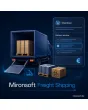
SKU: FREIGHTSHIPPING1
- separate shipping method for bulky goods, pallets and furniture
- freight zones, weight tiers and extras such as tail-lift
- delivery window, phone number and driver note at checkout
- minimum quantities and freight list in the admin
Einmaliger Kauf · inkl. 12 Monate Updates · zzgl. MwSt.
Magento 2 freight shipping: deliver tiles, furniture and bicycles safely
With the Magento 2 freight shipping module from Mironsoft you sell goods that a parcel service will not carry. The module adds its own shipping method for bulky goods and pallets: freight depends on zone and weight, extras such as tail-lift or timed delivery are selectable, and the customer names a delivery window and a phone number for the driver. Everything travels into the order and into a freight list. The interface works with Alpine.js and needs no extra library.
Freight zones
Prices by country and postcode range, with tiers by weight, pallets or volume.
Extra services
Tail-lift, timed delivery, advance notice or carry-in help as a selectable option with its own price.
Delivery window
The customer picks morning, afternoon or a weekday, depending on what you can offer.
Notes for the driver
Phone number as a required field, drop-off place and hints such as courtyard or floor.
Minimum quantities
Minimum order value or quantity per shipping method, so the trip pays off.
Why a parcel price is not enough for bulky goods in a Magento 2 shop
A pallet of tiles weighs almost a tonne, a sofa fits no parcel van, a bicycle in a box needs an appointment. For such goods merchants need Magento 2 freight shipping that reflects freight, surcharges and arrangements. With a single shipping price per country, you lose money on islands, tower blocks and split deliveries, or customers drop out because the price is only named by email after the order.
Then comes the effort afterwards: the carrier calls the customer who is never reachable, the tail-lift is missing, the driver stands in front of a staircase. Whoever clarifies these questions at checkout saves queries, second trips and frustration. This is exactly what Magento 2 freight shipping as a separate method is built for.
Magento 2 freight shipping as a separate method at checkout
You mark products or categories as freight goods, for example through an attribute. If the cart contains such items, the freight method appears with its calculated price. Weight, number of pallets or volume decide the tier, the postcode decides the zone. For mixed carts the module shows parcel goods and freight goods separately, so the customer sees which delivery arrives when and what it costs.
- Assignment by product attribute or category
- Zones by country and postcode range, tiers by weight or pallets
- Mixed cart with separate display of parcel and freight
Magento 2 freight shipping with tail-lift, timed delivery and advance notice
Not every delivery needs the same thing. You define which extra services you offer and what they cost: tail-lift on the truck, delivery at a fixed date, notice by phone or carry-in help to the front door. The customer picks the matching options at checkout and the total adapts immediately. For islands, tower blocks or blocked delivery areas you store surcharges or exclusions. That protects your margin without a later invoice for an extra price.
- Extra services with their own price and description
- Surcharges for islands and special areas, blocks for delivery areas
- Price updates at checkout without a page reload
Ask for delivery windows and driver notes in Magento 2 freight shipping
At checkout the customer picks a preferred window, for example morning or afternoon, and enters a phone number at which the driver can reach them. The number is required whenever the carrier calls. A free-text field takes hints such as courtyard entrance, third floor without lift or drop-off place. You decide which windows are possible on which days and how many days of lead time you need. The entries later appear in the order, in the email and in the freight list.
- Define windows, weekdays and lead time in the admin
- Phone number as required field, note field for the driver
- All entries in order, email and freight list
Magento 2 freight shipping with minimum quantities and a freight list for your logistics
A trip only pays off above a certain quantity. So you set a minimum order value or minimum quantity for the method; below it, a note appears instead of the method. In the admin, a freight list gathers all open freight orders with address, weight, pallets, extra service, delivery window and phone number and can be exported as CSV for your carrier. You no longer copy data together from single orders.
- Minimum order value and minimum quantity per shipping method
- Freight list with all delivery data in the admin
- CSV export for the carrier
Where Magento 2 freight shipping is needed in daily shop work
Typical industries with goods that no parcel service carries.
Tiles and building materials
Heavy pallets, delivery with tail-lift to the building site and fixed windows so that somebody is there. Magento 2 freight shipping calculates weight and zone separately.
Furniture and mattresses
Bulky parcels with timed delivery and carry-in help to the door, plus surcharges for floors without a lift.
Bicycles and e-bikes
Large boxes with a high goods value. Phone number and delivery window prevent failed deliveries.
Garden supplies and machines
Heavy equipment and general cargo with minimum quantity and a surcharge for remote areas.
Magento 2 freight shipping: without and with the module
The difference to a table-rate method and to arrangements by email.
| Topic | Without the module | With Freight Shipping |
|---|---|---|
| Price | One rate per country, bulky goods too dear or too cheap | Zone, weight and pallets set the freight |
| Extra services | Clarified by email after the order | Tail-lift and date selectable at checkout |
| Reachability | Driver has no phone number | Phone number is a required field |
| Mixed cart | Everything at the same price | Parcel and freight shown separately |
| Logistics | Copy data from single orders | Freight list with CSV export |
How we set up Magento 2 freight shipping for you
The process after you commission it.
Briefing
You tell us your freight goods, carriers, zones and prices as well as the extra services you offer.
Installation
We install the module, create zones and tiers and set up Magento 2 freight shipping for your store views.
Product assignment
We mark your freight items by attribute or category and enter weights and pallet dimensions.
Testing
We check Magento 2 freight shipping with mixed carts, islands, blocked areas, minimum quantities and required fields with sample orders.
Handover
Your team gets an introduction to zone maintenance, freight list and CSV export.
Delimitation from table rates, per-product shipping and surcharges
The table-rate shipping method calculates by weight and destination, but knows neither pallets nor extra services or delivery windows. Per-product shipping sets costs per item, and the surcharge module adds markups to existing shipping methods. Magento 2 freight shipping, by contrast, is a complete shipping method with freight, options and delivery arrangement.
All modules can be combined. The interface runs on Alpine.js in the Hyvä theme, without jQuery and without Knockout.
No download — personal setup instead
Freight Shipping is not listed here as a ready-made download file for self-installation. The purchase is a service commission: we get in touch after the purchase, install the module in your shop and agree on zones, tiers and extra services together with you.
Frequently asked questions
Everything important about freight, extra services, delivery window and the purchase process.
How can I ship bulky goods by freight carrier in Magento 2?
How is freight calculated in Magento 2 freight shipping?
Can the customer choose a tail-lift?
How do I ask for a phone number for the driver?
Can I offer delivery windows with Magento 2 freight shipping?
What happens with a cart of parcel and freight goods?
Can I exclude islands or areas?
Does Magento 2 freight shipping work with Hyvä?
Can I set a minimum quantity in Magento 2 freight shipping?
Can I download and install the module myself?
Recently Viewed Products

Magento 2 Freight Shipping – Mironsoft