Magento 2 Dark Mode for Hyvä with Toggle
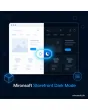
SKU: DARKMODESTOREFRONT1
- dark mode by system setting or toggle in the header
- mode is set before rendering, no flash
- dark colour values as variables, second logo for dark mode
- controllable per store view, full page cache untouched
Einmaliger Kauf · inkl. 12 Monate Updates · zzgl. MwSt.
Magento 2 Dark Mode: a dark theme for your Hyvä shop, by system setting or toggle
With the Magento 2 dark mode from Mironsoft, your shop offers a dark theme that follows the visitor's system setting or is switched through a toggle in the header. The module uses Tailwind's dark variant and the colour variables of your Hyvä theme instead of overriding colours one by one. The Magento 2 Dark Mode remembers the choice in the browser, avoids a flash of the light page while loading and runs with Alpine.js without an extra library.
Follow system setting
The shop automatically adopts the light or dark mode of the device.
Toggle in the header
Visitors switch between light, dark and system, and the choice is remembered.
No flash
The mode is set before the first paint, so the light page never flashes up.
Colours from the theme
Dark values for background, text, borders and cards come from design variables.
Logo and images
A second logo for dark mode and dimming of bright images where wanted.
Check contrast
A checklist in the admin warns about insufficient contrast of the chosen colours.
Why a Magento 2 Dark Mode is a matter of course for many visitors
A large share of users set phone and computer to dark, especially in the evening. When a shop then opens a white page, it dazzles. Merchants therefore look for a Magento 2 dark mode, a dark theme for Hyvä or a way to respect the visitor's system setting.
The Magento 2 Dark Mode does exactly that without a redesign of your theme. It maps the existing colours to dark counterparts, keeps your brand colour as accent and lets visitors decide for themselves. Whoever chooses nothing gets the mode of their device.
Magento 2 Dark Mode by system setting or toggle
By default the shop follows the device setting through the colour-scheme media query. In addition the module places a toggle in the header with which visitors switch between light, dark and system. The choice is stored in the browser and applies on every visit. In the admin you set the default mode and whether the toggle is visible.
- Default: system, light or dark
- Toggle in the header, also as an entry in the mobile menu
- Choice stays stored in the visitor's browser
Colours and Tailwind variables in the Magento 2 Dark Mode
Instead of overriding every class, the module works with colour variables. In the admin you enter the dark values for page background, cards, text, borders and form fields; the module outputs them as CSS variables under the dark class. Your brand colour stays the accent for buttons and links. Prices, discount badges and error messages keep their signal colours so they remain unmistakable in the dark.
- Dark values as CSS variables, no class overriding
- Accent and signal colours adjustable separately
- Preview in the admin before publishing
Logo, product images and graphics in dark mode
A dark logo on a dark background is invisible. That is why you can store a second logo for dark mode, loaded through an image source per colour scheme. Product photos with a white background can be dimmed subtly or kept on a light surface so they do not look like foreign objects. SVG icons take over the text colour automatically.
- Second logo for dark mode
- Bright product images on a light surface or dimmed
- SVG icons follow the text colour
Clean loading without flash and without jQuery
A tiny inline script in the head sets the dark class before the page is painted and is registered with the Hyvä content security policy. That prevents a short flash of the light page. The toggle is an Alpine.js component without jQuery and without Knockout. With the full page cache enabled the page stays identical because switching happens exclusively in the browser.
- Mode is set before the first paint
- Registered CSP-compliant, no extra JavaScript
- Full page cache stays untouched
Where the Magento 2 Dark Mode helps day to day
Typical situations in which a dark theme keeps visitors.
Evening shopping
Customers browse on the sofa with a dark phone and do not get a glaring white page.
Tech and gaming shops
Audiences that use dark interfaces anyway expect a dark mode.
Accessible design
People with light sensitivity choose the mode themselves, without a browser extension.
Brands with a dark look
Premium products often look nobler on dark ground, and the logo stays legible in both modes.
Magento 2 Dark Mode compared: without and with the module
The difference to browser extensions and custom work.
| Topic | Without module | With Mironsoft Storefront Dark Mode |
|---|---|---|
| System setting | Ignored, page stays light | Adopted automatically |
| Visitor choice | Not possible | Toggle with light, dark, system |
| Loading | Forced filters, flashing | Mode set before first paint |
| Logo | Stays the same, partly unreadable | Own logo for dark |
| Maintenance | Override classes one by one | Colour variables in the admin |
How we set up your Magento 2 Dark Mode
The process after you place the order.
Briefing
You name brand colours, default mode and the desired position of the toggle.
Colours
We compile the dark values for your theme and check the contrast.
Installation
We install the module and activate the Magento 2 Dark Mode for your store views.
Test
We check home page, category, product, cart, checkout and account in both modes.
Handover
Your team gets an introduction to colours, logo and toggle.
Differences to theme development and accessibility tools
The Magento 2 Dark Mode is not a new design but a second colour variant of your existing Hyvä theme. Complex custom designs with their own graphics remain a task for theme development; the module delivers the switching and the colour mapping.
Among accessibility tools the dark mode counts as a comfort feature; it does not replace an audit against the relevant guidelines. All modules can be combined.
No download, but a personal setup
The Storefront Dark Mode is not listed here as a ready-made download for self-installation. The purchase is an order: we contact you after the purchase, install the module in your shop and agree on colours, logo and toggle together with you.
Frequently asked questions
Everything important about switching, colours, loading and how the purchase works.
How can I add a dark mode to Magento 2?
How can I offer a dark mode following the system setting in Magento 2 Hyvä?
Is there a flash of the light page?
Can the visitor switch themselves?
Does the Magento 2 Dark Mode work with the full page cache?
How do I handle the logo?
Are prices and error messages still readable in the dark?
Does the Magento 2 Dark Mode work with Hyvä?
Can I switch dark mode off per store view?
Can I download and install the module myself?
Recently Viewed Products

Magento 2 Dark Mode – Mironsoft Storefront Dark Mode