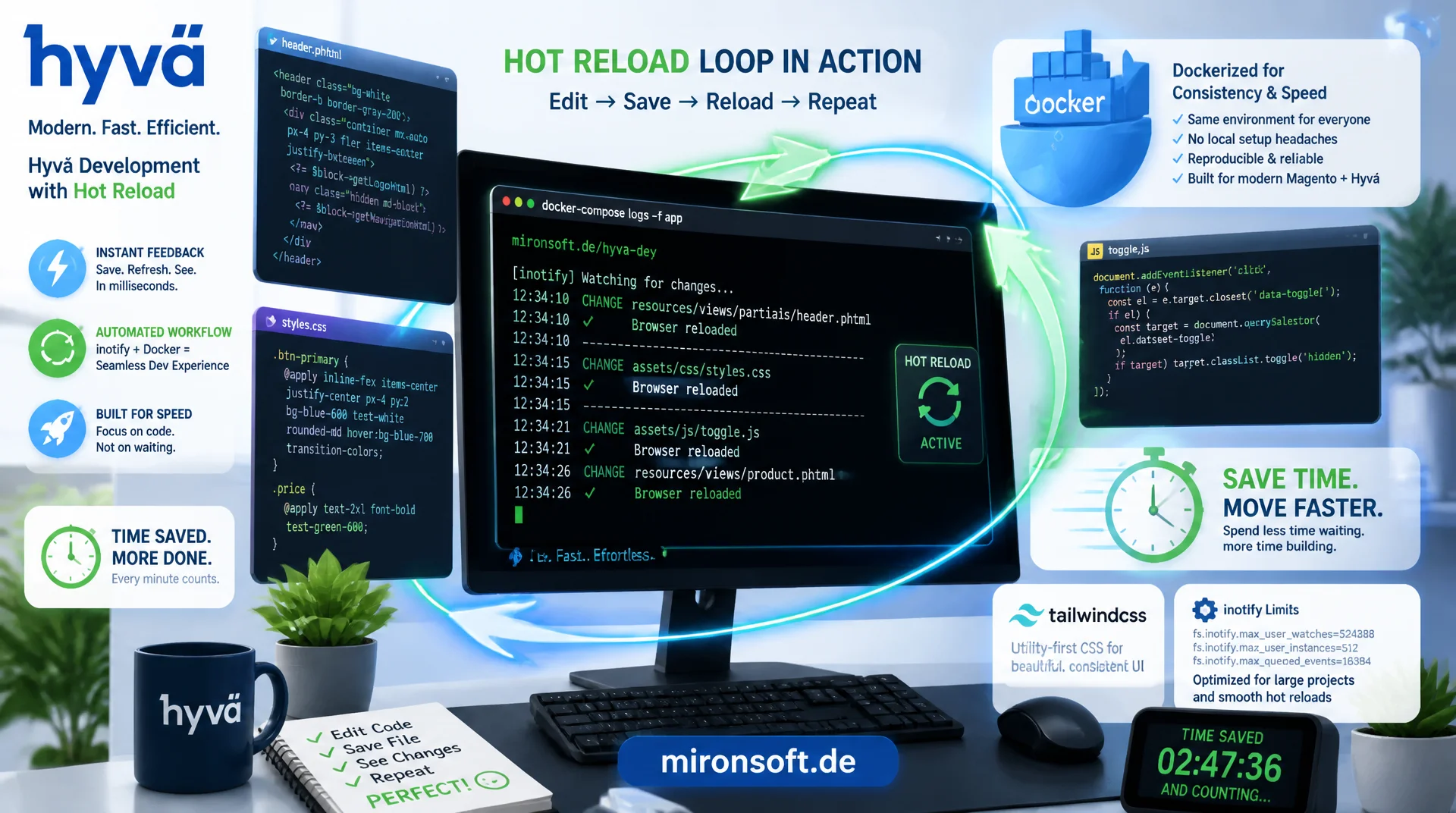
from a saved phtml file to a visible rebuild
A working hot reload loop decides in daily Hyvä work whether a layout change becomes visible within seconds or only after a manual deploy cycle. The Hyvä watcher runs in the background of the Docker container, watches phtml, CSS and JS files through a bind mount, and automatically triggers a Tailwind rebuild plus regeneration of the view_preprocessed directory on every change, without setup:static-content:deploy. Anyone who understands the mechanics behind it, sets the correct inotify limits and can check the watcher status cleanly saves hours every day compared to the classic production build cycle.
Table of Contents
- 1. Why a fast hot reload loop changes daily Hyvä work
- 2. What bin/start boots in the background
- 3. How the Hyvä watcher detects changes and rebuilds Tailwind
- 4. Docker volumes and bind mounts as a prerequisite
- 5. inotify limits on Linux and polling as a fallback
- 6. Browser refresh: manual vs. livereload extension
- 7. Checking and restarting the watcher status
- 8. From the hot reload loop to the production build
- 9. Common mistakes and debugging
- 10. Summary
- 11. FAQ
1. Why a fast hot reload loop changes daily Hyvä work
Without hot reload, the typical Hyvä workflow looks like this: change a phtml file, switch into the container, run setup:static-content:deploy, flush the cache, reload the browser, and hope that none of the previous changes are still stuck in the view_preprocessed cache. This cycle repeats for every small CSS class or every Alpine.js attribute, and at ten iterations an hour it already adds up to noticeable lost time. The Hyvä watcher replaces this manual deploy step with an automatic background process that triggers exactly the same pipeline, but without any keystrokes and without waiting for a full static content deploy.
The difference between a setup without hot reload and one with a correctly configured watcher can be read directly from iteration time, the number of manual steps and developer experience.
| Aspect | Without hot reload | With the Hyvä watcher | Effect |
|---|---|---|---|
| Iteration time per change | 30 to 90 seconds | 1 to 3 seconds | Immediate visual feedback |
| Manual steps per save | deploy, cache:flush, F5 | just F5 | Fewer context switches |
| Tailwind classes | must be rebuilt manually | regenerated automatically | CSS always up to date |
| view_preprocessed | stale cache state possible | invalidated automatically | No leftover cache |
| Developer experience | interrupted flow | continuous hot reload loop | Higher concentration |
2. What bin/start boots in the background
In the Mark Shust Docker setup, the bin/start script does more than just bring up the containers. After PHP-FPM, Nginx, MySQL and the remaining services have started, the setup checks whether the theme directory contains a package.json with a watch script, and for Hyvä themes it additionally starts a background process that runs npm run watch inside the container. This process is the actual Hyvä watcher: a Node-based observation of the theme directory that re-triggers the Tailwind pipeline on every relevant file change.
It is important that this watcher process keeps running in the background for as long as the container is active, and is not restarted for every single command. A restart of the watcher is only needed when dependencies change, for example after installing a new npm plugin, or when the process has crashed due to an error. For daily watcher operation, a single bin/start is enough, after that the watcher keeps running passively.
#!/usr/bin/env bash
# bin/start (excerpt): Mark Shust docker-magento wrapper
# Starts containers, then boots the Hyvä Tailwind watcher in the background

docker compose up -d

# Wait until PHP-FPM container reports healthy
until docker compose exec -T phpfpm php -v > /dev/null 2>&1; do
  sleep 1
done

# Boot the Hyvä watcher for every Hyvä-based theme found in the project
for theme_path in src/app/design/frontend/*/*/web/tailwind; do
  if [ -f "$theme_path/package.json" ]; then
    echo "[watcher] starting hot reload watcher for $theme_path"
    docker compose exec -T -d phpfpm bash -c \
      "cd /var/www/html/${theme_path#src/} && npm run watch"
  fi
done

echo "Hyvä hot reload watcher is running in the background."
3. How the Hyvä watcher detects changes and rebuilds Tailwind
Technically, the Hyvä watcher is based on Tailwind's own watch mode, combined with a small Node script that additionally invalidates Magento's view_preprocessed cache after every CSS rebuild. The Tailwind compiler registers a filesystem watcher through the operating system on all content paths referenced in tailwind.config.js, typically every *.phtml file in the theme as well as its own CSS and JS sources. As soon as one of these files changes, the kernel reports a filesystem event, Tailwind rescans the changed file for classes in use, and writes an updated styles.css.
In parallel, a second watch process monitors the phtml files themselves and makes sure that Magento's view_preprocessed directory does not stay on a stale state. For a reliable hot reload, both mechanisms must run in sync: the CSS rebuild by Tailwind and the invalidation of the compiled template cache. If either process stalls, the frontend appears frozen in the browser even though the source code has long since changed.
{
  "scripts": {
    "watch": "npm-run-all --parallel watch:css watch:preprocessed",
    "watch:css": "tailwindcss -i ./src/tailwind-source.css -o ../web/css/styles.css --watch",
    "watch:preprocessed": "node ./bin/watch-preprocessed.js",
    "build": "NODE_ENV=production tailwindcss -i ./src/tailwind-source.css -o ../web/css/styles.css --minify"
  }
}
4. Docker volumes and bind mounts as a prerequisite
The best Hyvä watcher is useless if it never sees the changes on the host filesystem in the first place. This is exactly the critical point in the Docker setup: the watcher runs inside the PHP-FPM container and watches a path such as /var/www/html/app/design/frontend/Mironsoft/default. For inotify events from the host editor, such as PhpStorm or VS Code, to reach the container at all, the theme directory must be mounted as a bind mount, not as a copied image layer. With a bind mount, host and container share the same inode, so every write on the host immediately triggers a kernel event that the watcher inside the container receives.
The Mark Shust setup already ships these bind mounts by default for the app directory, but it is worth checking the configuration after individual adjustments, especially when additional volumes are mounted for custom modules or a separate theme repository. If the bind mount is missing, it looks as if the watcher is not reacting even though the process is running, because technically it simply never receives the host's filesystem events.
{
  "services": {
    "phpfpm": {
      "volumes": [
        "./src:/var/www/html:cached",
        "phpfpm_sync:/var/www/html_sync:nocopy"
      ]
    }
  }
}
5. inotify limits on Linux and polling as a fallback
Even with a correct bind mount, the hot reload loop can stall if the Linux host allows too few inotify watches. Every watched folder and every watched file occupies one entry in the kernel limit fs.inotify.max_user_watches, and a Hyvä theme with thousands of phtml, CSS and node_modules files exhausts the default value of many distributions, which is often only 8192 or 65536, very quickly. Once the limit is reached, the watcher process either stops reporting any error at all and simply no longer reacts to new changes, or it fails with ENOSPC.
The fix is a permanent increase of the limit through sysctl. If that is not enough for infrastructural reasons, for example under Docker Desktop on WSL2 with limited access to the host kernel, Tailwind falls back automatically or can be manually configured to polling mode, which actively queries files at fixed intervals instead of waiting for kernel events. Polling is slower and more CPU intensive, but it guarantees that the Hyvä watcher keeps working even when native inotify events do not arrive reliably.
# Check current inotify watch limit on the Docker host
cat /proc/sys/fs/inotify/max_user_watches

# Raise the limit permanently
echo "fs.inotify.max_user_watches=524288" | sudo tee -a /etc/sysctl.conf
sudo sysctl -p

# Fallback: force polling mode when native inotify events are unreliable
# (e.g. inside WSL2 or certain remote-filesystem setups)
CHOKIDAR_USEPOLLING=true CHOKIDAR_INTERVAL=300 npm run watch
6. Browser refresh: manual vs. livereload extension
One important detail that is often overlooked: Hyvä does not ship any built-in websocket reload. The Hyvä watcher only takes care of rebuilding CSS and invalidating the template cache on the server side, the browser still has to reload the page itself. In the simplest case that just means F5 after every change, and once you get used to the short rebuild cycle, that is already enough for a productive hot reload workflow for many developers.
Anyone who wants to automate this last manual step as well can use a browser extension such as LiveReload, which reacts to changes in the delivered CSS and JS files through a small snippet or browser plugin and automatically reloads the tab. Since Hyvä does not provide a native websocket connection for this, the extension relies on file timestamps or a separate proxy. For most projects, the effort of an additional livereload infrastructure outweighs the benefit over a simple manual F5, especially because the actual rebuild of CSS and templates already happens automatically server side anyway.
7. Checking and restarting the watcher status
Before wrongly blaming a missing change on the bind mount or on inotify, it is worth first running the simple check of whether the Hyvä watcher process is even still running. With bin/cli ps aux, all running processes inside the PHP-FPM container can be listed and filtered for node or tailwindcss. In addition, docker logs on the container provides the watcher's console output, including the message about which file most recently triggered a rebuild.
After installing a new npm plugin, for example an additional Tailwind plugin or a new PostCSS extension, the watcher process must be restarted so the new dependency is actually loaded. A plain npm install is not enough as long as the old watcher process keeps running with the previously loaded modules. The restart happens either by killing the process and running npm run watch again, or pragmatically by fully restarting the container with bin/restart.
# Check whether the Hyvä watcher process is actually running
bin/cli ps aux | grep -E 'tailwindcss|npm run watch'

# Tail the watcher output directly from the container logs
docker logs -f --tail 50 <phpfpm-container-name>

# Restart the watcher after installing a new npm plugin
bin/cli pkill -f "npm run watch" || true
bin/npm --prefix app/design/frontend/Mironsoft/default/web/tailwind install
bin/npm --prefix app/design/frontend/Mironsoft/default/web/tailwind run watch &
8. From the hot reload loop to the production build
The local hot reload loop and the production build share the same Tailwind configuration, but run with different goals. In watch mode, Tailwind optimizes for speed: incremental rebuilds, no minification, no purging of unused classes across the whole project scope. The production build, on the other hand, runs once as part of setup:static-content:deploy, minifies the result and produces the final assets for pub/static.
Anyone who knows this difference avoids a common misunderstanding: a deployment that looked flawless locally in watch mode can look different after the real production build if classes were generated dynamically through string concatenation and Tailwind no longer recognizes them in the final purge pass. The Hyvä watcher therefore does not replace the final deploy step before a release, it only speeds up iteration during development. The full static content deploy with a cache flush remains mandatory before every go-live.
In practice it is worth keeping a clear separation in mind: the hot reload loop is purely a development tool that runs on the local Docker container and is never synchronized toward staging or production. The production build, in turn, typically runs as its own CI step, independent of the watcher process, and must not rely on cached artifacts from the local watch mode. Anyone who keeps both pipelines cleanly separated avoids a locally working watch state being mistaken for something ready to deploy.
9. Common mistakes and debugging
The most common mistake is a watcher that is running but listening on the wrong directory, for example because a theme fork lives under a different vendor path and the package.json still points to the old path. In this case, docker logs shows no new rebuild messages at all, even though phtml files are actively being saved. A second classic mistake is a missing or misconfigured bind mount after moving the project directory, which causes the container to mount a stale volume and the watcher to get stuck on a data state from weeks ago.
When the system hits the inotify limit, this often shows up unnoticed as a rebuild that suddenly stops happening without any error message in the terminal. A look at dmesg or at the watcher logs with debug output enabled helps narrow this down quickly. As a general rule: before suspecting the Tailwind configuration or cache settings, it is worth first running through the simple triage of process check, bind mount check and inotify limit, because the vast majority of watcher problems live in exactly these three areas.
10. Summary
A reliable hot reload loop in a Hyvä theme stands and falls with three prerequisites: a running Hyvä watcher process that bin/start automatically boots in the background, a correctly configured bind mount that passes filesystem events from the host into the container, and enough inotify watches on the Linux host. If any one of these three components is missing, the watcher appears inactive even though the process is running, and troubleshooting often heads in the wrong direction.
The local hot reload loop never replaces the full production build before a release: watch mode and the purge build pursue different goals and both need to be mastered. Anyone who regularly checks the watcher status with bin/cli ps and docker logs, restarts the watcher after every npm installation, and falls back to polling mode when in doubt already has the most common pitfalls under control and benefits day to day from a Hyvä theme that updates in seconds instead of minutes.
Hyvä watcher and hot reload: the essentials at a glance
Watcher start
bin/start boots the Hyvä watcher automatically in the background through npm run watch, no manual extra step needed.
Bind mount required
Without a bind mount the watcher receives no host changes, copied volumes are not enough for the watcher.
Raise the inotify limit
Set fs.inotify.max_user_watches=524288 via sysctl, otherwise the watcher silently fails on large themes.
Check status
bin/cli ps aux and docker logs show immediately whether the watcher process is really still running.
11. FAQ: Hyvä Watcher and Hot Reload in Local Docker Development
1What exactly is the Hyvä watcher?
2How do I start the watcher in the Docker setup?
3Why does the watcher not react to changes?
4What does fs.inotify.max_user_watches mean?
5Do I need to deploy after every change?
6How do I check whether the watcher is running?
7Is a restart needed after npm install?
8Is there browser live reload?
9Difference from the production build?
10Does this work under WSL2?
Mironsoft
Hyvä theme development and Docker infrastructure for Magento 2
A hot reload loop that really reacts within seconds?
We set up your Hyvä watcher in the Docker setup correctly, configure bind mounts and inotify limits to match your infrastructure, and make sure the watcher loop works reliably across your whole development team.
Docker setup audit
Check bind mounts, volumes and watcher configuration in the Mark Shust stack
inotify tuning
Set up kernel limits and a polling fallback for stable watcher performance
Team onboarding
Document watcher workflows so every developer uses the same watcher workflow