Magento 2 WhatsApp Chat Button with Opening Hours and Templates
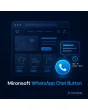
SKU: WHATSAPPCHATBUTTON1
- floating button with its own WhatsApp number per store view
- shown only during your opening hours, with a holiday list
- message prefilled with product name and page URL
- plain link to WhatsApp, no third-party widget on page load
Einmaliger Kauf · inkl. 12 Monate Updates · zzgl. MwSt.
Magento 2 WhatsApp Chat Button: reach customers where they already write
The Mironsoft Magento 2 WhatsApp Chat Button shows a floating button in the lower corner of your shop. One click opens WhatsApp with your number and a prefilled message naming the product and page. The module uses a plain link, loads nothing from third-party servers on page load and runs with Alpine.js in the Hyvä theme without an extra library.
Floating button
A round button stays visible while scrolling, left or right, with a margin to the screen edge.
Number per store view
Each language and country gets its own WhatsApp number and greeting.
Prefilled message
Product name, SKU and page URL are already in the message field of the Magento 2 WhatsApp Chat Button.
Opening hours
The button appears only during your hours; outside them it shows a note or disappears.
Link, not a widget
No third-party script is loaded; data only flows to WhatsApp after the click.
Why a Magento 2 WhatsApp Chat Button brings more inquiries
Many customers would rather send a short message than fill in a form or make a call. Anyone unsure about a size, a delivery time or an accessory wants a quick answer on the phone. That is why merchants look for a Magento 2 WhatsApp Chat Button that opens exactly this path without weighing the shop down with a heavy third-party widget.
The button is deliberately simple: a wa.me link with your number and a text. There is no embedded chat interface, no tracker and no cookie set by the module. The page stays fast and the privacy assessment stays manageable. The legal review for your shop remains with the shop operator.
Floating Magento 2 WhatsApp button: look and placement
By default the Magento 2 WhatsApp Chat Button sits in the lower right and can be moved to the left. Size, margin, colour and an optional label such as Questions? Message us are set in the admin. On small screens the button lifts above the sticky bar area so it does not collide with a fixed buy bar. The icon is an inline SVG, so there is no font download.
- Position left or right, margin in pixels
- Optional label, translatable in every store view
- Offset above the sticky buy bar on smartphones
Prefilled message with product and page in the chat button
In the admin you store for the Magento 2 WhatsApp Chat Button a number in international format and a text template with placeholders for product name, SKU, page title and URL for each store view. On a product page the message might read: Hello, I have a question about this item. Your team sees at once what it is about and does not have to ask again. On all other pages a general greeting applies.
- Placeholders for product name, SKU, page title and URL
- Separate template for product pages and for everything else
- Number per store view, for example Germany and Switzerland apart
Magento 2 WhatsApp Chat Button only during your opening hours
Nothing looks worse than a chat offer that stays unanswered for hours. So the Magento 2 WhatsApp Chat Button only shows when you are reachable. You define weekdays and times and enter holidays or company breaks. Outside these times the button disappears or shows a note such as We reply tomorrow from 9 am. The check uses your shop time zone, not the visitor’s, and the note stays correct even with a full page cache because Alpine.js compares the time in the browser with your settings.
- Hours per weekday, several time windows per day
- Holidays and company breaks as a list
- Hide outside the hours or show a note
Privacy of the WhatsApp Chat Button and display rules
The Magento 2 WhatsApp Chat Button loads no third-party script and sets no cookie of its own. Only after the click does the visitor move to WhatsApp, where the provider’s terms apply. Optionally you show a short privacy note with a link to your policy first. You can also hide the button in the checkout, on individual CMS pages or for certain customer groups. On desktop the link opens WhatsApp Web, on mobile the app.
- No third-party script, no own cookie from the module
- Optional note before the switch to WhatsApp
- Hide in checkout, on CMS pages or per customer group
Where the Magento 2 WhatsApp Chat Button helps in everyday shop work
Typical situations where the Magento 2 WhatsApp Chat Button speeds up the path to a purchase.
Questions about fit
The customer asks about size or material before buying. The message names the item and your team replies with a photo.
Advice on technical products
For accessories, spare parts or sets, a short exchange clears up compatibility before the order.
Delivery questions and status
Customers ask about delivery time or order status. The number per store view makes sure the right language answers.
Small shops and local retailers
If you are reachable by smartphone anyway, you offer the same channel in the shop without running a ticket system.
Magento 2 WhatsApp Chat Button: with and without the module
The difference to a phone number in the footer and to an embedded chat widget.
| Topic | Without module | With Mironsoft WhatsApp Chat Button |
|---|---|---|
| Reachability | Number in the footer, customer types it in | One click opens the chat with your number |
| Context | Customer explains item and page | Product and URL are in the message |
| Opening hours | Chat seems always available | Shown only in your hours, with holidays |
| Load time | Third-party widget loads scripts | Only a link and an SVG icon |
| Several countries | One number for everything | Number and greeting per store view |
How we set up the Magento 2 WhatsApp Chat Button for you
The process after you place the order.
Briefing
You give us numbers, opening hours, holidays and the wanted texts per store view.
Installation
We install the Magento 2 WhatsApp Chat Button and place it at the right spot in the Hyvä theme.
Text templates
We word the prefilled messages for product pages and for the rest of the shop.
Test
We check desktop and smartphone, times outside opening hours and hiding in the checkout.
Handover
Your team gets a short introduction on how to maintain hours and holidays.
Scope compared with Social Messenger, contact form and notice bar
The Social Messenger module integrates several messenger channels, the contact form collects inquiries inside the shop and the notice bar shows short messages at the top of the page. The Magento 2 WhatsApp Chat Button has a narrower purpose: it provides a single floating WhatsApp link with opening hours and a text template.
All modules can be combined. The interface works with Alpine.js in the Hyvä theme, without jQuery and without an additional library.
No download — personal setup instead
The Magento 2 WhatsApp Chat Button is not listed here as a ready-made download file for self-installation. The purchase is a service commission: we get in touch after the purchase, install the module in your shop and agree on numbers, hours and texts together with you.
Frequently asked questions
Everything important about setup, privacy, opening hours and how the purchase works.
How can I add a WhatsApp button to Magento 2?
How can I prefill the WhatsApp message with the product in Magento 2?
Can I use a different WhatsApp number per store view?
How can I show the WhatsApp button in Magento 2 only during opening hours?
Is a WhatsApp button in Magento 2 GDPR compliant?
Can I hide the button in the checkout?
Does the Magento 2 WhatsApp Chat Button work with Hyvä?
Is the button shown correctly with full page cache?
How does this differ from Social Messenger and the contact form?
Can I download and install the module myself?
Recently Viewed Products

Magento 2 WhatsApp Chat Button – Mironsoft