Magento 2 Table of Contents, Automatic for CMS Pages and Blog
SKU: TABLEOFCONTENTS1
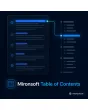
- table of contents generated automatically from H2 and H3
- jump links with clean anchors, also with umlauts
- sticky display highlighting the current section
- for CMS pages, blog, categories and product texts
Einmaliger Kauf · inkl. 12 Monate Updates · zzgl. MwSt.
Magento 2 Table of Contents: long texts that are clear and clickable
With the Magento 2 table of contents from Mironsoft, the headings of a text automatically become a clickable outline. Jump links lead straight to the section, a sticky outline follows you while scrolling and highlights the current position. The module works for CMS pages, blog posts, category texts and product descriptions. The display runs on Alpine.js in the Hyvä theme without an extra library.
Automatic from H2 and H3
The outline is built at render time from the existing headings, no manual work.
Clean jump links
Anchors are created from the heading text, with umlaut conversion and duplicate protection.
Sticky display
The outline stays visible while scrolling and marks the current section.
Collapsible on mobile
On smartphones a collapsible outline appears above the text.
Thresholds
The outline appears only from a minimum number of headings.
Controllable per page
Single pages or headings can be excluded or output on purpose.
Why a Magento 2 table of contents makes long pages better
Guides, size charts, care instructions and blog posts quickly get long. Visitors do not want to scroll, they want to jump to the spot that answers their question. Merchants therefore look for a Magento 2 table of contents, a Magento 2 table of contents for CMS pages or Magento 2 jump links. Anchors set by hand break as soon as someone renames a heading.
An automatic table of contents follows the text. If a heading is changed or added, the outline adapts on the next render. Search engines recognise the structure, and visitors find what they are looking for faster.
Generating a Magento 2 table of contents: headings become the outline
At render time the module scans the text for H2 and H3, gives every heading a unique anchor and builds a nested list from them. Umlauts are converted into anchor characters, duplicate headings get a number. Existing IDs are kept so that current links continue to work. Output happens on the server, search engines see the outline without JavaScript.
- H2 and H3 nested, depth adjustable
- Umlauts and special characters handled cleanly in anchors
- Existing IDs stay unchanged
Sticky outline: the current section stays highlighted
On large screens the outline sits in a side column and follows while scrolling. Alpine.js observes which heading is in the viewport and highlights the matching entry. The jump takes the height of a fixed header into account so the heading does not vanish underneath. For visitors with reduced motion, smooth scrolling is switched off.
- Current section highlighted while scrolling
- Offset for fixed header adjustable
- Smooth scrolling respects the system setting
Magento 2 table of contents for CMS, blog, category and product
In the configuration you choose where the outline appears: CMS pages, blog posts, category descriptions or product descriptions. Per area you set the minimum number of headings, the title of the outline and its position, for example at the top of the text or in the side column. On mobile devices a collapsible block appears instead. Single pages can be switched off with an option.
- Areas can be enabled individually
- Minimum number of headings and title adjustable
- Position at the top of the text or in the side column
Exceptions and fine control for the table of contents
Not every heading belongs in the outline. A CSS class on the element excludes it, for example for marketing subheads. Pages can likewise be excluded through an attribute or a configuration list. If you want the outline at a specific spot in the text, place a placeholder there. The heading hierarchy of your theme stays untouched, the module only adds IDs and the outline.
- Exclude single headings by CSS class
- Exclude pages by list or option
- Placeholder for a fixed position in the text
Where a Magento 2 table of contents helps in everyday shop life
Typical pages that benefit from a Magento 2 table of contents.
Guides and blog
Long articles get an outline, readers jump to the topic they want and stay longer on the page.
Size and care information
On info pages customers find the matching section without reading the rest.
Category texts
Extensive SEO texts below the product list get an outline that does not get in the way.
Terms and legal texts
Long pages become navigable. The content itself stays unchanged and is not checked legally by the module.
Magento 2 table of contents: with and without the module compared
How a Magento 2 table of contents differs from anchors set by hand.
| Topic | Without module | With Mironsoft Table of Contents |
|---|---|---|
| Creation | Anchors and list by hand | Automatic from the headings |
| Changes | Links break on renaming | Outline follows the text |
| Orientation | No hint of the current position | Current section is marked |
| Mobile devices | Long list before the text | Collapsible block |
| Maintenance | New for every post | Set once, effective everywhere |
How we set up your Magento 2 table of contents
The process after you order.
Alignment
We clarify which page types get the outline and which position your layout requires.
Installation
We install the module and set up the Magento 2 table of contents for your store views, adapted to your Hyvä theme.
Header offset
We set the offset for your fixed header so that jumps land cleanly.
Testing
We test anchors, umlauts, duplicate headings and the mobile display.
Handover
Your team gets a walkthrough of thresholds and exceptions for the Magento 2 table of contents.
Scope compared to category content blocks and HTML sitemap
Category content blocks organise content around product lists, the HTML sitemap lists pages of your shop. The Magento 2 table of contents instead structures a single text by its headings.
Both kinds of navigation complement each other: the sitemap leads to the page, the table of contents inside the page leads to the section.
No download, but personal setup
The Table of Contents is not listed here as a ready-made download file for self-installation. The purchase is an order for a service: we get in touch after the purchase, install the module in your shop and agree page types, position and header offset together with you.
Frequently asked questions
Everything important about generation, display, exceptions and how the purchase works.
How can I generate a table of contents automatically in Magento 2?
How can I show a table of contents in the Magento 2 blog?
Do jump links work with umlauts too?
Are existing anchors kept?
Can I exclude headings?
Does the outline stay visible while scrolling?
Do search engines see the outline?
Are there problems with a fixed header?
Does the Magento 2 table of contents work with Hyvä?
Can I download and install the module myself?
Recently Viewed Products

Magento 2 Table of Contents – Mironsoft