Magento 2 Product Finder: Questionnaire to the Right Product
SKU: PRODUCTFINDERWIZARD1
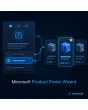
- step-by-step questionnaire with progress display
- answers are matched with product attributes
- result list that explains why a product fits
- several advisors per store view, managed in the admin
Einmaliger Kauf · inkl. 12 Monate Updates · zzgl. MwSt.
Magento 2 product finder: from questionnaire to purchase decision
The Magento 2 product finder from Mironsoft asks your customers a few questions and then shows the products that fit best. Behind every answer stand attribute values of your catalogue, from which the module computes a ranking. You create questions, weighting and texts in the admin, no code needed. The interface runs on Alpine.js and loads no extra library.
Step-by-step questionnaire
Each question appears on its own card with progress display, a back button and large answer areas.
Attribute matching
Answers are linked to attribute values such as skin type, room size or application and filter the catalogue.
Points and weighting
Each answer awards points and important questions count double, producing a sorted result list.
Matches with reasons
Every result states which answers the product fulfils so the advice stays transparent.
Several advisors
Create as many wizards as you like, per category, product group or store view, with their own questions.
Shareable result
The result page has its own URL. Customers save it or send it on.
Why a Magento 2 product finder relieves your customers
Large assortments overwhelm people. Anyone looking for a mattress, a measuring device, an office chair or a face care routine often does not know the technical terms and leaves after the third filter. In a physical store a sales clerk helps with simple questions. A Magento 2 product finder takes over exactly that role in your shop: it asks about the need instead of technical data.
The filters of the standard navigation assume that the customer knows what to look for. A Magento 2 product finder turns this around. The customer says what the product is for and the shop translates the answers into attributes. That lowers bounce rates and reduces questions to your support.
Set up a Magento 2 product finder: maintain questions in the admin
In the admin you create an advisor and add questions. Each question has a text, optionally an image or icon, and several answer options. An answer can be single choice or multiple choice. You change the order by sorting and translate texts per store view. Questions can also depend on conditions: whoever picks Office in the first question gets different follow-up questions than for Home.
- Single choice, multiple choice and image answers
- Texts per store view, order by sorting
- Follow-up questions depend on earlier answers
Match answers with product attributes
Each answer is linked to one or more attributes, for example material equals leather or room size above 20 square metres. You choose between two modes. In strict mode only products that satisfy every answer appear. In points mode the module ranks all products by hit rate and partly matching products stay visible. The weighting per question controls what counts most.
- Strict mode or points mode per advisor
- Weighting per question from one to five
- Existing attributes and attribute sets usable
The result page of the Magento 2 product finder
After the last question the advisor shows the best matches as cards with image, price and an add-to-cart button. One line per product states which answers it fulfils. You define the number of results. If nothing matches, the module relaxes the weakest criteria and says so, or shows your fallback category. The result URL contains the answers and can be shared or reopened later.
- Matches as cards with reasons and add-to-cart button
- No-match fallback: relax criteria or show a category
- Shareable URL with the chosen answers
Placing the Magento 2 product finder: page, category or widget
You place an advisor as its own page, through a CMS widget in a category or in the header menu. In the category a banner appears with the hint Not sure? Get advice. All steps run with Alpine.js in the browser and only the result is requested from the server. The module uses the full page cache of Magento and does not reload questions at every step.
- Own page, CMS widget or banner in the category
- Steps in the browser, only the result from the server
- Compatible with full page cache and Hyvä
Where a Magento 2 product finder helps in daily shop work
Typical assortments with products that need explaining.
Sleep and living
A Magento 2 product finder for mattresses asks about sleeping position, weight and firmness and ranks the fitting models. The customer does not have to know technical terms.
Care and cosmetics
Skin type, age and goal lead to a routine of several products. The reasoning shows why each product is on the list.
Tools and equipment
Anyone looking for a drill describes the material and how often it will be used. The advisor translates that into power and accessories.
B2B and accessories
Buyers state application, industry and quantity and receive products with matching accessories. That relieves sales for standard cases.
Magento 2 product finder compared: without and with the module
The difference to pure layered navigation.
| Topic | Without the module | With Mironsoft Product Finder Wizard |
|---|---|---|
| Entry | Filters require expert knowledge | Questions about the need |
| Result | Long list without ranking | Ranking by hit rate |
| Transparency | Customer wonders why a product appears | Reason per match |
| Maintenance | Work new products into every consultation | Catalogue attributes are enough |
| Sharing | No recommendation to share | Result URL to share |
How we set up your Magento 2 product finder
The process after your order.
Clarify the need
We discuss which purchase decisions the advisor should support and which attributes exist for that.
Prepare attributes
If attributes are missing we create them and maintain example products with you.
Create questions
We build questions, answers, weighting and follow-up questions of your Magento 2 product finder in the admin.
Testing
We play through typical customer paths and check matches, fallback and mobile view.
Handover
Your team gets an introduction so it can adjust questions and weighting itself.
Scope: parts finder and layered navigation
The parts finder from Mironsoft assigns spare parts by device, model or vehicle and answers which part fits which device. The Magento 2 product finder instead guides through a questionnaire to a need and matches answers with properties. The layered navigation stays untouched; it remains the tool for customers who know exactly what they want.
All three tools can be used side by side. The advisor needs Alpine.js and no further library, and its questions and results stay usable on mobile devices in the Hyvä theme.
No download, but personal setup
The Product Finder Wizard is not listed here as a finished download file for self-installation. The purchase is a commission: after the purchase we get in touch, install the module in your shop and build the first advisor together with you.
Frequently asked questions
Everything important about questions, matching, results and how the purchase works.
How can I offer a questionnaire product advisor in Magento 2?
How can I link answers to products in Magento 2?
How does the weighting work in the Magento 2 product finder?
What happens if no product matches the answers?
Can I create several Magento 2 product finder advisors for different categories?
How can I place an advisor in a category in Magento 2?
Can a customer save or share the result?
Does the Magento 2 product finder work with Hyvä?
Does the Magento 2 product finder replace the layered navigation?
Can I download and install the module myself?
Recently Viewed Products

Magento 2 Product Finder – Mironsoft Product Finder Wizard