Magento 2 Pricing Table as CMS Widget with Monthly and Yearly Switch
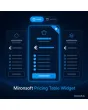
SKU: PRICETABLEWIDGET1
- packages as columns with highlight and badge
- switch between monthly and yearly without page change
- feature list with check and cross per package
- embeddable as CMS widget, buttons optionally with add to cart
Einmaliger Kauf · inkl. 12 Monate Updates · zzgl. MwSt.
Magento 2 Pricing Table: packages and plans clearly side by side
With the Magento 2 pricing table from Mironsoft you build package and plan comparisons right into your CMS pages. Each package is a column with price, feature list and button, one package can be highlighted as the recommendation. A switch toggles between monthly and yearly payment without reloading the page. The widget runs on Alpine.js in the Hyvä theme and needs no extra library.
Packages as columns
Up to five packages side by side, stacked on smartphones.
Highlight and badge
One package is shown larger and carries a badge such as Popular.
Monthly and yearly switch
One switch changes all prices and shows the saving.
Feature comparison
Per package a check, cross or text, matching your services.
Button with target
The button leads to a page, a form or adds a linked product to the cart.
Embeddable as widget
Insert it into any CMS page and block through a widget instance or Page Builder.
Why a Magento 2 pricing table makes packages easier to understand
Anyone selling packages, maintenance contracts, rental models or subscriptions needs a comparison at a glance. A text list or a picture of a table does not convince, reads badly on mobile and has to be rebuilt with every price change. Merchants therefore look for a Magento 2 pricing table, a Magento 2 pricing table for CMS pages or a way to compare packages in Magento 2.
The widget separates content from presentation. You maintain packages, prices and features in the admin, the table looks good on desktop and smartphone and follows the design of your theme. Changes are live within a minute.
Maintaining your Magento 2 pricing table: packages, prices and features
In the widget options you create the packages: name, short description, monthly price, yearly price, currency note and a hint text such as plus VAT. You maintain the feature list line by line, each line with text and a status of included, not included or free text. You change the order with a position. Prices are freely entered values, they are not calculated from the catalogue unless you link a product.
- Name, description, monthly and yearly price per package
- Feature list with check, cross or free text
- Hint text per package, for example about VAT
Monthly or yearly: the switch of the Magento 2 pricing table
Above the table sits a switch with two positions. On click Alpine.js swaps prices and term hints, without a page change and without a server request. The saving for yearly payment is calculated from your two prices and shown as a hint. You decide which position is active on load. Without JavaScript the table shows the default period.
- Switch without reload, purely in the browser
- Saving calculated automatically from both prices
- Start position selectable as default
Highlight, badge and colours of the Magento 2 pricing table
A package can be marked as the recommendation: it appears larger, gets a border and a badge with free text. Colours and spacing follow the design tokens of your Hyvä theme so the table stays consistent in every colour scheme. On smartphones the packages are stacked with the highlighted column on top. The number of columns depends on your packages.
- Highlight with border and own badge text
- Colours from the theme, no custom CSS needed
- Stacked on mobile, recommendation first
Buttons of the Magento 2 pricing table: link, form or cart
Every package button gets a label and a target. The target is a CMS page, a contact form or a product: with a product link the button adds the product to the cart, optionally with a configuration for the term. You should compare the price shown in the table with the product price because both values are maintained separately. Notices under price indication rules are checked by you as the shop owner.
- Target: CMS page, form or product
- Product button adds the item to the cart
- Table price and product price maintained separately
Where a Magento 2 pricing table helps in everyday shop life
Typical cases for a package comparison on CMS pages.
Maintenance and service contracts
Basic, Plus and Premium packages stand side by side, customers see at once what is included.
Subscriptions and memberships
Monthly or yearly: the switch shows the saving without customers having to calculate.
Rental and leasing models
Terms and instalments are shown as packages, with a button for an enquiry.
Services and consulting
Packages with a fixed scope can be compared on one landing page.
Magento 2 pricing table: with and without the widget compared
The difference to text lists and table images.
| Topic | Without module | With Mironsoft Pricing Table Widget |
|---|---|---|
| Presentation | Text list or picture of a table | Columns with highlight and badge |
| Mobile devices | Hard to read or cut off | Packages stacked, recommendation on top |
| Price change | Rebuild image or table | Change the value in the admin |
| Month and year | Two separate tables | One switch, saving calculated |
| Action | Link in running text | Button with page, form or cart |
How we set up your Magento 2 pricing table
The process after you order.
Alignment
We clarify packages, billing periods, feature list and button targets.
Installation
We install the widget and build the Magento 2 pricing table into your chosen CMS pages.
Design
We adapt badge, spacing and colours to your Hyvä theme.
Testing
We test the switch, buttons, product link and the display on smartphone and desktop.
Handover
Your team gets a walkthrough of maintaining packages and prices.
Scope compared to tier prices and customer prices
Tier prices and individual customer prices control what a product costs in the catalogue. The Magento 2 pricing table instead is a presentation widget for CMS pages: it compares packages, shows features and offers the switch for month and year.
With a product link both worlds can be connected, but prices stay maintained separately. Checking the price information against the applicable requirements is up to the shop owner.
No download, but personal setup
The Pricing Table Widget is not listed here as a ready-made download file for self-installation. The purchase is an order for a service: we get in touch after the purchase, install the widget in your shop and agree packages, billing periods and buttons together with you.
Frequently asked questions
Everything important about packages, switch, buttons and how the purchase works.
How can I add a pricing table to a CMS page in Magento 2?
How can I switch between monthly and yearly payment in Magento 2?
Are prices read from the catalogue?
Can a package be highlighted as the recommendation?
How many packages can I show?
Can the button add a product to the cart?
Do I have to write CSS for the Magento 2 pricing table?
What does the table show without JavaScript?
Does the Magento 2 pricing table work with Hyvä?
Can I download and install the module myself?
Recently Viewed Products

Magento 2 Pricing Table – Mironsoft