Magento 2 Price Drop Badge: Show Reductions Backed by Price History
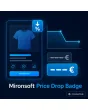
SKU: PRICEDROPBADGE1
- badge with percentage and old price on a real price drop
- price history is saved automatically
- minimum duration of the old price and threshold configurable
- shown in category list and product page
Einmaliger Kauf · inkl. 12 Monate Updates · zzgl. MwSt.
Magento 2 Price Drop Badge: credible because the price history proves it
With the Magento 2 price drop badge from Mironsoft products receive a badge as soon as the price has actually fallen. It names the saving in percent and shows the former price struck through. The basis is an own price history that the module stores with every change. A threshold and a minimum duration of the old price prevent tiny or artificial reductions. The badge appears in the category list and on the product page and runs on Alpine.js without an extra library.
Real price history
Every price change is stored with a date, and the reduction is calculated from this data.
Badge with percentage
The badge names the saving in percent and shows the former price struck through.
Threshold
Only from a minimum reduction, for example five percent, does the badge appear.
Display duration
The price drop is highlighted for a defined number of days.
Minimum duration of old price
The former price must have applied for a minimum time to count as a reference.
Overview in the admin
In the admin you see the stored price history per product and can review entries.
Why a Magento 2 price drop badge supports sales
Customers react to visible savings. A struck-through price with a percentage is noticed faster than a simply lower price. At the same time retailers are rightly careful: a discount against a price that was never charged is misleading. Anyone searching for Magento 2 old price new price or a Magento 2 price dropped notice wants to combine both.
The Magento 2 price drop badge solves this because the badge only appears when the price history shows a real reduction. You do not maintain list prices by hand, and the badge disappears on its own when the display duration ends or the price rises again.
Store the price history: the basis of every price drop
With every price change the module creates an entry with date and new price, even when it happens via import, interface or admin. Special prices and customer group prices are considered separately so a badge only appears where the customer actually sees the reduction. A cron job cleans up entries older than the configured retention period.
- Entry on every price change, also via import
- Special prices and customer groups separate
- Retention period and cron cleanup
The Magento 2 price drop badge shows only a real reduction
You decide when a badge appears. A threshold in percent or euro filters tiny reductions, and the minimum duration makes sure the former price did not apply for just a day. The display duration defines how long the reduction is highlighted. For products that fluctuate constantly, the badge can be excluded. That keeps the statement comprehensible for customers.
- Threshold in percent or euro
- Minimum duration of the former price
- Display duration and exclusion of single products
Badge in list and product page: percentage, old price, colour
In the category list the Magento 2 price drop badge sits on the product image, on the product page next to the price. It names the percentage and, if you like, the former price struck through. You choose colour, shape and text per store view. For configurable products the badge follows the from-price or the selected variant. The display is built with Tailwind classes and loads no extra script.
- Placement on the image or next to the price
- Colour, shape and text per store view
- Configurable products with from-price or variant
Legal notes and interplay with the price history
Price indications and price reductions are subject to rules in many countries, for example the German price indication ordinance with the duty to state the lowest price of the last 30 days for reductions. The Magento 2 price drop badge is a marketing element and does not replace this mandatory statement. The legal review for your shop is yours. The module provides data and display so that you can design the notices consistently and comprehensibly.
- Badge does not replace the mandatory prior-price statement
- Legal review by the shop owner
- History data as a basis for your statements
Where the Magento 2 price drop badge helps in everyday shop work
Typical situations in which a Magento 2 price drop badge triggers purchases.
Seasonal goods
After the season ends the price falls. The badge shows the saving without you maintaining list prices.
Supplier prices
When a purchase price falls, you pass it on and make the reduction visible immediately.
Watching customers
Whoever looks at a product for a while notices the price drop and is more likely to buy now.
Imported ranges
Prices arrive via interface. The history builds automatically, and the badge follows the real changes.
Magento 2 price drop badge: comparison without and with the module
The difference to hand-maintained strike prices.
| Topic | Without module | With Mironsoft Price Drop Badge |
|---|---|---|
| Basis of the reduction | List price maintained by hand | Stored price history |
| Credibility | Reference may never have been charged | Minimum duration of the old price |
| Small changes | Every cent change is advertised | Threshold filters tiny reductions |
| End of the promotion | Strike price stays | Display duration ends the badge automatically |
| Effort | Maintenance per product | Runs on its own after every price change |
How we set up the Magento 2 price drop badge for you
The process after you place your order.
Briefing
You tell us threshold, minimum duration, display duration and the desired presentation.
Installation
We install the module, set up the Magento 2 price drop badge for your store views and start recording the price history. Afterwards we test the Magento 2 price drop badge with your special prices and customer groups.
Design
We design the badge in your colours for category list and product page.
Test
We check price changes via admin and import, configurable products and threshold cases.
Handover
Your team receives an introduction to rules, price history and exclusions.
Differences to the Omnibus price history
The Omnibus Price Tracker from Mironsoft records the lowest price of the last 30 days and shows it as a mandatory statement for reductions. The Magento 2 price drop badge is a marketing badge: it highlights a reduction with percentage and old price. Both modules complement each other, because the badge advertises and the mandatory statement informs.
The badge runs with Alpine.js in the Hyvä theme, without jQuery and without an extra library. The legal review of price indications lies with the shop owner.
No download — personal setup instead
The price drop badge is not listed here as a ready-made download file for self-installation. The purchase is a service commission: we get in touch after the purchase, install the module in your shop and agree on rules, texts and design together with you.
Frequently asked questions
Everything important about the Magento 2 price drop badge, price history, rules, presentation and how the purchase works.
How can I show a price drop in Magento 2?
Where does the module get the old price from?
Can I hide small price reductions?
How long does the badge stay visible?
Are special prices and customer groups considered?
How does the badge behave with configurable products?
Does the badge replace the lowest price of the last 30 days?
Does the Magento 2 price drop badge work with Hyvä?
How does it differ from the Omnibus price history?
Can I download and install the module myself?
Recently Viewed Products

Magento 2 Price Drop Badge – Mironsoft