Magento 2 Password Strength Meter with Rules for Customer Accounts
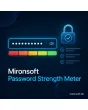
SKU: PASSWORDSTRENGTHMETER1
- strength bar and hints while the customer types the password
- minimum length, character classes and blocklist set in the admin
- applies to registration, change password and password reset
- Alpine.js with no third-party library, server-side check included
Einmaliger Kauf · inkl. 12 Monate Updates · zzgl. MwSt.
Magento 2 Password Strength Meter: secure passwords without frustration
The Magento 2 Password Strength Meter from Mironsoft shows customers while they type how resilient their password is. A coloured bar, short hints and a checklist of the rules replace the error message that otherwise appears only after submitting. The scoring runs in the browser with Alpine.js and needs no third-party library. In addition, the server checks the same rules so nothing can be bypassed.
Strength bar
Five levels from very weak to very strong, coloured and with a text label for screen readers.
Rule checklist
Minimum length, upper and lower case, digits and special characters are ticked off live.
Blocklist
Common passwords and the shop name are rejected; you maintain the list in the admin.
Change and reset
The meter also appears when changing the password in the account and on the reset page.
Server-side check
The same rules apply when saving, even if someone submits the form without a browser.
Minimum level
You decide from which level a password is accepted, separately for each store view.
Why a Magento 2 Password Strength Meter protects accounts better
By default, Magento checks only the minimum length and the number of character classes at registration. Whether the password Password123 is widely used, the customer does not learn. When the password is rejected, the message appears only after submitting, and many customers abandon the registration. Store owners therefore look for a Magento 2 Password Strength Meter that helps before the form is sent.
A Magento 2 Password Strength Meter turns a duty into a help: the customer sees what is missing and adds it. That lowers abandonment, avoids support requests about forgotten passwords and raises the security of customer accounts that hold addresses and orders.
Magento 2 Password Strength Meter with bar and hints
Below the password field a bar with five segments appears. It fills with every character and changes from red through orange to green. Next to it, a short sentence such as "Add a special character" is shown. The scoring considers length, character variety and simple patterns such as consecutive digits or keyboard rows. The label is marked as a status message for screen readers.
- Five levels, colour and text label
- Hints about the next sensible improvement
- Status message for screen readers (aria-live)
Set the rules of the strength meter in the admin
In the configuration you define the minimum length, the required character classes and the minimum level from which a password is accepted. In the Magento 2 Password Strength Meter, whoever wants to be strict demands level four, whoever wants a low barrier level three. A blocklist rejects common passwords, the email address and the name of the shop. The rules can be set differently per store view, for example for a B2B portal.
- Minimum length, character classes and minimum level
- Blocklist with common passwords, shop name and email address
- Different rules per store view possible
Everywhere customers set a password
The Magento 2 Password Strength Meter attaches to every password field of the storefront: registration, change password in the account, password reset and the checkout if an account is created there. The script finds the fields through a data attribute and binds them to an Alpine component. Custom forms, such as a trade application, can be added through the same attribute. Copy and paste and password managers keep working unchanged.
- Registration, account, reset and checkout covered
- Custom forms can be added through a data attribute
- Password managers and pasting stay usable
Server check and privacy for password strength
The scoring in the browser serves as guidance, the binding check happens on the server when saving. The password is never sent to an external service, and there is no comparison with online databases. The blocklist sits locally in your installation. If a password violates the rules, the error message names the exact missing requirement. The legal assessment of your password requirements remains with the shop operator.
- No password sent to third parties
- Local blocklist, no online comparison
- Specific error message on rule violation
Where a Magento 2 Password Strength Meter helps in daily shop work
Typical situations in which a Magento 2 Password Strength Meter prevents abandonment.
New customer registration
The customer sees while typing why the desired password is not enough and adds to it instead of leaving.
B2B portal
For business customers you set a higher minimum level so that accounts with prices and invoices are better protected.
Password reset
After a forgotten password the customer directly picks a strong new one without several failed attempts.
Security requirements
An audit demands minimum length and character classes. The rules are documented and enforced on the server.
Magento 2 Password Strength Meter: without and with the module
The difference when assigning passwords.
| Topic | Without module | With Mironsoft Password Strength Meter |
|---|---|---|
| Feedback | Error message only after submitting | Bar and hints while typing |
| Rules | Minimum length and character classes | Plus minimum level and blocklist |
| Common passwords | Accepted | Rejected |
| Usability | Customer guesses what is missing | Checklist shows the open points |
| Configuration | Same for the whole shop | Rules per store view |
How we set up the Magento 2 Password Strength Meter for you
The process after you commission the module.
Briefing
You decide how strict the rules should be and whether B2B and B2C areas are treated differently.
Installation
We install the module, switch on the Magento 2 Password Strength Meter for your store views and integrate it into registration, account and reset.
Blocklist and texts
We maintain the blocklist and phrase hints and error messages in the language of your customers.
Test
We test the Magento 2 Password Strength Meter with password managers, screen reader and smartphone, plus the server check without a browser.
Handover
Your team receives a short introduction to rules and blocklist.
Difference to two-factor login, login lockouts and admin passwords
The module regulates only how strong a new customer password must be and how this is shown to the customer. Two-factor authentication, lockouts after failed attempts and the password policy in the admin area are different topics and remain untouched. The Magento 2 Password Strength Meter complements them sensibly.
It runs with Alpine.js in the Hyvä theme, without jQuery, without Knockout and without an additional library such as zxcvbn.
No download, personal setup instead
Password Strength Meter is not listed here as a ready-made download file for self-installation. The purchase is a service commission: we get in touch after the purchase, install the module in your shop and agree on rules, blocklist and hint texts together with you.
Frequently asked questions
Everything important about rules, privacy, forms and how the purchase works.
How can I show password strength in Magento 2?
How can I change the minimum password length in Magento 2?
How can I forbid common passwords in Magento 2?
Is the password sent to an external service?
Does the Magento 2 Password Strength Meter also work in the checkout?
Can the rules be bypassed by switching off JavaScript?
Does the Magento 2 Password Strength Meter work with Hyvä?
Does it work with password managers?
Does the module replace two-factor authentication?
Can I download and install the module myself?
Recently Viewed Products

Magento 2 Password Strength Meter – Mironsoft