Magento 2 Opening Hours with Holidays and an Open Now Status
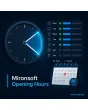
SKU: OPENINGHOURS1
- weekly schedule with several time slots per day
- holidays and company vacations as exceptions
- open now status in the location time zone
- LocalBusiness markup with opening hours
Einmaliger Kauf · inkl. 12 Monate Updates · zzgl. MwSt.
Magento 2 Opening Hours: displayed correctly, also on holidays and during vacations
With Mironsoft Magento 2 Opening Hours you maintain your availability in one place and show it in the footer, on the contact page and in the header. The module knows weekly schedules, lunch breaks, holidays and company vacations, calculates live whether you are open right now, and outputs structured data for search engines. Magento 2 Opening Hours runs on Alpine.js, needs no extra library and can be configured per store view.
Weekly schedule
One or more time slots per weekday, including lunch breaks.
Holidays and vacations
Exceptions with a date range override the weekly schedule.
Open now
The status is calculated with the location time and displayed.
Next opening
Closed? Then the text says when you are back.
LocalBusiness markup
Opening hours as OpeningHoursSpecification in JSON-LD.
Several locations
Own hours and time zone for store, warehouse and hotline.
Why wrong opening hours cost you customers and reviews
Anyone standing in front of a locked door or calling in vain is annoyed, and that shows up in reviews. Holidays and company vacations are especially critical because a static footer text is rarely right on those days. Merchants therefore look for a solution for Magento 2 Opening Hours that knows exceptions and shows the current status. Out of the box there is only a free text field in the configuration.
A text field knows neither time zones nor dates. With Magento 2 Opening Hours you maintain structured hours, and the frontend works out for itself what applies today. The same data also feeds the markup for search engines, so page and search result agree.
Maintain a weekly schedule with several time slots per day
For each weekday you enter one or more time slots, for example morning and afternoon with a lunch break. Days off are marked with a checkbox. Every location has its own time zone so that the status is right even when the server runs in a different zone. The weekday labels come from the language files and can be adjusted per store view.
- Several time slots per day, days off via checkbox
- Time zone per location
- Weekdays translatable per store view
Holidays, company vacations and special hours as exceptions
Exceptions override the weekly schedule for a single day or a date range. You enter company vacations, stocktaking, shopping Sundays or bridge days and, if needed, add a message for customers. You create holidays manually; which days apply in your region is for you to verify. Expired exceptions are not removed automatically on save, they remain visible as history.
- Day or date range as an exception
- Optional customer message per exception
- Expired entries remain as history
Magento 2 Opening Hours live: open now and opens at
An Alpine.js element shows the current status next to the hours: open now, closing soon, closed or opens tomorrow at 08:00. The calculation uses the location time zone, not the visitor time zone. The page stays full-page-cache friendly because only the status element calculates in the browser. Without JavaScript, visitors still see the complete hours table.
- Status is calculated in the browser, cache stays intact
- Location time zone instead of visitor time
- Hours table visible even without JavaScript
LocalBusiness schema with opening hours and special hours
When enabled, the module outputs LocalBusiness JSON-LD with openingHoursSpecification, including special days on which you are closed. Name, address and phone are maintained in the same record. A setting avoids duplicate markup if another module already outputs company data. Whether search engines adopt the hours is their own decision.
- openingHoursSpecification including special days
- Name, address and phone in the record
- Switch against duplicate company markup
Where Magento 2 Opening Hours helps in everyday shop work
Typical situations in which Magento 2 Opening Hours prevent frustration.
Shop with a physical store
Customers see before the trip whether you are open and find special hours on holidays right in the footer.
Phone consulting
The hotline has different hours than the store. Each location keeps its own hours and shows the matching status.
Pickup on site
Customers collecting goods see the pickup hours and recognise whether someone is still there today.
Vacations and stocktaking
A message announces closed days in advance, before customers call in vain.
Magento 2 Opening Hours: text field or module compared
What changes with Magento 2 Opening Hours compared with a static footer text.
| Topic | Without the module | With Mironsoft Opening Hours |
|---|---|---|
| Maintenance | Free text in several places | One record, output everywhere |
| Holidays | Manual in the text, often forgotten | Exceptions with a date range |
| Status | No display | Open now, calculated live |
| Time zone | Not considered | Time zone per location |
| Search engines | No structured markup | LocalBusiness with special hours |
How we set up Magento 2 Opening Hours for you
The process after you place your order.
Briefing
You name locations, hours and the places where the hours should appear.
Installation
We install the module, store the weekly schedule and time zone and integrate Magento 2 Opening Hours into the footer, contact page and header.
Exceptions
Together with you we enter the known holidays and vacations for the current year.
Schema
We check the LocalBusiness markup and align it with existing company data.
Handover
Your team gets an introduction to the weekly schedule, exceptions and customer messages.
Scope compared with store locator, notification bar and contact form
The Mironsoft store locator shows locations on a map with distance, the notification bar displays short messages, and the contact form receives messages. Magento 2 Opening Hours answers a single question: when can someone be reached? The data can be reused in other building blocks.
The modules can be combined. Everything runs on Alpine.js in the Hyvä theme, with no additional library.
No download, personal setup
Opening Hours is not listed here as a ready-made download file to install yourself. The purchase is a service order: after the purchase we get in touch, install the module in your shop and enter the weekly schedule and exceptions together with you.
Frequently asked questions
Everything important about the weekly schedule, holidays, status and how the purchase works.
How can I display opening hours in Magento 2?
How can I enter holidays for opening hours in Magento 2?
Can I map lunch breaks?
How does the open now display work?
How can I manage several locations with their own hours in Magento 2?
Does the module output structured data?
Which holidays apply to me?
Does Magento 2 Opening Hours work with Hyvä?
How does it differ from the store locator?
Can I download and install the module myself?
Recently Viewed Products

Magento 2 Opening Hours – Mironsoft