Magento 2 Mini Cart with Accessory Suggestions
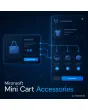
SKU: MINICARTACCESSORIES1
- accessory suggestions right in the mini cart drawer
- assignment per product, selection by stock status
- add with one click, without a page change
- number, title and display configurable in the admin
Einmaliger Kauf · inkl. 12 Monate Updates · zzgl. MwSt.
Magento 2 Mini Cart: show accessories when the customer buys
The Magento 2 mini cart is the moment a customer reviews their selection. Mironsoft Mini Cart Accessories shows matching accessories there for the products in the cart, with image, price and an add button. The suggestions come from the accessory assignment on the product and update in the drawer with Alpine.js, without a page change and without a popup. You set number, title and display in the admin.
Accessories in the drawer
Below the items a block with matching add-on products appears.
Assignment per product
Accessories are maintained on the product, so every suggestion makes sense.
One click
The button puts the accessory in the cart and the drawer updates instantly.
Stock status
Unavailable items and accessories already in the cart are not suggested.
Limit the number
A cap keeps the drawer tidy, even with many items.
Display
Title, image size, price display and button text are set in the admin.
Why accessories in the Magento 2 mini cart beat the product page
On the product page the customer decides about one product, in the mini cart about the whole purchase. That is where they notice what is missing: the charging cable, the matching filter, the protective case. Many merchants therefore look for accessories in the Magento 2 mini cart or a way to extend the mini cart with recommendations.
A well-maintained Magento 2 mini cart raises the cart value without interrupting the purchase. The suggestions sit exactly where the customer is already looking.
Assign accessories to products
In the admin product form you choose the accessory items for each product. Optionally an assignment applies to whole categories. Maintenance follows the familiar pattern of product links, so your team learns nothing new. Configurable products pass their accessories on to all variants.
- Select accessories in the product form
- Optional assignment for categories
- Inheritance for variants of configurable products
The Magento 2 mini cart with a suggestion block
Below the cart items a block appears with a title such as Matching accessories. Each tile shows image, name, price and a button. With several products in the cart the module mixes the suggestions and shows only the configured number. For options such as size or colour a link opens the product page, while simple products are added directly by the button.
- Tiles with image, name, price and button
- Mixing when there are several cart items
- Products with required options lead to the product page
Selection and updates without a page change
The module excludes products already in the cart, unavailable or invisible to the customer group. After adding, the tile disappears and a new one moves up. The update runs through the Hyvä mini cart data, no extra page requests are needed. The block is cache-friendly because only the cart data is dynamic.
- Exclusion of existing and unavailable items
- New suggestions move up after adding
- Cache-friendly, data comes from the mini cart
Settings in the admin
Under Stores › Configuration › Mironsoft › Mini Cart Accessories you enable the module per store view, set the number of suggestions, assign the title and choose whether prices and images appear. A fallback of related products can fill gaps when no accessories are maintained.
- Activation and number per store view
- Title, price display and image size
- Optional fallback to related products
Where accessories in the Magento 2 mini cart help in everyday shopping
Typical situations in which a suggestion at the right time raises revenue.
Electronics
For the device in the cart, cables, cases and spare parts appear without the customer switching category.
Tools and machinery
Consumables and attachments fit the machine. The drawer reminds customers of what they would otherwise reorder.
Fashion and textiles
For the garment the mini cart suggests care products or matching accessories.
Garden supplies
For plants and tools, fertiliser, soil or care accessories appear as an addition.
Magento 2 mini cart: standard versus with accessories
The difference in the drawer.
| Topic | Without the module | With Mironsoft Mini Cart Accessories |
|---|---|---|
| Recommendations | None in the drawer | Accessories below the items |
| Adding | Back to the product page | One click in the mini cart |
| Maintenance | Generic links | Accessories per product or category |
| Selection | No check | Without existing and unavailable items |
| Display | Fixed | Number, title and price display in the admin |
How we set up your Magento 2 mini cart with accessories
The process after your order.
Alignment
You name the product groups for which accessories should appear in the drawer.
Installation
We install the module, extend the Magento 2 mini cart in the Hyvä theme with the suggestion block and set up the store views.
Data upkeep
We help with assigning the accessories, optionally by import for your catalogue.
Testing
We check adding, moving up, exclusions and behaviour with configurable products and guests.
Handover
Your team receives a walkthrough of assignment and admin settings.
How this differs from the cart popup and cross-sell rules
The cart popup after adding and the cross-sell rules on the cart page work in different places with different mechanics. The Magento 2 mini cart with accessories shows professionally assigned add-on items in the drawer for the products already in the cart.
All three approaches can be combined. The module uses Alpine.js in the Hyvä theme and loads no additional library.
No download, but a personal setup
Mini Cart Accessories is not listed here as a ready-made download for self-installation. The purchase is an engagement: we contact you after the purchase, install the module in your shop and agree on assignment, number and display together with you.
Frequently asked questions
Everything important about accessories, display, Hyvä and the purchase process.
How can I show accessories in the mini cart in Magento 2?
How do I assign accessories to a product?
Can customers add accessories directly in the mini cart?
Are products already in the cart suggested again?
How many suggestions does the Magento 2 mini cart show?
What happens when no accessories are maintained?
Does the block slow down the mini cart?
Does the Magento 2 mini cart with accessories work in Hyvä?
How does this differ from the cart popup?
Can I download and install the module myself?
Recently Viewed Products

Magento 2 Mini Cart – Mironsoft Mini Cart Accessories