Magento 2 Gift Cards: Digital and Physical Gift Vouchers with Balance
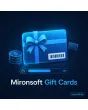
SKU: GIFTCARDS1
- Digital and physical gift cards with fixed or free amounts
- Unique code and balance with a complete booking history
- Partial redemption at checkout, remaining balance is kept
- Management in the admin: issue, block, expiry date, export
Einmaliger Kauf · inkl. 12 Monate Updates · zzgl. MwSt.
Magento 2 gift cards: sell, redeem, manage
Magento 2 gift cards are products that need no warehouse space and bring new customers. The module covers the whole path, from purchase to the last cent booked.
Magento 2 gift cards turn your shop into a place where people can give joy: the buyer picks an amount, the recipient receives a code and redeems it at checkout. This Magento 2 gift card extension maps the balance as its own account per card, so partial amounts are booked and any remaining balance is kept.
The module is built for Hyvä and works without Knockout or jQuery. It supports digital gift cards by email with a chosen delivery date and physical cards that you send by post. Mironsoft sets it up in your shop after purchase and agrees amounts, email templates and expiry rules with you.
Digital and physical
Email delivery on a chosen date or postal dispatch with manual code assignment.
Fixed and free amounts
Steps such as 25, 50, 100 EUR or a free amount with minimum and maximum.
Code and balance
Codes that cannot be guessed, every balance with a booking history.
Partial redemption
If the balance is too low the customer pays the rest; if it is higher, it is kept.
Expiry and blocking
Optional expiry date; block or reactivate cards.
Selling Magento 2 gift cards: amounts, recipient and date
On the product page the buyer picks a fixed amount or enters their own value between your minimum and maximum. For digital cards they enter recipient name, email, greeting and delivery date. On the chosen day the mail with the code goes out, regardless of when the order was paid. The card only becomes active once the order is paid.
For physical cards the mail is skipped. Instead you see the order in the admin, assign or print the code and send the card by post. That is handy for shops that already hand out gift cards and want to activate the code in the shop. This way you can sell digital gift cards and manage printed cards in the same system.
- Amounts as steps or free with minimum and maximum
- Recipient name, greeting and delivery date in the order form
- Activation only after payment is received
Redeeming a gift voucher code in cart and checkout with remaining balance
The cart has a field for the gift card code. The balance is deducted as its own line, separate from discount codes, and can be combined with them. If the order is smaller than the balance, the rest stays on the card. If it is larger, the customer pays the difference with their usual payment method. Logged-in customers see their redeemed cards in the customer account.
If an order is cancelled or returned, you book the amount back to the card in the admin. Every booking appears in the history with date, order number and balance. A rate limit restricts failed attempts at entering the code so nobody can try codes out; the codes themselves follow a random pattern and cannot be guessed.
- Own line for the balance in the cart, combinable with discount codes
- Partial redemption with automatic remaining balance
- Rebooking on cancellation or return with history
Gift card management in the admin: issue, block, export
The admin grid lists all cards with code, amount, balance, status, expiry date and purchase order. You issue cards manually, for example as goodwill to a customer or for prize draws, block suspicious codes or reactivate them. An expiry date is optional; how long cards may remain valid, please clarify with your legal adviser.
The export provides a CSV of all open balances, which helps with bookkeeping and the balance sheet. Settings are under Stores > Configuration, and rights to view, issue and block are separate ACL resources.
- Search and filters by code, status and expiry date
- Manual issuing with amount and reason
- Export of all open balances as CSV
Gift cards and VAT: what to clarify beforehand
Whether a voucher counts as single-purpose or multi-purpose for tax purposes decides when VAT is due. The module does not map either process legally but supplies clean data: sale date, redemption date, amounts and balances. The tax classification and permitted validity period you clarify with your tax or legal adviser.
For privacy and withdrawal the same applies: the module stores only recipient name and email, which you need for delivery. Expiry periods and redemption notes can be placed in the email text and on the product page, per store view in the right language.
- Sale and redemption date plus balance per booking
- Notes on validity and redemption per store view
- Not a replacement for tax or legal advice
What Magento 2 gift cards are good for
Gift cards fit many business models, from furniture stores to specialist retail.
Christmas and birthdays
Magento 2 gift cards deliver last-minute presents without shipping: the mail reaches the recipient on the chosen date.
Winning new customers with Magento 2 gift cards
Recipients get to know your shop when redeeming. That is often cheaper than an ad.
Goodwill and returns with Magento 2 gift cards
Instead of a refund you offer a gift card. You issue it manually in the admin and keep the revenue in the shop.
Partnerships and prize draws
For partner campaigns you generate a series of codes and export them as a list.
Vouchers without a module and with Magento 2 gift cards
Magento's cart price rules know discount codes but no balance. The comparison shows the difference.
| Topic | Discount code (default) | With Mironsoft Gift Cards |
|---|---|---|
| Sale | Cannot be sold as a product | Gift card as a product with amounts and recipient |
| Balance | Fixed discount, no balance | Balance account with booking history |
| Partial redemption | Not provided | Remaining balance is kept |
| Delivery | No dispatch | Email on a chosen date or postal dispatch |
| Security | Simple codes possible | Random codes, rate limit on failed attempts |
| Reporting | Only a usage counter | Export of all open balances |
How we set up the gift card module after your purchase
This is how you get from purchase to the first gift cards.
Purchase and reply
After payment we get in touch within 2 working days and clarify whether you offer digital, physical or both.
Amounts and rules for Magento 2 gift cards
We agree steps, minimum, maximum, validity and the failed-attempt limit with you.
Installation in your shop
We install the Magento 2 gift cards module, adapt the email template to your design and integrate the cart.
Test order
We buy and redeem a card as a test, including partial redemption and rebooking.
Handover
You get a short briefing on the grid, manual issuing and export.
Gift card, free gift or gift wrap? Delimitation from related modules
Magento 2 gift cards are a value voucher that customers buy and give away. The Free Gift module, in contrast, automatically adds a free product to the cart, above a cart value or with a certain item. Gift Wrap adds packaging and a greeting card to an order. All three can be combined without overlapping.
Customer Offers has a different purpose as well: individual customer offers with their own price or discount. If you are looking for a Magento 2 gift card extension with balance and sales, you need the gift card module; rules-based discounts are still handled by Magento.
No download — personal setup instead
The Magento 2 gift cards module is not listed here as a ready-made download for self-installation. The purchase is a service commission: we get in touch after the purchase, set up the gift cards in your shop and agree amounts, email templates and validity with you.
Frequently asked questions
Everything important about Magento 2 gift cards: sales, redemption, tax and the purchase process.
How can I sell a gift card in Magento 2?
How does partial redemption work?
Can I issue gift cards manually?
Is there an expiry date?
How are gift card codes protected from misuse?
How is VAT handled?
Is the module compatible with Hyvä?
Can a gift card be combined with discount codes?
Can I download and install the module myself?
Recently Viewed Products

Magento 2 gift cards – Mironsoft