Magento 2 Express Checkout: Quick-Buy Buttons for Product Page and Cart
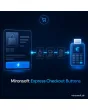
SKU: EXPRESSCHECKOUTBUTTONS1
- Express buttons on product page, cart and mini cart
- Direct jump to checkout, optionally with a separate quick-buy cart
- Rules by customer group, country, cart value and product type
- Provider-neutral, Alpine.js without jQuery, Hyvä compatible
Einmaliger Kauf · inkl. 12 Monate Updates · zzgl. MwSt.
Magento 2 Express Checkout: fewer steps between product and order
With Magento 2 Express Checkout from Mironsoft, quick-buy buttons appear where customers decide to buy: on the product page, in the cart and in the mini cart. One click takes the customer straight into checkout or into the payment flow of the connected payment method, skipping the classic intermediate pages. The interface is built with Alpine.js on the Hyvä theme, needs no jQuery and no Knockout, and stays provider-neutral on purpose: you decide in the configuration which express payment methods your shop offers.
Buttons on the product page
An express button next to or below Add to Cart, carrying quantity, options and variant of the selected product.
Buttons in the cart
In the cart and the mini cart right above the totals box, so the way to the payment stays short.
Direct jump to checkout
The click adds the product and leads straight into checkout without an intermediate page, optionally with a separate cart for this purchase only.
Several payment methods
Every connected express payment method gets its own button; order and labels are set in the admin.
Rules by group and country
Buttons can be shown or hidden by customer group, store view, country and minimum cart value.
Checks before the jump
Required options, stock and minimum order amount are checked before the customer leaves the page.
Why a Magento 2 Express Checkout saves orders
Most abandonments do not happen at the payment itself but on the way there: open the cart, open the checkout, type the address, pick shipping, pick payment, review the order. On a smartphone every one of these steps is a hurdle. Merchants therefore search for Magento 2 express checkout, Magento 2 quick buy button or Magento 2 buy now. By default Magento leads every customer through the same flow, whether a first-time visitor or a loyal customer with stored data.
A Magento 2 Express Checkout shortens that path. Whoever uses an express payment method already brings address and payment data and does not retype them. The module makes sure the right button is visible in the right places and that the purchase lands cleanly in the Magento cart, with taxes, shipping costs and every check your shop needs.
Magento 2 Express Checkout on the product page: buy with one click
With Magento 2 Express Checkout the button sits on the product page next to Add to Cart or below it, depending on the layout. It takes over quantity, configurable options, variants and custom options of the current product. If a required choice is missing, the page shows the same error message as a normal purchase and scrolls to the affected option. Using Alpine.js the button reacts instantly to variant changes and hides itself when the selected product cannot be delivered.
- Quantity, options and variants are carried over
- Required choices are checked before the jump
- Hidden for unavailable variants
Express buttons in the cart and the mini cart
In the cart, Magento 2 Express Checkout shows the express payment methods above the totals box, in the mini cart directly below the subtotal. Customers who only want to pay no longer have to open the checkout. The module respects coupons, the shipping estimate and the minimum order amount, so the button is only active when the purchase can really be completed. With an empty cart the area stays hidden.
- Placement above the totals box and in the mini cart
- Button inactive when the minimum order amount is missing
- Coupons and shipping estimate are preserved
Direct jump to checkout: a purchase without detours
With the direct jump of Magento 2 Express Checkout the module adds the product to the cart and opens the checkout with the shipping step prepared. If you like, it works with a separate quick-buy cart: the customer's existing cart stays untouched and only the chosen product is paid. Nobody is lost who actually wanted to keep browsing. If the purchase is cancelled, the customer returns to the product page and the quick-buy cart is cleaned up.
- Separate quick-buy cart optional
- Existing cart remains unchanged
- Cancelling returns to the product page
Rules for customer groups, countries and cart value
Not every payment method suits every purchase, so Magento 2 Express Checkout is finely controllable. In the admin you decide for which customer groups, store views, delivery countries and cart value ranges an express button appears. That keeps digital products, bulky goods or products with age verification out of the quick buy if you wish. For every button you set label, order and display on desktop and mobile separately.
- Customer group, store view and country as filters
- Exclude product types and categories
- Order and label per button
Where Magento 2 Express Checkout helps in everyday shop life
Typical situations in which every saved click counts with Magento 2 Express Checkout.
Mobile visitors
Nobody likes typing addresses on a phone. An express payment method with stored data saves several form pages.
Repeat buyers and consumables
Whoever reorders the same product regularly buys directly from the product page without opening the cart.
Campaigns and landing pages
Visitors from ads or newsletters buy a single offer in seconds, before attention fades.
Impulse buys and accessories
A cheap accessory no longer enters a long process but is paid with one click.
Magento 2 Express Checkout: without and with the module
The difference to the classic flow through cart and checkout.
| Topic | Without module | With Mironsoft Express Checkout Buttons |
|---|---|---|
| Steps to payment | Cart, checkout, address, shipping, payment | One click on the product page or in the cart |
| Mobile use | Many form fields on a small display | Stored data of the express payment method |
| Placement | Add to Cart only | Product page, cart and mini cart |
| Control | None | Rules by group, country, cart value and product type |
| Existing cart | Often changed by a direct purchase | Optional separate quick-buy cart |
How we set up Magento 2 Express Checkout for you
The process after you place the order.
Agreement
You name the express payment methods your shop already uses and the pages on which buttons should appear.
Installation
We install the module, set up Magento 2 Express Checkout for your store views and connect the buttons with your existing payment methods.
Rules
We define customer groups, countries, cart values and excluded product types and design labels and order.
Testing
We check the purchase on product page, cart and mini cart with simple, configurable and guest purchases on desktop and mobile.
Handover
Your team gets an introduction to the admin settings and knows how buttons are shown and hidden.
Differentiation from quick-buy modules and cart functions
The quick add-to-cart function from Mironsoft adds products via AJAX without leaving the page and does not lead into the payment. The quick order speeds up entering article numbers. Magento 2 Express Checkout instead shortens the way to the payment itself and supplements your existing payment methods with visible buttons.
The module does not replace payment processing. It places the buttons, prepares the cart and forwards to the checkout or the payment method. The payment method itself stays configured in your shop, and the legal mandatory information before completing the purchase is reviewed by you as the shop operator.
No download — personal setup instead
Express Checkout Buttons is not listed here as a ready-made download file for self-installation. The purchase is a service commission: we get in touch after the purchase, install the module in your shop and agree on placement, payment methods and rules together with you.
Frequently asked questions
Everything important about placement, payment methods, rules and the purchase process.
How can I set up an express checkout in Magento 2?
How can I show a buy-now button on the product page in Magento 2?
Which payment methods are supported?
Can I show express buttons in the cart and the mini cart?
Does my existing cart stay intact with a direct purchase?
Can I hide buttons for certain customer groups or countries?
What happens with products with required options or without stock?
Does Magento 2 Express Checkout work with Hyvä?
Do I have to observe legal mandatory information with Magento 2 Express Checkout?
Can I download and install the module myself?
Recently Viewed Products

Magento 2 Express Checkout – Mironsoft Express Checkout Buttons