Magento 2 Energy Label and Product Information Sheet on the Product
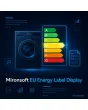
SKU: ENERGYLABELDISPLAY1
- class and label image near the price on the product page
- product information sheet as PDF link right at the label
- class icon in category listings and search
- report for products without label or data sheet
Einmaliger Kauf · inkl. 12 Monate Updates · zzgl. MwSt.
Magento 2 Energy Label: class, label and data sheet right where the price is
With the Magento 2 Energy Label from Mironsoft you show the energy efficiency class, the label image and the product information sheet directly at the product. Category listings get a small class icon, and the product page shows the label near the price with a link to the data sheet. Maintenance by upload or CSV, a report for missing labels, display with Alpine.js in the Hyvä theme without an extra library. Which products need a label follows the EU rules for the respective product group; checking this is the shop owner’s task.
Efficiency class
A selection from A to G sets the class per product and drives the icon in listings.
Label image
You upload the label per product; it appears near the price and can be enlarged.
Product information sheet
The data sheet as PDF hangs directly on the label and opens in a new tab.
EPREL number
Optionally store the registration number and link the entry in the EU database.
Class icon in listings
Category pages and search results show the class at a glance, so shoppers need not open the product.
Report
A list shows electrical products without a label or data sheet, filterable by category.
Why shops should maintain the Magento 2 Energy Label in a structured way
For many product groups, such as televisions, refrigerators, washing machines, dishwashers, light sources and since June 2025 also smartphones and tablets, EU law requires an energy label with a product information sheet. In online retail, too, label and sheet must be accessible as set out in the respective delegated regulation, the label usually near the price. Merchants therefore search for Magento 2 Energy Label, Magento 2 EU energy label requirement or Magento 2 product information sheet.
By default Magento only offers an image in the gallery or a link in the description text. That is hard to check and, depending on the design, not in the right place. The Magento 2 Energy Label turns it into structured fields with a consistent display. Which duties apply to your range is something to clarify with your legal adviser; the module is not legal advice.
Maintain the Magento 2 Energy Label: class, image, data sheet and EPREL
The product has an Energy label section. You pick the class, upload the label image, attach the data sheet as PDF and optionally enter the EPREL registration number. For many products at once use the CSV import: columns for class, file names and number, with the files in a media folder. Several labels per product are possible, for example when additional information is required.
- Class A to G as a selection field
- Upload for label image and PDF data sheet
- CSV import with file names and registration number
Magento 2 Energy Label near the price on the product page
On the product page the label appears right at the price, as a small image with a class arrow. A click enlarges it in a dialog, with the link to the product information sheet next to it. Position, size and order are set in the admin. Because the dialog uses Alpine.js, no extra script is loaded, and keyboard operation works with Escape to close.
- Label near the price, enlarged in a dialog
- Link to the data sheet right beside it
- Dialog operable by keyboard, Escape closes
Class icon in category listings and search
In categories, search results and product carousels a small icon shows the energy efficiency class in the matching colour. Shoppers compare appliances at a glance. The icon is purely a display of the maintained class and does not replace the label on the product page. You decide whether it appears on cards, in list view or in both.
- Coloured class icon on product cards
- Optionally also in search results and carousels
- Compare several appliances at a glance
Report: find products without a Magento 2 Energy Label
The report lists products flagged as label-required where class, image or data sheet is missing. You flag the relevant categories or products yourself, since the law of the respective product group decides which appliances need a label. The report can be filtered and exported as CSV so purchasing can request missing documents from the supplier.
- Flag label-required per category or product
- Report with filter and CSV export
- Hint when data sheet or image is missing
Where the Magento 2 Energy Label helps in everyday shop work
Typical situations in which structured labels save time.
Electronics retail
Televisions and household appliances show class and data sheet consistently, with upkeep via the supplier import.
Lighting and light sources
Many items with the same structure can be given class and data sheet by CSV.
Smartphones and tablets
New label duties for device classes are covered by the same fields, without rebuilding the shop.
Marketplace and own shop
The same files serve exports and your own product page, so double upkeep disappears.
Magento 2 Energy Label: image in the text or structured fields
The difference between a pasted image and a maintained display.
| Topic | Without module | With Mironsoft EU Energy Label Display |
|---|---|---|
| Placement | Somewhere in the description | Near the price, consistent |
| Data sheet | Link in the text, often outdated | PDF field right at the label |
| Listings | No class visible | Class icon on every card |
| Control | Spot check by hand | Report with filter and export |
| Many products | Open each product separately | CSV import with class and file names |
How we set up the Magento 2 Energy Label for you
The process after you order.
Alignment
We clarify which categories are affected and how your suppliers provide labels and data sheets.
Installation
We install the module and set up the Magento 2 Energy Label for your store views.
Data transfer
We import classes, files and EPREL numbers by CSV and media folder.
Presentation
We place label and data sheet link near the price and the class icon on the cards of your Hyvä theme.
Handover
Your team gets an introduction to upload, import and report.
Scope compared to product safety and electrical-device notices
The Magento 2 Energy Label shows efficiency class, label and data sheet only. Product safety details under the GPSR, disposal and take-back notices under WEEE and battery rules, and the packaging register are separate topics with their own Mironsoft modules. All of them can be combined.
The display works with Alpine.js in the Hyvä theme, without jQuery and without an extra library. The module delivers the technical implementation; the legal assessment of which products need a label and how it must be shown stays with the shop owner.
No download, but a personal setup
EU Energy Label Display is not listed here as a ready-made download for self-installation. The purchase is an order for a service: after the purchase we contact you, install the module in your shop and agree categories, display and data transfer with you.
Frequently asked questions
Everything important about upkeep, display, checks and how the purchase works.
How can I show the energy label on the product in Magento 2?
How can I link the product information sheet to the energy label in Magento 2?
How can I show the energy efficiency class in listings in Magento 2?
Can I store the EPREL registration number?
How do I maintain the Magento 2 Energy Label for many products?
Which products need a Magento 2 Energy Label?
How do I find products without a label or data sheet?
Does the Magento 2 Energy Label load additional scripts?
Can I store several labels per product?
Can I download it myself?
Recently Viewed Products

Magento 2 Energy Label – Mironsoft EU Energy Label Display