Magento 2 Comparison Table as a CMS Widget for Packages and Plans
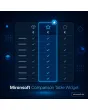
SKU: COMPARISONTABLEWIDGET1
- comparison table for packages and plans as a widget in CMS pages
- feature rows with check mark, dash or text per column
- highlight one column as the recommendation, with a badge
- on smartphones swipeable side by side or as cards, no jQuery
Einmaliger Kauf · inkl. 12 Monate Updates · zzgl. MwSt.
Magento 2 Comparison Table: packages and plans at a glance
With the Mironsoft Comparison Table Widget you build a Magento 2 Comparison Table that puts the packages, plans or variants of your offer side by side. You maintain columns and feature rows in the admin, choose a check mark, dash or text for each cell and highlight one column as the recommendation. You then insert the result as a widget into any CMS page. The table is built with Tailwind, needs no jQuery and stays readable on a smartphone.
Columns and rows
Packages as columns, features as rows, both sortable by drag and drop in the admin.
Check, dash, text
Each cell shows a check mark, a dash or free text such as 5 users.
Highlight a recommendation
One column gets a border, badge and button in the accent colour.
Mobile view
On a smartphone the table can be swiped or appears as a card list.
Prices and buttons
Header with price, note and button per package, links freely selectable.
Groups and notes
Feature groups with subheadings and an info text per row.
Why a Magento 2 Comparison Table makes buying decisions easier
Anyone who offers several packages, such as maintenance levels, plans or product lines, has to show the differences clearly. Running text overwhelms and screenshots cannot be maintained. Merchants therefore search for a Magento 2 Comparison Table, for ways to compare plans in Magento 2 or for a table for packages in the CMS.
The standard editor creates tables without highlighting and without a mobile view. A Magento 2 Comparison Table from the widget stays readable, uses consistent symbols and can be changed centrally. That matters most when the same table appears on several pages and in several languages.
Build a Magento 2 Comparison Table in the admin
A table consists of columns (packages) and rows (features). For each column you maintain name, price, price note, button text and link. For each row you give a label, an optional info text and the cell value per column. Subheadings group rows, for example performance and support. You insert new rows without rebuilding the table.
- Columns with name, price, note and button
- Rows with label, info text and cell values
- Subheadings for grouping
Check marks, dashes and text in the Magento 2 Comparison Table
Each cell has one of three types. The check mark means included, the dash means not included, and a text value shows quantities or levels such as 5 users or 24 hours. The symbols are embedded as vector graphics and carry alt texts for screen readers so the information does not depend on colour alone. Empty cells are shown as a dash.
- Three cell types: check, dash, text
- Symbols with alt text for screen readers
- Empty cell appears as a dash
Highlight a recommendation: badge, border and button
Exactly one column can be marked as the recommendation. It gets a border in the accent colour, a badge such as Most popular and a striking button. On a smartphone the highlighted column is in view when the table opens so nobody has to swipe first. The badge can be named freely and translated per store view.
- One recommendation per table
- Badge text per store view
- Highlighted column visible first on mobile
Magento 2 Comparison Table on a smartphone and in the CMS
On wide screens the table stands at full width with a pinned first column. On a smartphone you choose between swiping with a pinned feature column and a card list in which each package is a card with all rows. You insert the widget into CMS pages, blocks or blog posts. Each language version maintains its own texts.
- Pinned first column on the desktop
- Swipe or cards on mobile
- Widget in CMS, blocks and blog
Where a Magento 2 Comparison Table helps in everyday shop work
Typical situations in which packages are compared.
Maintenance and service packages
Basic, standard and premium stand side by side with services and prices. The recommendation is recognisable at once.
Product lines
Two or three models of the same series are compared with their key features without opening every product.
Memberships and plans
Levels with discounts, shipping benefits and support can be compared clearly.
Advice before purchase
On a guide page the table helps decide between variants, and the button leads straight to the matching category.
Magento 2 Comparison Table: without and with the widget compared
The difference to an editor table.
| Topic | Without module | With Mironsoft Comparison Table Widget |
|---|---|---|
| Structure | HTML table by hand | Columns and rows in the admin |
| Symbols | Characters or images, inconsistent | Check and dash as vectors with alt text |
| Recommendation | Bold or not at all | Border, badge and button |
| Smartphone | Table overflows the edge | Swipe or card list |
| Reuse | Copy to every page | One widget, several pages and languages |
How we set up the Magento 2 Comparison Table for you
The process after you place the order.
Agreement
We clarify which packages are compared, which rows matter and which column is the recommendation.
Installation
We install the module and set up the Magento 2 Comparison Table for your store views. Then we check desktop and mobile view in your Hyvä theme.
Fill the table
We create columns, rows and cell values with you and translate the texts.
Testing
We test long texts, empty cells, many rows and keyboard operation.
Handover
Your team gets an introduction to tables and widget.
Differences to the price table and to the product comparison
The price table from Mironsoft concentrates on price columns. The Magento 2 Comparison Table is more general: it compares features, services and attributes and shows prices only as part of the header. Both can be combined as needed.
The standard Magento product comparison compares catalogue products by their attributes and remains untouched. The widget works with Tailwind in the Hyvä theme and needs no additional library.
No download, but a personal setup
The Comparison Table Widget is not listed here as a finished download to install yourself. The purchase is a commission: we contact you after the order, install the module in your shop and agree on columns, rows and appearance together with you.
Frequently asked questions
Everything important about tables, highlighting, mobile view and how the purchase works.
How can I create a comparison table for packages in Magento 2?
How can I highlight a column as a recommendation in Magento 2?
How is the Magento 2 Comparison Table displayed on a smartphone?
Can I use check marks and dashes instead of text?
Can the same table appear on several pages?
Is there a translation for several languages?
How many columns and rows are possible?
Does the Magento 2 Comparison Table work with Hyvä?
Does it replace the Magento product comparison?
Can I download and install the module myself?
Recently Viewed Products

Magento 2 Comparison Table – Mironsoft Comparison Table Widget