Magento 2 Cart Item Notes per Line
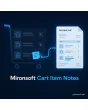
SKU: CARTITEMNOTES1
- note or comment per cart line, right in the row
- note travels into order, admin, packing slip and order email
- mandatory note, suggestions and character limit per category
- Alpine.js input, carried over to reorders and the mini cart
Einmaliger Kauf · inkl. 12 Monate Updates · zzgl. MwSt.
Magento 2 Cart Item Notes: record customer wishes right at the item
With the Mironsoft Magento 2 Cart Item Notes, customers write a hint to every line: colour shade, cut, delivery wish or installation place. The note stays at the row and travels into the order, onto the packing slip and into the admin view. Your team no longer has to search a general order comment to find which wish belongs to which item. The input is an Alpine.js field in the Hyvä theme and needs no extra library. Magento 2 Cart Item Notes can be switched on per store view and per category.
Note per line
Every cart row has its own field that belongs to exactly this item.
Suggestions to pick
Instead of free text you offer quick options such as cut to size or call before delivery.
Required per category
For items that need a hint, the note can be made mandatory.
Through to shipping
The note appears at the order item, on the packing slip and optionally in emails.
Reorders
Anyone repeating an order takes over the notes or decides per line.
No comment chaos
Wishes no longer sit together in one free-text field but with their item.
Why Magento 2 Cart Item Notes save queries and errors
By default, customer wishes for single items end up in an order comment or an email. It then says “please red” and nobody knows which of the ten items is meant. Merchants therefore search for Magento 2 Cart Item Notes, a comment per cart line or an item note in the order.
With Magento 2 Cart Item Notes the wish stands where it belongs. The warehouse reads it while picking, sales reads it when asking back, and the customer sees in the cart what was noted. That lowers queries and wrong deliveries.
Magento 2 Cart Item Notes in the cart and mini cart
Under every line the link Add note appears. One click opens an Alpine.js field that can offer suggestions or allow free text. You set the character limit per category. In the mini cart a small marker shows that a note is stored. When the cart is updated the text is kept, and so it is when the quantity changes.
- Link and field under every cart row
- Suggestions or free text, limit per category
- Marker in the mini cart
Mandatory notes and rules for Magento 2 Cart Item Notes
Some items cannot be delivered without a hint, such as made-to-measure goods or engravings. For such categories you make the note mandatory; the cart then only proceeds to checkout with text. A check excludes HTML and scripts. If you prefer no hints, simply switch the field off for categories such as standard goods with fixed stock.
- Mandatory note per category
- Cleaning of HTML and scripts
- Field can be switched off for standard goods
Note in order, admin, packing slip and email
The note belongs to the order item. In the admin it stands directly under the item, a column in the order grid marks orders with notes and a filter helps searching. The packing slip prints the text for the warehouse. In the order confirmation and on the invoice it only appears if you allow it. Your team can add an internal reply that the customer does not see.
- Note directly under the item in the admin
- Column and filter in the order grid
- Packing slip with note, email optional
Notes in the customer account and on reorders
On the order page in the customer account, the customer sees the notes for every line. If a reorder is triggered, the notes are taken over into the new cart and can be adjusted there. That helps regular customers who buy goods with the same dimensions or wishes. For guests the note stays in the session until the order is completed.
- Notes on the order page in the account
- Taken over on reorder, editable per line
- Guests: note until order completion
Where Magento 2 Cart Item Notes help in everyday shop work
Typical situations in which a hint at the item decides.
Cut to size
Customers state length, width or angle per line without the wish getting lost in a collective comment.
Wholesale and building supplies
Buyers note unloading point, commission or project number per item.
Food and delicatessen
Wishes such as ripe or extra fresh reach the person who picks the order.
Spare parts
The customer notes the device or serial number so that the right part is delivered.
Magento 2 Cart Item Notes compared with the order comment
The difference between one comment per order and one note per item.
| Topic | Without module | With Mironsoft Cart Item Notes |
|---|---|---|
| Assignment | One comment for all items | Note at the respective line |
| Warehouse and shipping | Wish has to be searched | Note on the packing slip |
| Required details | Cannot be enforced | Mandatory note per category |
| Reorders | Wishes get lost | Notes are taken over |
| Overview | No filters | Column and filter in the order grid |
How we set up Magento 2 Cart Item Notes for you
The process after you place your order.
Briefing
You name the categories that need hints, possible suggestions and the documents on which the note should appear.
Installation
We install the module, enable Magento 2 Cart Item Notes for your store views and place the field in cart and mini cart.
Documents
We carry Magento 2 Cart Item Notes into the packing slip, the admin view and, if wanted, the emails.
Testing
We test mandatory notes, quantity changes, reorders, guest checkout and partial shipments.
Handover
Your team gets an introduction to the order view, filters and internal replies.
Difference from product personalization and gift messages
The Mironsoft product personalization module offers fixed input fields on the product, such as engraving text with preview and surcharge. Magento 2 Cart Item Notes is a free hint in the cart, without product configuration and without a price change. The gift message per item addresses the recipient of a present and appears on a card, while the note addresses your team.
Magento 2 Cart Item Notes can be combined with both. The interface runs on Alpine.js in the Hyvä theme without an additional library.
No download, but personal setup
Cart Item Notes is not listed here as a ready-made download file to install yourself. The purchase is a commission: we get in touch after the order, install the module in your shop and agree required fields, suggestions and documents with you.
Frequently asked questions
Everything about input, requirements, orders and how the purchase works.
How can I capture a note for an item in the Magento 2 cart?
How can I show the note on the packing slip in Magento 2?
Can I make the note mandatory?
Can guests write notes?
What happens when the quantity changes?
Does the customer see internal replies from my team?
Are notes taken over on reorder?
Does Magento 2 Cart Item Notes work with Hyvä?
Is this the same as product personalization?
Can I download and install the module myself?
Recently Viewed Products

Magento 2 Cart Item Notes – Mironsoft