Magento 2 Account Dashboard Widgets for the Customer Account
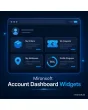
SKU: ACCOUNTDASHBOARDWIDGETS1
- My Account start page as an overview with freely combined widgets
- last order with status, coupons and default address at a glance
- order and visibility per customer group and store view
- Hyvä-compatible with Alpine.js, no additional library
Einmaliger Kauf · inkl. 12 Monate Updates · zzgl. MwSt.
Magento 2 Account Dashboard Widgets: everything important right after login
Magento 2 Account Dashboard Widgets from Mironsoft replace the sparse My Account start page with an overview built from widgets. Customers immediately see their last order including its status, their available coupons and their default address. Which widgets appear and in which order is set in the admin, separately for each customer group and store view. The interface is built on Alpine.js and Tailwind and follows your Hyvä theme.
Last order widget
Shows order number, date, status and the first items, plus links to tracking and to reorder.
Coupon widget
Lists the active coupon codes of the customer with validity and minimum order value; one click copies the code.
Address widget
Brings the default shipping and billing address forward, with a direct link to edit them.
Newsletter and notices
Shows the subscription status and freely maintained notices, for example about delivery times or maintenance.
Visibility per customer group
Wholesale customers see different widgets than retail customers, without duplicating templates.
Order by weight
Sorting in the admin through a weight per widget; changes apply without a deployment.
Why customers expect an overview instead of a list of links
After login, a customer in default Magento lands on a page that mostly shows menu entries and contact data. Anyone who wants to know where an order is has to click through the order history and the detail view. Store owners therefore look for Magento 2 Account Dashboard Widgets that answer the most important questions without detours: where is my parcel, which coupon do I have, which address does the next delivery go to?
Every avoidable question to support costs time. Magento 2 Account Dashboard Widgets move the answers to the place where the customer looks first anyway. That reduces requests such as "Where is my parcel?" and turns the login into a reason to come back and order again.
Build Magento 2 Account Dashboard Widgets from blocks
The dashboard consists of widgets that you switch on and off in the admin. Every widget has a title per store view, a weight for the order and a width of one or two columns. On a smartphone the tiles stack. New widgets can be added through the module widget registry without overriding core templates.
- Activate widgets individually, titles per store view
- Width of one or two columns, order by weight
- Responsive layout on smartphone and tablet
Magento 2 Account Dashboard Widgets: the last order in view
The order widget shows the most recent order with number, date, total and the current status as a coloured label. If a tracking number exists, a link to tracking appears. With reorder the customer puts the items into the cart again; products that are no longer available are skipped and reported. If a customer has never ordered, the widget shows a freely worded notice with a link to the catalogue instead.
- Status as a label, link to shipment tracking
- Reorder with a message for unavailable items
- Empty state with its own text for new customers
Make coupons visible in the account dashboard
Coupon codes that a customer can never find again are rarely redeemed. The coupon widget of Magento 2 Account Dashboard Widgets reads the cart price rules with a code that apply to the customer and shows the end date and the minimum order value. One click puts the code on the clipboard. In the admin you decide whether only rules tied to the customer group appear or all public codes, and how many entries are shown at most.
- Copy the code with a click, Alpine.js without extra library
- Display only rules of the own customer group possible
- Maximum number of entries adjustable
Control order and audiences of the account dashboard
Not every customer needs the same thing, and Magento 2 Account Dashboard Widgets respect that. For every customer group you define which widgets are visible, and for every store view what they are called. A trade account shows open quotes, for example, while the coupon widget stays hidden. The module reads the configuration from cache, so the account start page does not get slower. A preview in the admin shows the arrangement before saving.
- Visibility per customer group and store view
- Configuration cached, no extra database queries in the frontend
- Preview of the arrangement in the admin
Where Magento 2 Account Dashboard Widgets help in daily shop work
Typical situations in which Magento 2 Account Dashboard Widgets spare your support team a question.
Fewer support requests
Instead of asking about the parcel, the customer opens My Account and sees status and tracking link of the last order.
Redeeming coupons
The welcome coupon stays in the account permanently and no longer disappears in the mailbox.
Trade and retail customers
Business customers get a sober overview, private customers additionally see promotion notices.
Reordering
Regular customers put the last order into the cart again with one click.
Magento 2 Account Dashboard Widgets: default account and module compared
The difference after login.
| Topic | Without module | With Mironsoft Account Dashboard Widgets |
|---|---|---|
| Start page | Menu entries and contact data | Widgets with the most important information |
| Order status | Via history and detail page | Directly as a widget with tracking link |
| Coupons | Only known from email | Visible in the account, code copied by click |
| Audiences | Same for everyone | Widgets per customer group and store view |
| Customizing | Template override in the theme | Weight and title in the admin |
How we set up Magento 2 Account Dashboard Widgets for you
The process after you commission the module.
Briefing
Together we clarify which information your customers should see first in the account and which customer groups exist.
Installation
We install the module, activate Magento 2 Account Dashboard Widgets in the desired store views and integrate them into the My Account layout.
Widgets and texts
We define titles, weights and empty states and style the tiles to match your theme.
Test
We test Magento 2 Account Dashboard Widgets with new customers, regular customers and trade accounts, also on the smartphone.
Handover
Your team receives an introduction to the widget configuration and the preview in the admin.
Difference to profile completion, order history and address book
The Mironsoft profile completion module measures how complete a customer profile is and rewards missing details. The address book manages several addresses, the order history lists all orders. Magento 2 Account Dashboard Widgets instead bundle the most important extracts on the start page and replace none of these pages.
All modules can be combined. Magento 2 Account Dashboard Widgets run with Alpine.js in the Hyvä theme, without jQuery and without Knockout.
No download, personal setup instead
Account Dashboard Widgets is not listed here as a ready-made download file for self-installation. The purchase is a service commission: we get in touch after the purchase, install the module in your shop and agree on widgets, order and audiences together with you.
Frequently asked questions
Everything important about widgets, customer groups, performance and how the purchase works.
How can I customize the My Account start page in Magento 2?
How can I show the last order in the customer account in Magento 2?
How can I show coupons in the customer account in Magento 2?
Can I hide widgets per customer group?
Do Magento 2 Account Dashboard Widgets slow the account down?
What does a customer without orders see?
Do Magento 2 Account Dashboard Widgets work with Hyvä?
Can I add my own widgets?
How does the module differ from profile completion?
Can I download and install the module myself?
Recently Viewed Products

Magento 2 Account Dashboard Widgets – Mironsoft