Magento 2 Accessibility Toolbar for Contrast, Text Size and Focus
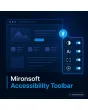
SKU: ACCESSIBILITYWIDGET1
- contrast, font size, focus and animations with one click
- settings stay in the visitor’s browser
- Alpine.js, CSP-compatible, no third-party service
- functions, position and texts per store view
Einmaliger Kauf · inkl. 12 Monate Updates · zzgl. MwSt.
Magento 2 Accessibility Toolbar: display settings that visitors choose themselves
The Magento 2 Accessibility Toolbar from Mironsoft adds a small panel to your shop in which visitors adapt contrast, font size, spacing, focus outline and animations to their needs. Everything runs in the browser on Alpine.js, with no third-party service and no external requests. The choice is remembered for the next visit. In the admin you decide which functions are offered and where the button sits. Important: the toolbar does not replace an accessible design of the shop.
High contrast
One switch raises contrast and line weights, without a second theme to maintain.
Font size
Text grows in steps while layout and controls stay usable.
Spacing and emphasis
Line and word spacing can be increased, and links and headings are emphasised.
Focus and keyboard
A stronger focus outline shows where the keyboard is; the panel itself works with the keyboard.
Motion off
Animations, transitions and automatic sliders can be switched off.
No third party
No external scripts, no transfer of visitor data, settings stay in the browser.
Why a Magento 2 Accessibility Toolbar makes sense, and where its limits are
People read and operate websites in very different ways. Some need more contrast, others larger text, others less motion. Modern browsers offer settings for this, but not everyone knows them. Merchants therefore search for Magento 2 Accessibility Toolbar, Magento 2 contrast switch or Magento 2 change font size. The Magento 2 Accessibility Toolbar makes these adjustments discoverable inside the shop itself.
To be honest, it replaces nothing. Since the German Accessibility Strengthening Act the focus is on the accessible design of the offer itself: structure, keyboard operation, alternative texts and forms. A toolbar cannot do that work and guarantees no conformance. It is an addition for visitors, not the solution. The legal assessment stays with the shop owner; the module is not legal advice.
Magento 2 Accessibility Toolbar: a panel with keyboard operation
A button at the edge of the screen opens the panel. It is a real button with an accessible name, reachable by Tab and operable by keyboard. The panel closes with Escape and focus returns to the button. You set the position, left or right, top or bottom, in the admin, as well as the labels per store view.
- Real button, tab order and Escape key
- Position and labels set in the admin
- Panel opens without the page jumping
Contrast, font size and spacing for the Magento 2 Accessibility Toolbar
The switches set CSS variables and classes on the root element. Contrast mode raises colour differences, font size grows in configurable steps, and line and word spacing can be increased. Links and headings can be emphasised in addition. In the admin you choose which of these functions are visible, and you stay with the font of your Hyvä theme; no additional fonts are loaded.
- Contrast and font size in configurable steps
- Line and word spacing can be increased
- No additional fonts, only CSS variables
Focus outline and motion: switch animations off
A stronger focus outline shows where the keyboard currently is. Motion can be turned off as well: transitions, hover animations and automatically running sliders pause. If the visitor has set reduced motion in the operating system, the toolbar adopts that wish from the start. The system setting stays authoritative even without a click on the toolbar.
- Stronger focus outline in a configurable colour
- Animations and sliders pause
- The system setting for reduced motion is respected
Remember settings without a third party and without a server request
The choice is stored in the visitor’s browser and applied again on the next page view. No request goes to an external service and nothing is sent to your server. Whether browser storage must be mentioned in your privacy policy is for you to check with your legal adviser. The module is built for Hyvä with Alpine.js, is CSP-compatible and loads no jQuery.
- Storage solely in the browser
- No external requests, no tracking data
- CSP-compatible Alpine component
Where the Magento 2 Accessibility Toolbar helps in everyday shop work
Typical situations in which visitors benefit from their own display settings.
Older customers
Larger text and more contrast make product pages and checkout easier to read, without you maintaining two layouts.
Visitors with low vision
Focus outline and emphasised links help with orientation by keyboard.
Sensitivity to motion
Automatic sliders and animations can be paused, which reduces distraction and discomfort.
Bright surroundings or small screens
Anyone reading on the go quickly raises contrast and text size without hunting through browser settings.
Magento 2 Accessibility Toolbar: browser tools or module compared
What makes the toolbar more visible in the shop.
| Topic | Without module | With Mironsoft Accessibility Toolbar |
|---|---|---|
| Discoverability | Settings hidden in the browser | Button right in the shop |
| Contrast | A separate theme is needed | One switch using CSS variables |
| Motion | Only via system setting | Also by switch and automatic with reduced motion |
| Privacy | Third-party overlays often send data | Browser storage only, no external requests |
| Upkeep | Vendor subscription and external script | Set up once, texts per store view |
How we set up the Magento 2 Accessibility Toolbar for you
The process after you order.
Alignment
We clarify functions, position and labels, and whether the toolbar should be accompanied by work on an accessible design.
Installation
We install the module and set up the Magento 2 Accessibility Toolbar for your store views.
Adjustment
We tune colours, font steps and focus outline to your Hyvä theme.
Test
We check keyboard operation, contrast mode and reduced motion in common browsers.
Handover
You receive an introduction to the admin settings and text upkeep per language.
Scope compared to the accessibility statement
The Magento 2 Accessibility Toolbar is a control for visitors. The Mironsoft accessibility statement, by contrast, is an information page about the state of your shop, with conformance level, known limitations and feedback contact. A toolbar creates no such statement, and a statement offers no controls.
Both modules can be combined. The toolbar works with Alpine.js in the Hyvä theme, without jQuery and without an extra library. It replaces neither an accessible design nor an audit of your shop; the legal assessment stays with the shop owner.
No download, but a personal setup
Accessibility Toolbar is not listed here as a ready-made download for self-installation. The purchase is an order for a service: after the purchase we contact you, install the module in your shop and agree functions, position and texts with you.
Frequently asked questions
Everything important about functions, privacy, limits and how the purchase works.
How can I add a contrast switch to Magento 2?
How can I let visitors enlarge the font size in Magento 2?
How can I let visitors switch off animations in Magento 2?
Is data sent to a third-party service?
Where are the visitors’ settings stored?
Does the Magento 2 Accessibility Toolbar make my shop accessible?
Can the Magento 2 Accessibility Toolbar be operated by keyboard?
Can I adjust functions and texts?
Does the module work in the Hyvä theme with a Content Security Policy?
Can I download it myself?
Recently Viewed Products

Magento 2 Accessibility Toolbar – Mironsoft