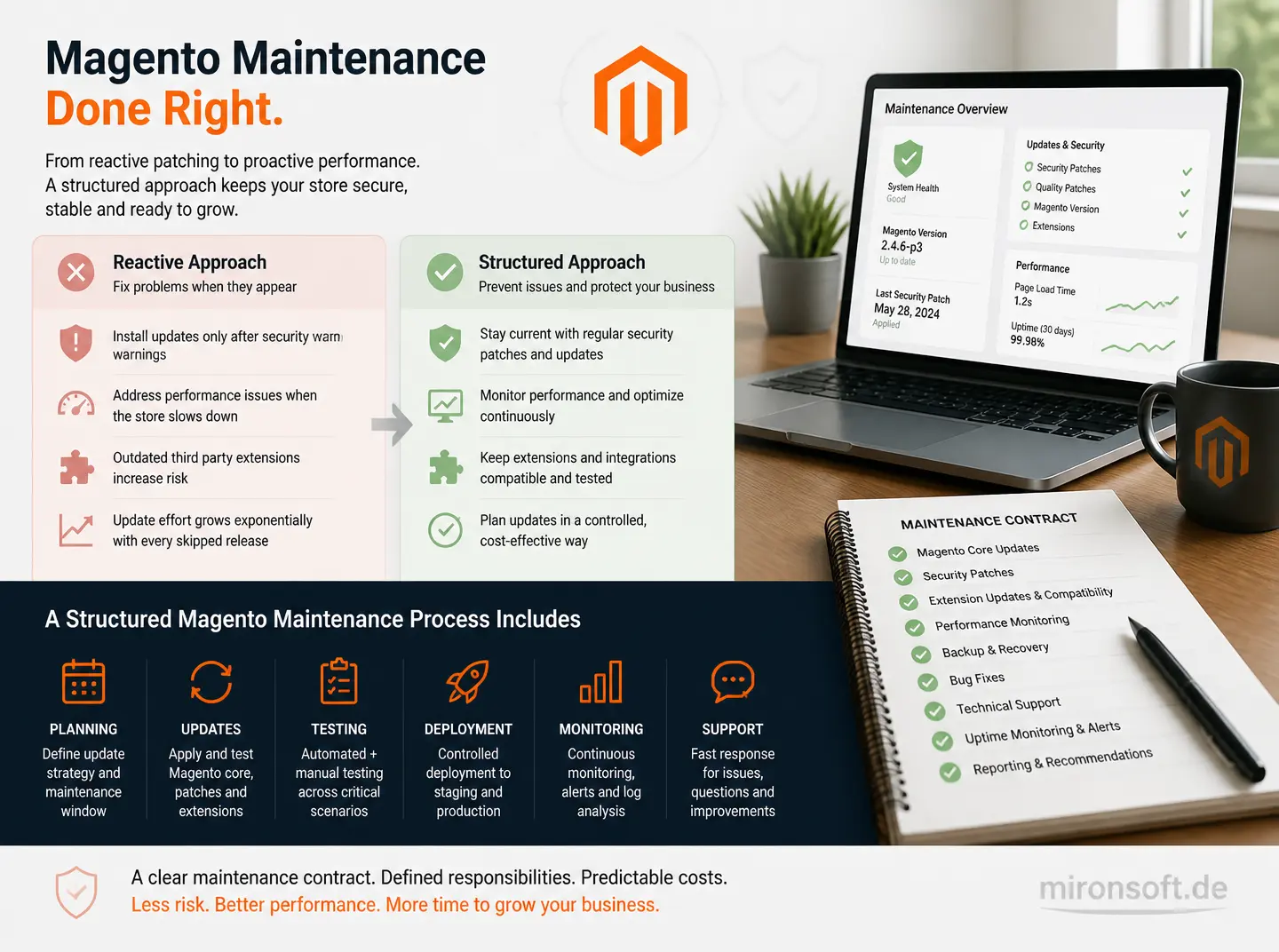
Why Magento maintenance is far more than occasional updates, and how security patches, testing, and a structured maintenance contract work together
Magento maintenance in many companies gets reduced to occasionally installing updates whenever a security warning appears or the storefront noticeably slows down. That reactive approach works for a while, but inevitably leads to a backlog of unapplied security patches, outdated third party extensions, and update effort that grows exponentially with every skipped release. A structured approach to maintenance and support instead treats Magento maintenance as a continuous process with clear responsibilities, recurring testing, and a maintenance contract that spells out exactly what is actually covered in day to day operations.
Table of Contents
- 1. Why Magento maintenance is more than occasional updates
- 2. Understanding security patches: patch level and Composer constraints
- 3. Minor versus major updates: the difference in effort and risk
- 4. A structured maintenance contract: what it should cover
- 5. Monitoring as an integral part of maintenance
- 6. Testing before every update: staging environment and regression tests
- 7. Third party extensions as an underrated maintenance risk
- 8. An emergency process for acute security incidents
- 9. Maintenance models compared: ad hoc versus a maintenance contract
- 10. Summary
- 11. FAQ
1. Why Magento maintenance is more than occasional updates
Magento maintenance is often mistakenly equated with simply installing new versions, when a complete maintenance strategy covers considerably more: continuous system health monitoring, regular compatibility checks on third party extensions, scheduled security patches independent of larger version jumps, and a documented testing strategy run before every change. Reducing maintenance to plain update installation overlooks exactly the tasks that make the biggest difference when it counts.
A store running for months without active maintenance quietly accumulates technical debt: outdated PHP extensions, incompatible third party modules, and unpatched security holes that look harmless individually but pose a substantial risk in combination. Continuous maintenance prevents exactly that accumulation by fixing smaller problems as they arise, instead of letting them pile up into a single, risky large project.
2. Understanding security patches: patch level and Composer constraints
Magento regularly releases security patches that close critical vulnerabilities without necessarily requiring a full version upgrade. These patches get applied through Composer metapackages or targeted quality patches, and the Composer constraints in the project need to be maintained so that a patch update does not accidentally pull in incompatible major versions of dependencies.
A cleanly maintained Composer lock file is essential here: without pinned versions, a seemingly harmless patch update can quietly shift other package versions too, causing hard to trace errors. A store's patch level, meaning which security patches have already been applied, should therefore be documented and regularly checked against the current Magento security bulletin list, instead of relying on individual team members' memory.
{
    "require": {
        "magento/product-community-edition": "2.4.8",
        "magento/security-patch-*": "*"
    },
    "extra": {
        "patches": {
            "magento/module-checkout": {
                "Security patch for checkout session handling": "patches/checkout-session-security.patch"
            }
        }
    }
}
3. Minor versus major updates: the difference in effort and risk
Minor updates within the same major version, for instance from 2.4.7 to 2.4.8, usually contain security fixes and small improvements without fundamental breaking changes, so they can be applied with manageable testing effort. Major updates, on the other hand, such as a change in the minimum PHP version or larger architectural changes, demand full regression testing, since third party extensions and custom code frequently stop being compatible without further work.
A common mistake is postponing major updates until support for the old version runs out entirely, letting several version jumps pile up at once and making the update project considerably riskier and more expensive. A fixed annual review of upcoming major updates prevents that postponement and makes budget and time effort predictable for management.
4. A structured maintenance contract: what it should cover
A good maintenance contract clearly defines what response times apply to which error class, which security patches get applied automatically versus only after consultation, and how often a regular maintenance check with update review takes place. Without those details, misunderstandings arise when it matters over who is actually responsible for an acute incident and within what timeframe they are expected to respond.
A maintenance contract should additionally define how to handle third party extensions whose vendor has discontinued support, since such orphaned extensions represent a growing security risk and typically need to be either replaced or taken over into the team's own maintenance responsibility.
5. Monitoring as an integral part of maintenance
Error logs, failed cron jobs, and unusual performance spikes are often the first visible signs of a deeper problem, which is why active monitoring is inseparable from maintenance rather than a separate, optional service. A maintenance team that only reacts once the customer reports an issue typically discovers problems considerably later than one that actively looks for anomalies.
Regular review of exception logs also helps identify recurring errors that do not look critical individually but, in aggregate, point to a structural problem, for instance a misconfigured third party extension throwing a harmless but unnecessary exception on every checkout.
6. Testing before every update: staging environment and regression tests
Every update, no matter how small, should first be applied on a staging environment that closely resembles production, including comparable data volume and identical third party extensions. An update only tested against an empty test installation simply does not surface many real world problems, such as conflicts with custom code or specific product data.
A fixed set of automated regression tests for the most critical business processes, such as checkout, search, and account management, considerably reduces the manual testing effort for every update and creates a reliable safety net that does not have to be run through completely by hand for every small, frequent patch.
7. Third party extensions as an underrated maintenance risk
Every additional installed extension increases maintenance load, since it needs to be checked for compatibility on every Magento update and, in the worst case, comes with its own unmaintained security vulnerabilities. A regular inventory of all installed extensions, noting the vendor's last update, helps identify orphaned extensions early before they become an acute problem.
For critical functionality implemented through a barely maintained third party extension, it is worth deliberately deciding whether migrating to an actively maintained alternative, or building a lean custom implementation, is less maintenance intensive in the long run than sticking with the existing solution.
8. An emergency process for acute security incidents
Once a critical vulnerability becomes public, every hour counts, which is why a defined emergency process needs to exist that kicks in immediately, independent of the regular maintenance rhythm. That process should clearly define who authorizes the patch, how quickly it gets rolled out to production, and what customer communication is required in case an attack has already occurred.
A regularly rehearsed emergency process, for instance through a simulated security incident, surfaces organizational gaps before a real incident happens, making it considerably more effective than a plan that only exists on paper and is never actually tested.
9. Maintenance models compared: ad hoc versus a maintenance contract
The table below compares a reactive ad hoc maintenance model with a structured maintenance contract.
| Criterion | Ad Hoc Maintenance | Structured Maintenance Contract | Impact |
|---|---|---|---|
| Response time on vulnerabilities | Unclear, depends on availability | Contractually fixed | Considerably smaller risk window |
| Testing before updates | Frequently skipped | Fixed part of the process | Fewer regressions in production |
| Third party extensions | Rarely reviewed systematically | Regular inventory | Early detection of orphaned modules |
| Cost structure | Unpredictable one-off invoices | Predictable monthly flat fee | Better budget planning |
Mironsoft
Magento development, module consulting, and system architecture
A Magento project that needs a second opinion or experienced execution?
We build custom Magento modules, advise on architecture decisions, and take on complex implementations, from service contract planning to production-ready deployment.
Architecture Consulting
Have module and system architecture thought through properly before you build.
Custom Module Development
Build custom Magento modules cleanly, following best practices.
Code Review & Audit
Have existing modules reviewed for performance, security, and maintainability.
10. Summary
Magento Maintenance: The Essentials at a Glance
Core idea
Magento maintenance is a continuous process of monitoring, patching, and testing, not just occasional update installation.
Key distinction
Minor updates need manageable testing effort, major updates demand full regression testing.
Biggest risk
Postponed major updates that pile up into a risky, expensive large project.
Success criterion
Security patches get applied promptly, tested with documentation, and the patch level stays traceable at all times.