Magento 2 Experts — Hyvä Theme, Tailwind CSS & SEO from a Single Source ›
← All references

Rebuild in progress

B2B shop: from Magento 1 to Magento 2 with Hyvä

disegno.de · Magento 1 → Magento 2 + Hyvä

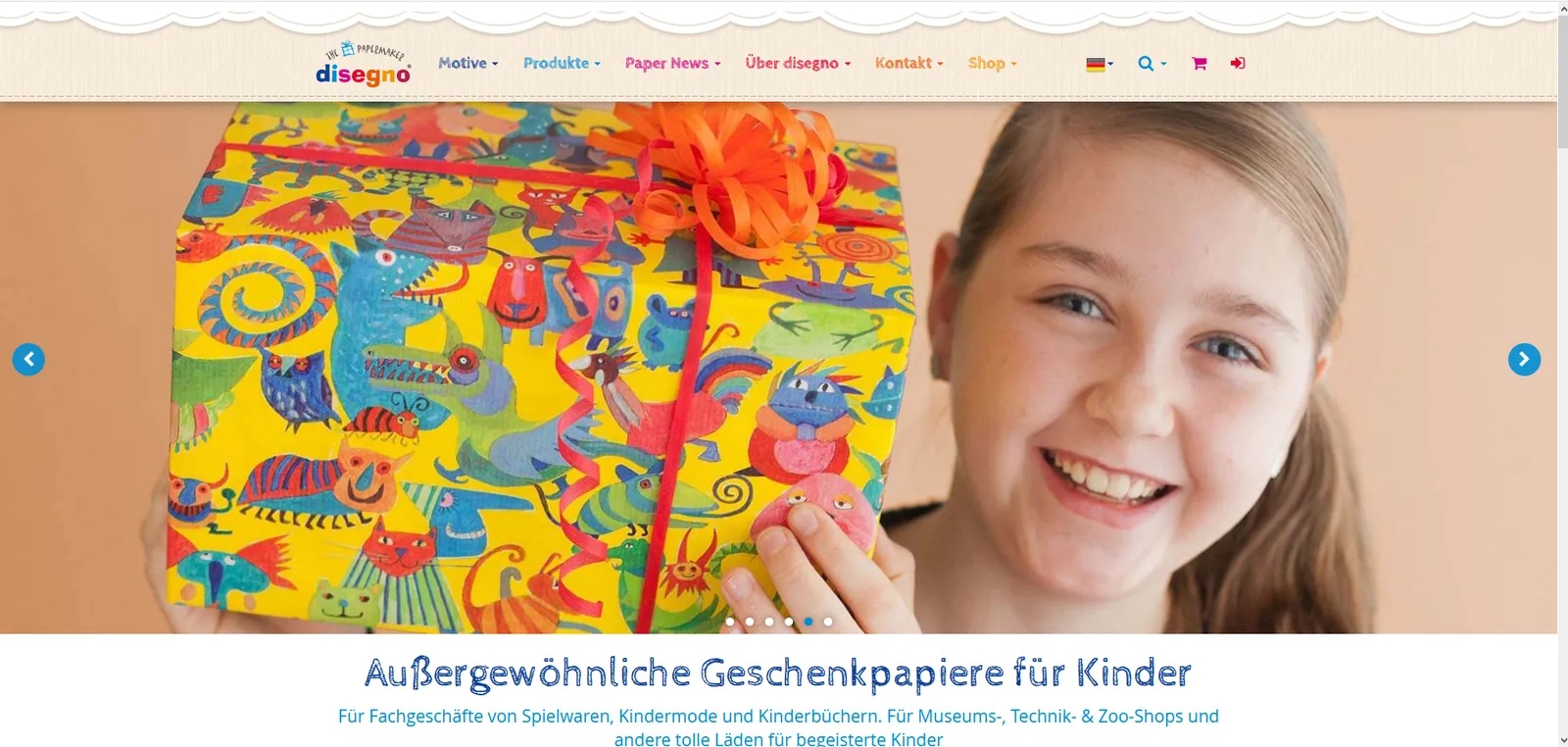
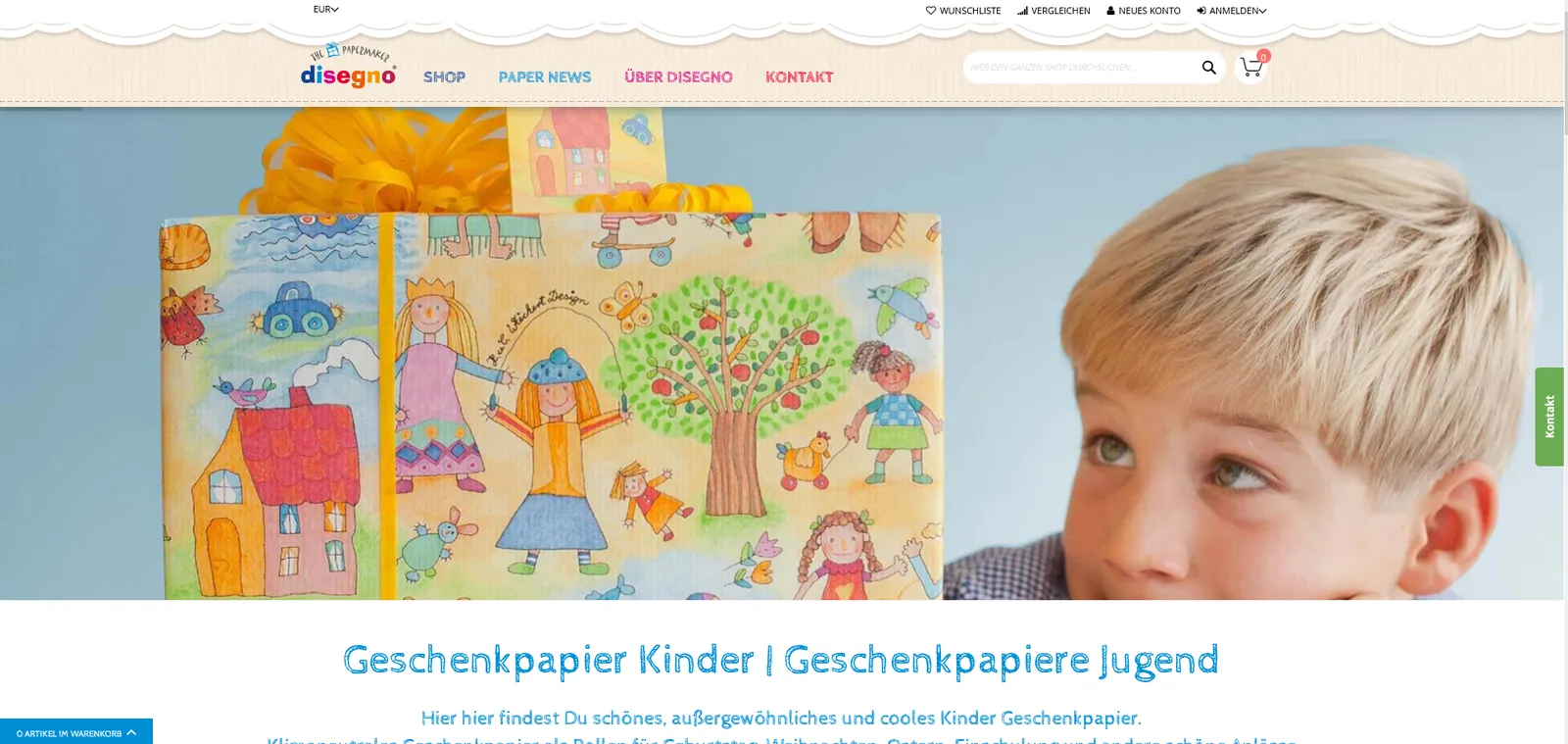
The disegno.de B2B shop for retail partners is being migrated from Magento 1 to Magento 2 with Hyvä. The existing design stays exactly as it is.

Visit website ↗
disegno.de: B2B shop: from Magento 1 to Magento 2 with Hyvä

Company and shop

disegno offers gift wrap, paper carrier bags and matching accessories for specialist retailers. The motifs range from baby and children to teenagers and adults, many of them seasonal, for example for spring, autumn and Christmas.

The B2B shop is the ordering channel for retail partners. Customers log in with their customer number or email address, order rolls and carrier bags in tiered quantities and request a free sample package. The shop is available in six languages: German, English, French, Dutch, Italian and Spanish.

The project

The shop currently runs on Magento 1. It moves to Magento 2.4.9 with PHP 8.4 and gets a frontend built on Hyvä. Nothing visible changes for customers, because the design is carried over 1:1. Behind the surface, every individual feature of the old shop is kept, and new requests are added.

My work

I have been working with disegno since the year 2000. In that time I have taken on very different tasks, not only in the frontend, but just as much in backend programming, interfaces and server operations. The current project shows this range particularly well: the Hyvä child theme with Tailwind CSS, more than 20 custom modules, the data migration from Magento 1 and the operation of the server work together.

What is built in detail is described below, feature by feature. We monitor the server, scale it when needed and back it up.

Rebuild in progress, expected completion: November 2026.

Features in detail

30 features of this project, from the storefront to the back office.

Catalog and product presentation

  • 01

    Motifs as their own data objects

    Every motif is its own object with names per language, age group (baby, children, children and teens, teens and adults), images and sort order. It is maintained in the admin with CSV import and export. Each motif is linked to the matching product options and has its own page per language.

  • 02

    Product types as their own data objects

    Gift wrap rolls, paper carrier bags and other product kinds are their own objects with names per language and a page of their own. The page of a product type shows all motifs available in that type. Here too, the admin offers CSV import and export.

  • 03

    Automatic product lists on motif and type pages

    Every motif page lists the available products, grouped by product type. Every product type page lists the motifs, grouped by age group. Both are widgets that can be added to any CMS page with a shortcode. On hover, the cards show icons for the cart and for more information.

  • 04

    Motif and product type sliders

    The home page shows motifs in tabs by age group and product types in a slider. The sliders use CSS scroll snap, so no extra library is needed. Images of inactive tabs are only loaded when they are needed.

  • 05

    Availability light and company imprint

    The product page shows a traffic light for whether an item is available, partly available or sold out. Grouped products get tabs for the company imprint and a matrix of price tiers. A switch in the admin falls back to the standard display.

  • 06

    Wish list and comparison for motifs

    The wish list shows saved items in a slider. The comparison is deliberately independent of Magento and compares motifs instead of single products.

  • 07

    Mega menu with motif images

    The main navigation is curated and comes from a custom module. The motif menu is grouped by age group and shows an image per motif with a preview on hover. Images only load when the menu is opened. A switch in the admin falls back to the standard navigation.

Pricing, cart and shipping

  • 01

    Prices with up to four decimal places

    Unit prices in fractions of a cent are displayed and calculated exactly, in the catalog, the cart, the order and on invoices and credit memos as PDF and email. Unnecessary zeros are trimmed, and the price fields in the admin show all four places. The module also steps into the rounding logic for this.

  • 02

    Tier prices across all items of a product type

    The quantity discount depends on the sum of all cart items of the same product type, not just the single line. In the cart the server calculates it. On product and category pages the price is reloaded on the client, so the full page cache never serves a discount to the wrong visitor.

  • 03

    Extra costs for customs clearance

    Rules define which country and order value trigger which surcharge, optionally with a tax class. The surcharge is its own total line in the cart, order, invoice and credit memo. The VAT on it is calculated by the official Magento tax service.

  • 04

    Shipping costs by package calculation

    A packing simulation spreads the items virtually across parcels and pallets with weight limits and its own rules for roll lengths and carrier bags. The packages produce the shipping cost by country, region and postcode, with a threshold for free shipping. A hint box in the cart suggests fitting packages, and the rate table is maintained in the admin by CSV.

  • 05

    Payment methods by first and follow-up order

    For the first order, also as a guest, prepayment is offered. From the second order onward, bank transfer is offered. The module reproduces the flow of the old shop and can be switched off in the admin.

  • 06

    Ajax cart with drawer

    Items are added to the cart via Ajax without a page reload. Afterwards the mini cart opens as a drawer with the SKU and a quantity field.

Customers and login

  • 01

    Customer number and customer key

    Both values are custom customer attributes. The customer number is recorded with every order and appears as a column in the customer and order grids and in the order view. A command adds it to existing orders.

  • 02

    Login with customer number or email

    In the login field the customer number works just like the email address. Customers with a technical email address from the import are sent after login to the page where they can change their email address.

  • 03

    Customer group ranges and login lock

    Ranges of the customer key are managed in the admin. If a customer falls into an active range, they are logged out right after login, whether they signed in with email or customer number.

  • 04

    Order history in the customer account

    Customers see their sales per item and month in their account, including orders that did not originate in the shop. The data comes into the shop by import. The admin import runs in steps via Ajax and shows its progress.

  • 05

    Sample request

    A form in all six languages collects company and delivery details and wishes for the sample package. Required fields are validated, the form is CSRF protected, and the request is emailed to the team.

Order processing and interfaces

  • 01

    Custom order numbers

    The order number consists of year and month with a running number and continues the numbering of the old shop. The counter can be set to the current value in the admin, for example when going live.

  • 02

    Order export as CSV by email

    New orders are exported as a CSV file for the merchandise management system, with one row per order line. A cursor remembers the last exported order, and the file goes out as an email attachment. I built my own mail service with attachments for this, because Magento cannot do that out of the box.

  • 03

    Company name and customer number in the order grid

    The company is taken from the chosen address when the order arrives and stays unchanged later. Together with the customer number it appears as a column in the admin order grid.

  • 04

    Differing delivery address highlighted in red

    If the delivery address differs from the billing address, it appears in red in the order email. The team spots the difference immediately. The hint applies to the customer email and to the internal copy.

  • 05

    Email templates and imprint footer

    All email templates are adapted to Magento 2. The legally required imprint details appear automatically at the end of the emails.

Platform, design and operations

  • 01

    Data migration from Magento 1

    Settings and data from the old shop, including products, customers and orders, were transferred with the Magento Data Migration Tool. Whatever the tool does not cover is carried over with custom modules and commands.

  • 02

    Six languages

    German, English, French, Dutch, Italian and Spanish run as separate store views. Official and Hyvä language packs are used, and a community pack for Italian. Home page, footer and motif pages exist in all languages.

  • 03

    Hyvä child theme with a 1:1 design

    The design of the old shop is rebuilt as a Hyvä child theme with Tailwind CSS, with header, mega menu, footer, home page and the typeface of the old site. It includes a header that stays with you while scrolling and a back-to-top button.

  • 04

    Moving content between environments

    A custom module exports selected CMS pages and blocks as JSON and imports them in another environment. Matching uses the identifier and store view instead of database IDs. The import creates or updates, it never deletes.

  • 05

    Fast images and menus

    Images are provided as WebP in several sizes with srcset. The contents of the menus are only mounted when a menu is opened, so closed menus request no images.

  • 06

    Bugs in third-party code found and fixed

    On the cart page, a line of the Hyvä theme threw a JavaScript error. A small module fixes it without touching the theme in the vendor folder.

  • 07

    Server operations, scaling and backups

    We monitor the server, scale it when needed and back it up.

More references

disegno.shop: B2C shop: conversion to Hyvä Rebuild in progress

Magento 2 → Magento 2 + Hyvä

disegno.shop

B2C shop: conversion to Hyvä

The disegno.shop B2C shop is being converted to Hyvä. The existing design is carried over 1:1.

Rebuild in progress, expected completion: November 2026.

  • Servers and backups
  • Updates and maintenance
View project →
Rebuild in progress

Hyvä

UNI-MED Verlag AG

New design on Hyvä

The shop of UNI-MED Verlag is getting a new design built on Hyvä.

Rebuild in progress, expected completion: November 2026.

  • Servers and backups
View project →
Rebuild in progress

Magento 2 → Magento 2 + Hyvä

Cimring Computer-Großhandel

B2B shop with a new design on Hyvä

The B2B shop of the computer wholesaler gets a new design built on Hyvä. Maintenance, imports, exports and the ITScope interface continue.

Rebuild in progress, expected completion: December 2026.

  • Servers and backups
  • Updates and maintenance
  • Import and export
  • ITScope interface
View project →

Planning a similar project?

Tell us what you have in mind. We reply with an honest assessment, not a sales pitch.

Discuss your project