When and why you need to clear the Magento cache, and which cache types exist.
For performance reasons Magento caches a great deal — from layout structures to configuration values to entire rendered HTML pages. This is managed under System > Cache Management.
The most important cache types
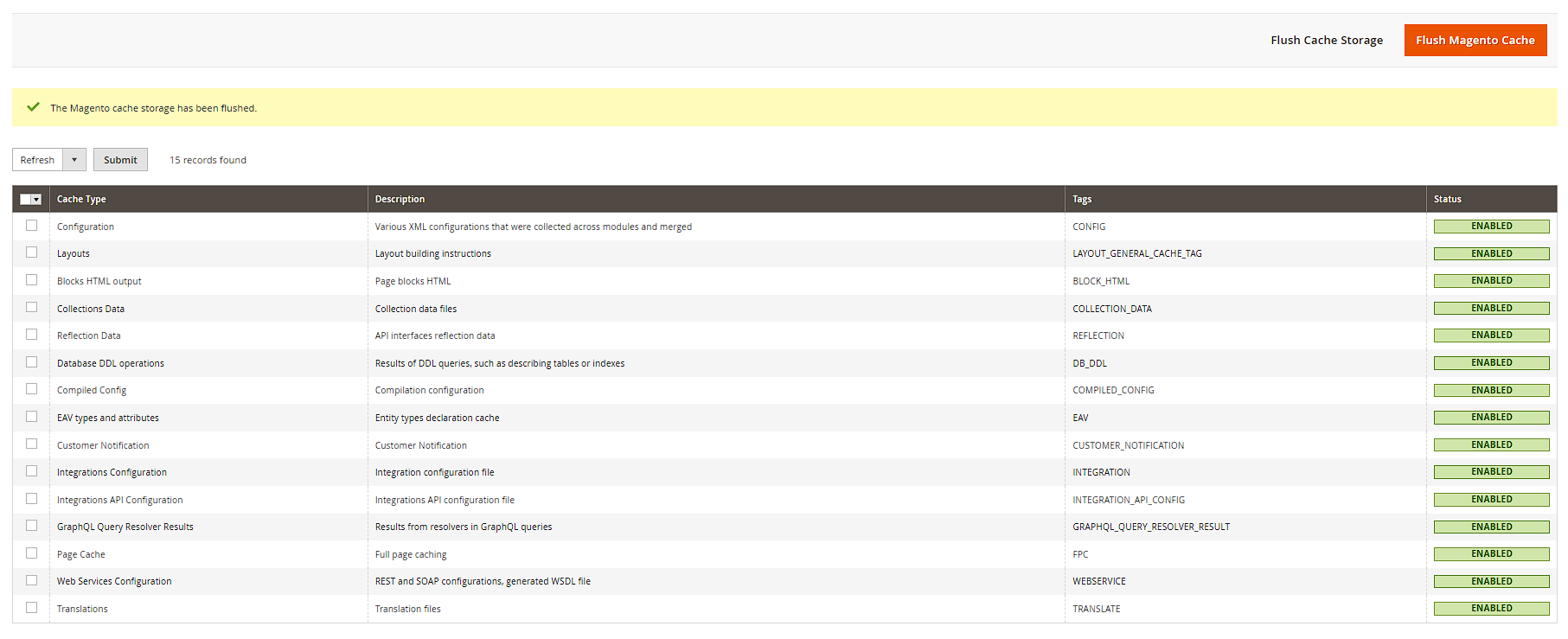
- Configuration: every setting from Stores > Configuration.
- Layout: merged layout XML structures.
- Block HTML output: rendered block fragments.
- Full Page Cache: complete, fully rendered pages — the most impactful cache, but also the one you'll clear most often.

When to clear it
After changes to configuration, design, CMS content or theme files, the cache is often not automatically up to date. Use Flush Magento Cache to clear every type at once; the checkboxes next to each type let you target individual ones. If a type's status shows "Invalidated" (instead of "Enabled"), Magento has already detected it's stale — a click on Flush Magento Cache is then enough. In production, don't manually delete the entire var/cache folder — always use the backend function or bin/magento cache:flush instead.
Additional cache types at a glance
Beyond the main types mentioned above, System > Cache Management lists further, less frequently noticed cache types: Compiled Config (the merged dependency-injection structure built from DI configuration), DB DDL operations (table structures Magento queries at runtime), Web Services (metadata for the REST/GraphQL APIs), Translations (translation values from i18n CSV files and backend translations), and Collections Data and Reflection Data (internal PHP reflection information used for performance optimizations). In everyday operation you'll practically never need to clear these manually — they become relevant almost exclusively after deployments or code changes.
Additional buttons under "Additional Cache Management"
Below the cache type table you'll find the Additional Cache Management section with two standalone buttons: Flush Catalog Images Cache deletes the product images that have been resized and cached on the filesystem — useful when old thumbnails still show up after replacing an image. Flush JavaScript/CSS Cache removes the merged and minified CSS/JS files from pub/static. Both buttons act independently of the main cache and are often the faster fix for theme or image problems than a full flush.

cache:clean vs. cache:flush
On the command line, two similarly named but differently behaving commands exist: bin/magento cache:clean only removes the actual cache entries (by tag), leaving the cache infrastructure itself intact. bin/magento cache:flush, on the other hand, empties the entire underlying storage (e.g. the whole Redis DB segment) — which, on shared cache backends, can also affect other applications' data. Practical tip: for routine use, cache:clean is almost always sufficient; reserve cache:flush for "hard resets".

Cache backend and Full Page Cache mode
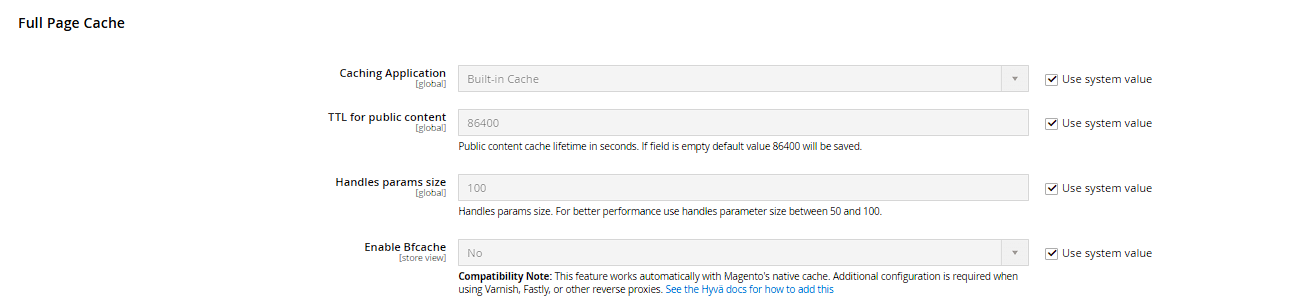
Whether Magento uses the built-in filesystem/Redis cache or Varnish for the Full Page Cache is not set within System > Cache Management itself, but under Stores > Configuration > Advanced > System > Full Page Cache via the Caching Application field (Built-in Application or Varnish Caching). Which storage backend (filesystem, Redis) is used for the individual cache types, however, isn't a backend setting at all — it's configured in the app/etc/env.php file under the cache key and requires a deploy rather than an admin login.