The most important settings under Stores > Configuration: country, currency, timezone and more.
Under Stores > Configuration lives practically the entire base configuration of Magento, organized into sections on the left (General, Catalog, Sales, ...). The important concept to understand is the Scope (dropdown in the top left):
- Default Config: the global base setting, applies everywhere no more specific value has been set.
- Website scope: overrides the default values for a specific website.
- Store View scope: overrides them again for a specific language/store view – this is where you set the language itself, for example.
Particularly relevant areas under General
- Country Options: default country and allowed countries for addresses.
- Locale Options: language, timezone, first day of the week.
- Store Information: company name, address, phone number – shows up on invoices and shipping documents, among other places.
- Currency Setup: base currency, allowed currencies and exchange rate source.

A helpful detail: the small Use Website/Use Default checkbox next to every field shows whether the value is still inherited or has been overridden at this scope – a quick glance tells you immediately where you've already configured something individually.
Setting up base URLs correctly
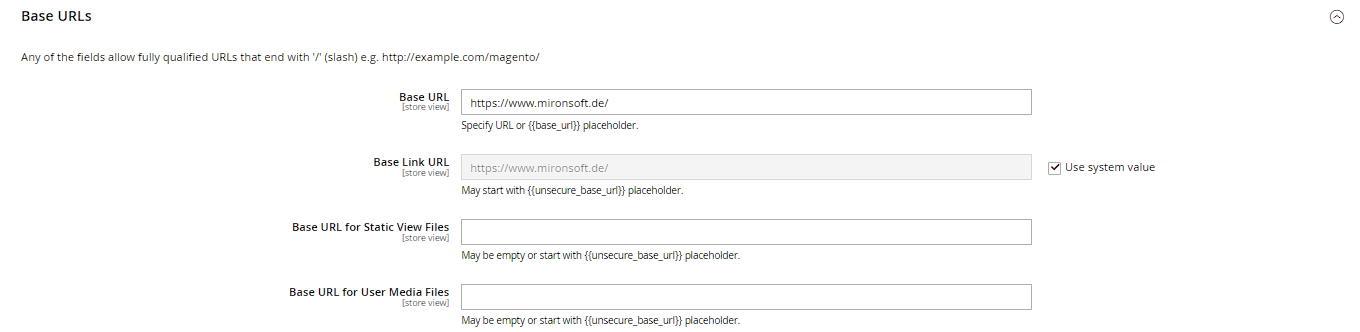
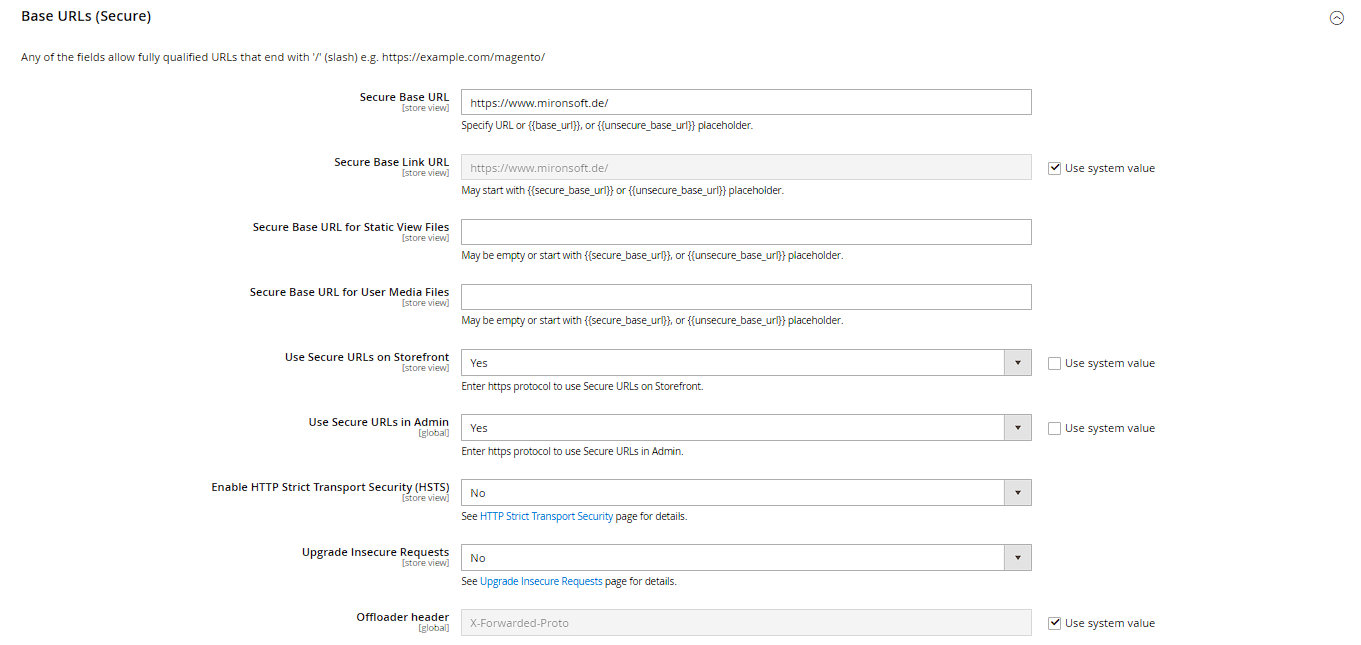
Under Stores > Configuration > General > Web, in the Base URLs section, you define Base URL (the main domain), Base Link URL, Base URL for Static View Files and Base URL for User Media Files – the latter three default to the placeholder {{base_url}} and therefore automatically inherit the main URL. The Base URLs (Secure) section below has the same fields for HTTPS, plus Use Secure URLs on Storefront and Use Secure URLs in Admin. Practical tip: a full cache flush is required after any change to a base URL, since stale or incorrect cached URLs otherwise break links throughout the entire shop.
Defining default pages
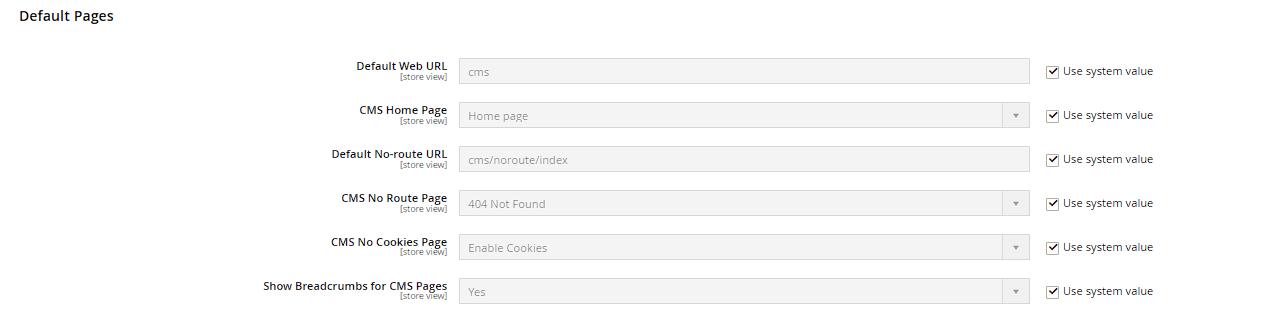
In the Default Pages section (also under Stores > Configuration > General > Web) you set the CMS Home Page (the homepage), the CMS No Route Page (shown for URLs that don't exist, replacing the generic 404 page) and the CMS No Cookies Page. This setting can be overridden at store view scope – for a multi-language project that means each language can have its own translated homepage and error pages, instead of the German CMS pages also showing up in the English store view.
Configuring Store Email Addresses as senders
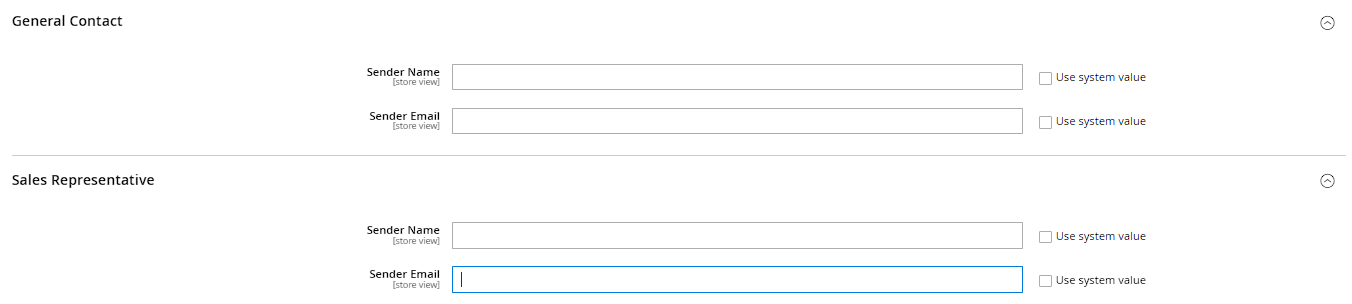
The Store Email Addresses section under Stores > Configuration > General defines up to four sender identities (General Contact, Sales Representative, Customer Support, Custom Email 2), each with Sender Name and Sender Email fields. These identities are selected as the sender in the various email-related configuration sections (e.g. Sales Emails, Newsletter, contact form) and should be set to a language-appropriate sender address per store view.
Single-Store Mode – when it does NOT apply
Under Stores > Configuration > General > General you'll find the Single-Store Mode field, which, when enabled, hides the website/store selectors from the admin menu and simplifies the admin interface. Practical tip: for a multi-language project with several store views, this option has no effect and should stay disabled, since it's meant exclusively for setups with a single website, a single store and a single store view – with multiple store views, the scope selector and store switcher stay visible regardless.
