Which payment methods Magento ships with, and how to enable, sort and restrict them by customer group.
Manage payment methods under Stores > Configuration > Sales > Payment Methods. Magento ships with basic options like prepayment ("Check / Money Order") and invoice-style methods ("Cash on Delivery", "Bank Transfer Payment"), plus extension points for payment providers (e.g. PayPal, Mollie, Braintree) that in practice usually come as their own, separately installed module with its own configuration area (on this project, for example, Mollie).
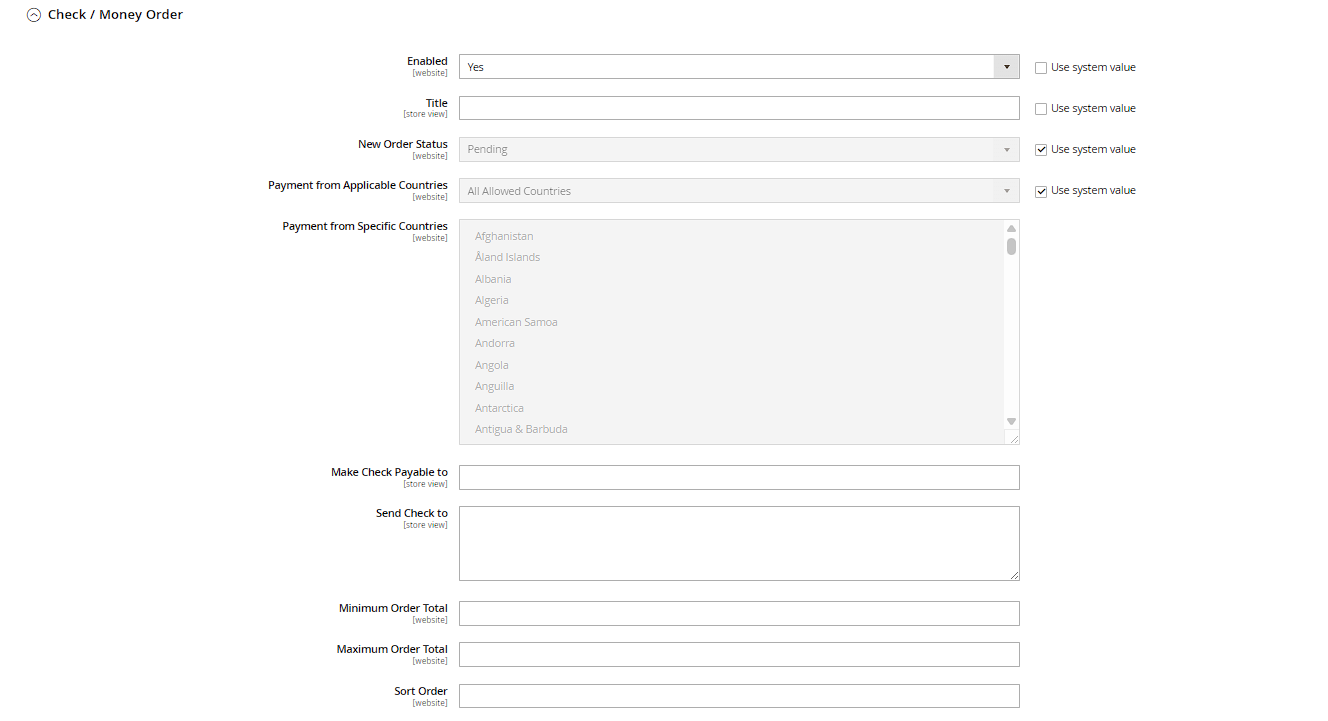
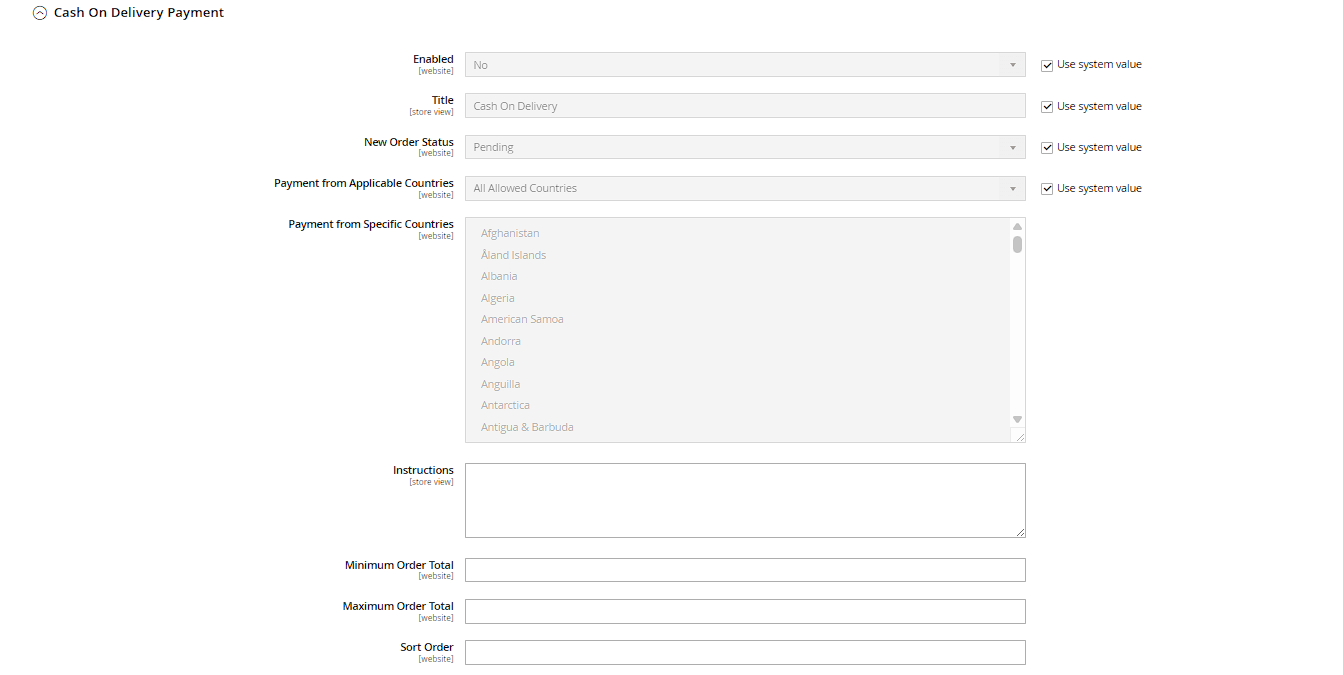
Configurable per payment method
- Enabled: on/off switch for the entire payment method.
- Title: the label shown in checkout – phrase it clearly and unambiguously, since this is what the customer actually sees.
- Sort Order: order in checkout when multiple payment methods are active – the most frequently used method should be listed first.
- Payment from Applicable Countries / Specific Countries: geographic restriction, e.g. invoice-based purchase only for domestic customers, to limit default risk on international orders.
- Min/Max Order Total: available for some payment methods, to only offer them above/below a certain order value (e.g. restricting invoice-based purchase once a certain trust/order threshold is reached).
- New Order Status: which status an order with this payment method gets right after it comes in (e.g. "Pending" for prepayment, since processing only continues once payment is received, or straight to "Processing" for instantly confirmed payments).
Restricting by customer group
The standard configuration doesn't natively offer a direct "only for customer group X" restriction for every payment method; but this can be achieved in combination with country settings, or via specialized extensions or custom development – e.g. offering invoice-based purchase only to customers with at least one previously completed order.
Practical note: after every change, clear the cache so the payment methods update in checkout. In production, only enable payment methods that are actually technically integrated and tested with a real test order – a failed purchase attempt with a broken payment method costs trust, and in the worst case, revenue.
Payment action: authorize only vs. authorize and capture
For online-connected payment methods (credit card, PayPal & co.), the method configuration usually includes a Payment Action field with the options Authorize Only (the amount is only reserved when the order comes in, the actual charge happens when the invoice is created) and Authorize and Capture (the amount is charged immediately when the order comes in). The first option offers more flexibility for partial shipments and later corrections, since amounts not yet invoiced can simply be voided instead of refunded.
Extra fields for prepayment and cash-on-delivery methods
The Check / Money Order Payment method has its own Make Check Payable to and Send Check to fields, where you specify who a check should be made out to and which address it should be sent to – this information is shown to the customer at checkout and in the order confirmation. The Bank Transfer Payment and Cash On Delivery Payment methods instead have a free-text Instructions field, where you can enter e.g. your bank details or notes about the COD fee.

Stored payment methods (Vault)
If a connected payment provider supports card storage, a dedicated configuration block appears under Stores > Configuration > Sales > Payment Methods > Vault Provider, letting you enable the feature (Active) and restrict it to certain countries (Payment from Applicable Countries). With Vault active, returning customers can select a previously saved card at checkout without re-entering their details – the actual card data is never stored in Magento itself, only a token held by the payment provider.