Magento 2 Welcome Email Series with Coupon
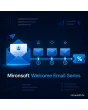
SKU: WELCOMEEMAILSERIES1
- multi-step series with schedule after registration or newsletter
- personal coupon per recipient, generated automatically
- series ends on order or unsubscribe
- statistics for sent and redeemed per step in the admin
Einmaliger Kauf · inkl. 12 Monate Updates · zzgl. MwSt.
Magento 2 Welcome Email as a series: from the first click to the first order
With the Mironsoft Magento 2 Welcome Email, new customers and newsletter subscribers receive more than a single confirmation: a series of mails on a fixed schedule. The first mail goes out immediately, the following ones after the number of days you define. A personal coupon is generated automatically and placed in the right step. The Magento 2 Welcome Email runs in the Hyvä theme without an extra library and can be configured per store view.
Multi-step series
Up to five mails per series, each with its own subject, template and send time.
Schedule in days
For every step you set how many hours or days after the trigger the mail is sent.
Two triggers
Customer registration and newsletter sign-up each start their own series.
Coupon per recipient
A cart price rule coupon is generated per recipient with validity and minimum order value.
Stops on order
As soon as the customer orders or unsubscribes, the series ends automatically.
Admin statistics
Sent and redeemed counts per step are shown in one overview.
Why a single Magento 2 Welcome Email is often not enough
The moment right after sign-up is when attention is at its highest. By default Magento only sends the account confirmation or the newsletter confirmation. After that the customer hears nothing until your first campaign. Anyone searching for a Magento 2 Welcome Email with a series wants to close that gap.
A series tells the story in small steps: who we are, what we offer, which categories are worth a look, and here is a coupon for the first order. Every mail has one job and stays short. That makes the Magento 2 Welcome Email feel like a friendly greeting rather than an advertising block.
Magento 2 Welcome Email: define steps and schedule
In the admin you create the individual steps per series. Each step consists of a subject, a mail template and a delay after the trigger, for example immediately, after two days and after seven days. The templates use the regular Magento mail variables such as first name and store name. Steps can be enabled, disabled and reordered without losing recipients already in the series.
- Up to five steps per series and store view
- Delay in hours or days per step
- Templates with standard variables, preview in the admin
Send the welcome coupon automatically inside the series
The coupon is optional and belongs to one step of your choice. The module creates an individual code for every recipient based on a cart price rule you set up beforehand. A code therefore cannot be passed on and used repeatedly. Validity in days and minimum order value come from the rule. If a code is about to expire, a reminder step can point it out.
- Individual code per recipient from a price rule
- Validity and minimum order value from the rule
- Reminder shortly before expiry as its own step
Magento 2 Welcome Email after registration and newsletter
The series starts depending on the trigger. For customer registration it begins after the account is created, for the newsletter only after double opt-in confirmation, so that only confirmed addresses receive mails. If someone is both customer and subscriber, you decide whether both series run or only the first. Guest orders without sign-up do not trigger a series.
- Registration and newsletter as separate triggers
- Start only after confirmed double opt-in
- Rule against duplicate series for the same address
Stop rules, cron delivery and statistics under control
Delivery runs through a cron job that sends due mails in batches. As soon as a recipient orders, deletes the account or unsubscribes from the newsletter, open steps are discarded. The statistics show per step how many mails were sent and how many coupons were redeemed. The delivery history is searchable by address in case a customer asks.
- Stop on order, unsubscribe or account deletion
- Batch delivery by cron with rate limit
- Statistics and searchable delivery history
Where the Magento 2 Welcome Email works in everyday shop life
Typical situations in which a series achieves more than a single confirmation.
Activating new customers
Freshly registered customers receive a selection of the most popular categories after two days and their coupon for the first order after a week.
Newsletter launch
New subscribers get to know your range before the first regular newsletter arrives. This lowers the unsubscribe rate in the first weeks.
Products that need explanation
Shops with consulting needs use the series for care tips, guides and comparison help instead of pure advertising.
B2B accounts
After registration, business customers learn how price lists, reordering and contact persons work.
Magento 2 Welcome Email: without and with the module
The difference to the plain account confirmation of Magento.
| Topic | Without module | With Mironsoft Welcome Email Series |
|---|---|---|
| Number of mails | One confirmation | Series with up to five steps |
| Schedule | Not available | Delay per step in hours or days |
| Coupon | Created and distributed manually | Individual code per recipient, automatic |
| Stopping | Not possible | Stops on order or unsubscribe |
| Reporting | None | Sent and redeemed per step |
How we set up the Magento 2 Welcome Email for you
The process after you place your order.
Alignment
You decide how many steps the series has, which delays apply and whether a coupon belongs to it.
Installation
We install the module, enable the Magento 2 Welcome Email for your store views and connect the series to your price rule for the coupon.
Mail templates
We design the templates to match your shop, per language and store view, with your own copy if you wish.
Testing
We test the Magento 2 Welcome Email with registration and newsletter sign-up, the schedule, stopping on order and redemption of the coupon.
Handover
Your team receives an introduction to steps, statistics and pausing a series.
Scope compared with follow-up mails and cart reminders
The Mironsoft follow-up mail sends mails after an order, for example with a review request. The cart reminder contacts people who left items in their cart. The Magento 2 Welcome Email starts earlier: it accompanies the beginning of the customer relationship, before anything has been bought.
All modules can be combined. The sending rules prevent a customer from receiving several mails from different modules on the same day. The admin interface works without an additional library.
No download, but personal setup
Welcome Email Series is not listed here as a ready-made download file to install yourself. The purchase is an order for a service: we contact you after the purchase, install the module in your shop and agree on steps, schedule and coupon together with you.
Frequently asked questions
Everything important about series, coupon, triggers and how the purchase works.
How can I set up a welcome email series in Magento 2?
How can I send a welcome coupon automatically in Magento 2?
How many mails can a series contain?
When does the series start after a newsletter sign-up?
What happens if the customer has already ordered?
How can I see in Magento 2 how many welcome mails were redeemed?
Are there notes on privacy and consent?
Does the Magento 2 Welcome Email work with Hyvä?
How does it differ from follow-up mail and cart reminder?
Can I download and install the module myself?
Recently Viewed Products

Magento 2 Welcome Email – Mironsoft