Magento 2 Variant Table with Quantity Fields for B2B Shops
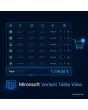
SKU: CONFIGURABLETABLEVIEW1
- all variants of a configurable product as a table
- quantity fields per variant, total calculated live
- several variants into the cart with one click
- tier prices, stock status and minimum quantities per row
Einmaliger Kauf · inkl. 12 Monate Updates · zzgl. MwSt.
Magento 2 Variant Table: quick ordering instead of a dropdown marathon
The Magento 2 variant table from Mironsoft replaces the selection fields on the product page of a configurable product with a table. Every variant has its own row with SKU, price, stock status and a quantity field. Buyers enter quantities for several sizes or colours and add everything to the cart with one click. This is especially useful in wholesale. The table runs on Alpine.js in the Hyvä theme and needs no additional library.
All variants visible
Sizes, colours and further options are listed as rows or a matrix, without dropdown clicks.
Quantity fields per row
Every variant has its own quantity field with plus and minus as well as minimum and step values.
Live total
Piece count and total price of the entries are calculated continuously and shown below the table.
Tier prices visible
Price tiers and customer group prices are shown per row and applied when the quantity is entered.
Stock status per variant
Available quantity, delivery time or not available appears directly in the row.
One click into the cart
All rows with a quantity go into the cart together, even with several dozen variants.
Why a Magento 2 variant table makes the difference in wholesale
Anyone ordering fifteen sizes of a shirt from a supplier does not want to choose a size, enter a quantity and add to cart fifteen times. Merchants therefore search for a Magento 2 configurable product table, a Magento 2 order matrix or Magento 2 add multiple variants to cart. By default Magento selects variant by variant through dropdowns or swatches.
That suits consumers but slows down business customers who reorder whole ranges. With the Magento 2 variant table they see prices, stock and tiers at a glance, enter their quantities and are done. Fewer clicks mean fewer abandoned carts and fewer questions to your sales team.
Magento 2 variant table on the product page: rows instead of dropdowns
The module reads the combinations of the configurable product and presents them as a table. With one option, such as size, a list is created; with two options like size and colour, a matrix with colours as rows and sizes as columns. Each cell shows stock and price. On small screens the display switches to a stacked list.
- List for one option, matrix for two options
- Stock and price directly in the cell
- Stacked list on smartphones
Quantity fields, minimums and tiers in the Magento 2 variant table
Every quantity field respects the product settings: minimum quantity, step, maximum quantity per order and stock limit. Invalid entries are marked immediately, not only in the cart. Tier prices apply either per variant or across the sum of all variants of the same product, depending on how you calculate. The grand total updates with every entry.
- Minimum, step and maximum per row
- Immediate check of invalid entries
- Tier price per variant or across all variants
Order several variants in one step with the Magento 2 variant table
One click on add to cart sends all rows with a quantity greater than zero. During transfer the button shows progress, afterwards your mini cart or the cart page opens. If single rows could not be added, for example because of a stock problem, this is reported and the other rows remain. Table entries can be traversed beforehand by keyboard, which speeds up data entry at the desk.
- All rows with a quantity transferred at once
- Message for single rows not added
- Tab navigation through the quantity fields
Admin control: when the Magento 2 variant table appears
The table can be activated globally, per category, per product or per customer group. Consumers keep seeing the familiar selection while retailers get the table. You also decide which columns appear, such as SKU, stock status or tier price, and from how many variants the table replaces the selection fields.
- Activation globally, per category, product or group
- Columns freely selectable
- Threshold for the number of variants
Where the Magento 2 variant table helps in everyday shop work
Typical situations in which a Magento 2 variant table is faster than selection fields.
Textiles and workwear
Whole size runs are ordered in one go, without operating the page again for every size.
Screws, seals and technical goods
Technical items with many dimensions appear in a table and the buyer compares sizes and prices side by side.
Wholesale reorders
Regular customers order the same variants repeatedly and only enter the quantities.
Phone orders
Inside sales captures orders during the call directly in the table.
Magento 2 variant table: with and without the module compared
The difference to selection by dropdown.
| Topic | Without the module | With Mironsoft Variant Table View |
|---|---|---|
| Display | Dropdowns or swatches, one variant after another | All variants as rows or matrix |
| Quantities | One quantity per action | Quantity field in every row |
| Price overview | Only for the chosen variant | Price and tier visible per row |
| Cart | Several clicks per variant | One click for all rows |
| Stock | Visible only after the selection | Stock status per row at once |
How we set up the Magento 2 variant table for you
The process after you place your order.
Kick-off
You name the products and customer groups the table should apply to and the columns you want.
Installation
We install the module, set up the Magento 2 variant table for your store views and match it to your Hyvä theme.
Configuration
We define thresholds, columns and tier behaviour and check the price logic.
Testing
We test the Magento 2 variant table with lists and matrices, minimum quantities, stock limits and the hand-over to the cart.
Handover
Your team gets a walkthrough of the control per category, product and customer group.
Scope compared to quick order and order form
The quick order from Mironsoft accepts SKUs on a page of its own, and the order form captures many products from different items. The Magento 2 variant table, in contrast, works on the product page and shows the variants of one single configurable product so that customers enter their quantities there.
The modules can be combined. The interface runs on Alpine.js in the Hyvä theme, without jQuery, Knockout or an additional library.
No download, but a personal setup
Variant Table View is not listed here as a ready-made download for self-installation. The purchase is an order for our service: we get in touch after the purchase, install the module in your shop and agree on columns and tier behaviour together with you.
Frequently asked questions
Everything important about the table, quantity fields, prices and how the purchase works.
How can I show all variants of a product as a table in Magento 2?
How can I add several variants to the cart at once in Magento 2?
Do tier prices work in the Magento 2 variant table?
Are minimum quantities and step values respected?
Can I show the table for retailers only?
What does the Magento 2 variant table look like with two options?
Does the table show the stock status per variant?
Does the Magento 2 variant table work with Hyvä?
How does the module differ from quick order and order form?
Can I download and install the module myself?
Recently Viewed Products

Magento 2 Variant Table – Mironsoft Variant Table View