Magento 2 Upsell Popup right after Add to Cart
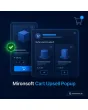
SKU: CARTUPSELLPOPUP1
- popup opens right after the add-to-cart click
- rules by category, price range and minimum margin
- Alpine modal without extra JavaScript, keyboard accessible
- reporting: impressions, clicks and extra revenue per rule
Einmaliger Kauf · inkl. 12 Monate Updates · zzgl. MwSt.
Magento 2 Upsell Popup: the right add-on at the right moment
The Magento 2 upsell popup from Mironsoft opens a modal with matching add-ons the instant a customer clicks add to cart. Shoppers see what they just bought and are offered accessories, spare parts or a higher-value variant. Which products appear is decided by rules based on category, price range and minimum margin. The popup is built with Alpine.js, needs no extra library and can be switched on or off per store view.
Popup after add to cart
The modal opens immediately after the click and confirms the chosen item with image, name and price.
Rules by category
For each source category you define which target categories or single products are suggested.
Price range and margin
Offers appear only within a price range and only if the stored minimum margin is met.
Multi-select in the modal
Customers tick several suggestions and add them to the cart together with one click.
Frequency limit
The popup shows at most once per session and rule, so it never turns into a constant interruption.
Reporting per rule
Impressions, clicks and extra revenue per rule show which offers really pay off.
Why a Magento 2 upsell popup beats a block further down the product page
Merchants search for Magento 2 upsell after add to cart, a Magento 2 add-on offer popup or a Magento 2 cross-sell popup because the moment right after the buying decision is favourable: the customer has committed and is open to extras. Recommendation blocks lower on the page, by contrast, are often scrolled past.
Out of the box Magento offers related products, cross-sells in the cart and up-sells on the product page. A hint right after the click is missing. With the Magento 2 upsell popup you gain exactly that lever without rebuilding the product page, and with rules that protect your margins instead of advertising clearance stock.
Magento 2 upsell popup after add to cart: instant, but not pushy
As soon as a product is in the cart, the modal appears with the confirmation and the suggestions. It closes with the Escape key, the close button or a click outside the window. Shoppers who want to keep browsing choose continue shopping, those who want to finish go straight to the cart. Quick adds from listings and product pages follow the same logic.
- Confirmation with image, name, quantity and price
- Close by Escape, cross or click outside
- Buttons for continue shopping and go to cart
Upsell rules for your Magento 2 upsell popup: category, price, margin
A rule consists of a source and a target. The source is a category, an attribute or a price band of the purchased product; targets are categories, product lists or the next higher model. In addition you cap suggestions to a price range relative to the cart item and require a minimum margin. That way no accessory appears that costs more than the main product or fails to pay off.
- Source: category, attribute or price band
- Target: category, fixed product list or next higher model
- Minimum margin and maximum price share per rule
Add several extras at once from the Magento 2 upsell popup
Each suggestion has a checkbox and a quantity default. The customer ticks what they need and adds everything with one click, without a page reload. The total of the selection is shown live. Products with required options lead to the product page, simple items land directly in the cart. Out-of-stock products are not offered in the first place.
- Multi-select with live total
- Products with required options link to the product page
- Out-of-stock items never appear
Reporting: what a Magento 2 upsell popup really delivers
In the admin you see per rule how often the Magento 2 upsell popup was shown, dismissed and used, and which extra revenue resulted. Rules with a weak rate can be switched off or adjusted. There are also settings for frequency, delay and exclusion lists, for example for voucher products or subscriptions where a popup would be disruptive.
- Impressions, clicks and extra revenue per rule
- Frequency per session and delay adjustable
- Exclusion lists for products and categories
Where the Magento 2 upsell popup adds revenue in everyday shop work
Typical situations in which the Magento 2 upsell popup with an add-on right after the click makes sense.
Accessories for a device
Anyone buying a camera, smartphone or power tool gets a case, battery or spare blades suggested immediately.
Higher-value variant
Next to the entry model the next higher model appears with a clear price difference, without blocking the purchase.
Consumables
Devices come with matching filters, cartridges or care products that are reordered regularly anyway.
Promotional stock with margin
Clearance items with a good margin are shown precisely after thematically matching purchases.
Magento 2 upsell popup: with and without the module compared
The difference to standard recommendation blocks.
| Topic | Without the module | With Mironsoft Cart Upsell Popup |
|---|---|---|
| Timing | Blocks far down the page | Right after the add-to-cart click |
| Control | Maintained manually per product | Rules by category, price and margin |
| Margin protection | None | Minimum margin per rule |
| Several products | Added one by one | Multi-select, one click |
| Success tracking | Only via web analytics | Impressions, clicks, extra revenue in the admin |
How we set up the Magento 2 upsell popup for you
The process after you place your order.
Kick-off
You name your key categories, accessory relationships and the minimum margin you want.
Installation
We install the module, activate the Magento 2 upsell popup for your store views and check the display in the Hyvä theme.
Create rules
Together with you we create the first rules for the Magento 2 upsell popup and test suggestions with real products.
Testing
We check cart, mini cart, products with options and out-of-stock items.
Handover
Your team gets a walkthrough of the rule engine and the reporting.
Scope compared to cross-sell rules and the mini cart
The cross-sell rules from Mironsoft control recommendations inside the cart page, and the mini cart shows the current items in a flyout. The Magento 2 upsell popup starts earlier: in the moment after the click, with its own rule control and its own reporting.
All three modules can be combined. The modal runs on Alpine.js in the Hyvä theme and needs no additional library.
No download, but a personal setup
Cart Upsell Popup is not listed here as a ready-made download for self-installation. The purchase is an order for our service: we get in touch after the purchase, install the module in your shop and create the first upsell rules together with you.
Frequently asked questions
Everything important about rules, display, reporting and how the purchase works.
How can I show a popup after the add-to-cart click in Magento 2?
How can I define upsell rules by category in Magento 2?
Can I stop unprofitable products from being offered?
How often does the popup appear for a customer?
Can the customer add several suggestions at once?
How can I measure the success of an upsell popup in Magento 2?
Does the Magento 2 upsell popup work with Hyvä?
Can I switch the popup off for certain products?
How does the module differ from cross-sell rules?
Can I download and install the module myself?
Recently Viewed Products

Magento 2 Upsell Popup – Mironsoft