Magento 2 Table Reservation with Table Groups and Time Windows
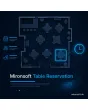
SKU: TABLERESERVATION1
- time windows, shifts and closed days per weekday
- table groups with seat count and dwell time
- party size, blocked dates and request mode for large groups
- confirmation, reminder and cancellation by email
Einmaliger Kauf · inkl. 12 Monate Updates · zzgl. MwSt.
Magento 2 table reservation: guests book a table, a time and a party size online
With the Magento 2 table reservation from Mironsoft, guests pick a date, a time and the number of people on your website and see which tables are free. The module counts the capacity of your table groups, respects opening hours, closed days and blocked dates, and sends a confirmation and a reminder by email. The interface is built with Alpine.js in the Hyvä theme and needs no extra library. Magento 2 table reservation is configured per store view, so every venue and every language can follow its own rules.
Time windows and shifts
Opening hours per weekday, split into lunch and dinner, with a booking step of 15 or 30 minutes.
Party size
Minimum and maximum per reservation; larger groups are sent to your team as a request.
Table groups
Dining room, terrace, bar or side room, each with its own seat count and dwell time.
Blocked dates
Closed days, holidays and private events block single times or whole days.
Confirmation
Confirm automatically or review every reservation by hand, with an email template per status.
Reminder
One reminder email before the visit, with a link to change or cancel.
Why guests expect a Magento 2 table reservation on your website
Hardly anyone likes to phone a restaurant any more, least of all during service. Guests search for a Magento 2 table reservation, online table booking or a table for four tonight. For you, every call means an interrupted conversation at the bar and a note on a slip of paper that gets lost later.
Without a reservation system you get double-booked tables, forgotten notes and empty seats in quiet hours. With a Magento 2 table reservation you see in the admin at any time which tables are taken at which time. The guest gets an answer at once, and you plan staff and purchasing on real numbers.
Magento 2 table reservation with time windows: lunch, dinner and a booking step to suit you
You define for each weekday when reservations are possible. A venue with a lunch menu and an evening menu gets two shifts, each with its own start and its own last booking time. The booking step is 15 or 30 minutes. A lead time blocks bookings for the next half hour, and a booking horizon in days limits how far ahead guests may book.
- Shifts per weekday with their own last booking time
- Step, lead time and booking horizon are adjustable
- Dwell time by party size, for example longer for bigger tables
Table groups and capacity: Magento 2 table reservation for dining room and terrace
You build table groups such as dining room, terrace, bar or side room and enter each table with its seat count. For the requested party size, the module looks for a fitting table and avoids giving a table for six to two guests when smaller tables are free. Optionally the guest chooses the area. Tables that can be pushed together for large groups are marked as combinable, and the decision stays with your team.
- Tables with seat count, area and allocation order
- Combinable tables for larger groups
- Area choice by the guest can be switched on or off
Blocked dates and closed days in a Magento 2 table reservation, handled cleanly
Closed days are part of the weekly rule. On top of that you enter holidays, summer breaks or private events as blocked dates, either for the whole day or only for one shift or one table group. On a blocked date no free times appear, and reservations that already exist are shown in the admin so you can contact the guests. The reservations can be exported as a list.
- Block a day, a shift or a single table group
- Warning about existing reservations on new blocked dates
- Recurring blocks, for example every first Monday of the month
Confirmation, reminder and cancellation in your Magento 2 table reservation
After submitting, the guest receives an email with date, time, party size and area. In automatic mode the reservation is confirmed at once; in manual mode it stays open until your team accepts or declines. A reminder email goes out a set number of hours before the visit. Through a link the guest cancels or moves the booking up to a deadline you define. You write your own cancellation terms.
- Status open, confirmed, declined, cancelled, arrived
- Reminder by cron, deadline for cancellation and change is adjustable
- Email template per status and store view
Where the Magento 2 table reservation helps in daily restaurant work
Typical situations in which an online reservation saves time.
Restaurant with lunch and dinner service
Two shifts with their own capacity and dwell time make the Magento 2 table reservation fit a classic restaurant. The phone stays free for special requests.
Café, bar or bistro
A Magento 2 table reservation with small tables, short dwell time and a tight step. The bar is managed as its own group.
Inn with a hall or side room
Larger groups arrive as a request that your team confirms by hand. You block the side room for parties.
Seasonal venue with a terrace
The terrace is offered in summer only and closed in bad weather through a blocked date or shift.
Magento 2 table reservation: phone and paper versus the module
What changes in the daily routine.
| Topic | Without the module | With Mironsoft Table Reservation |
|---|---|---|
| Intake | Phone, paper slips, messages | Online around the clock, one central list |
| Table allocation | From memory or on paper | Capacity per table group and time window |
| Blocked times | Have to stay in your head | Closed days and blocked dates in the admin |
| Feedback | A call back is needed | Confirmation and reminder by email |
| Cancellations | Empty tables without warning | Cancellation link with a deadline, the table is free again |
How we set up your Magento 2 table reservation
The process after you place your order.
Briefing
You tell us opening hours, shifts, tables, areas and your rules for groups and cancellation.
Installation
We install the module, set up the Magento 2 table reservation for your store views and place the form where you want it, for example on a CMS page or in the navigation.
Tables and blocked dates
We enter table groups, seats, dwell times and the first blocked dates and check the allocation of your Magento 2 table reservation with test reservations.
Email templates
We design confirmation, reminder and decline emails to match your venue, per store view and language.
Handover
Your team gets a walk-through of the reservation list, status changes and blocked dates.
How it differs from Appointment Booking, Staff Calendar and Calendar Sync
Mironsoft Appointment Booking hands out single time slots for appointments, such as consulting or treatments. The Magento 2 table reservation, by contrast, manages seats and tables with party size, dwell time and table groups. Mironsoft Staff Calendar keeps staff and room calendars, and Mironsoft Stay Booking books overnight stays in nights.
With Mironsoft Calendar Sync you can also publish your reservations as an iCal link for an office calendar. The exchange runs by link at an adjustable interval and not in real time. All modules can be combined, and the interface works with Alpine.js without an extra library.
No download, but personal setup
Table Reservation is not listed here as a ready-made download for self-installation. The purchase is an order for a service: after the purchase we get in touch, install the module in your shop and agree time windows, table groups and email templates with you. Please check legal questions, such as guest data, food hygiene and licensing rules or cancellation terms, with your adviser.
Frequently asked questions
Everything important about time windows, tables, confirmation and how the purchase works.
How can I set up a table reservation in Magento 2?
How can I manage tables and seats in Magento 2?
How can I block closed days and holidays in Magento 2?
How can I confirm or decline reservations in Magento 2?
How can I send a reminder for the reservation in Magento 2?
What happens with larger groups?
Which guest data is stored?
Does the Magento 2 table reservation work with Hyvä?
How does it differ from Appointment Booking?
Can I download and install the module myself?
Recently Viewed Products

Magento 2 table reservation – Mironsoft