Magento 2 Spin Wheel Popup with Coupons and Email Opt-in
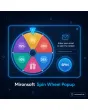
SKU: SPINWHEELPOPUP1
- prize wheel with freely defined prizes and blanks
- probabilities on the server, coupon created automatically
- email opt-in with consent, limit per visitor
- trigger by time, scrolling or exit intent
Einmaliger Kauf · inkl. 12 Monate Updates · zzgl. MwSt.
Magento 2 Spin Wheel Popup: coupons in a playful exchange for email addresses
The Mironsoft Magento 2 Spin Wheel Popup lets visitors spin a wheel and win a coupon. To do so they enter their email address and consent to receiving messages. You define prizes, probabilities and coupon rules in the admin, and the draw runs on the server. The Magento 2 Spin Wheel Popup limits participation per visitor, uses Alpine.js and needs no extra library.
Freely defined wheel
2 to 12 segments with prizes, discounts or blanks, colours and labels.
Weighted probabilities
Each segment has a weight; the draw happens on the server, not in the browser.
Automatic coupon
A cart price rule becomes a single-use code with an expiry date.
Email opt-in
Consent text, required field and optional double opt-in before sending.
Limit per visitor
One participation per email address, supplemented by a cookie check.
Flexible triggers
After time, scrolling, exit intent or only on selected page types.
Why a prize wheel brings more sign-ups than a static form
A newsletter form only promises mail. A wheel promises a prize and sparks curiosity, which is why visitors sign up more often and stay longer. Merchants therefore look for a Magento 2 Spin Wheel Popup that creates coupons automatically and collects addresses with consent. Out of the box there is neither a wheel nor prize logic.
Anyone building it themselves faces questions of fairness and abuse: who may spin how often, how do you prevent manipulated results, how is the coupon delivered unambiguously? The Magento 2 Spin Wheel Popup answers these with a server-side draw, bound coupons and a participation limit.
Design the wheel: segments, prizes and probabilities
In the admin you set up the wheel: number of segments, label, colour and weight per segment. A segment can represent a percentage discount, a fixed amount in euros, free shipping or a blank without a prize. The probability follows from the weight. The draw happens on the server, and the browser only plays the animation. Whether blanks or guaranteed prizes fit your concept is your decision.
- 2 to 12 segments with discount, shipping or blank
- Weights control the probability
- Draw on the server, animation in the browser
Create coupons automatically and bind them to the email
Each winning segment points to a cart price rule. For the winner the module creates a personal code from it, bound to the given email, redeemable once and limited in time. The code appears in the popup and is also sent by email, with a template per store view. Minimum order value and exclusions are set in the price rule. That way the coupon can neither be passed on nor used repeatedly.
- Personal code per winner from a price rule
- Bound to email, single use, with expiry date
- Shown in the popup and sent by email
Email opt-in, consent and terms of participation
Before spinning, visitors enter their email address and consent. You maintain the consent text and the link to terms of participation and privacy policy per store view. Optionally a double opt-in confirms the address before the coupon is sent. The module does not replace legal advice: whether your campaign counts as a prize draw, whether tying a coupon to consent is permissible and which notices are required is for you to verify as the shop operator, with legal advice where needed.
- Consent text and terms link per store view
- Double opt-in optional before coupon dispatch
- Legal review by the shop operator
Triggers, participation limit and abuse protection
The popup appears after a delay, a scroll depth or on exit intent, and only on the page types you choose. Visitors who already took part no longer see it: the module checks a cookie and, decisively, the email address, because cookies can be deleted. Rate limiting per IP and a honeypot protect against scripts. The popup follows the cookie choice; you list functional storage in the cookie description.
- Time, scroll depth, exit intent and page types
- Limit by cookie and email address
- Rate limiting and honeypot against scripts
Where a Magento 2 Spin Wheel Popup helps in everyday shop work
Typical situations in which the Magento 2 Spin Wheel Popup motivates visitors to sign up.
Building the newsletter
With the Magento 2 Spin Wheel Popup, new visitors trade their email address for a chance to win, with consent for your mailing list.
Seasonal campaigns
At Easter, Black Friday or Christmas the wheel carries the theme and prizes of the campaign, without rebuilding the shop.
First-purchase incentive
A Magento 2 Spin Wheel Popup coupon with a minimum order value gets undecided first-time visitors to make their first purchase.
Trade fairs and openings
On a landing page the wheel can be reached by QR code and delivers leads with consent.
Magento 2 Spin Wheel Popup: form or wheel compared
What the Magento 2 Spin Wheel Popup changes compared with a simple newsletter form.
| Topic | Without the module | With Mironsoft Spin Wheel Popup |
|---|---|---|
| Incentive | Flat discount in the form | Playful chance to win |
| Draw | No logic or in the browser | Weighted, on the server |
| Coupon | One shared code for all | Personal, bound single-use code |
| Participation | Repeatable | Limit per email and cookie |
| Consent | Afterwards in the newsletter | Opt-in before spinning, optional double opt-in |
How we set up the Magento 2 Spin Wheel Popup for you
The process after you place your order.
Briefing
You name goal, prizes, discount limits and page types. We discuss with you which legal questions to clarify beforehand.
Installation
We install the module, create the wheel and the price rules and set up the Magento 2 Spin Wheel Popup for your store views.
Opt-in
We store consent text for the Magento 2 Spin Wheel Popup, terms link, coupon email and the double opt-in setting.
Testing
We test draw, coupon, limit, reduced motion and keyboard operation with test addresses.
Handover
Your team gets an introduction to the wheel, statistics and participation log.
Scope compared with exit popup, newsletter popup and coupon overview
The Mironsoft exit popup reacts to abandonment intent, the newsletter popup collects sign-ups without a game, and the promotion popup shows notices. The coupon overview in the account manages existing codes. The Magento 2 Spin Wheel Popup adds a playful element with prize logic.
The modules can be combined but should not appear on the same page at the same time. Everything runs on Alpine.js in the Hyvä theme, with no additional library.
No download, personal setup
The Spin Wheel Popup is not listed here as a ready-made download file to install yourself. The purchase is a service order: after the purchase we get in touch, install the module in your shop and set up wheel, coupons and opt-in together with you.
Frequently asked questions
Everything important about the wheel, coupons, opt-in, limit and how the purchase works.
How can I add a prize wheel for coupons in Magento 2?
How can I collect email addresses through a prize draw in Magento 2?
Is the result drawn in the browser or on the server?
How does the probability work?
Can a visitor spin more than once?
How is the coupon delivered?
Is the wheel a prize draw in the legal sense?
Does the Magento 2 Spin Wheel Popup work with Hyvä and accessibility?
How does it differ from the newsletter popup and exit popup?
Can I download and install the module myself?
Recently Viewed Products

Magento 2 Spin Wheel Popup – Mironsoft