Magento 2 Specification Table for Clear Product Data
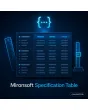
SKU: PRODUCTSPECIFICATIONTABLE1
- group attributes into sections such as dimensions, technology and scope of delivery
- units, highlights and a fixed order for every attribute
- compare several products side by side in one table
- output as Product schema with additionalProperty
Einmaliger Kauf · inkl. 12 Monate Updates · zzgl. MwSt.
Magento 2 Specification Table: from a pile of attributes to a readable datasheet
With the Mironsoft Specification Table you show product data as a grouped table instead of one long flat list. The values come straight from your existing attributes, so nothing is maintained twice. Groups, units, order and highlighting are set once per attribute in the admin. Empty values disappear automatically. Shoppers find dimensions, power and material at a glance, and search engines receive the same data as structured markup. The Magento 2 Specification Table runs on Alpine.js in the Hyvä theme and needs no extra library.
Attribute groups
Bundle attributes into groups such as dimensions, technology or scope of delivery, in your own order.
Units
Store units like mm, kg or W per attribute, shown neatly behind the value.
Highlighting
Key values appear in bold or in a short strip above the table.
Comparison view
Several products sit in columns next to each other, differences can be marked.
Schema markup
The same values are output as Product schema with additionalProperty.
Why shoppers want a Magento 2 specification table with structure
People who buy tools, electronics or furniture compare numbers. The default More Information tab lists every attribute one below the other, without groups, without units and without regard for importance. With thirty attributes you get a wall of rows in which nobody finds the voltage or the weight. Merchants therefore look for a Magento 2 specification table, for technical data or for a datasheet directly on the product page.
The result is support questions and drop-offs before the purchase. With a structured table, shoppers see immediately whether a product fits. Visibility benefits as well: search engines understand values better when they are marked up as properties with name, value and unit.
Structure the Magento 2 specification table into groups
The attribute editor gets an extra section called Datasheet. There you choose the group, the sort order and whether the value appears in the short strip. Groups can be named freely and translated per store view. The table shows one heading per group with the rows below. Long tables can be collapsed per group, and the state is kept in the browser with Alpine.js.
- Group, sort order and short strip per attribute
- Group names translatable per store view
- Optionally collapsible groups, open by default
Magento 2 Specification Table with units, decimals and multiple values
For every attribute you set a unit and the number of decimals, for instance two places for kilograms and none for millimetres. Dropdown attributes with several values appear as a comma-separated list, yes/no attributes as a tick or text. Free text stays free text. The number format follows the language of the store view, so German shops get a decimal comma.
- Unit and decimals per attribute
- Multi-select as a list, yes/no as an icon
- Number format by store view language
Compare products side by side with the Magento 2 Specification Table
On category pages and wishlists, customers pick up to four products and see their specifications in columns. Identical values are shown subtly, differing rows can be highlighted or shown exclusively. You decide per attribute whether it takes part in the comparison. On a smartphone the table scrolls horizontally while the first column stays in place.
- Up to four products in columns
- Show only differences with a switch
- First column stays visible on mobile
Schema data: additionalProperty from your attributes
Alongside the visible table, the module writes the properties as additionalProperty into the Product schema of the page, each with name, value and unit. Only attributes that are visible are output, so markup and page content match. If your shop already has Product schema, the module extends it instead of creating a second one. Whether Google derives any presentation from it is up to the search engine alone.
- additionalProperty with name, value and unit
- Only visible attributes in the markup
- Extends existing Product schema
Where a Magento 2 specification table helps in daily shop work
Typical catalogues in which a Magento 2 Specification Table decides the purchase.
Tools and machinery
Voltage, speed, weight and accessories sit in groups. Professionals compare two devices without scrolling.
Electronics and accessories
Ports, dimensions and compatibility are structured. Support gets fewer questions about details.
Furniture and interiors
Width, height, depth and material appear as a dimensions group, care instructions as a group of their own.
B2B wholesale
Buyers put items with identical key values next to each other and decide on the data.
Magento 2 Specification Table: default tab versus grouped table
What the Magento 2 Specification Table changes compared with the flat attribute list.
| Topic | Without the module | With Mironsoft Specification Table |
|---|---|---|
| Structure | One long list without groups | Groups with heading and order |
| Units | Value without unit or hidden in the name | Unit and decimals per attribute |
| Empty values | Rows with a dash or No | Hidden automatically |
| Comparison | Default comparison with all attributes | Columns, differences only, selectable attributes |
| Structured data | No properties in the schema | additionalProperty matching the table |
How we set up the Magento 2 Specification Table for you
The process after you place the order.
Briefing
You tell us your most important attributes and preferred groups, we clarify units and languages.
Installation
We install the module and set up the Magento 2 Specification Table for your store views.
Mapping
We assign your attributes to groups, store units and define the short strip.
Testing
We check the Magento 2 Specification Table, comparison and schema output with your real product types and on a smartphone.
Handover
Your team gets a walkthrough of how new attributes are added to the datasheet.
Scope compared with filter attributes and the default tab
The Mironsoft layered navigation uses attributes for filtering in the category. The Magento 2 Specification Table is about presentation on the product page and in the comparison. The default More Information tab can stay or be replaced by the table.
All modules can be combined. The Magento 2 Specification Table uses Alpine.js in the Hyvä theme, without jQuery and without Knockout.
No download — personal setup instead
The Specification Table is not delivered as a ready-made download file for self-installation. The purchase is a service commission: we get in touch after the purchase, install the module in your shop and agree on groups, units and comparison together with you.
Frequently asked questions
Everything important about the Magento 2 Specification Table: groups, units, comparison, schema and how the purchase works.
How can I show a specification table in Magento 2?
How can I group attributes in Magento 2?
How can I show units next to attributes in Magento 2?
Are empty attributes displayed?
Can I compare products with the Magento 2 Specification Table?
Does the module output structured data?
Does the table work with Hyvä?
What happens to the default More Information tab?
Does it work for configurable products?
Can I download and install the module myself?
Recently Viewed Products

Magento 2 Specification Table – Mironsoft