Magento 2 Product Personalization with Engraving and Live Preview
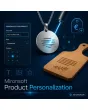
SKU: PRODUCTPERSONALIZATION1
- choose text, font and position and see the result at once
- set character limit, allowed characters and surcharge per product
- entries travel into cart, order and email
- production list with preview image for the workshop in the admin
Einmaliger Kauf · inkl. 12 Monate Updates · zzgl. MwSt.
Magento 2 product personalization: turn a standard item into a one-off
With the Magento 2 product personalization module from Mironsoft, your customers engrave or print items to their own wishes. They type a text, choose a font and a position and see the result on the product image straight away. The surcharge is calculated live, the entries land in the cart and later in the order as production data. Names, dedications and logos reach your workshop without typing errors. The interface runs on Alpine.js and needs no extra library.
Live preview
The text appears on the product image at once, exactly where it will be engraved later.
Fonts
You define the list, the customer picks from it. Quality stays under your control.
Position choice
Front, back or centre: positions with their own area and their own price.
Character limit and filter
Maximum length and allowed characters stop entries your machine cannot produce.
Surcharge
Flat or per character, with tiers and a minimum amount, visible before the purchase.
Why customers want to personalize products in your Magento 2 shop
A name on a cutting board, a dedication inside a ring, a company logo on a pen: personalized products are given as gifts, they carry a higher margin, and customers rarely compare them with other offers. Merchants therefore look for Magento 2 product personalization that does more than a plain text field. The default Magento options capture a text, but they show no preview, offer no font and give the workshop no usable data.
Without a preview, customers ask by email or order with doubts. Without a character limit, texts arrive that do not fit the item. And without production data, your team retypes names from the order, including every typo that comes with it. Clean Magento 2 product personalization solves all three problems in one step.
Magento 2 engraving configurator: choose text, font and position
With Magento 2 product personalization, a configurator appears below the price on the product page. The customer types a text, picks one of the approved fonts and a position. Every change shows in the live preview without a page reload. For each product you decide which fields, fonts and positions are available. A bracelet gets an inside engraving with two lines, a wooden board a large front area for name and date.
- Several fields per product, each with its own character limit
- Approve fonts and positions per product or per category
- Default text as placeholder so the preview never looks empty
Magento 2 product personalization with live preview: the customer sees what they get
The preview lays the text as a layer over the product image. Position, size and alignment follow the values you store per product in the admin. The image stays an ordinary product photo, nothing is rendered anew and nothing is uploaded. Because the display is only an approximation, you can show a note that font and spacing may differ slightly in production. That cuts queries and complaints.
- Text as a layer over the product image, driven by Alpine.js
- Set placement per product in the admin with percentage values
- Note about the difference between preview and production
Magento 2 product personalization surcharge: character limit and allowed characters under control
Personalization takes time, so it may cost money. For each product you choose a flat surcharge or an amount per character, optionally with a minimum and free first characters. The price shows live before the customer adds to cart. A character filter removes emojis or special characters your engraving machine does not know and tells the customer in a friendly way. Required fields make sure no item is ordered without text.
- Flat or per character, with minimum amount and free characters
- Allowed characters as a pattern, anything forbidden is explained
- Required or optional, set per product
Magento 2 product personalization: production data from the order straight to the workshop
All entries are stored as structured data on the order item and appear in the admin, in the order email and, if wanted, on delivery note and invoice. The module also creates a preview image of the order that your workshop uses as a template. A printable production list gathers all open personalized items. Personalized goods are usually excluded from withdrawal; you can show a matching note in the configurator, the legal review stays with the shop operator.
- Data per order item in the admin, in emails and on documents
- Preview image as production template
- Production list for open personalized items
Where Magento 2 product personalization lifts revenue in daily shop work
Typical items where a custom text makes the difference.
Jewellery and gifts
Names, dates and dedications for rings, bracelets and pendants. Magento 2 product personalization takes away the fear of a wrong result.
Kitchen and wood
Cutting boards, glasses and bottles with a name or a saying. The position follows the surface of the item.
Promotional items and business customers
Pens, mugs and power banks with a company name. Required field and character limit prevent faulty orders.
Textile and fashion
Initials or back print for jerseys and bags, with a choice from a fixed font list.
Magento 2 product personalization: without and with the module
The difference to the simple text field in the default options.
| Topic | Without the module | With Product Personalization |
|---|---|---|
| Input | A single text field without help | Configurator with font, position and character limit |
| Customer confidence | No view of the result | Live preview on the product image |
| Price | Flat option, hardly any logic | Flat or per character, calculated live |
| Workshop | Retype the text from the order | Structured production data with preview image |
| Error rate | Texts too long or unsuitable | Limit and character filter prevent faulty jobs |
How we set up Magento 2 product personalization for you
The process after you commission it.
Briefing
You tell us the products, fields, fonts and positions as well as your rules for surcharge and character limit.
Installation
We install the module, store your fonts and set up Magento 2 product personalization for the chosen products and store views.
Preview fine-tuning
For every product image we adjust position, size and alignment of the text layer so that it matches later production.
Testing
We check Magento 2 product personalization in cart, order, email and production list with sample texts, special characters and limit values.
Handover
Your team gets an introduction to product settings, production data and preview images.
Delimitation of Magento 2 product personalization from product options with images and forms
The module for product options with images adds pictures to selection fields, such as a colour or a pattern. The form builder collects general enquiries outside the order. Magento 2 product personalization instead captures engraving and printing directly on the item, shows the result and passes it on as production data.
All modules can be combined. The interface runs on Alpine.js in the Hyvä theme, without jQuery and without Knockout.
No download — personal setup instead
Product Personalization is not listed here as a ready-made download file for self-installation. The purchase is a service commission: we get in touch after the purchase, install the module in your shop and agree on fonts, positions and price rules together with you.
Frequently asked questions
Everything important about configurator, preview, price and the purchase process.
How can I offer engraved products in Magento 2?
Can the customer see the text beforehand?
How do I set a surcharge for personalization?
Can I limit the number of characters?
Which fonts can the customer choose?
How does the data reach the workshop?
Does the right of withdrawal apply to personalized goods?
Does Magento 2 product personalization work with Hyvä?
Can I enable Magento 2 product personalization only for selected products?
Can I download and install the module myself?
Recently Viewed Products

Magento 2 Product Personalization – Mironsoft