Magento 2 Product Comparison PDF: Download and Share the Compare List
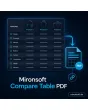
SKU: COMPARETABLEPDF1
- download the compare list as a PDF with one click
- shareable link to the comparison table, also for guests
- logo, date stamp and attribute selection configurable
- Alpine.js button in Hyvä, no extra JavaScript
Einmaliger Kauf · inkl. 12 Monate Updates · zzgl. MwSt.
Magento 2 Product Comparison PDF: take the compare list with you
With the Mironsoft Magento 2 product comparison PDF, customers turn the compare list into a clean document or a link. The comparison table no longer stays trapped in the browser; it can be printed, emailed or shown to the boss. The module runs on Alpine.js in the Hyvä theme and loads no extra library.
PDF in one click
A button on the compare page creates the Magento 2 Product Comparison PDF with product images, names and all displayed attributes.
Shareable link
Alternatively a link with a random token is created. The recipient sees the same comparison table without an account.
Your layout
Logo, header, footer and note text are set per store view, in A4 landscape or portrait.
Choose attributes
You decide which attributes appear in the PDF and in which order, independent of the storefront view.
Date stamp
Every PDF carries the date and time of creation so that prices and data stay traceable.
Highlight differences
Rows with differing values are highlighted, identical values stay calm and readable.
Why customers need the Magento 2 product comparison outside the shop
Anyone choosing a television, a cordless drill or a coffee machine rarely decides alone or in a single session. The partner wants a say, purchasing needs a record, the workshop wants to lay the data next to the data sheet. The Magento compare list, however, lives in the session and disappears as soon as the browser closes.
Merchants therefore search for Magento 2 product comparison PDF or Magento 2 print compare list. A Magento 2 product comparison PDF solves exactly that: the selection becomes a file or a link that can be saved, printed and forwarded. For merchants it is a quiet sales helper, because your logo and your product data travel with the document into the decision meeting.
Magento 2 Product Comparison PDF: clean, on brand, printable
The compare page shows a Download PDF button. The Magento 2 product comparison PDF is created with one click creates a document with your logo, product images, names, prices and the selected attributes. The table breaks cleanly across pages when there are many rows, and the header repeats. If the list holds too many products, a setting limits the number of columns so nothing gets cut off.
- Logo, header and footer per store view
- A4 portrait or landscape, page breaks with repeated header
- Maximum number of product columns configurable
Share a Magento 2 product comparison: one link instead of a screenshot
Besides the Magento 2 product comparison PDF, the module creates a link to the comparison table. The link contains a long random value and no customer data. Whoever opens it sees the saved selection, even without an account. Current prices and stock status are loaded again on opening; if a product has been delisted in the meantime, a note appears instead of an empty column. You set the validity in days.
- Random token without personal data
- Prices and availability current on opening
- Expiry after a configurable period, cleanup by cron
Which attributes the Magento 2 Product Comparison PDF contains
Not every attribute belongs in a Magento 2 product comparison PDF. Internal fields, supplier numbers or long descriptions only get in the way. In the admin you pick the rows for the PDF from all attributes released for comparison and sort them by position. If you wish, the module hides rows that are empty for every product and highlights differing values.
- Attribute selection independent of the storefront
- Hide empty rows automatically
- Highlight differing values by color
Privacy, note texts and overview in the admin
Only the product selection and the time are stored, no names, addresses or payment data. You attach a note text per store view, for example that prices are subject to change and the date in the document applies. In the admin you see created links with date and views and can block single links. Legal assessment of the notes remains with the shop owner.
- Note text with price disclaimer per store view
- Overview and blocking of single links in the admin
- No personal data in the link
Where the Magento 2 Product Comparison PDF helps in daily shop work
Typical situations in which a document beats a browser tab.
Technical products
Customers compare devices with many specifications and put the PDF next to data sheets or offers from other sellers.
Purchasing with approval
The buyer sends the comparison by link to management. Management decides without searching again.
Field sales advice
A consultant puts three variants side by side on site and emails the customer the PDF.
Family gift shopping
Several people see the same side-by-side view and decide together instead of passing screenshots around.
Magento 2 product comparison PDF: without and with the module
The difference to screenshots, browser printouts and handwritten lists.
| Topic | Without the module | With Mironsoft Compare Table PDF |
|---|---|---|
| Sharing | Screenshot or browser printout with cut-off columns | PDF or link with a clean layout |
| Branding | None, only the browser page header | Your logo, header and footer |
| Attributes | Everything the page shows | Targeted selection and order |
| Timeliness | Unclear when the data was current | Date in the document, link loads current prices |
| Control | None | Validity, blocking and overview in the admin |
How we set up your Magento 2 Product Comparison PDF
The process after your order.
Briefing
You tell us your logo, paper format, desired attributes and whether guests may share links.
Installation
We install the extension for the Magento 2 Product Comparison PDF and place the buttons on the compare page in the Hyvä theme.
Layout
We design header, footer and note text per store view and check the page breaks.
Testing
We test PDF and link with few and with many products, long attribute values and missing images.
Handover
Your team gets an introduction to attribute selection and the link overview.
Differences to Ajax compare, catalog PDF and invoice PDF
The Mironsoft Ajax compare takes care of adding products to the compare list without a page change. The catalog PDF summarizes whole assortments, and the invoice PDF concerns orders. The Magento 2 Product Comparison PDF starts afterwards: it takes the finished compare list and turns it into a document and a link.
The modules can be combined. The buttons run with Alpine.js in the Hyvä theme, without jQuery and without an additional library.
No download, personal setup instead
Compare Table PDF is not listed here as a ready-made download file for self-installation. The purchase is a service commission: we get in touch after the purchase, install the module in your shop, set up the Magento 2 product comparison PDF and agree on layout, attributes and link rules together with you.
Frequently asked questions
Everything important about PDF, link, attributes and how the purchase works.
How can I download the compare list as a PDF in Magento 2?
How can I share a product comparison by link in Magento 2?
Which attributes appear in the Magento 2 product comparison PDF?
Is the link secure?
What happens if a product is no longer available?
How many products fit into one PDF?
Can I adapt the logo and note text?
Does the Magento 2 Product Comparison PDF work with Hyvä?
How does this differ from Ajax compare?
Can I download and install the module myself?
Recently Viewed Products

Magento 2 Product Comparison PDF – Mironsoft Compare Table PDF